Some deliveries may take a little longer than usual due to regional shipping conditions.

DOWNLOAD THE APP


Customer Services
Copyright © 2025 Desertcart Holdings Limited
DOWNLOAD THE APP


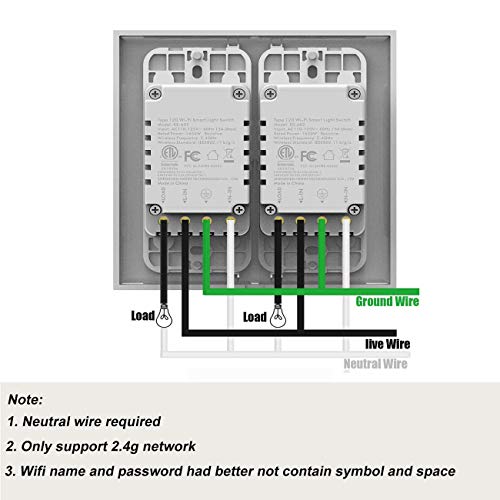
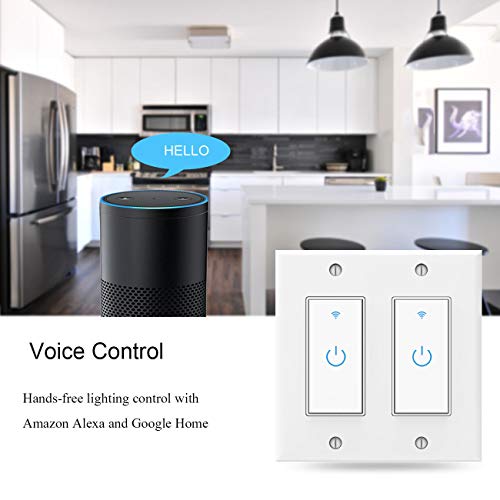
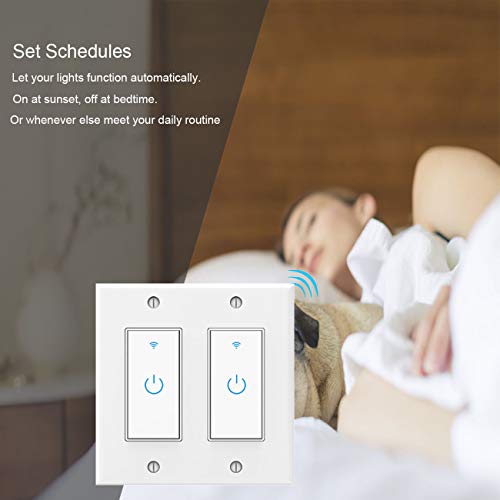

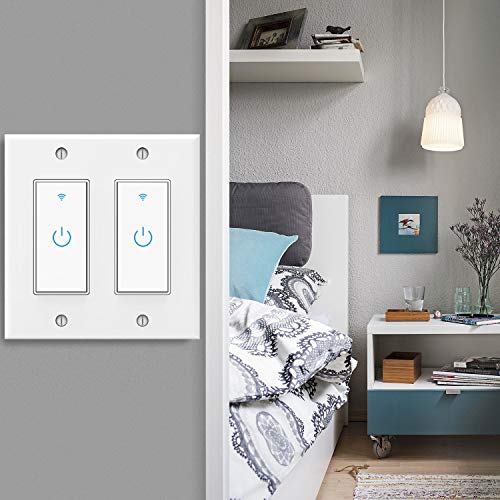


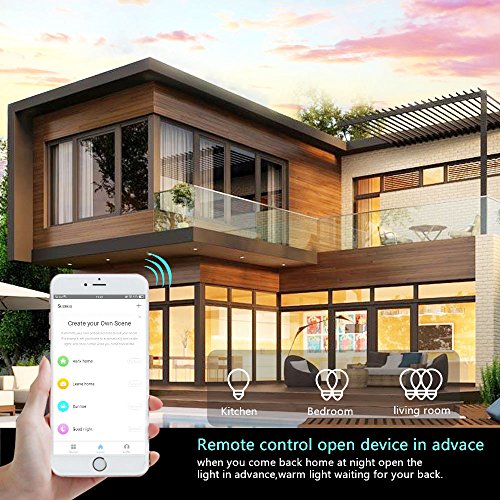


💡 Upgrade your walls, upgrade your life—smart lighting made effortlessly stylish.
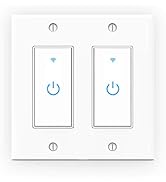
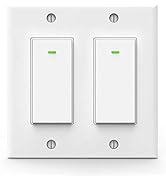
The Smart Switch WiFi Wall Light Switch is a 2-gang, single-pole switch requiring a neutral wire and 2.4GHz WiFi. Compatible with Alexa, Google Assistant, and IFTTT, it offers capacitive touch control with a scratch-resistant glass panel. No hub is needed, and users can set schedules and timers via the Smart Life app for remote lighting management.






| ASIN | B07HKTJGSJ |
| Batteries Required? | No |
| Batteries included? | No |
| Colour | gray |
| Customer Reviews | 4.1 4.1 out of 5 stars (301) |
| Date First Available | 13 July 2025 |
| Item Package Quantity | 1 |
| Item Weight | 299 g |
| Item model number | 0705300850859 |
| Manufacturer | Lesim |
| Package Dimensions | 14.1 x 12.9 x 6.1 cm; 299 g |
| Part number | 0705300850859 |
| Wattage | 300 watts |
B**G
I have a security system already in the house and was pretty frustrated that most manufacturers are selling their "smart home" accessories as security devices. Not so with these smart switches. First off, these require a 4 wire connecting. If the switch you're replacing just has a pass-through switch and a ground it won't work. a neutral wire and ground are required for these to work, Bummer for me at the office great here at home. Through the app, it connects very easily to whatever network you choose. and to Alexas. NOTE: When I bought the two pack I was expecting two switches but hadn't considered the wall plate. Just FYI, this comes with a double wall plate for both switches to be side by side. I haven't tried it yet but I believe a GFCI Device Wallplate will work with these. I am running to the local Lowes to get a couple and will let you know if it doesn't. If there is no update then it worked.
M**.
I have owned and installed 8 of these switches in my house. The first time I did it I had no electrical experience so I had to watch a bunch of YouTube videos to get a little understanding on how switches in general work. That being said with time and patience I figured it out. Now if you are familiar with all this I would definitely say installation is quite simple. It comes with everything you need there are no functional design problems with this product. However it is bulkier than your regular non wifi switch so be prepared to make space for that by shortening wires. So everything fits in the box. Once that was done you just install the app and it will walk you through the install. The switches run off of 2.4ghz. Every router has two different options. 2.4ghz and 5ghz. Now if you have a router that displays both options in your list of wifi options. Just select the 2.4 the app will prompt you to use that. If you are like me and have an updater router that only has one option there is an option to switch pairing mode from EZ mode to AP mode. AP MODE will allow you to connect your phone to the devices wifi signal. The signal won't be strong so you may get a notification that say to switch to your regular wifi just select stay connected and as soon as you go back to the app it will start pairing. Like I said I have installed a bunch of these over time and paired them all with my Alexa devices.. These switches are an affordable price and they work just as well as the lutron. P.S I would not use them for fan switches use switches that are designated for fan use.. Hope this helps.
E**H
1 Does exactly what I needed. Controls light from downstairs when I'm not upstairs....fast/easy. 2 Take photos of the currently wired wall switch and make sure it's not too crowded in there for this type of switch (before you buy this). The Line wire was easy to ID because there are 2 switches and they were tied together on the line side but not on Load side. Thus the existing switch was connecting power to load side when on. Put the label stickers on before you disconnect these. 3 If you don't know you'll need your 2.4 Ghz wi-fi NAME and PASSWORD. It's name is RIGHT there under wi-fi settings on your phone. It works manually as well in case you don't get it right away. 4 It's tight in the wall box so it can't be already too crowded. Better have a length of 14-2 gage wire and some wire nuts to gang them together if needed. Also, the backing plate needs to be maneuvered over the two switches before you get too far along. Test before you button it all up. 5 You'll need to load the APP and register a free account. When you restore power you'll see the flashing light and with the APP guiding you to add a device scroll down to a wall switch with wi-fi & bluetooth. Allow software to UPDATE right away, only takes a minute. Works right away after that.
W**R
I have made these work as 2-way and 3-way switches. I am not going to go into detail on wiring, but if you can wire your existing boxes to get power to every switch location this will work. The last switch in the wiring series before the light fixture we will call "Hallway". In the other box(es) install the switches but only hook up the ground, the neutral and the line connection. Do not hook up the line out. The other boxes will essentially be 'remote controls' to run the "Hallway" switch. Get the switches working and controllable in the Smart Life (or Tuya) app. Now to make the system work: Create a scene where if you turn on Hallway light it turns on Remote 1 and Remote 2 Create a scene where if you turn off Hallway light it turns off Remote 1 and Remote 2 Create a scene where if you turn on Remote 1 it turns on Hallway and Remote 2 Create a scene where if you turn off Remote 1 it turns off Hallway and Remote 2 Create a scene where if you turn on Remote 2 it turns on Hallway and Remote 1 Create a scene where if you turn off Remote 2 it turns off Hallway and Remote 1 If you set it up right as you turn any switch on or off the other switch(es), whether they be the main switch or a remote switch, will become the same on or off state.
W**N
I have several of these in my home and I really enjoy controlling the lights for my house from my phone. It is nice when you are coming home and it is dark outside to just turn the outside lights on anywhere from my phone. I also like the timer that automatically turns lights off and on using a schedule. BUT, I have bought a couple extras because I have had to replace them for various reasons. One switch was buzzing after a year so that had to be changed out and another switch just stopped working. The other switches have been solid, but don’t be surprised if you have to replace one sooner than expected. They stay connected and they reconnect automatically if your internet goes down. Keep in mind that you must have a DEDICATED 2.4GHZ signal.
Trustpilot
3 weeks ago
3 weeks ago