
DOWNLOAD THE APP


Customer Services
Copyright © 2025 Desertcart Holdings Limited
DOWNLOAD THE APP


🔒 Elevate your home security with solar-powered smarts and 2K clarity—never miss a moment!
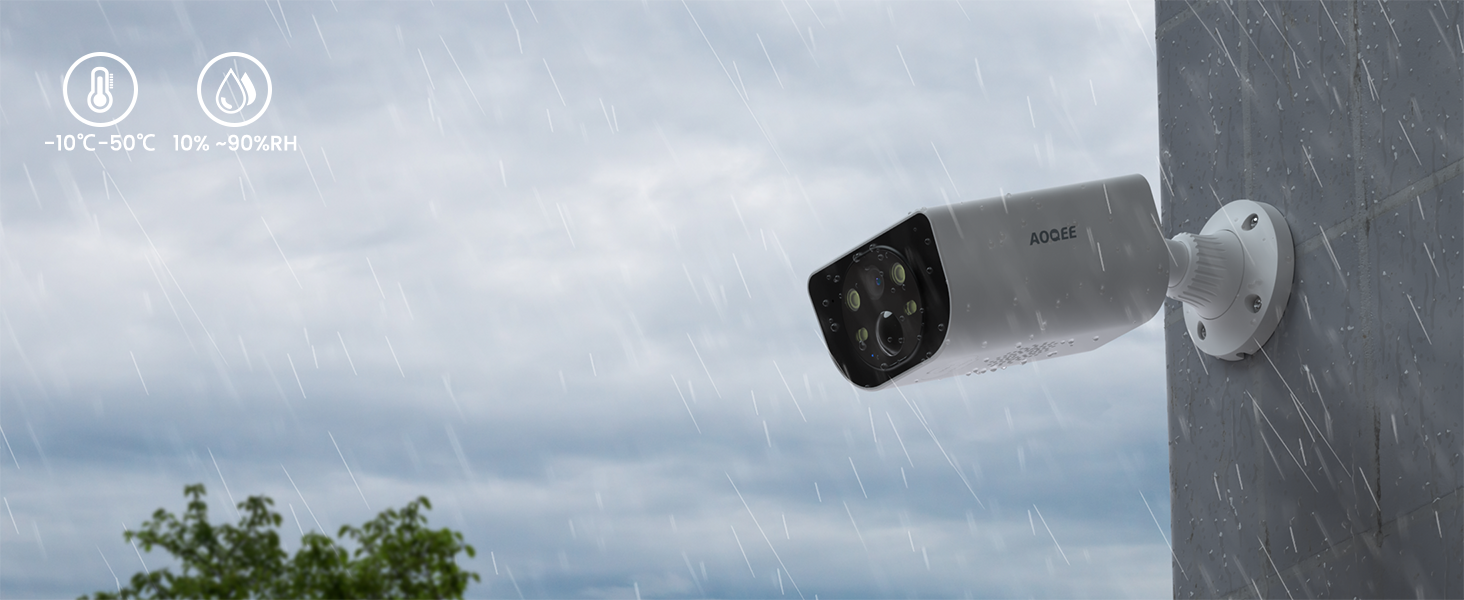
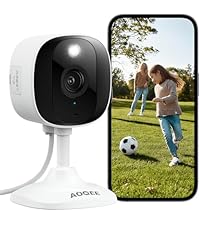
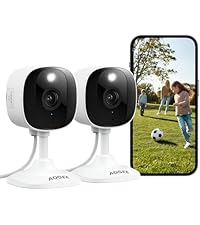
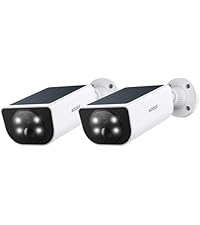
The AOQEE 2K Solar Camera Outdoor is a wireless, solar-powered security camera designed for continuous 24/7 operation without wiring hassles. Featuring 2K resolution with color night vision, AI-powered human detection with siren and spotlight, and flexible storage options via SD card or cloud, it ensures crystal-clear monitoring day and night. Its IP65 waterproof rating guarantees durability in all weather conditions, while compatibility with Alexa and Google Home enables seamless smart home integration. Ideal for professionals seeking reliable, high-tech outdoor surveillance with easy installation and multi-user access.




| ASIN | B0D6V8Y3RT |
| Alert Type | Motion Only |
| Batteries | 2 Lithium Metal batteries required. (included) |
| Batteries Required? | Yes |
| Best Sellers Rank | #28 in Bullet Surveillance Cameras |
| Color | White |
| Compatible Devices | Smartphone |
| Connectivity Protocol | Wi-Fi |
| Control Method | App |
| Controller Type | Android |
| Customer Reviews | 4.0 4.0 out of 5 stars (5,863) |
| Date First Available | July 22, 2024 |
| Effective Still Resolution | 3 MP |
| Effective Video Resolution | 1296 |
| Focus Type | Auto Focus |
| Included Components | Camera body, Type-C to Type-A Power Cord, installation guide, mounting screws, bracket |
| Indoor/Outdoor Usage | Outdoor |
| International Protection Rating | IP65 |
| Item Weight | 1.06 pounds |
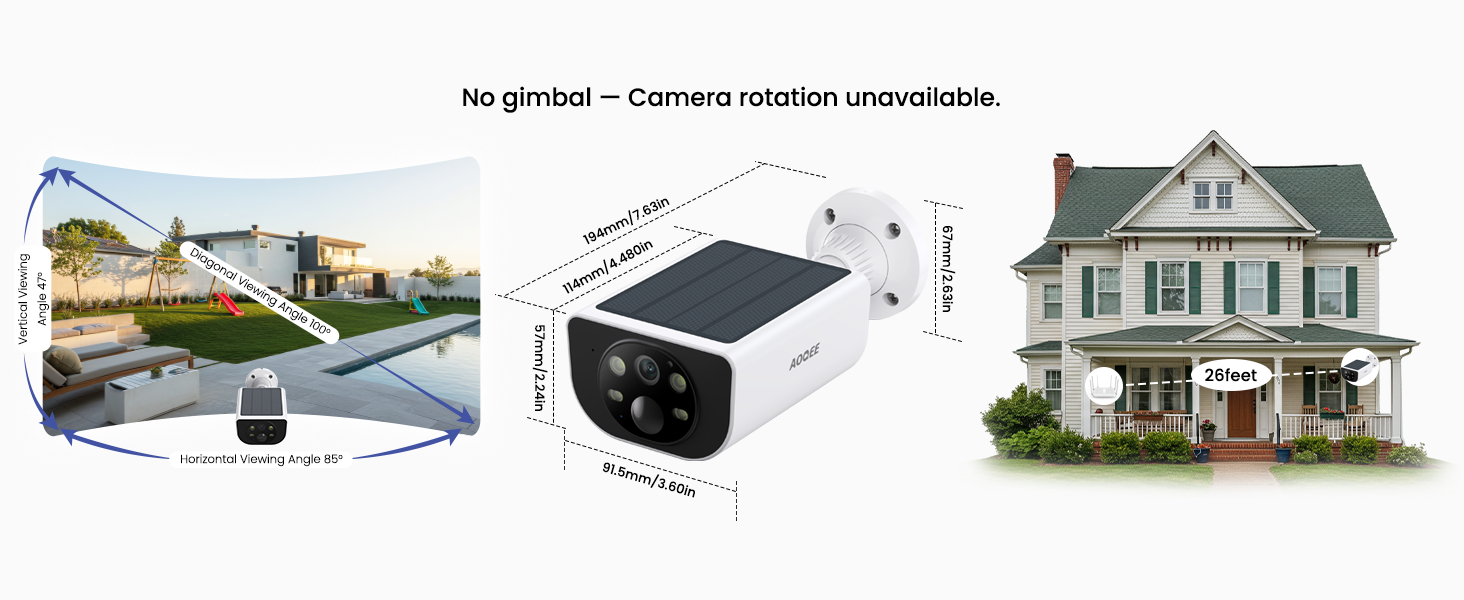
| Item dimensions L x W x H | 4.49 x 2.24 x 3.58 inches |
| Item model number | S1 |
| Low light technology | Night Color |
| Manufacturer | AOQEE |
| Maximum Webcam Image Resolution | 3 MP |
| Mounting Type | Wall Mount, Tree Mount, Door Mount |
| Night Vision Range | 33 Feet |
| Number of Channels | 2 |
| Number of IR LEDs | 4 |
| Number of Items | 1 |
| Photo Sensor Technology | CMOS |
| Power Source | Battery Powered; Solar Powered |
| Product Dimensions | 4.49 x 2.24 x 3.58 inches |
| Smart Home Compatibility | Smart Home Compatible |
| Specific Uses For Product | Surveillance |
| Unit Count | 1.0 Count |
| Video Capture Format | MPEG-4 |
| Video Capture Resolution | 1296p |
| Viewing Angle | 100 |
| Voltage | 5 Volts (AC) |
| Wattage | 3 watts |
| Wireless Communication Technology | Wi-Fi |
L**G
Great All-in-One Security Camera
Really happy with this all in one security camera so far. The 2K video quality is clear and detailed, and the built-in solar panel is a big plus since I don’t have to worry about charging it. Setup was quick and easy, and the two-way audio works well for talking through the app. I also like that you can share access with multiple users. Overall, it’s been reliable and easy to use.
K**E
Best Value for the Money
I bought one of these solar powered cameras to try it out because I was tied of the hassle of cords everywhere outside and running cords into the house, and I have been pleasantly surprised by it. Installed it on the post in my driveway that receives son throughout the day. I live in the Southern United States so it gets in the triple digits here and the camera has held up to the heat and the violent thunderstorms we experience seasonally. The solar panel on the top and the battery in the camera are working well in tandem as the camera works 24-7 and hasn't died on me yet. The picture is very clear and in color. It connected easily to my Wi-Fi and was very easy to install. (I will say that you need to know how to turn on your 2.4 signal if you have fiberoptic before you are ready to install the camera. You can contact your ISP and they will tell you how to do it if you don't know.) The microphone and the speakers work very well. It has an app you can download on your phone. Through this app you can do a variety of things such as setting up the camera, speaking to someone through the camera and then in turn hear what they're saying in reply. You can also record footage and retrieve it from the cloud or download it to your phone. On the camera itself there's a slot for an SD card which I haven't used yet, but I'm assuming it would record to the SD card. I'm unsure of how often it would be overwritten, but I'm assuming it would be dependent upon the size capacity of the SD card itself. Maybe the manufacturer can answer that question for me. The only possible drawback is it probably needs to be in a sunny location or very near an outside outlet as it comes with a very short power cable with no box, so if you have areas around the outside of your space that are very shady you may need to get creative with where you hang it up if there's no sun due to a large tree or no wall plug nearby. I'm actually going to order another six of these and play around with the amount of and type of sun they receive depending on where I install them to see if I can put it under my tree to test i's functionality in a shady location or other areas where it may receive only morning or only afternoon sun. This is mostly going to be performed out of curiosity and an abundance of time. For the money, this camera is excellent and I would highly recommend it.
J**.
Good Cameras for the Price, But Play with the Settings!
Let me start with the price...with the deal for all four cameras, you absolutely CANNOT beat it. Functional positives: Camera setup is easy, mounting can be done without too much trouble (use longer and stronger screws if you got 'em), and if they spend at least four hours a day in direct sunlight, they will charge up and maintain that charge for days. I bought the SanDisk outdoor trail cam SD cards (in a four pack) to go inside just because this is Texas, lol. These cameras LOOK high quality and serve as a good visual deterrent to potential troublemakers. The images they produce are a hair above decent, but you will lose a lot of detail while zooming in on faces, license plates, etc., even though the zoom range is outstanding. The only real downside of the cameras is that you have to adjust the settings for each position specifically for that camera. Under the motion detection setting there are three preset modes to choose from but you will have to use the custom mode or else you'll be getting alerts for every car that passes by. I did have one camera that stopped functioning and when I took it down, found water inside. Because the seller sent several follow-up emails (you enter your email when you register on the app), I was able to contact customer support quickly without going through the Amazon return process. I got a response from ROXIE within a few hours and they shipped out a new camera ASAP. Fine work there. Would recommend this product.
J**N
No wiring needed. Good solar camera.
Good camera with great video. The camera has a self contained solar panel so it is easy to install. You just need to have a sunny place to mount it. No wires to contend with or batteries to change. All you need is a good wifi signal. Easy to setup and control in the app. You can install an sd card for local storage and use the cloud service if desired. All viewable in the app from any location. Really good video.
S**R
Bargain solar cameras
I had similar solar cameras, but these have integrated solar panels onto the body of the camera. So there isn't an additional wire for a sleek look. Camera quality is great with clear videos. You can adjust the sensitivity of motions and omit private areas from surveillance. Overall, it has great functions since you can monitor all of the units in one viewing window on the app to monitor all your point of interest. The setup was as seamless as the other AOQEE units. I’m going to paraphrase the manufacturing instructions. Download the app before doing anything with the camera. Supply power to the camera and wait a few seconds until the blue light blinks. Once the blue light blinks, reset the camera by holding the reset button to prepare it for pairing. You’ll hear a voice response when it's done successfully. Launch the app and navigate to the home screen on the top right corner. Tap "+" to add this specific camera to your monitoring list. You’ll see two tabs when you launch the "+" function; one tab is for AOQEE, while the others are their sister companies. It’s handy and easy to identify which camera you’re using with those pictures. Upon selecting your camera, it’ll ask about your WiFi network log-in credentials. Then you’ll be prompted to put your phone in front of the camera for it to read the QR code that your phone will display. Wait for it to do its thing after you hear the voice response when it has been done successfully for a minute or two. When it is finished establishing a network, you can customize your camera’s settings and its name.
S**3
Une super caméra et en plus sans abonnement
A**.
Es muy buena camara, se carga solo con el Sol, se escucha muy bien el sonido, la imagen es muy buena, envía alertas de movimiento, tiene sirena y puedes hablar y prender la luz, excelente compra!
S**B
I bought two cameras, one for the front door to replace a Hive camera that's being phased out, and one for the back garden. They are really excellent, amazing value for the price, and the quality and features are actually better than the much more expensive Hive camera. Setup was pretty simple if you're used to pairing wifi devices, and there are lots of ways to optimise the field of view. The camera can be switched on and off via the app, and you can set it to deliver alerts just for people. I had to charge the first camera once in the winter when light levels were low, but probably my fault for not charging it fully before I installed it. Since charging, it's been at 99% all the time. All in all, I'm very happy with my purchase, and would recommend it. Update 1 - I’ve now installed a second camera at the front door and it too is performing well. I particularly like the speed with which motion is notified to my phone, as the old Hive camera was very slow. My only (relatively minor) concern is that the cameras are very easy to remove from the bracket. Not sure how this could be fixed, especially as it’s actually quite helpful if I need to remove it for charging! But still five stars after 6 months use. Update 2 - both cameras still working well. One is not exposed to direct sunlight in winter and needs to be charged every couple of months. I bought a 3 m USB-C lead so that I can attach and charge the camera without having to take it off the mounting. Takes about 4 hours to charge, and the camera is operational throughout.
M**T
La cámara llegó bastante rápido. De tamaño está bien, es muy fácil de instalar y de configurar. La imagen se ve bastante nítido y en color. Es fija, no sé mueve. La batería carga bien al sol, también viene un cable con posibilidad de enchufarla para cargar. Se recomienda cargarla 100% al primer uso. Tiene la opción de poner una tarjeta SD de memoria para guardar los vídeos de detección. También existe la posibilidad de guardar las imágenes en la nube, pero tiene un coste por suscripción. En definitiva, la cámara está bien, hace su función y su precio es barato. Yo la tengo en la terraza para que me avise al móvil si hay una alerta.
A**O
For the price , you can't beat these cameras. Batteries charge up quick in the sun,and stay charged. Picture quality is pretty good,easy to set up,easy to use ,and it has many options to fine tune the surveillance. I have 2 set up, and are very happy with the purchase.May add a 3rd camera soon.
Trustpilot
2 weeks ago
1 day ago