🚀 Elevate Your Workspace with Cutting-Edge Connectivity!
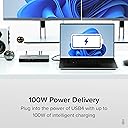
The Plugable USB C Docking Station is an 11-in-1 powerhouse designed for Windows and Thunderbolt users, offering dual 4K 120Hz display support, 100W charging, and a variety of ports for enhanced productivity. Perfect for professionals, gamers, and content creators, this docking station transforms your workspace into a high-performance hub.


| ASIN | B0C83ZMZG5 |
| Best Sellers Rank | #142,346 in Electronics ( See Top 100 in Electronics ) #1,358 in Laptop Docking Stations |
| Brand | Plugable |
| Color | Gray |
| Compatible Devices | USB4 and Thunderbolt 4 notebook computers with Windows 11 including select: Dell Inspiron, Latitude, and XPS systems; Framework systems; HP Spectre, ProBook, and EliteBook systems; Lenovo Yoga, IdeaPad, and ThinkPad systems; LG Gram systems; Microsoft Surface Book, Surface Laptop, and Surface Pro systems; and backward compatibility with legacy Thunderbolt 3 and USB-C laptops Compatible Devices USB4 and Thunderbolt 4 notebook computers with Windows 11 including select: Dell Inspiron, Latitude, and XPS systems; Framework systems; HP Spectre, ProBook, and EliteBook systems; Lenovo Yoga, IdeaPad, and ThinkPad systems; LG Gram systems; Microsoft Surface Book, Surface Laptop, and Surface Pro systems; and backward compatibility with legacy Thunderbolt 3 and USB-C laptops See more |
| Customer Reviews | 3.6 out of 5 stars 143 Reviews |
| Hardware Interface | USB Docking Station |
| Item Dimensions L x W x H | 12.5"L x 8.6"W x 23.4"H |
| Item Weight | 483 Grams |
| Manufacturer | Plugable |
| Number of Ports | 10 |
| Product Dimensions | 12.5"L x 8.6"W x 23.4"H |
| Total Number of HDMI Ports | 2 |
| Total USB Ports | 3 |
| Total Usb Ports | 3 |
| UPC | 819927013136 819927013112 |
| Unit Count | 1.0 Count |
| Warranty Description | 2 Year Limited Parts and Labor |
| Wattage | 100 watts |
J**S
Best dock I have used, works with a MacBook Pro
Many docks can't reliably connect to external monitors and some don't even work at all. This Plugable dock works and is the best dock I have used save for one minor one mentioned later. My setup is simple. The laptop is a MacBook Pro with an M2 Max chip. The MBP's ports are Thunderbolt 4/USB4-compliant, an important detail. The monitor is a Dell ultrawide display connected over HDMI. I have a basic USB-A mouse and a USB-C keyboard. A single USB4 cable connects the dock to my laptop to connect all of my peripherals and provide an ample 100W of power. It has not been necessary to use another charger. The monitor displays a picture in a few seconds, reliably. Opening or closing the laptop to switch between one and two screens is very responsive and takes a fraction of a second. My only issue was the dock would not fully power on at first. The power light would blink indefinitely. Unplugging the power cable from my power strip and plugging it back in solved this issue and I have not had a problem since. I have not tried the Ethernet port nor a second external monitor. My peripheral needs are simple but I need reliability. This dock has performed great so far. Two months later: the dock is still good but the coil whine from the AC adapter has become noticeable at night when it's quiet. I wish Plugable offered a higher-quality AC adapter with better sound dampening.
T**S
Feeling incredibly mislead -- -3 stars
UPDATE 16 March 2024: I bought an AW3225QF 4K 240Hz monitor and was excited that I could at least hit 120 Hz on my M2 Max 16" MacBook Pro, and sure enough I cannot access anything above 60 Hz in macOS 14.2 Sonoma despite being on a thunderbolt 4 port. If I plug the monitor directly into the laptop, it makes available 120, variable 120, and 240 Hz, so I know it's not the cable or the computer...it's this dock. I'm far out of my return period, but had I a >60Hz monitor back when I bought this, I would have instantly returned it. I had originally posted a review indicating problems where when certain applications having darker windows were maximized in Windows 11 or macOS 13.5, the whole display would do some kind of HDR-style color shift even though it was configured for SDR. I have no idea how or why that was happening, but as I troubleshot the way through it, everything pointed to this dock as the problem since once I pulled it out of the chain between the windows laptop and the monitor, the problem went away. I promptly setup a return and packed the dock up. I then plugged in the Mac and tried to work, but the problem returned. The only constant remaining was the HDMI input of my Dell S3221QS and the cable, so I swapped inputs and the problem went away for all devices. Weirdly enough, plugging a device that was previously connected into the now "good" port, directly, into the "bad port" had no effect -- the problem did not exist on that "bad port" for the other device, so I'm perplexed but the dock is exonerated. The dock itself was plug-n-play. I mainly bought for the 120 Hz HDMI 2.1 support over Thunderbolt/USB4 mainly, and for that, it works very well. It's a sleek design and I like it that the uplink is on the back, leaving the front to peripherals so you get a clean look at the desk if you're not using the front ports. On the other hand, I do wish there were more USB-C ports on the back rather than the USB-A ports. It's a Thunderbolt 4/USB4 dock and those A ports are low-speed, low-wattage ports anyway so ...would it have been too confusing to have a mishmash of usb-c ports? There are labels everywhere saying which ports do what so I doubt that's the reason, so it's disappointing that one has to give up C ports for A in 2023, but I digress. On another sticking point: I really wish companies would stop using these huge power bricks that have to sit half way up the length of the cable (you get 2-3' of some thick cable to the wall, a brick, then some few feet of a thin cable that's just not long enough to go up the snake on the back of the stand-up desk, so I have a brick zip-tied to the snake at a midpoint...it looks stupid and it's annoying). OWC has a "go" dock that is crazy expensive and integrates the brick into the dock itself, connecting it by a standard 3-prong wire. It also only does HDMI 2.0 despite supporting more displays (and a theoretical data rate that would match HDMI 2.1...that they made that choice is why I did not buy it). But as a. comparison to my previous points: it's laden with thunderbolt ports, not USB-A, and has no half-n-half uber brick. It's perhaps a riskier design since power supplies are prone to failure but if the warranty is good...it's a nice solution. TL;DR: does what it says on the tin and does it well. There are some trade-offs they made, but the goodness appears to be there.
J**S
Plugable USB-C Dock: Third Time's the Charm for Dual 4K Gaming Bliss
After a rocky start with two faulty units, I finally found success with the Plugable USB-C Docking Station Dual Monitor. This experience, while initially frustrating, highlighted the exceptional customer support provided by Pat Pennell, who went above and beyond to ensure my satisfaction. The docking station's standout feature is its ability to drive my dual Samsung 32" Odyssey Neo G8 UHD Quantum HDR2000 Curved Gaming Monitors at an impressive 120Hz refresh rate. The visual experience is nothing short of stunning, with crisp 4K resolution and smooth gameplay that truly showcases the capabilities of my high-end monitors. One of the dock's strengths is its plug-and-play functionality. Once properly set up, it seamlessly integrates my laptop with my dual-monitor setup using a Thunderbolt 4 connection, creating a powerful workstation with a single cable connection. The ability to charge my laptop while simultaneously powering both displays is a significant convenience. However, it's worth noting that I've encountered some limitations with the number of USB ports available on the dock. For users with multiple peripherals or external devices, this could be a potential drawback. I found myself needing to prioritize which devices to connect directly to the dock and which to connect through a separate USB hub. Despite the initial setbacks, the final product has proven to be a reliable and capable docking solution. The dual 4K@120Hz support is a game-changer for both productivity and gaming, offering a level of visual fidelity that's hard to match. In conclusion, while the journey to a fully functional setup had its challenges, the end result with the Plugable USB-C Docking Station Dual Monitor has been largely positive. The combination of high-performance display support and excellent customer service makes this a solid choice for users seeking a premium dual-monitor docking solution, provided you can work around the limited USB port availability.
A**W
120 hz refresh rate for dual 4k monitors, look no further than this one
Update after a year: this docking station does not wake up my monitor connecting with HDMI- necessary for 4k 120hz, after plugging into my laptop's thunderbolt port. I often need to turn it on and off a few times. Sometimes it is annoying. Recently bought a 4k 240hz monitor. I started by using the latest DELL dock. The refresh rate did not exceed 60 hz. This Plugable dock easily does 120hz for dual 4k monitors. Make sure you use HDMI 2.1 connections and a true HDMI 2.1 cable. I also discovered that this Plugable dock has a high quality DTA chip as when I used its 3.5mm jack with my older BOSE speakers, oh boy, it sounded amazing even at very low volume ! Better than directly using the 3.5mm jack from my DELL Latitude 7430. My DELL dock does not even have a 3.5mm jack. The Plugable dock is made of high quality metal, feels high end, it runs a little hot at full force- what you expect from running 4k at a high refresh rate. I highly recommend this dock for PC users with high-end monitors that support HDMI 2.1. Your computer needs to have thunderbolt4/usb4 ports.
V**S
Simple, elegant dock that functions as designed
This dock works great for laptop hosts with a USB C port that supports USB 4 or USB-C with DisplayPort functionality. We have[4] of these happily interfacing with ASUS, HP, MSI, and Microsoft Surface Laptops. We have had mostly plug-and-play experiences with no hiccups. Plugable's support is also GREAT. Their staff are friendly, sincere, and intelligent, and the quality of their support makes them an obvious pick. One important note about laptop docks in 2024: USB-C interfaces are DEFINITELY worthwhile to read up on before committing to a dock. We have had many kinks in upgrading our entire org to other dock models. Depending on the specs your host laptop is made to, your experience can really vary. Generally, the more up-to-date your firmware and drivers are, the better. Pay attention to your USB and/or Thunderbolt drivers, graphics drivers, and BIOS version.
I**S
Doesn't always send signal through both HDMI ports and USB C on the front is flaky
I love Pluggable, I've owned several of their devices in the past. Update, now with an M3 Mackbook Pro Exact same behavior -- plugging two HDMI screens in, one is a 4k@120Hz, the other is a 1440p@144Hz, and I only get display signal from the HDMI port closest to the Ethernet plug. The second HDMI display isn't even detected by MacOS. I have to route the second HDMI cable to the side of my laptop and plug it in directly. Kinda defeats the purpose of having a dock with multiple HDMI plugs... Original review based on a MacBook M2 Max. I plugged two monitors into this dock, a 4k TV and a 1440p monitor, over HDMI. The TV wouldn't always register that it was getting a signal. I plugged the TV directly into my Mac's HDMI slot and it worked fine, but I'm annoyed that I'm plugging into two plugs now. The USB ports on the back work fine, but I have a USB-C hub that has a camera and microphone and teleprompter that I share with another system. and plugging it into the dock doesn't always work. I have to plug it into the laptop as well. Now I'm using up two thunderbolt ports and the HDMI port. I decided today to try the two HDMI ports on the back again, but didn't get any signal to the 1440p monitor. So I decided to remove the 1440p monitor and unplugged it from the dock, and the TV stopped getting a signal as well. Apparently if you're going to use a single HDMI display it has to be plugged into the HDMI port closest to the Ethernet plug. Decided while writing this to try the USB-C hub back into the front of the dock and for now it's working, so I'm back to using a single plug on my laptop. We'll see how long that lasts.
M**Y
Nice features but frustratingly unreliable
When it works, it's pretty nice. Lots of ports, HDMI works great, etc. The key issue is that this has been an extremely flaky device for me. I've had to reboot it (!! a little expander box!) frequently, repeatedly re-plug cables, etc. As of right now it seems to have completely stopped working. I have had this for less than a year. Other devices on my MacBook are fine; I don't do a whole lot of plugging and unplugging except to fiddle with this thing.
H**O
Be patience, you will be fine
The dock takes little longer time than expected to work as it should be. I have windows 11 intel's laptop. When I turned it on with my two 4K monitors, all screens(including my laptop's) turn dark. I thought it wasn't working, but after about 15s, everything is working. my 4K monitors run at max Hz. If only one monitor, it works instantly. The dock is quite hot after a while, but thanks to its metal case, which helps heat dispersion. I would suggest you can use mini USB fan and/or heat sink to cool it down.
Trustpilot
4 days ago
3 days ago