🎮 Capture. Stream. Dominate your game day.
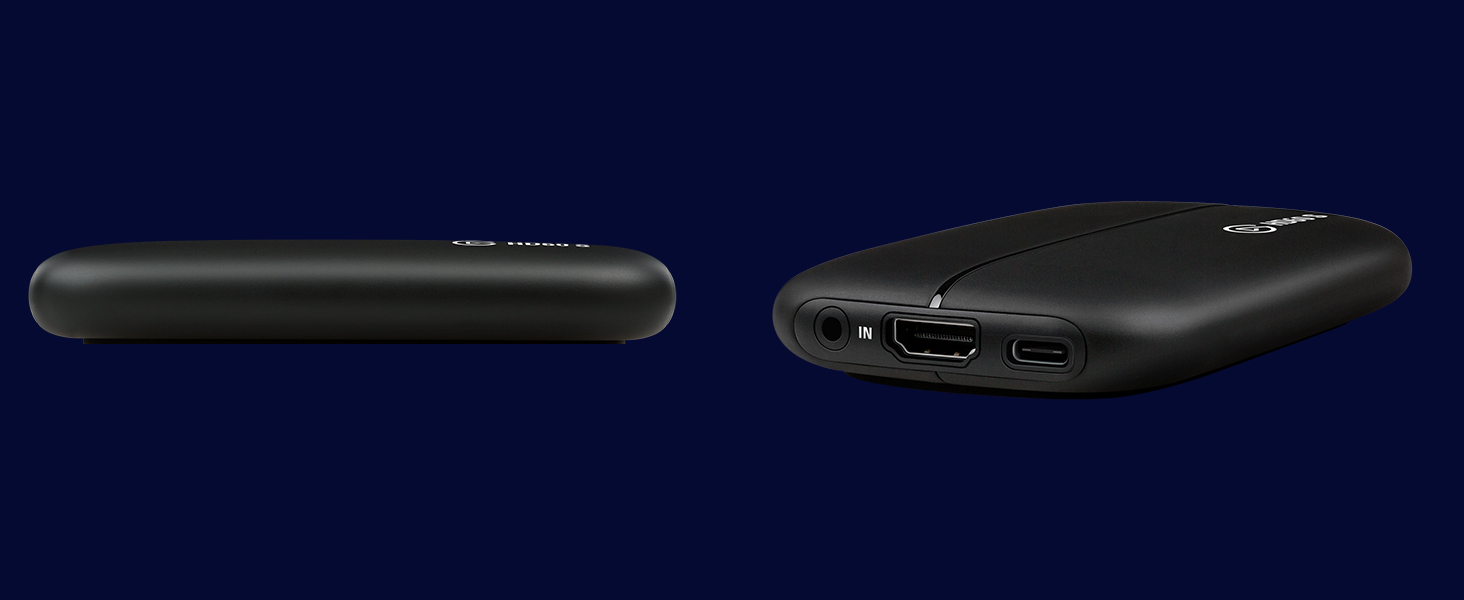
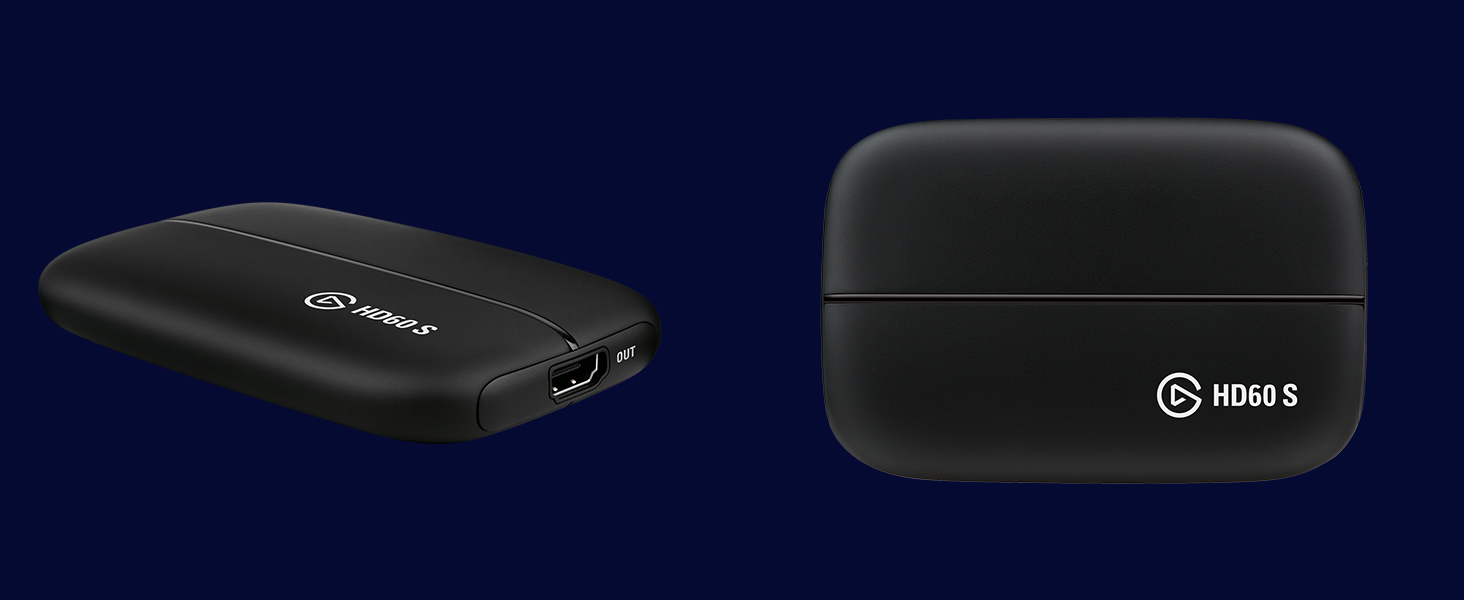
The Elgato Game Capture HD60 S is a compact, USB 3.0 Type-C capture card designed for gamers and streamers who demand high-quality 1080p60 recording and streaming. Compatible with major consoles and both Windows and macOS, it offers ultra-low latency streaming with customizable layouts and built-in live commentary, making it the go-to device for professional-grade game capture on laptops and desktops alike.


| ASIN | B01DRWCOGA |
| Best Sellers Rank | 24,067 in Computers & Accessories ( See Top 100 in Computers & Accessories ) 33 in External TV Tuners & Video Capture Cards |
| Guaranteed software updates until | unknown |
| Item model number | 1GC109901004 |
| Manufacturer | Corsair |
| Product Dimensions | 7.5 x 11.2 x 1.9 cm; 360 g |
J**N
peak realiablity
originally bought november 2019 and still works, this piece of tech has changed my life and it opened to a world of possiblities. worth every penny
B**L
HD60 S model is FANTASTIC (but be aware of its limitations...)
Bought the HD60 S version because I wanted to stream me playing my Nintendo Switch for uploading to YouTube. I figured that as the S model was USB 3.0 then it may be able to handle live streaming alot better without the lag. It does work great in this regard for recording my Switch, but alas, while the software has the capability to overlay the facecam over the video, it doesn't handle simultaneous face cam so well with this model. (you start getting alot of audio lag when done this way). Not an issue, as I will mostly be recording the facecam separately and editing it over the main video afterwards anyway, but just keep this in mind if you had intended to use it for live game capture and face cam simultaneously. (only the Pro model of the elgato handles both of those video streams simultaneously like that), but unfortunately the Pro model will only work on a desktop PC (due to it being a PCIe card as the way it connects to your computer), so the HD60 S is the best of the models you'll be able to use if you're doing this from a laptop like I am. It's a wonderful device though, and really easy to use, so I'm not knocking off any stars for this. It works great so long as you're aware of the limitations between the two connection methods, and you'll be fine as you know how to get the best out of them. (but yes, for the HD60 S model, just record your game capture and facecam separately, and the quality is perfect!) ;)
T**I
A fantastic piece of equipment for any streamer; or playing via a PC!
I bought this during the Black Friday of 2018 where Amazon had reduced it to £100 (down from £150). I'd been on the fence about it for a while and decided to jump on this. For reference with the below; I'm using a dual monitor setup. All in all I'd say it's worth the full price never mind the discounted price! It's easy enough to set up - Plug in the USB-C to a USB3 port on your machine, toss in the HDMI cable, download the drivers and you're set! The Elgato software provided is a fairly decent tool and comes with a separate audio tool so if you want to forwards the audio without using the video software; you can do so. Even nicer is it works with OBS without any issues and OBS itself is capable of passing through the audio without any assistance of the Elgato applications themselves. With the dual monitor setup you can pass the picture straight through without issue and suffer no loss of quality or latency issues. I've tested the Elgato with a Nintendo Switch and a PS4 - the PS4 requiring a slight settings change on the PS4 itself to make it compatible (this is a PS4 / HDMI issue and not an Elgato issue) and the switch worked without an issue. If you want a device that requires no actual capture card to be installed and something a bit more portable and flexible; this is absolutely the device you want.
R**M
Incredible quality, ideal for gamers but "Not Found" message is frequent!
Disclaimer: This is my first capture card so please forgive me if I come across as a novice! As a young teen I watched KSI, Blackpanthaa and other gamers! I pledged I would be a gamer forever!.. *Record Scratch* being an adult stops that! Work, relationships yadda yadda. With Furlough and lockdown, I wanted to finally get into my 16 year olds selves dream... start a gaming YouTube! No going anywhere gave me money to get the best I can get! I got this a day after ordering, it was packaged so nicely. Open the box to look at the contents, saw that there was one HDMI cable... Ordered another *fast forward three days" I start to set it all up, realise I already had the HDMI obviously... it is in the Xbox haha. If I'm honest the setting up was the easy part, getting a picture on either the TV and Laptop. I must have been trying several methods, several YouTube channels... some useless and a lot that helped me get closer. The box virtually say it is a plug and play.... not at all. I slept on it and tried the next morning. I started to notice the message that it wasn't found, it recognised the HD60 S but it couldn't display the image. Changed the USB port ("Please insert into USB 3.0 port") had this for a while. I don't honestly know what I did but an hour into screaming into my duvet, stress eating and punching pillows, the live footage came on to both the Laptop and TV. After all of that, it works amazingly! Yes sometimes you get some bad footage that gets weird sound quality, frame rate problems, however it is going very well! The images are great, the sound quality sounds better than what my sound bar gives out! I do get a "Not Found" message here and there however I'm enjoying it. One thing that grinds my gears is that even when you stop recording/pause, it still records and takes up a lot of storage. It's good for when you miss a moment you ain't "Recording" but not good when you have a laptop with a god awful storage. That's a me problem though! So a four star?? Why a four when I have come up with more cons than pros? Well, it's giving me a lot of great footage, it's giving me a new hobby that I adore! Living a dream I had as a teen and picking up the controller after an adulting hiatus from the Xbox. I do highly recommend this game capture as it's one of the best you can get, Elgato is a company that most the pros use, so it's a hugely respected and trusted company and its a really small unit for my box room! Budding gamers, look no further! Though please get good information for setting up!
D**E
Much easier than expected
So I am totally new to this whole thing, which is why I wanted to write a review. I got this today and plugged it in following the useful diagram on the box and I did download the elgato software. I won't be using it to stream with but it was helpful to use to get it set up. So the only issue I ran into was it kept cutting out and flashing red on the card, luckily as I bought this a recommendation I was able to ask for help. All I had to do was to go into Settings on the PS4, then system, then uncheck the box next to HCP and bam! done! it was also found extremely easily in Streamlabs so all that's left to do now is add my various widgets for stream and we're golden! I am definitely glad I spent the extra money to get one that was recommended and easy to set up and this is one of the few cards on amazon allowing monthly payments, making it much more viable for everyone.
C**4
Buen producto
S**I
Before I get to the review I'll quickly detail my computer specs since it may matter. i5-4690k 16gb ram nVidia GeForce GTX 1070 1TB Samsung 840 Evo SSD which I had the software set to use for recording storage So I actually purchased this on May 11th so I could record my (admittedly rather bad) gameplay from my consoles. When I got it I had a few issues which I'll detail but first I'll go through the pros. First off the unit is really easy to setup. Just download the software from the website and install it then connect the device. If you wish you can install the software ahead of time while you wait for a unit you ordered to arrive. The software itself is pretty stable. I didn't have any real issues during recording. The only one I had, which may of very well been user error, was that it seemed to be "recording" where the clock was moving but it didn't record. I had messed with some settings prior so I reset everything to default and it worked fine after. I'm actually able to get full 1080p 60fps without issue. This worked fine out of the box. It may have to do with my specs though and as such your mileage may vary. There are steps on the Elgato help site that can work towards improving performance if for some reason you are not able to get that. The recording was clear and didn't have any frame drops. Please be aware if you are trying to play the video via VLC and getting frame drops or what appears to be a scrambled picture please try another player that might actually use the system decoder. VLC uses its own decoder and it seemed to have issues when I tested my first couple of recordings. When I used a different player it worked fine. If people have to know I do use K-Lite Codec Pack but I don't think that was what fixed it but it may affect what system decoder was actually used. The fact that I use that doesn't constitute an endorsement or recommendation of that software. The issue with VLC may be resolved in a future update of the software if it isn't already. Elgato Support is very very good. They communicated via email and there may be a delay but responses are from actual people and I didn't have any troubleshooting based auto-replies. I did get one for the initial email receipt but that just gave appropriate response timeframes so that expectations could be established. Kudos to them for doing that. You do not have to hook up the HDMI out if you don't want to. For me I was just using it to hook up to the computer and using the software is perfectly acceptable. The delay is pretty much invisible. I was able to play the game using purely the feed from the software without any real issue. Now for the cons. My unit had a seemingly loose USB connection. When moving the unit would sometimes disconnect. I did get the unit replaced with Elgato where the issue continued. As a second step they actually sent me a replacement USB 3 to USB C cable (same as what was in the box) and that seems to have resolved the issue. So... if your unit seems to drop out while you are moving it then it may be advisable to just try a different cable and see if the issue persists. I can only guess there was a loose wire in the connector that plugged into the Elgato HD60 S. If the unit does happen to disconnect while the Game Capture HD program is running then it may crash. This may result in the loss of the recording or corrupted data in it. For the most part, this is a minor issue because it shouldn't disconnect on its own anyways.
M**H
Good product for gamers
S**X
I bought this so I could share my switch gameplay with friends. The set up was fairly simple, and granted while it took me awhile to properly configure the software so that there wouldn't be input lag when using my PC monitor as display, the result was as if I had just connected my switch to a monitor. My only criticism is that the capture card should have on board presets to make it more convenient to transfer settings to other PC's.
H**D
اي شخص عنده قناة انصحكم فيها وشريتها قبل سنة ونص والى لان كويسة وما اختربت وقادتني كثير وحتى سعرها رخيص مقارنة على باقي الاماكن
Trustpilot
3 weeks ago
2 weeks ago