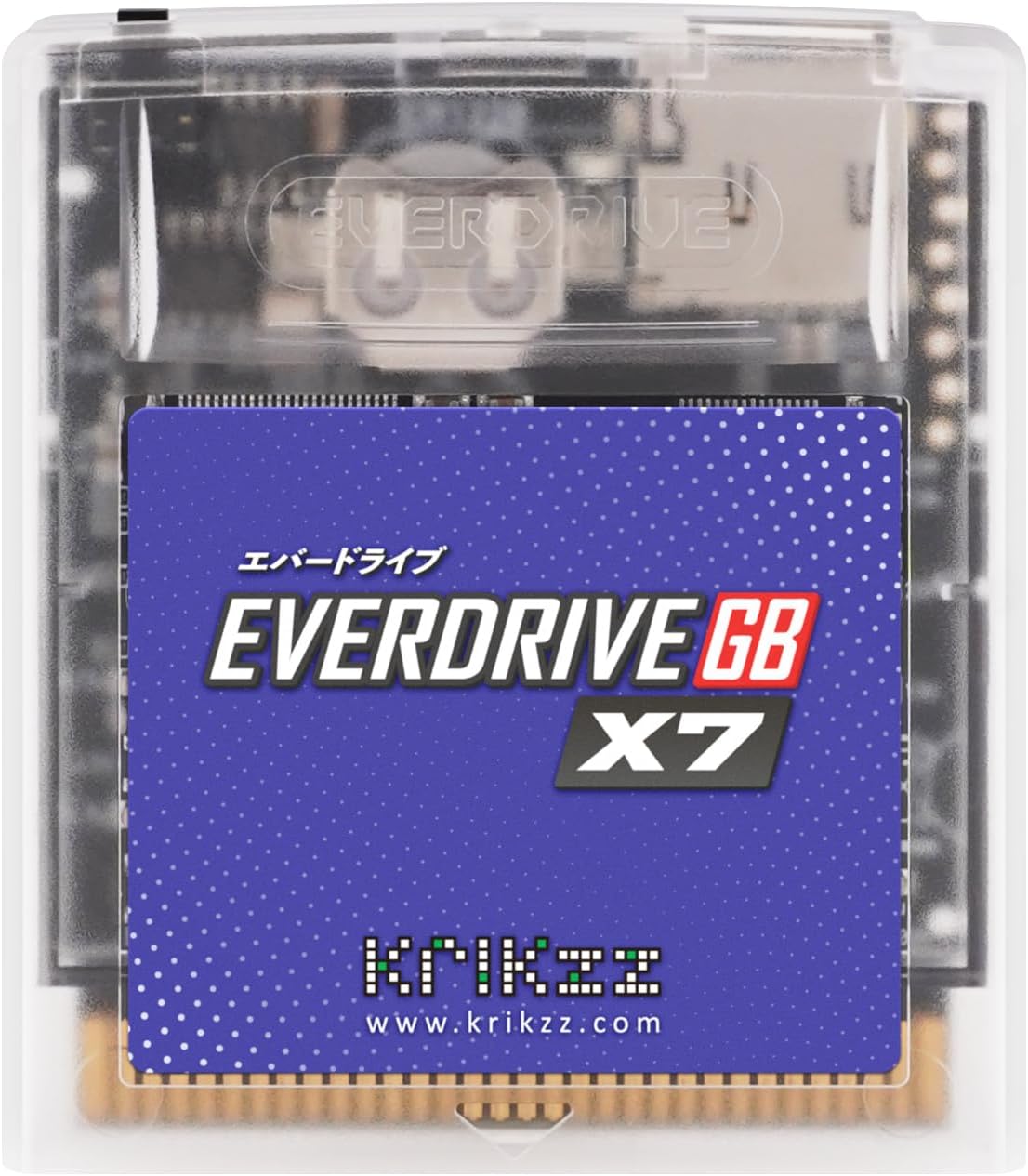
EVERDRIVE GB X7
Product ID: 97308549
Details
- BrandEVERDRIVE
- ColorBlue
- Connectivity TechnologyUSB
- Special FeatureSave States
- Number of Buttons8
🎮99% Game Boy & Color compatibility
💾Save states & in-game menu
🔴Red LED activity indicator
🎮 Level up your retro gaming with the EverDrive GB X7 — nostalgia, upgraded.
The EverDrive GB X7 is a high-quality flash cartridge designed for Game Boy and Game Boy Color systems, supporting 99% of titles with up to 8MB ROM capacity. It features save states, an innovative in-game menu accessible via a hidden cartridge button, and GameGenie cheat code compatibility. Its durable translucent casing includes a red LED indicator and works seamlessly on original and select clone hardware, making it the ultimate tool for retro gamers seeking convenience and expanded functionality.
| ASIN | B07JZG3452 |
| Additional Features | Save States |
| Antenna Location | Gaming |
| Are Batteries Included | Yes |
| Are Batteries Required | No |
| Best Sellers Rank | #32,628 in Video Games ( See Top 100 in Video Games ) #146 in Game Boy Advance Games |
| Brand | EVERDRIVE |
| Built-In Media | 1 x Memory Module |
| Button Quantity | 8 |
| Color | Blue |
| Compatible Devices | Laptop, Personal Computer |
| Connectivity Technology | USB |
| Customer Reviews | 4.6 4.6 out of 5 stars (133) |
| Embellishment Feature | Logo |
| Enclosure Material | Plastic |
| Hand Orientation | Ambidextrous |
| Hardware Platform | Game Boy Advance |
| Item Dimensions L x W | 7"L x 5"W |
| Item Weight | 0.1 Kilograms |
| Manufacturer | krikzz |
| Model Number | GB X7 |
| Movement Detection | Optical, Laser |
| Number of Batteries | 1 Lithium Metal batteries required. (included) |
| Operating System | Windows |
| Power Source | Battery Powered |
| Range | 8.0 meters |
| Style Name | Contemporary |
| Theme | Video Game |
| Unit Count | 1.0 Count |
A**3
EverDrive GB X7 is a Great Product
I must say that I am very impress with not only the features that this product offers but also with quality of the construction. The product was packed with a lot of TLC in an over-sized foam box which ensured that when I finally received it, it was completely intact and undamaged. The biggest downside that I experienced was lack of customer support. The specific problem that I was having was how to access the “in game menu”. No printed documentation came with this product such as a “quick start” booklet. When I went to the manufacturer's website the only “support” that I could find was through message boards posted by other users. I tried the “Search” feature on their website and could not get access because I could not get passed their “prove your not a robot” security feature. (not only does it print out super hard to letters that only a robot could read and ask you to type them in, it also asks you two trivia questions and even after doing an internet search (Google) it still insisted that I was wrong and denied me me access to a search of that website.) I ultimately found the solution to this problem by doing an internet search and as it turns out you access the “in game menu” by pressing against the back of the cartridge which acts as a button. The actual switch location can be seen through the translucent casing. (please see the attached image file.) This product will also require a ubiquitous micro SD card in order to operate. The OS itself (which is located on the manufacturer's website) must be placed on said SD card. As a person who uses a Windows computer, I used “Explorer” [Documents in Windows 10] to accomplish this as well importing the Game Boy and Game Boy Color ROM files. Once the product is setup it works like dream, and helps to eliminate cartridge clutter. There is even a little red LED in the cartridge to let you know when it is being accessed. I particular am fond of the “in game menu” which allows you to save and load “game states”. When it comes to Game Boy games I am normally playing these in an environment where I am not at home and/or can be interrupted at any moment (Motor Vehicles, Doctor's office, etc). Using the “save and load game state” feature saves a lot of aggregation . Such as when you are just about to beat that “boss level” and then your number comes up at Motor Vehicles. I have yet to experience any glitches with this product when using my OEM Game Boy Advance. I was pleasantly surprised that this product worked with Kongfeng's “GB Colour” (A Game Boy Color Clone with a back lit screen) The only issue that I experienced with that product is when the battery power is low is a “continuous reboot” cycle can occur. But I should stress that this is not an OEM unit and the manufacturer made not statement about their product working with it. Having the high level of functionality that I have with it is just an added bonus. I really love this unit and highly recommend it to any Game Boy or Game Boy Color fans.
M**T
Worth Every Penny!
I’ve owned a lot of “flash carts” over the years since the R4 back for the Nintendo DS and the Everdrive GB x7 by far the nicest built of them. Works like a charm in an OEM gameboy and with a Super Game Boy 2 through a Super NT (the label of the GB2 and Everdrive x7 match perfectly btw). Also super cool that it’s made in Ukraine!
L**S
Funciona tal y como declaran.
H**A
Performance is great, comes with real-time clock for Pokemon
This is a must-have if you plan to play Pokemon roms, it includes a clock for each individual game as needed, as opposed to a single real-time clock for all games. ROMs use the Game Boy hardware and no emulators so everything runs just like it did with the original game pak. After a game saves and gives you its confirmation message, you may need to wait a few seconds to allow the SD card to finish writing your save.
C**O
Works but feels incomplete.
Works perfect with my Gameboy Advance and my mod retro Chromatic. But my unit came without a battery or the module where put one (the board has the batery space though). I have other everdrives and this is the only one with this issue. Not a deal breaker, but a problem.
J**E
The Best Game Boy / Game Boy Colour Flash Cartridge
This is one of the best way to preserve your Game Boy / Game Boy Colour game collection. It works with 99% of all Game Boy (Colour). The ones that aren't compatible are: *GB GPS *Kirby Tilt&Tumble *& Any game that has unique sensors *I think games with rumble are compatible* But keep in mind if you want to make backups of your other Game Boy (Colour) saves you'll need see extra hardware, I'll do some research and edit this when I find out more... Well until later!
A**E
Easy to use
Just follow the instructions and have ALL the games you want to play. No longer do i cause my collection wear and tear as I play them.
M**L
Worked fine while it lasted
I’m giving this product 4 stars and not anything lower for how it worked. I’ve had issues since I got the X7, but I was so happy that I was able to play my back up roms in one cartridge. The setup was pretty simple. You need to use a micro SD card no larger than 32GB and format it to FAT32. Then download the OS from the official Kirkzz website. It’s a simple extract and drop into the root of the Micro SD card. Once you insert the X7 into a Gameboy, It'll prompt you to press any button to complete setup. I loaded a few of my gameboy games and it worked perfectly for a few hours. Then I noticed that the screen would suddenly flicker. I turned the console off and turned it on again to see vertical lines as the game is playing. It’s weird. I tried a fresh OS install and it did same issue. I tested my original gameboy games and it didn’t have this problem. I might have had a defective unit, because no matter how many times I format the SD card or try another, I run into the vertical lines issue. Other than that, if this card worked fine, it’s the perfect cart to store your backed up roms and play all your games in one system.
Trustpilot
2 weeks ago
2 months ago