Desertcart purchases this item on your behalf and handles shipping, customs, and support to Senegal.
🖥️ Elevate your workspace, dominate your day.
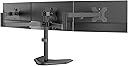
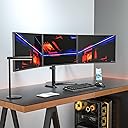
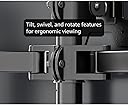
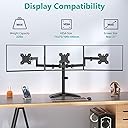
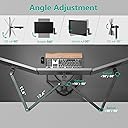
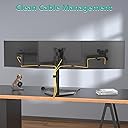
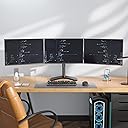
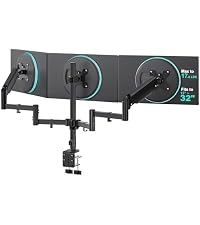
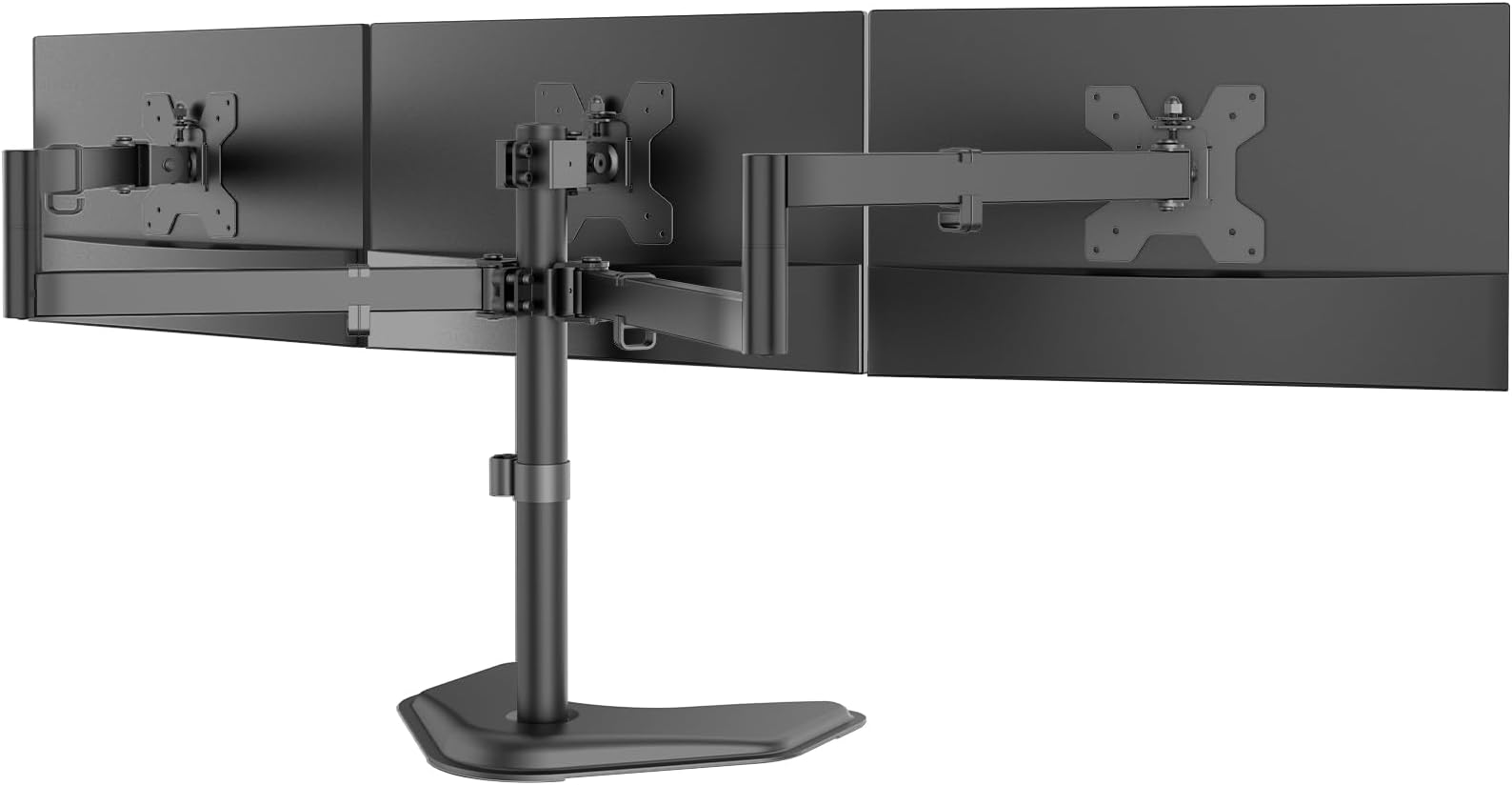
The WALI Triple Monitor Stand is a sturdy, free-standing mount designed for 13-27 inch monitors, supporting up to 22 lbs per arm. Featuring full motion adjustments including tilt, swivel, and 360° rotation, it enhances ergonomic comfort while maximizing desk space with built-in cable management. Compatible with VESA 75x75mm and 100x100mm mounts, it suits professional and home office environments, backed by a 10-year warranty.


| ASIN | B07L8P6D2S |
| Best Sellers Rank | #10 in Computer Monitor Arms |
| Brand | WALI |
| Color | Black (Steel Free Stand) |
| Compatible Devices | Most LCD and LED flat screen TVs and monitors up to 27 inches with VESA 75x75mm or 100x100mm |
| Customer Reviews | 4.5 out of 5 stars 13,583 Reviews |
| Enclosure Material | Metal |
| Global Trade Identification Number | 00811278022089 |
| Item Highlight | 3 monitor stand for desk, Adjustable, Full Motion with Tilt, Swivel, Rotation, Grommet Base, VESA 75/100mm (MF003) |
| Item Type Name | Free Standing 3 Arm |
| Item Weight | 10 pounds |
| Manufacturer | WALI |
| Material | Metal |
| Maximum Tilt Angle | 90 degrees |
| Maximum-Supported Screen Size | 27 inches |
| Mfr Part Number | MF003 |
| Minimum-Supported Screen Size | 13 inches |
| Model Number | MF003 |
| Mounting Type | Free Standing |
| Movement Type | Rotate, Swivel , Tilt |
| Number of Items | 1 |
| Number of Packs | 1 |
| UPC | 811278022089 |
| Unit Count | 1 Count |
| Warranty Description | 10 Year |
S**Y
Solid materials, does the job and easy to install
I picked up the single monitor one to use on a monitor that lost it's stand somewhere along the way in a move. It's very good, heavy duty solid materials, came with the two allen wrenches you need to assemble though you do need to have your own Philips head screwdriver. You can mount monitors pretty high if you want, the vertical rod you mount the monitor is pretty long, In my case the monitor doesn't have to go so high and so that rod is visible above the top of the monitor. Minor quibble, it does the job, was easy to assemble, and is good solid material.
N**S
Easily supports a pair of 26" displays
I have no complaints with this stand. It is not as nice as the Inland brand sold at MicroCenter, but it does its job. It beats the price of the MicroCenter one, thats for sure. It comes with all the hardware you might need, even long screws and bushings if you have a display that needs them. Assembly was quick. It comes mostly assembled anyway. You have to put the bottom on the post then attach the assembled arms to the post. Setting up can be a challenge but with help, its easy. After mounting the bracket on the back of the displays, you just slide them into the receiver on the arms. Once mounted, adjusting the position is simple, but can take a while as there are several joints which can be positioned to angle the displays as you like. The cord clips do an OK job of cord management, but the clips are not as good as the Inland ones. They do the job, but not as durable. I broke the one that goes on the post, but I tried getting it to hold a wad of wire. My fault. I recommend this stand.
H**R
Decent stand. There are things they can improve. Caution with the Samsung U28E590D and possibly other displays.
I bought this stand for my new Samsung 28" 4K displays (U28E590D). The stand itself is a decent stand. Reasonably well built and functional. I'll mention the biggest con for me at the end of the review. The packing material around the arm and shaft is insufficient. The shaft was scuffed up when it arrived. Trade out the plastic bag for the low density foam at the least. Or put a cardboard divider in the small box that contains both the shaft and arms to keep them from touching and rubbing in transit. The contents of the other small box (bolts, nuts, screws, bits and pieces, etc) were fine on arrival. I like the thumbscrews for attaching to the back of the monitors on the universal mounting bracket. I dislike the use of Allen screws elsewhere. They could have been thumbscrews as well (winged if more leverage is needed). The tilt (vertical) of the unit sags slowly with these 28s. I'll line up the monitors in the morning and by the next morning they're off a little. Over the course of a weekend they're off a lot. I haven't tightened down on the Allen heads too harshly since it's a PITA to adjust. I would suggest some sort of notched or ribbed adjustment for the tilt and let the yaw adjustment be the smooth clamp type. The universal mount bracket that bolts to the display is grooved and that slides down onto the stand to hold it in place. It also slides down over a threaded post (this would be easier to understand with pics). An acorn nut on the threaded post is meant to hold the display down on the mount and keep the grooved mount attached to the stand. That works but it's not a tight fitting. The display rattles loosely on the stand while you adjust it. So you twist and adjust the monitor on the stand to your will; then you let go and see where the loose connection settles. Not bad but not like rock solid either. The single biggest con for me is how they interact with these Samsung monitors. The 4-bolt universal mount pattern on these Samsung U28E590D monitors is NOT in the middle of the display like older displays. The 4-bolt pattern is at the far TOP of the display. The arms of this stand are all the way to the top of the pole and I still only get about 2.5" of clearance under my displays to the top of my desk. I don't have any way of increasing the clearance short of putt some books under the base of the stand. I have a couple skinny Dell speakers laying on their sides slid under the displays and they fit under them with about 1/2" to spare. When I it up straight in my chair with my seat at the proper height for my legs, I look over the top of the monitors by about 4". If your eyes when looking forward at 0 degrees are supposed to strike the middle of the screens, these displays are easily 10" lower than they should be. Were the mounting holes 4-6" lower on the back of the displays, that would make a huge difference. Even still though the shaft for the stand isn't long enough to reach the appropriate ergonomic height. I can't flip the adapter or arms over either. There isn't any other way that I can achieve more clearance other than blocking up the base of the stand. I reached out to WALI to see if there's a longer mounting shaft option and unfortunately there isn't. I looked at the installation guides and product photos for a number of other brands of displays and this seems to be a reasonably common thing for 4K displays, having the mounting bolt hole pattern high up on the displays. I would suggest a stand option that makes a longer shaft an option for these larger displays. On the upside, the short stand conceals the scuffs in the paint on the short shaft nicely.
S**D
Just what I needed
Love it
C**W
Wow, how did I live without this!
I always had cheap monitors with crappy stands and assumed there was no other way. Recently I realized all my monitors actually have VESA mounts (although not used by their stock stand) so I got this. It's amazing! Installation is pretty straightforward. It supports both drilling a hole through your desk to attach it, or using a clamp (included) that goes around your desk. I chose neither and simply let it stand free. It seemed fairly stable - doesn't fall over unless you actually give it a good push. The foot is weighted and is wide enough to be stable. This might not be obvious, but once you put two monitors on this it will be pretty heavy. Safest way is to lay the monitors on a couch or bed, with the screens down, and assemble that way. You'll still have to be careful when placing it on your desk. It's pretty heavy and awkward to hold, although manageable for a single person. You will probably have to do fine adjustments with it standing on its foot, where you have a small issue: The arm is clamped to the vertical column, so it is held by friction. The nut on this clamp needs to be pretty tight for it to be secure, and you will have to apply a bit of force to loosen it. But once you *do* loosen, it can easily slip down because the monitors are heavy. Meanwhile if you want to *raise* the level with the monitors attached, you'll have to apply force equivalent to roughly twice the combined weight of both monitors. This takes some trying to figure out the right way to do it, so be careful and don't rush the first time. Or you could try adjusting it with the monitors detached. Realistically, there's no way around this, so I don't consider it a flaw, just something to bear in mind when setting up. The monitors can be swung left-right at multiple joints (the head as well as the arms) and up-down at a single joint (the head). Not sure what the full angle range is, but it's enough for any normal usage. For obvious reasons, swinging down will always be easier than swinging up. However, it is not hard to find an appropriate tightness where the monitor stays in place when not touched, but can still be adjusted when needed. The head also tilts a full 360 degrees, but the monitor is secured by sliding a metal plate into a bracket on the head and securing it with a single screw. You probably want that screw to not be load bearing and attach your monitor such that it would be pointing upwards in your desired orientation. Not a problem unless you like to often rotate your monitor 180+ degrees. Keep in mind that this stand forces both monitors to the same height. I have one screen horizontal and one vertical, in that situation they make a sideways T shape, whereas I would have preferred an L shape. The horizontal screen also has a big gap below it. This obviously is not a huge issue for me, or I would not have bought it.
D**R
Perfect for the gamer or home office
Extremely sturdy. Easy to put together, Very easy to move around, Great Price
A**R
Reclaimed My Desk and My Sanity
I had two monitors sitting on their stock stands eating up half my desk real estate. Installing this mount was one of those purchases that immediately made me wonder why I waited so long. The setup is straightforward. The V-base is stable and heavy enough to hold things steady without grommet mounting, though a grommet hole option is included if you prefer it. Each arm supports tilt, swivel, rotation (landscape to portrait), and full height adjustment on the center pole, giving you a lot of flexibility to dial in exactly the ergonomic position you want. Cable management clips on the arms and along the pole keep things tidy. It fits monitors up to 27 inches and handles up to 22 lbs per arm, which covers the vast majority of consumer displays. The VESA compatibility covers both 75x75mm and 100x100mm mounting patterns, so check your monitor's back plate before ordering. The arms hold position well once adjusted, and the overall build quality is noticeably solid for the price. At over 22,000 ratings and a 4.3 average, the community verdict is pretty clear on this one. Highly recommended.
M**E
Average Monitor Stand
Easy to put together and no missing parts. Screws and spacers are limited to certain mounting options. I'm not sure if there are standards for the mounts and screw length. They only had one washer/spacer for the long screws. The tipping point is just as their diagram says. Go out of the center area and your monitors will tip. And like another reviewer (this item?) , the arms don't seem to be level making the display about 1/2 inch higher on one side. You get what you pay for. this is an average monitor stand. Don't plan on making easy adjustments to the height. Set it. Tighten it and leave it.
V**N
cost and quality
easy to use.
た**き
よく考えられた製品です。
高さ調整ができないVESA対応の安いモニターを買ったので、このスタンドを付けました。 各パーツが厚みのある金属でできていて、とてもしっかりしています。 パーツが入った袋にアルファベットが打ってあり、説明書と照らし合わせながら簡単に組み立てることができます。 くみ上げた後にモニターの高さを微調整できたりと、工夫が凝らされています。 よくできた製品だと思います。 唯一残念だったのは、ポール下のネジ穴の精度が低かったことでしょうか。
T**K
Schlechte Qualität
So ganz kann ich manche Bewertungen nicht verstehen. Der Aufbau ist sehr einfach und selbsterklärend, das Produkt wirkt robust, allerdings hat der Ständer überall Macken im Lack oder die Beschichtung ist einfach nur billig. Für den Preis dann doch weitersuchen
千**会
想定用途に合った
ベース部分(ブーメラン型)の寸法:W_33cm,D_27cm 躯体はしっかりしている。 ベース部分が比較的コンパクトなので、側面の2台を自分方向に極端に向けて重心を手前にしてしまうと、不安定とは言わないが倒れやすくなるかも。 3台の画面を横一列に近く置くのが基本になっていそう。
M**S
A nice simple stand with lots of adjustment options
I had to modify it for my daughter, there was nothing wrong with the product except for where she wanted it under a fixed shelf, the upside was it was very easy to cut down to fit.
Trustpilot
3 weeks ago
3 weeks ago