Desertcart purchases this item on your behalf and handles shipping, customs, and support to Senegal.
🖨️ Clean Prints, Clear Savings — Don’t Let Clogs Kill Your Flow!
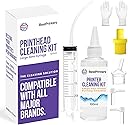
This Best Printer Cleaning Kit features a potent 100ml ionized cleaning fluid and a large 20ml syringe designed to flush out stubborn ink clogs from printheads. Compatible with major inkjet brands like Epson, HP, Brother, and Canon, it offers a DIY-friendly solution to restore print quality, extend printhead lifespan, and save hundreds on replacements. The kit includes multiple attachments and gloves, supported by expert guidance from a trusted USA-based company, making it the ultimate maintenance tool for professional and home office printers.


| ASIN | B07K1B4GSJ |
| Best Sellers Rank | #5,928 in Office Products ( See Top 100 in Office Products ) #244 in Inkjet Printer Ink Cartridges |
| Brand | Best Printers |
| Brand Name | Best Printers |
| Cleaning Agent Formulation | Solvent |
| Contains Liquid Contents? | Yes |
| Customer Reviews | 4.1 out of 5 stars 7,010 Reviews |
| Included Components | x1 Syringe 20ML, x2 Nozzle Connectors, x2 Small L shaped connectors, x1 Needle, x1 Set Of Gloves, x1 plastic tubing extension, x1 Cleaning Solution Fluid/ Bottle 100ML |
| Item Form | Liquid |
| Item Volume | 100 Milliliters |
| Manufacturer | Inksystem Corporation |
| Material Feature | Silicone |
| Material Features | Silicone |
| Model Number | AZ345 |
| Number of Items | 1 |
| Part Number | CQ761004 |
| Size | 3.38 Fl Oz (Pack of 1) |
| Special Features | Clog-Free, High Yield, Long-Lasting, Smudge Resistant |
| Special Ingredients | ionized cleaning solution |
| Specific Uses For Product | DIY printer maintenance, fixing common printing issues, compatible with various printer models |
| Surface Recommendation | printer components, printheads, nozzles |
| UPC | 309780988806 |
| Unit Count | 3.3814 Fluid Ounces |
T**S
Worked better than I expected — saved a printer from the scrap pile
I was pleasantly surprised at how well this worked. I honestly wasn’t expecting much, but this printhead cleaning kit actually made a noticeable difference and brought the printer back to usable condition. It was simple enough to use, but be aware you may need to run the printer’s built-in head cleaning service several times afterward to fully clear things out and get the best results. After using the cleaner and running a few cleaning cycles, the print quality improved a lot. It definitely made me rethink a few printers I’ve seen end up at the e-waste facility that probably didn’t have to. For the price, this is a great little kit to try before giving up on an inkjet printer with clogged or streaky printheads. It may not save every printer, but it’s absolutely worth trying before replacing the printer or throwing it away.
R**A
Keep cartridges clean. This product helps
Effective in cleaning the cartridge of my Hp Smart Tank Pus 651. Unfortunately the tri color cartridge was clog and needed to replace. Black cartridge was fine.
D**5
Easy to use, good instructions, fast repair.
My printer nozzles had jammed and I could not get the printer to print from any of the color nozzles. So I went online, and from the reviews, I chose this repair kit. I followed the instructions and voila, the printer nozzles began to work properly. It wasn't too messy if you follow the instructions. Make sure you take pictures as you go so you remember which "hose goes where" when you reattach them inside the printer. Probably took a total of about 10 minutes to repair the printer. Definitely would buy this again.
F**T
Good Product
Good product, very user-friendly. Unfortunately, it did not fix the printer issue; it was actually the printer. I had to replace the printer.
M**4
It works but…
We had two printers that needed to be cleaned. One printer was the Brother MFC-J835DW and an Epson XP-446. After watching the video on how to clean the printers, both printers printing issue did not resolve. For the Brother, the black ink still would not print. After examining the line, we noticed the black ink was not flowing at all, as if there was no seal allowing the ink to flow through the line. The colored ink flowed freely and printed with no issue. For the Epson, we got it to print but the print head was causing it to smear the colored ink then all of a sudden the printer shut down and would not turn back on. Both printers we have to recycle now. The solution does work, but beware it may not resolve the issue at all. The only way you can fully clean the print head is to remove the print head and flush the fluid through it, if possible. I think the print head was damaged after cleaning it on the Epson printer due to it rubbing against the paper towel, hence the smeared ink when printing. The cost for the actual product is too high. You get everything you need, but the bottle of solution is enough to clean just one printer one time. I would not attempt to clean the printer, but just buy a new one.
L**N
Working well
I like it. It works well on my Epson Photo Printer. Thanks
N**A
I’d recommend it!
I thought I may have to go out and purchase a new printer before seeing this product in a YouTube video. This product worked well. I had to do a few rounds of flush prints and nozzle check prints afterwards but there was no need to do a power clean.
M**.
Messy, but Works as Intended
I watched the print head cleaning video published by the brand before deciding to buy this product. Cleaning my Epson did look pretty complicated, but the individual steps were clearly presented in the video, so I decided I'd try it rather than spend an exhorbitant sum on having a professional tech do the job. The kit contains everything you need EXCEPT for a tiny phillips head screwdriver that you'll need to remove the screw holding the print head in place. Be sure to obtain that tool before you begin. The brand also sells the screwdriver separately in case you don't own one. The kit also contains a couple of small plastic objects which aren't discussed in the video and which I didn't need during the process. I have no idea what they're used for. Do have a roll of paper towel handy and a garbage bag to discard all of the paper towels soaked with ink that you'll need to dispose of. One heads up - this is a very messy process. If you don't wear gloves, you'll end up with some ink on your fingers. If you do wear gloves, it will be more difficult to maneuver the cleaning tools within the small space inside your printer. Don't keep anything valuable in the immediate area where you're working because you might damage it when the cleaning solution sprays out a couple of feet. Consider protective glasses so you don't get any in your eyes. In the end, this process was successful. It took me about two hours total because my uptake is slow when it comes to anything technology-related. My printer is printing all four colors again the way it was designed to. To save myself this hassle again in the future, though, I'll make it a point to print at least one color sheet per week as recommended by the manufacturer. Thank you to Best Printers for saving me substantial dollars.
E**A
It is good depending on your printer issues
It is really good, easy to use, but I still needed to buy a new printer.
G**L
Perfect for clogged nozzles on an Epson printer!
I have had my Epson 2760 since August 2021 and it never printed properly. My Mom had passed at the time and I needed a scanner to send info to the lawyer so didn't pay much attention, nor did I have time to fiddle with the new printer. I hadn't been using the printer recently and all of the nozzles clogged. I found this product via a YouTube video and tried it tonight. I am so excited to say that it worked perfectly. Apparently the colours will be better after 12 hours, but they are already really nice. Yellow never worked well, yet the bowl of pineapple I just printed looks almost perfect. I am 100% satisfied with this product and have already recommended it to two of my friends.
U**R
Produit efficace
Certes un peu cher mais beaucoup plus économique que de changer l’imprimante. Une recharge serait la bienvenue car la seringue et les accessoires sont réutilisables. Très efficace sur Epson Ecotank. Il faut toutefois bien suivre les recommandations des dosages indiqués et être persévérant : il faut plusieurs programmes de nettoyage pour réamorcer le circuit en encre, notamment nettoyage des têtes et utiliser le programme nettoyage automatique. Je recommande le vendeur et le produit. Les vidéos sur YT sont pertinentes et bien utiles.
K**.
A bit on the pricey side, but it saved me the hassle from buying a new printer.
I had a similar issue that another reviewer that bought this product had with their HP Photosmart 5520, which involved a clogged and dried out black ink nozzle head. It would no longer print any black ink from not being used enough as I don't use my printer as much as I used to. So after doing some Googling I came across the YouTube video that recommended using this print head cleaner for this printer, so I ordered it. The colour cartridges I had no problem with, it was the black that gave me the issues. After trying a few times between softly injecting the cleaning solution and running the clean print head function, it was to no avail, so I was ready to cut my losses and look at investing in a new printer, despite everything else on my current one working perfectly. Well, I decided to try again tonight, but with harder injected spurts into the nozzle. After running my print quality diagnostic report (cleaning the print head) the black colour square that would show no black ink earlier suddenly started showing up on paper, but with some of the white line gaps, so I kept persisting. Nearly almost using up the whole bottle later, I finally got solid black lines and text back on paper again, so in the end, it worked! As much as this print head cleaner does the job, $31 for a 100ml bottle is pretty steep. I've seen similar cleaning kits sell for less on here, roughly about $15 or $20. If I had to buy this stuff again (hopefully not for a while) I would do as what the other poster did and buy a can of compressed air and give the nozzle some quick bursts after adding a little bit of the cleaner at a time. And only then will I find the juice is worth the squeeze with this product. Price aside, this print head cleaner just saved me big time money from having to invest in another printer, as I was this close to getting an HP Envy series, or splurging on an Epson Ecotank. So if you get this cleaner, I recommend it, but also get some compressed air to go with it to stretch your dollar further so you don't have to use or waste as much as I did. Also, make sure you run your printer or clean your print head at least once a week to prevent it from drying up. (Shutting the power off manually so that the print head can properly park itself would also help, too.) Keep enough paper towel or a old rag on hand to clean up the residue and ink afterwards as per the YouTube video. Aside from that, this stuff saved me money big time! I recommend it.
G**R
Produit conforme et efficace
La couleur rouge était totalement bouchée. J’ai dû y passer tout le flacon, en débouchant chaque couleur et en insistant sur le rouge. Après séchage et purge pour amener l’ancre jusqu’à la tête, mon imprimante fonctionne comme si elle était neuve ! Il me reste un kit neuf pour la prochaine fois.
Trustpilot
2 months ago
1 month ago