Desertcart purchases this item on your behalf and handles shipping, customs, and support to Senegal.
🚀 Elevate your mobile workspace with Fusion5 — where power meets portability!
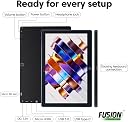
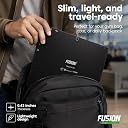
The Fusion5 FWIN232 PRO N5 is a premium 10.1” Windows 11 Professional tablet, assembled in the UK, featuring a 13th Gen Intel N100 quad-core CPU, 12GB RAM, and 256GB SSD with expandable storage. It boasts a bright Full HD IPS touchscreen, dual FHD cameras, and versatile connectivity options including USB-C and HDMI. Designed for professionals on the move, it offers a robust 6000mAh battery with fast charging and comes with a 2-year warranty covering accidental damage, ensuring reliability and peace of mind.


| ASIN | B0H3V8KGH6 |
| Age Range Description | Adult |
| Aspect Ratio | 16:10 |
| Battery Average Life | 5 Hours |
| Battery Capacity | 6000 Milliamp Hours |
| Battery Cell Type | Lithium Polymer |
| Battery Power | 6000.0 |
| Best Sellers Rank | 17,243 in Computers & Accessories ( See Top 100 in Computers & Accessories ) 290 in Tablets |
| Brand | Fusion5 |
| Brand Name | Fusion5 |
| CPU Model Number | N100 |
| CPU Model Speed Maximum | 3.4 GHz |
| Camera Description | Front, Rear |
| Colour | Black |
| Compatible Devices | Headphones, Keyboard, Mouse, Speaker |
| Compatible Flash Memory Type | microSD |
| Configuration | 10.1" Windows 11 Pro, Intel N100, 12GB RAM, 256GB SSD |
| Customer Reviews | 4.3 out of 5 stars 3,542 Reviews |
| Display Refresh Rate in Hertz | 60 |
| Display Type | IPS |
| Display resolution maximum | 1080p Full HD Pixels |
| Flash Memory Supported Size Maximum | 512 GB |
| Frame Rate | [60-120] FPS |
| Front Photo Sensor Resolution | 2 MP |
| Generation | 13th Generation |
| Graphics Coprocessor | Intel UHD Graphics |
| Graphics Description | Integrated |
| Hard-Drive Size | 256 GB |
| Hardware Interface | 802.11 ac/b/g/n |
| Headphones Jack | 3.5 mm |
| Included Components | 36W Fast Charger, Manual |
| Item Dimensions L x W x Thickness | 25.5L x 17W x 1.1Th centimetres |
| Item Weight | 636 Grams |
| Lithium Battery Energy Content | 18 Watt Hours |
| Manufacturer | Fusion5 |
| Maximum Display Brightness | 500 Nit |
| Maximum Display Resolution | 1080p Full HD Pixels |
| Memory Slots Available | 1 |
| Memory Storage Capacity | 256 GB |
| Memory storage capacity | 256 GB |
| Model Name | FWIN232 PRO N5 12GB 256GB |
| Model Number | FWIN232 PRO N5 |
| Model Year | 2026 |
| Model name | FWIN232 PRO N5 12GB 256GB |
| Native Resolution | 1920 x 1080 pixels |
| Network Connectivity Technology | Bluetooth, Wi-Fi |
| Number of Items | 1 |
| Number of Rear Facing Cameras | 1 |
| Operating System Family | Windows |
| Operating Systems | Windows 11 Professional |
| Operating system | Windows 11 Professional |
| Other Special Features of the Product | Expandable Storage, Fast Charging |
| Processor Brand | Intel |
| Processor Description | Intel Alder Lake 13th Gen N100 |
| Processor Speed | 3.4 GHz |
| Product Warranty | 2 Years Full Warranty |
| RAM Memory Installed | 12 GB |
| RAM Size | 12 GB |
| Rear Facing Camera Photo Sensor Resolution | 2 MP |
| Rear Webcam Resolution | 2 MP |
| Screen Size | 10.1 Inches |
| Screen size | 10.1 Inches |
| Set Name | Fusion5 FWIN232 PRO N5 |
| Size | 256GB |
| Speaker Description | Built-in speakers |
| Specific Uses For Product | Business, Entertainment, Student |
| Style Name | 12GB 256GB Win 11 PRO |
| Supported Audio Format | AAC, FLAC, MP3, WAV |
| Total USB Ports | 2 |
| Unit Count | 1.0 count |
| Video Capture Resolution | FHD 1080p |
| Video Processor | Intel |
| Wireless Compability | 802.11ac |
| Wireless Technology Type | Wi-Fi |
C**L
What a brilliant device...!
My Samsung Tablet finally died and I needed a replacement. I'd long realised that I didn't want another Android tablet again as I'm not very tech savvy and found the interfaces difficult to manage. Imagine my delight when I came across the Fusion 5 tablet computer that runs on Windows 11! For me this is the best solution - a tablet that runs like my computer and interfaces with my desk-top machine seamlessly. And all for less than £300 - brilliant! Now I can take my entire office out with me when I'm working or travelling away from home. This alone is a great gift - the ability to carry on working on the same project no matter where I am. It's just so reassuring to have the same icons and programmes always with you; I'm so much more productive because of this brilliant device. The Fusion 5 screen is bright and responsive to the touch, so much better than my previous tablet. Another improvement is that the battery lasts all day without charge. I bought a Bluetooth key-board and mouse to complement my Fusion5 - both interface seamlessly with it and give me the familiarity of a separate key board and mouse. Have I any complaints - No! Just a niggle - it takes a 5 second press and hold to get it to start. This is more a testament to my impatience when I've got an idea in my head that needs to be written down! After all my desk-top takes at least 10 seconds of whirring and clicking to get to the same status. As I say, what's not to like with the Fusion 5!
D**M
An excellent portable computer
I bought the Fusion5, 10.1”, 4/64 tablet to replace a p a i n f u l l y s l o w 5 year old netbook I used on vacations and coincidently a portable DVD player that gave up the ghost during our last vacation. Being a sceptic and in view of the modest price, I read and digested all 173 (at the time) reviews and 120+ queries, coming to the conclusion that a mere half dozen or so less than good reviews were unlikely to reflect the true nature of the unit. I have been using it for a couple of weeks now and am more than pleased with my purchase. From the outside it seems as well built as any of the competition (apart maybe from the odd ones with metal cases) and with its price/ memory ratio, is excellent value. It is apparently as fast as my Win 7 desktop, albeit with the odd slight delay with touch screen selections. Frankly I am not impressed with Win 10, but this is hardly the fault of Fusion! Some have commented that the on-screen keyboard covers a large proportion of the screen. I hope they have by now found out that the keyboard icon at the bottom right permits moving the keyboard and changing its size. Keyboard response is immediate with no delay. Win 10 does not have the capability to play DVDs. Microsoft have cunningly removed this facility from Win 10 and expect users to pay an extra £12 to buy an app from their online store. Better to download VLC media player which is free and according to experts, far better than the MS offering. Need an office program? Use Libre Office or one of the other excellent freebies. If you don’t like touching and dragging on the screen, or using the trackpad of the optional keyboard, a Tecknet or similar wireless mouse works perfectly. Regarding playing DVDs, though not over complex, this was not a plug and play process. I bought a USB DVD player off the auction site for £10, but plugging directly into the tablet (and using VLC media player) it would not work. I queried this with Fusion, who replied immediately, explaining that the tablet used a phone chipset and could not provide the power for the external unit. Next purchase was a powered USB hub and a USB to 3.5mm male barrel jack cable, to connect to my TomTom sat nav power supply (5volt DC). Bingo! DVD player runs normally and tablet now plays DVD faultlessly. NOTE: Do not use an extension cable from the PSU to the hub as the voltage drop will cause the tablet to attempt to power the DVD player, which will then not function. Standard 1m max. cable only. I concur with the comments on the speakers, but do any tablets produce decent sound? Sound is adequate for normal net surfing, but for music or DVDs, better to add an external speaker (wired +/- £5, bluetooth +/-£8). Someone commented that there was no light to indicate charging. My unit has a small red LED above the screen. On when charging, off when charge complete. One thing I really wanted was the ability to run Google Earth, as my desktop hasn’t the graphic capacity to run the latest version. GE Pro runs perfectly on the 4/64 64 bit Fusion tablet. The Emartbuy wallet/folder for the Fusion is great value at £10, particularly if you have Amazon Prime for free delivery! It protects the tablet well, the sockets are all accessible from the side and it converts to a deskstand to hold the tablet at a sensible viewing angle. The tablet will need to be removed from the folder to use the camera though, as being a universal folder there is no port for the camera to “see” through. To sum up, a great value, versatile, portable computer, with good customer service from Fusion. All these units are made in China, including IPhones and Galaxies, so given reasonable intelligent care, there appears to be no reason why the Fusion should pose any more problems than the competition.
M**I
Solid Value for the Price – Great for Light Productivity and General Use
Bought a number of these for team use, and overall, happy with the purchase. The Fusion5 10” Windows 11 tablet delivers impressive performance for its price point. The 8GB RAM and Intel Quad-Core CPU handle everyday tasks like web browsing, email, MS Office, and Zoom calls without issue. Full HD display is crisp and bright, and the build feels reasonably sturdy for an ultra-slim tablet. - Runs Windows 11 smoothly - Lightweight and portable - Good screen quality - USB 3.0 port and microSD support are great additions - 5G WiFi works well and ensures solid connectivity We use these primarily for lightweight productivity and remote access in a warehouse/office setting. For those purposes, they’ve proven reliable and cost-effective. Just be aware of the limitations if you're expecting high-end tablet performance. Would recommend for anyone needing a budget-friendly Windows tablet for day-to-day tasks.
U**A
Solid Windows Tablet for the Price
I bought this Fusion5 10-inch Windows 11 tablet because I needed something lightweight and portable for work and casual use. So far, it has been a great purchase. What I Like: Good Performance – With 8GB RAM and a Quad-Core CPU, it handles browsing, emails, and streaming without issues. Crisp Display – The Full HD 10-inch screen is clear and vibrant, making it great for watching videos and reading documents. Plenty of Ports – The USB 3.0, Micro HDMI, and Bluetooth make it easy to connect accessories. Decent Storage – 128GB is enough for my apps and files, and I can expand it if needed. Lightweight & Portable – Super easy to carry around, which is exactly what I needed. What Could Be Better: Speakers are Just Okay – They work, but they’re not the best. I usually use headphones or an external speaker. Battery Life is Average – It lasts a few hours but needs a charge if I use it heavily. Final Thoughts: For the price, this is a solid Windows tablet. It’s not going to replace a high-end laptop, but if you need something portable for everyday tasks, it’s a great option. I’m happy with it.
L**T
Fusion5 versatile prodict and reliable product at a very competitive price
I bought this Fusion5 Windows PC Tablet in March 2025 as it had what I was looking for at a very good price compared to other laptops on the market. I decided not to upgrade my two old Windows 10: 14" and 10" laptops because I wanted Fusion5 for work, to run on MS Windows 11. I am pleased that the Fusion5 tablet I bought is lighter and also quicker to connect for MS Teams meeting and Google Meet and also to create my videos, such as for Zoom, YouTube and other social media. Initially, I felt a sense of unfamiliarity with the Fusion5 tablet, being used to having Samsung phones and an an old Samsung cellular tablet, that doubled as my backup phone with an sd card to save and view offline many photos and files ehen I went abroad. The call provision is not available on my Fusion5 tablet. At any rate Fusion5 has an onscreen keyboard to help navigate to tasks and different icons. There is an add-on keyboard available to facilitate, to avoid using fingertips on the screen (none of my soft tip pens worked to tap on the screen). Screen clarity is good. To conclude, it is a versatile, reliable product at a very good competitive price.
R**H
Value for money and Good performance
I've been using the Fusion5 FWIN232 PRO S3 for a few weeks now, and I'm thoroughly impressed. Here's why: 1. **Affordable Price Tag**: When I was looking for a tablet, I didn't want to break the bank. The Fusion5 offered a great balance between features and cost. 2. **Smooth Performance**: The quad-core CPU and 8GB of RAM ensure smooth multitasking. Whether I'm browsing the web, streaming videos, or working on documents, it handles everything effortlessly. 3. **Decent Display**: The Full HD IPS screen is surprisingly good for the price. Colors are vibrant, and the 1920x1200 resolution makes watching movies enjoyable. 4. **Battery Life**: It easily lasts me a full day of moderate use. I appreciate not having to charge it constantly. 5. **Windows 11 Experience**: Having Windows 11 pre-installed was a bonus. It feels familiar, and I can run my favorite desktop apps without any issues. 6. **Build Quality**: The tablet feels sturdy, and the slim design makes it easy to carry around. 7. **Expandable Storage**: The M.2 SATA slot allowed me to add more storage without any hassle. Overall, if you're on a budget but still want a reliable tablet, the Fusion5 FWIN232 PRO S3 is an excellent choice. It won't disappoint! 👍
L**E
It's great as a portable little Windows device
I was on the market for a tablet but the specs on paper for the majority of the competition didn't look too appealing to me. Especially for the £200 price range. Therefore, I decided to give this one a go. The unboxing experience was high quality, and after turning the device on, I was impressed by how great this thing was. Here are just a few points based on my experience: The battery life is quite long-lasting. Inside the device is a huge thin battery that covers most of the back of the display The screen resolution could be higher, at just above 720p resolution, it's not quite Full HD, but I felt it was fine for the most part It runs the Netflix app really well, and I managed to get some decent functionality out of Amazon Prime on the browser. However, the YouTube website felt slow and sluggish and I would recommend using a third-party YouTube app from the Microsoft store. It worked pretty well for simple web searching tasks, and for checking Facebook or Forums. The port accessibility is really useful, with a full USB 3.0 port and a mini HDMI port, there's the possibility to plug in external Hard Drives or anything else you might want to plug into a Windows computer. The touch screen didn't feel too responsive, and the typing experience on the on-screen keyboard felt laggy, but this is to be expected considering it's a Windows device (you can always connect your own keyboard) I was able to have Discord and Skype running on the machine to take calls or receive messages, but Skypes interface feels really sluggish while in calls if you have a little patience you might manage it (I think this is just Skype's problem though) If you are looking for something smaller and lighter than a netbook or laptop, but still want to be able to have Windows 10, this is for you. Though if you are looking to have many applications open or to use professional recorce intensive software you might want to look for something higher end. It works great as a little computer you can just take with you wherever you go. It's perfect to use as a little computer you can have next to your bed to quickly access the internet or messages, or even watch Netflix before sleeping! But if you are looking for something to play games, or do heavy multitasking, this device doesn't perform too well. Perfect for light tasks such as messages, emails, Netflix!
K**.
Sent tablet to support and got back with scratched screen!
Taught by hindsight, I'd avoid this product and company - the 4GB memory, 64GB storage tablet+keyboard is around £200 - for the similar price there are better alternatives. The tablet is not too bad. Performance is OK, what you'd expect from 4GB of RAM and Windows10 (can't imagine the 2GB memory version). The screen resolution is average, touchscreen works OK. Customer service is OK - fast replies, polite, but that's just the facade. The software, keyboard and support are the things to avoid. The keyboard is VERY clunky, keys are hard, typing is awkward. Special function keys ('Fn' key + F1 to F12 keys, e.g. volume up/down, brightness up/down, etc.) do not match what's on the keys, some are not there at all - support told me it's because of a different language on the tablet, but special function keys are hardware based and shouldn't be affected. The keyboard totally stopped working after 4 month anyway. The tablet started to have power-on issues after 6 months - sometimes wouldn't turn on, you had to press the power key and hoped for the best - longest it took me to power it on one time was 3 hours. Drivers are very basic and not available anywhere else but from the manufacturer. You can't configure the touchpad and you can't set it to turn off when you're using a Bluetooth or USB mouse like on a laptop - I kept hitting the touchpad when typing, very annoying and distracting. If you need to reinstall a device (touchpad, camera, etc.) or have any problems, you have to sent it back (for me it was around £15 by Royal Mail, non-refundable). I sent the tablet back on warranty, got it back with a new keyboard and totally scratched screen! Photos are right from when I received the item back and after cleaning the screen - it was filthy, with bubbles underneath, as if dropped and really bad scratches. Totally not how I sent it to support! Luckily Amazon helped with the refund as it would have been too long to get a refund from Fusion5. Do yourself a favour and google other "windows 10 tablets" for a similar price, or even go for a refurbished/used higher-end model. There are better alternatives for a similar price, this one is not worth the hassle if you have other options.
D**E
Cargador UK.
No me ha gustado que viniera con enchufe UK. He tenido que buscar un adaptador. No especificaba esto, por lo menos claramente. Me planteé pedir funda con teclado, pero no me arriesgo a que no sea en español.
P**E
rc
tendras la forma de colocale un teclado y soporte a la tablet
P**S
Deems good but no Australian format power adapters for charging
tablet appears a good purchase. Australian buyers beware there is no Australian charger adapter connections included in purchase, something I would expect if selling into Australia
D**K
A Nice Device for a Good Price
Fusion 5 10.1" Windows 10 Tablet I picked up this tablet as an upgrade to my Kindle Fire 8". Overall, I'd say it was a good choice. Initially, I began shopping for a 10" version of my same tablet, but I thought, why not upgrade a bit in the process? Since most of my other equipment is in the Microsoft ecosystem, I chose to go with a Windows tablet. That way, I can sync easily between my desktop, phone, and tablet, having all my data available from any device. When I first started shopping, my gut instinct was to pick up the MS Surface Go, which is a 10" Windows 10 tablet. The down side is that Windows is running in S Mode. Windows 10 in S Mode is a more limited, locked-down Windows operating system. In S Mode, you can only install apps from the Store, and you can only browse the web with Microsoft Edge. I didn't want to be limited, and I began looking around for another solution, eventually deciding on the Fusion5. Order the device through Amazon was simple and painless, as most Amazon transactions are. The device was shipped promptly, and arrived when it was supposed to. I've been using the tablet for a few weeks now, so I think I might be able to relay my experience with it. Screen The screen is great, on par with other high end tablets. The resolution of the 10.1" (diagonally measured) display makes for a nice crisp display, with good color and brightness. Touch sensitive is good as well. I've had no problem with making selections for text fields, buttons, etc. Some other folks have commented about a problem with selecting a text field, and not having the on-screen keyboard pop up. I don't think this is a failing of the tablet itself, but rather the way Windows 10 works with touch. It's been an issue for the last several version of Windows, and 10 is no different. Putting Windows 10 into tablet mode alleviates the problem somewhat, but in some text fields you may need to double tap. Using the Inking function in Edge, OneNote, and other apps worked flawlessly. Using a stylus or your finger, you can highlight data on web pages or other places, or even include short notes. The only complaint I would have about the display is the inclusion of a less than stellar screen protector with the device, already installed. When I received mine, it was loose along the bottom bezel of the display. Further, the protector slightly hindered use of touch features. Once I removed the protector, touch sensitivity was much better. The downside if your remove the protector (and don't replace it) is the potential for scratches, as well as the mass of fingerprints that will collect on the display. Connectivity The only option for connectivity include with the device is WiFi. I've tested it by connecting to several different access points, public and private, and have had no issues. The only downside I can mention is the lack of high speed options with the on-board WiFi. In my testing, I was only able to connect with 802.11b, which is limited to 11 Mbps, so you're roughly getting 9.5-10 Mbps. I think a better option would be to use an 802.11 b/g/n chip for faster speeds. Even with the limited connectivity, I am able stream NetFlix, work on documents from OneDrive, and surf the internet with no issues. There is some slight buffering at the start of a NetFlix video, but my desktop does the exact same thing, so I don't see that as negative. The rest of the stream is fine, and displays in HD. Streaming from YouTube was a bit better, with a quicker start to viewing than with NetFlix. The device comes with a variety of ports on the side, including a full size USB port, mini HDMI, USB-C and a power port. Charging via the power port *or* USB-C worked fine. I wasn't able to test USB-C peripherals, as I don't have any. Using the standard USB port, I connected a wired mouse, and it worked with no issue. also tried a USB keyboard, headset, and game controller. All worked with problem. As long as Windows has or can find the correct driver for the device, most should work with the tablet. One cool thing I was able to do is connect the tablet to my KVM switch. A KVM switch (with KVM being an abbreviation for "keyboard, video and mouse") is a hardware device that allows a user to control multiple computers from one keyboard, monitor, and mouse. Using the KVM, I was able to use my full size equipment at my desk. The device found the peripherals with no issues, and I happily surfed the web and am actually writing this review using the tablet now, using the big screen. Document editing is much easier with full size equipment, and the Fusion5 had no problems allowing me to use my regular gear. Bluetooth connectivity is good, and I tried a couple of different devices with the Fusion5, including my phone, a mouse, and two different sets of headphones. Range and functionality was good. Leaving the tablet in my home office, I was able to move up to 50 feet away, and the sound was still good in my headphones. Sound The tablet included two speakers, although they are not very good. At maximum volume, the sound is *just* audible. This doesn't bother me, however, as I use a bluetooth headset when I am streaming video, using Skype, etc. I haven't use the on-board microphone, but I imagine you would be better served getting a good bluetooth headset for Skype calls, or perhaps a wired headset connected to the USB port. Storage The version of the device I purchased included 4 GB of RAM, as well as 64 GB of storage on-board. While 4 GB of RAM won't give you enough "oomph" to run things like MySQL or Doom, it is more than enough to edit documents in Word, spreadsheets in Excel, surf the net with multiple tabs open (but no too many!), and play some lighter games like Asphalt Airborne and the like. Mass storage of the device is a seemingly huge 64 GB. However, keep in mind that Windows 10 takes a large chunk of this space for itself. The device does include an SD card slot, with which you can use to expand the storage. With this in mind, I did purchase a 128 GB SD card. I inserted the card, and it worked straight away. The first thing I did is set my OneDrive folder to the new drive, to keep things of the system drive. That way, you're not cluttering up the system drive with your random cat pictures and crossword puzzles. Operating System The Fusion5 comes with Windows 10 Home Edition, 32-bit. This is not a watered down version of Windows, nor is it Windows running in S mode. This is the full version of Windows 10 Home Edition. What this means is that anything that you can run on your home machine, you can run on your tablet, provided that it fits in to the requirements of the software. For example, I am a hobbyist software developer. I write applications and utilities for use by people all over the world. On this device, I was able to install and use a Win32 application that I built on my desktop machine. No errors, no missing drivers. It just worked. Where all this leads is if there is something you want to connect to this tablet, or some software you want to install, the only questions you need to ask are "Is it compatible with Windows 10?" and "Does my hardware meet the requirements?" Battery Life The claimed battery life is around eight hours, and I have no dispute with that. I charge the device once per week, and have yet to have an unexpected shutdown due to battery problems. I imagine with some power management like dimming the display and throttling the CPU a bit (both available by tapping on the battery icon in the system tray), you could stretch it out to ten hours. Summary I'm pretty happy with this purchase. I use the Fusion5 for reading ebooks, watching streaming video, and some light web surfing. While it won't replace my desktop or my full laptop (it's a beast!), it is great for use on airplanes, laying in bed at night, riding the bus, etc. Besides the few minor items I pointed out previously, I would make one more ask for this device. The tablet includes no recovery media with it. It would be nice to have the option of performing a clean install of Windows 10 from media, if the need arises. As it sits, I'm not sure it can be booted from USB, but than may be an option, provided I can find the product key. Overall, if you are in the market for an inexpensive Windows 10 device, I would recommend the Fusion5 10.1" Windows 10 tablet. At just under $200, it's a pretty great buy.
P**A
Buenísima relación calidad/precio
De las mejores compras que he hecho. Por sólo 300€ tienes una buena tablet con Windows 10. Obviamente no sirve para jugar a videojuegos nuevos. Pero viene muy bien para trabajar.
Trustpilot
1 week ago
2 weeks ago