Desertcart purchases this item on your behalf and handles shipping, customs, and support to Senegal.
💼 Secure, stylish, and speedy storage for the on-the-go professional.
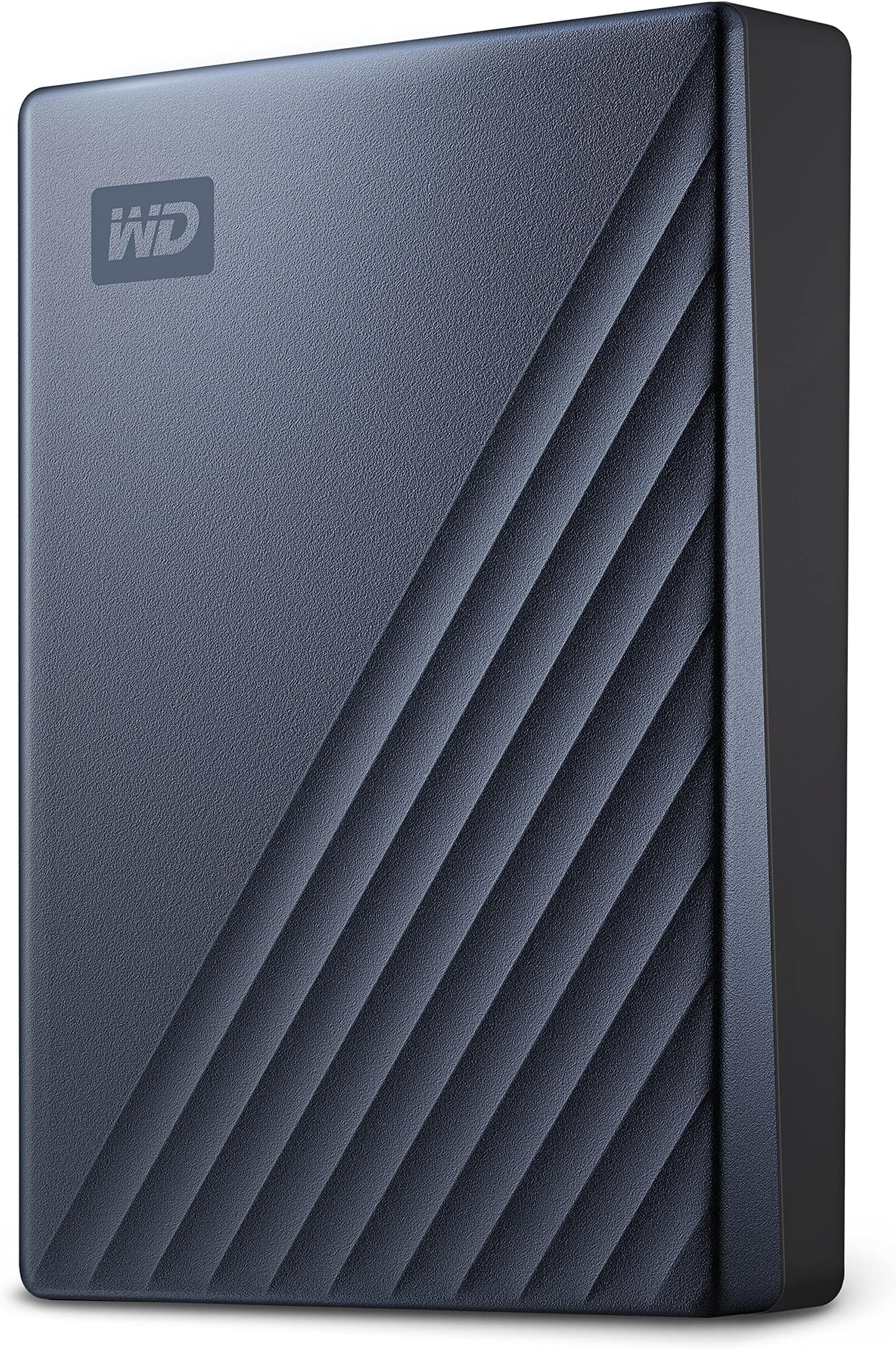
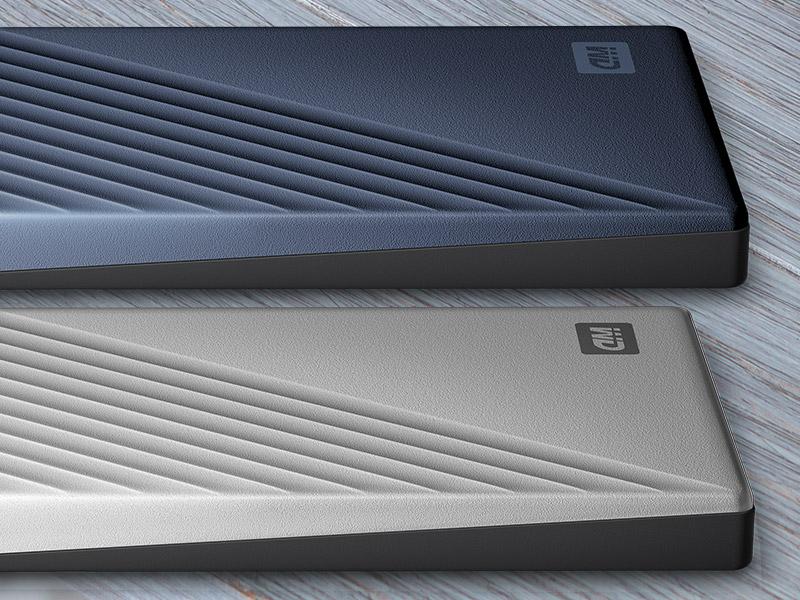
The WD 2TB My Passport Ultra is a portable external hard drive featuring 2TB of storage, USB-C and USB 3.1 compatibility for fast data transfer, and robust 256-bit AES hardware encryption for top-tier security. Its sleek metal and matte design is both durable and professional, backed by WD’s reliable 3-year warranty and intuitive backup software, making it an essential tool for millennials balancing work, creativity, and digital life.


| ASIN | B07GKFHVC5 |
| Additional Features | Hardware Encryption, Portable |
| Best Sellers Rank | #13 in External Hard Drives |
| Brand | WD |
| Built-In Media | Portable hard drive, Quick Start Guide, USB 3.0 cable |
| Cache Memory Installed Size | 2 |
| Color | Blue |
| Compatible Devices | PC |
| Connectivity Technology | USB |
| Customer Package Type | Standard Packaging |
| Customer Reviews | 4.5 out of 5 stars 17,896 Reviews |
| Data Transfer Rate | 2.5 Megabytes Per Second |
| Digital Storage Capacity | 2 TB |
| Enclosure Material | Metal |
| Form Factor | 2.5-inch |
| Global Trade Identification Number | 00718037864099 |
| Hard Disk Description | Portable |
| Hard Disk Form Factor | 2.5 Inches |
| Hard Disk Interface | USB 3.0 |
| Hard Disk Rotational Speed | 1 RPM |
| Hard-Drive Size | 2 TB |
| Hardware Connectivity | USB 3.0, USB Type C |
| Hardware Platform | Mac, PC |
| Installation Type | External Hard Drive |
| Item Dimensions L x W x Thickness | 4.33"L x 3.21"W x 0.5"Th |
| Item Type Name | WD 2TB Blue My Passport Ultra Portable External Hard Drive - USB 3.0 - WDBC3C0020BBL-WESN |
| Item Weight | 0.29 Pounds |
| Manufacturer | Western Digital Technologies, Inc. |
| Mfr Part Number | WDBC3C0020BBL-WESN |
| Model Name | My Passport Ultra |
| Model Number | WDBC3C0020BBL-WESN |
| Number of Items | 1 |
| Read Speed | 130 Megabytes Per Second |
| Special Feature | Hardware Encryption , Portable |
| Specific Uses For Product | personal, gaming, business |
| UPC | 718037864099 |
| Unit Count | 1.0 Count |
| Warranty Description | 3-year limited warranty |
S**N
Random/Sequential Writes Faster Than 2016 Model, Reliable, Improved Smaller Design
This model is the latest generation of the many My Passport drives I've owned or purchased for clients. They have proven reliable and good performers. They have incrementally improved with each new generation. This model features a new case design which I feel is much better looking and is slightly smaller than the last version. BOTTOM LINE (for the impatient): This model is a little bit faster than the last (2016) model I bought. I got the black 2TB model and this generation offers up to a 5TB model as well as the usual smaller capacities. This model is just noticeably faster than the last generation on sequential reads and writes when I tested using CrystalDiskMark. This My Passport has a new design that returns to rounded corners and soft-look matte case. I like this much better than the older one with its cheap-looking (to me) styling. The drive is slightly less thick, wide and long than the 2016 model. In my laptop bag that’s welcome even if not a lot smaller. I’m very pleased with this My Passport drive as with ones purchased over the last decade plus. It’s reliable, fast for a USB mechanical HD and gives a lot of space for a low price. If you want more details, read on... SUMMARY: The My Passport USB 3.0 drives are simple to use and come with reasonable software tools and backup/sync software. These are now in a single installer on the drive. I have my own backup solution and do not want encryption on this drive, so have not explored this software. If these are of interest, be sure to check for newer versions on the WD web site. Pluses: + This drive works fine with Windows, Linux or Mac out of the box. With Linux or Mac (where it is read-only with NTFS). They generally performs best when reformatted with a native file system to the respective operating system. Mine came formatted with NTFS for Windows. + This generation has 5TB, 4TB, 2TB, and 1TB models. The 500GB models were dropped a couple of generations ago and more recently the 3TB models. + This drive is faster than the last generation, but just a little. Up to about 3% faster in benchmarks, but barely noticeable in practical use. + The form factor of the new drive is lighter and slightly smaller before with a much nicer case without pointy corners and scratch/fingerprint prone glossy finish. + The warranty has been returned to 3 years from 2 years on the 2016 generation. Minuses: - It comes with the same very short USB 3.0 cable as previous versions. I like a longer 3ft (or more) USB 3.0 cable : a very good upgrade purchase for the My Passport drives. IN THE BOX: The My Passport comes in a easy to open retail package containing the drive and a annoyingly short USB 3.0 cable. There are a couple small pieces of paper for warranty and quick-start. That's it. The cable in this model is the same as previous versions. This may be just fine for a lot of folks but I keep some 3ft (or more) USB 3.0 cables handy for longer runs to my desktop or even on top of a tall computer. FORM FACTOR vs. PREVIOUS GENERATION: I'll compare the new generation of My Passport with my 2016 My Passport Ultra This Model My Passport's dimensions: 1TB-2TB: 0.27lb, 4.22in X 0.44in X 2.95in 4TB-5TB: 0.46lb, 4.22in X 0.46in X 2.95in 2016 My Passport's dimensions: 1TB: 0.37lb, 4.33in X 0.64in X 3.21in 2TB-4TB: 0.54lb, 4.33in X 0.85in X 3.21in TESTING: I tested both my older 2016 My Passport 4TB drive and my new My Passport 4TB model using CrystalDiskMark benchmark software and by copying 11GB folder of updates and files to the drive. This was to compare the benchmark with real-world copying. The 11GB folder has a broad mix of file sizes and types including files an over 2GB iso DVD image. Using CrystalDiskMark I found sequential reads were about 3% faster and writes about 8% faster with the new model. Random reads were just a tiny bit slower and writes were about 8X (!!!) faster. While the benchmarks showed significant differences using them in my real-world copy test the difference was most noticeable with lots of smallish files, but not so much with large sequential reads/writes. If you need to write smallish files this drive is noticeably better than the 2016 model and about the same for large files. For my testing the My Passport drive was connected to built-in USB 3.0 controller on my Dell 7710 Precision Mobile Workstation. I also tried it on a older add-in card with the Renasas USB 3.0 chip set on my Dell Precision T7500 tower. I have the latest Renasas drivers installed. Both are running build 1903 of Windows 10 Pro and both have SATA SSD boot drives. I used CrystalDiskMark V7 64bit version. CRYSTALDISKMARK Results: The New Generation My Passport: Sequential Read (Q8T1): 129.18 MB/s Sequential Write (Q8T1): 119.75 MB/s Sequential Read (Q1T1): 120.37 MB/s Sequential Write (Q1T1): 118.08MB/s Random Read (Q32T16): 4KiB 0.6 MB/s Random Write (Q32T16): 4KiB 10.8 MB/s Random Read (Q1T1): 4KiB 0.49 MB/s Random Write (Q1T1): 4KiB 7.8 MB/s The 2016 My Passport: The New Generation My Passport: Sequential Read (Q8T1): 125.5 MB/s Sequential Write (Q8T1): 113.7 MB/s Sequential Read (Q1T1): 119.1 MB/s Sequential Write (Q1T1): 113.7 MB/s Random Read (Q32T16): 4KiB 0.573 MB/s Random Write (Q32T16): 4KiB 1.290 MB/s Random Read (Q1T1): 4KiB 0.505 MB/s Random Write (Q1T1): 4KiB 1.305 MB/s REAL WORLD COPY: In my real world copy test the new My Passport drive was just noticeably faster than the older My Passport Ultra. More on the writing than reading side and more noticeably with smaller files than larger files. It peaked out at about 70MB/s with large files. I never dropped below 35MB/s even with large amounts of small files being copied to the drive. The 2016 My Passport Ultra peaked out at about 68MB/s and dropped several times to 30MB/s. I'm thinking the newer drive may have a larger on-drive write cache or maybe it's just a bit faster drive. Maybe both. On big copies the new My Passport may save you a few seconds here or there but if copying a lot of small files to it the difference was much more noticeable. CONCLUSIONS: The My Passport line of drives from Western Digital has been very good to me and to my clients. This reliable and good to excellent performing line has a long positive history with me. This WD My Passport model is an evolution over the 2016 My Passport. I'm picking it for new purchases over the older model, but won't rush out to replace older drives. I like this 2019 My Passport’s rounded corner case better than the 2016 sharp edged and glossy one, but it's very minor point for me. Overall it's an excellent evolution to a 5 star predecessor and continues to be a very good external storage choice. For making improvements in small file write performance and correcting the 2016 bad case design issue this new 2019 generation of My Passport drives is worth 5 stars in my opinion. Hope this helps someone!
M**M
Works great
The disk was already formatted for Windows so it was plug and play. The connectivity is fast. No data has been lost. Great size, very small. It mounts almost immediately. I ran a system check and it is the actual size it was advertised. Very pleased with the product and price.
O**E
quick, compact, good capacity
A fast, compact drive powered by its USB-C connector. A solidly built cable is included plus a USB-A converter. There's a single activity LED near the connector. Write performance on a USB-C 3.1 host interface was decent, with 1MB sequential writes running at 112MiB/s, but dropping to 94MiB/s presumably along the slower (outer) parts of the spinning disk. Linux/BSD people, here's how the drive showed up for me: WD My Passport 260D 2007 Fixed Direct Access SPC-4 SCSI device 1907697MB (3906963456 512 byte sectors) Note the enclosure shows up as a separate device, BSD sees it as: ses1: WD SES Device 2007 Fixed Enclosure Services SPC-4 SCSI device ses1: SES Device USB-C is a selling point for me despite some skeptical reviewers here. It isn't meant to be faster, necessarily, that's a function of the interfaces on each end. But it's always a more robust & simpler connector. It lasts long than microUSB (by design) and doesn't need to be flipped back and forth repeatedly until it finally fits. I generally won't buy a device with an older USB connector unless there's no option. USB-C all the way. A great little drive, and nice-looking too. I might wish it were SSD or that the LED was on the front, but otherwise no complaints.
D**D
Wd is the best!
I love this external hard drive. It works very well. A must buy for everyone.
C**Y
The hardware is good. I couldn't get the software to work.
I have owned multiple Western Digital storage devices in the past. In fact, they're still working, but they're getting older, so I bought two new Western Digital storage devices because I need a reliable back-up. I have no problem with the hardware. The hardware is excellent. I have had no problems with my back-ups and I have not lost data. However, the software that comes with the new Western Digital storage devices simply would not work for me. I'm running some older computers with Windows 8 and Windows 10, but I don't think the operating system is the problem. The first problem I had was that the new WD software tried to update the old WD software that was already installed on my computer, but the update was a fail, so I had to completely uninstall all of the WD software and start from scratch. However, the new WD software still didn't work. For one thing, apparently you have to be online to use the software at all, even just to set your password. I went online and tried again, and it still didn't work. Reasons unknown. I ended up just reformatting both of the new drives and installing a third-party encryption software, and I am making my back-ups manually. Which is fine, because my backups are fairly small. But I am irked because I bought the WD drives because they are supposed to have built-in password protection, and I am irritated that I had to do an additional step. However, if the new ones are as reliable as the old ones, then I will still be happy. I have been using them several months with zero problems, so I think they are reliable.
J**.
Same great quality
This thing has a LOT of storage. Normally, I get this brand and have no issues. This one doesn't have any issues either and hopefully it stays that way. Glad to see the brand quality is still good.
G**T
WD has always been reliable storage for this guy
New and works perfectly. The price could not be beat :) Using occasionally to back up large files and phone videos. As long as its not dropped, this external drive should provide years of reliable operation :) Purchased a WD ("My Book") years ago and it has always worked perfectly as a file backup storage system.
T**S
mechanical problems twice in a row
I bought two WD 4 TB external HDDs many years ago. They've both been reliable workhorses. So when I needed to expand my storage to 6 TB HDDs, I bought them from WD, one blue, one black. WD's quality control has fallen. My new blue HDD works fine, but the black one had problems. It made loud clicking sounds. Not a good sign. The last time I had a new HDD (from Seagate) that clicked loudly, over 30 years ago, it suffered full mechanical failure within months. But the new black WD HDD wasn't just loudly clicking. My Lenovo laptop, running Windows 11, sometimes didn't recognize the HDD. If I unplugged the HDD from the laptop, then replugged it, then the laptop recognized it. This problem never showed up with the blue HDD, which never clicked. I copied over 2,900 MP4 files onto both of the new WD HDDs. I didn't use WD's copy program, as some reviewers had problems with it. I used Windows 11 Explorer to drag & drop the files. Later, I opened the files' folder on the black WD HDD. The MP4 files were listed. But when I clicked to watched one, my movie program said: File Not Found. I clicked several other MP4 files, but always received the message: File Not Found. I returned the black HDD (kept the blue one), and bought a third WD 6 TB HDD, a red one. Once again, when I began using it, it began loudly clicking. Bad sign. But I gave it a shot, copying my MP4 files onto it. I watched some of the transfers, saw that the files were copying. But the next day, my Lenovo once again didn't recognize the red HDD, not until I unplugged and replugged it. Not a good sign. Then when I opened the files' folder, I saw that most of the MP4 files I had copied were not listed -- files that I had seen in the folder the night before. Yet Windows 11 Explorer indicated the files were there, based on the number of files it counted, and on the amount of free space remaining on the HDD. But when I opened the files' folder on the HDD, the files didn't appear. I then tried to drag & drop the missing files a second time onto the HDD, but Windows 11 said that files with the same names already existed on the HDD. Although they didn't appear when I looked into the folder. I might put this down to a problem with Windows 11, but for the fact that both problem HDDs (the black and red ones) clicked loudly, which should not be the case. Neither of the old WD 4 TB HDDs click loudly, nor the new blue WD 6 TB HDD which has no problems recognizing files. I still need backup storage. I'll have to return the red WD HDD as well, and seek another brand.
A**K
Huge Storage in a Tiny RED pocket!
Needed something reliable to back up years of photos, videos, and random chaos—this 5TB WD My Passport totally delivered! Super compact and lightweight! The transfer speeds have been solid (nothing to complain about unless you're expecting SSD speeds
B**.
Great product
Excellent product. Plug-in and ready for use.
T**E
Klein und vollständig
sehr gutes Fahrradset mit allen gängigen Werkzeugen
A**N
Léger rapide et performant
Super design en aluminium, fin, léger. Il est en plus performant (idéal pour faire passer des gros fichiers du PC de mon bureau en USB-C 3.1 vers mon macbook air perso en USB 3.0 (adaptateur fourni). La capacité de 2 TO (ou 1,8 TO formaté environ) suffit amplement pour tout type de fichiers !
T**E
Kompakte und zuverlässige externe Backup-Lösung
Bewährte Technik, einfach bedienbar, zuverlässig. Diese externe Festplatte von Western Digital braucht eigentlich keine langatmigen Rezensionen mehr. Sie macht, was sie soll, und das ohne Beanstandungen. Klasse!
Trustpilot
2 months ago
3 days ago