Desertcart purchases this item on your behalf and handles shipping, customs, and support to Senegal.
๐ Unlock your digital freedom with UGREEN NAS DH2300 โ storage that works as hard as you do!
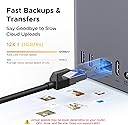
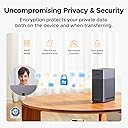
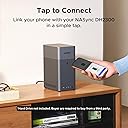
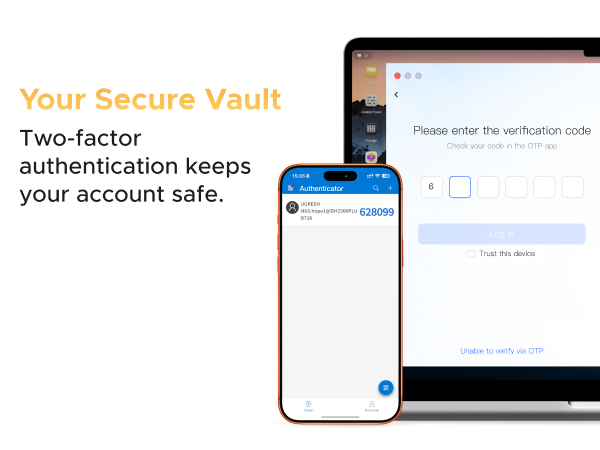
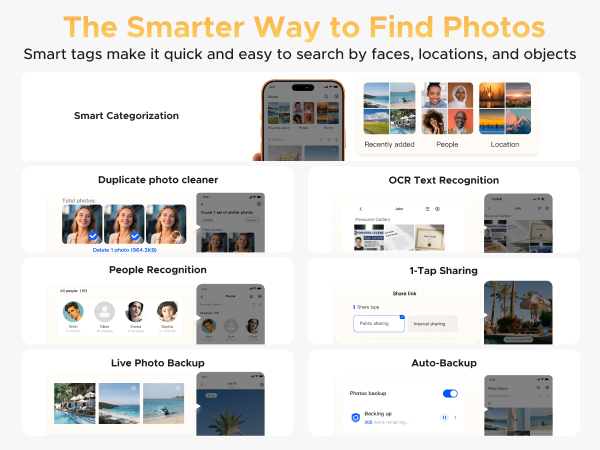
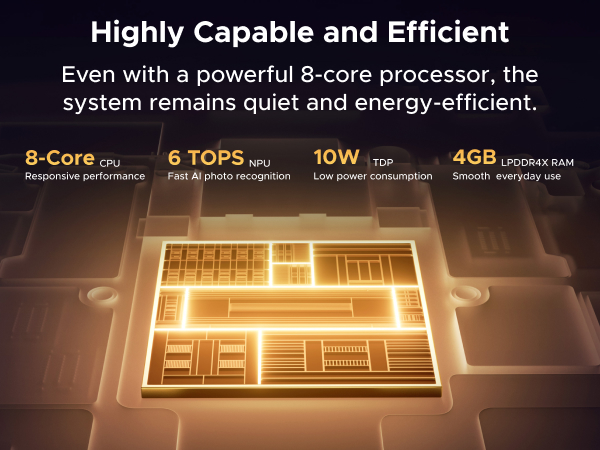
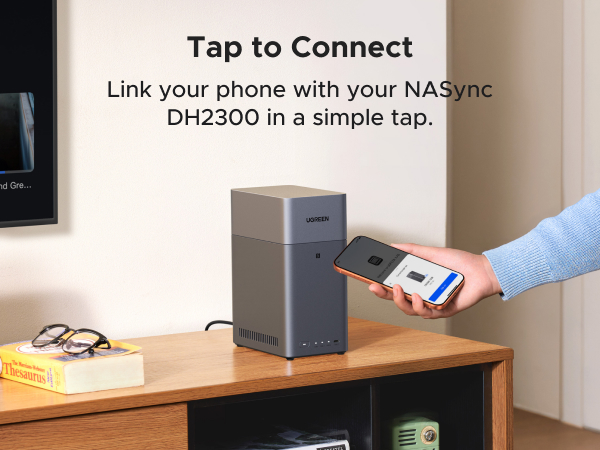
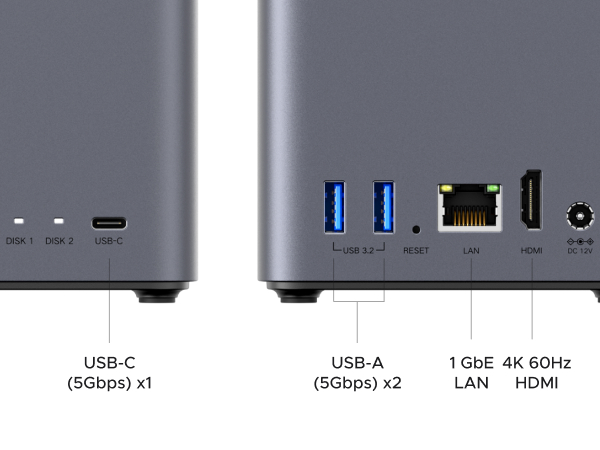
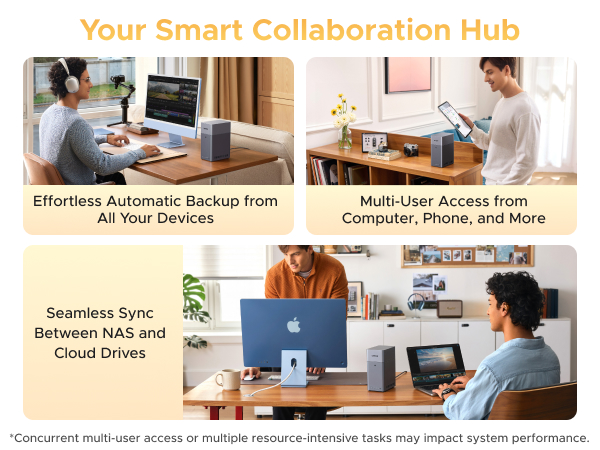
The UGREEN NAS DH2300 is a beginner-friendly 2-bay desktop NAS supporting up to 64TB of storage (diskless). Equipped with 4GB RAM and a 1GbE port, it delivers fast 125MB/s file transfers. Its AI-powered photo album intelligently tags and organizes your media for effortless retrieval. Compatible across all major OS platforms, it offers secure remote access and long-term cost savings compared to cloud storage subscriptions.


| ASIN | B0FNWHSPXF |
| HDDๅฎน้ | 64 TB |
| ใใใใๅบฆ | 5ใคๆใฎใใก4.6 582 ใฌใใฅใผ |
| ใซใฉใผ | ใฐใฌใผ |
| ใใธใฟใซในใใฌใผใธใฎๅฎน้ใฎๆธฌๅฎๅไฝ | 64 TB |
| ใใธใฟใซในใใฌใผใธๅฎน้ | 64 TB |
| ใใผใฟ่ปข้้ๅบฆ | 125 ใกใฌใใคใๆฏ็ง |
| ใใผใใฆใงใขใคใณใฟใผใใงใคใน | ATA |
| ใใผใใฆใงใขใใฉใใใใฉใผใ | Mac, Macใ, PC, PCใ, ็ชใ |
| ใใผใใใฃในใฏ ็จฎ้ก | ใฝใชใใในใใผใใใฉใคใ |
| ใใผใใใฃในใฏใฎใใฉใผใ ใใกใฏใฟใผ | 3.5 ใคใณใ |
| ใใผใใใฃในใฏใคใณใฟใผใใงใคใน | USB 1.1 |
| ใใผใใใฃในใฏใใฉใผใ ใใกใฏใฟ | 3.5 ใคใณใ |
| ใใผใใใฃในใฏๅ่ปขๆฐ(rpm) | 7200.0 |
| ใใฉใผใ ใใกใฏใฟใผ | 3.5ใคใณใ |
| ใใฉใณใ | UGREEN |
| ใใฉใณใๅ | UGREEN |
| ใกใผใซใผๅ | UGREEN GROUP LIMITED |
| ใกใผใซใผๅ็ช | DH2300, 2-Bay |
| ไบๆใใใคใน | ในใใผใใใฉใณ, ในใใผใใใฉใณใ, ใฟใใฌใใใ, ใใฌใใ, ใในใฏใใใ, ใใผใใใฝใณใณ |
| ไปๅฑๅ็ทๆฐ | 1 |
| ๅใไปใใฎใฟใคใ | ๅ ่ตใใผใใใฉใคใ |
| ๅๆขฑๅๅ | NASync DH2300 x 1ใ, ใคใผใตใใใใฑใผใใซ (CAT 7) x 1ใ, ใฏใคใใฏในใฟใผใใฌใคใ, ใฏใคใใฏในใฟใผใใฌใคใใ, ใใธใจใใฉใคใใผ x 1ใ, ้ปๆบใขใใใฟใผ, ้ปๆบใขใใใฟใผใ |
| ๅๅใฎ็จ้ | ใใผใฝใใซ |
| ๅๅใฎ่ฟฝๅ ่ชฌๆ1 | ใปใใใซๅผทใใ, ่่กๆ, ้ฒๅกตใ |
| ๅๅๅค่ฃ ็ด ๆ | ใใฉในใใใฏ |
| ๅ็ช | DH2300, 2-Bay| Diskless |
| ๆฅ็ถๆ่ก | SATAใ |
| ๆธใ่พผใฟ้ๅบฆ | 125 |
| ๆขฑๅ ใฟใคใ | ในใฟใณใใผใ ใใใฑใผใธใณใฐ |
| ็นๅพด | ใปใใใซๅผทใใ, ่่กๆ, ้ฒๅกตใ |
| ่ชญใฟ่พผใฟ้ๅบฆ | 125 ใกใฌใใคใๆฏ็ง |
| ้ไฟกใปๆฅ็ถใคใณใฟใผใใงใผใน | SATAใ |
D**Y
Great starter NAS.
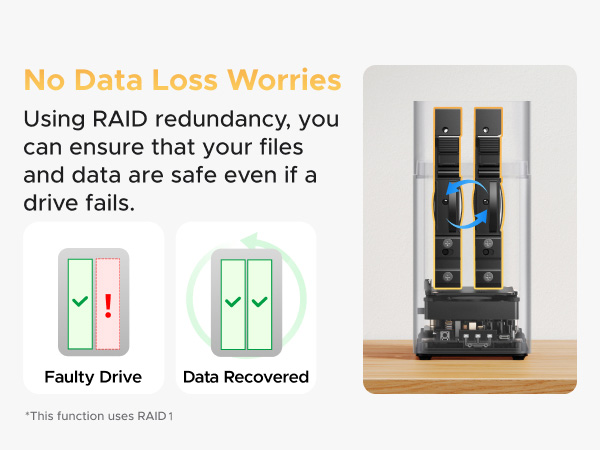
Great NAS system for beginners. Fairly easy to setup (lots of "how to" videos on YouTube). Long-term reliability remains to be seen, but so far everything looks promising. I installed 2 x 2TB SATA SSD's with RAID 1 configuration and everything works as expected. I can access my NAS storage using UGREEN NAS web interface, Windows 11 file manager (need to setup network access - YouTube video shows how) and from my mobile phone. So far, so good...
H**D
Una gran soluciรณn de seguridad para tus archivos y mucho mรกs
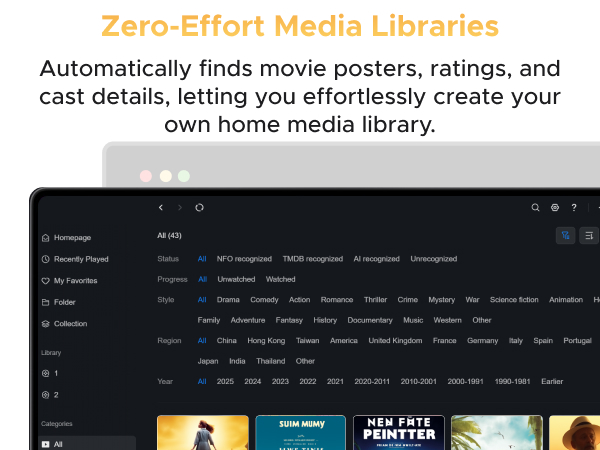
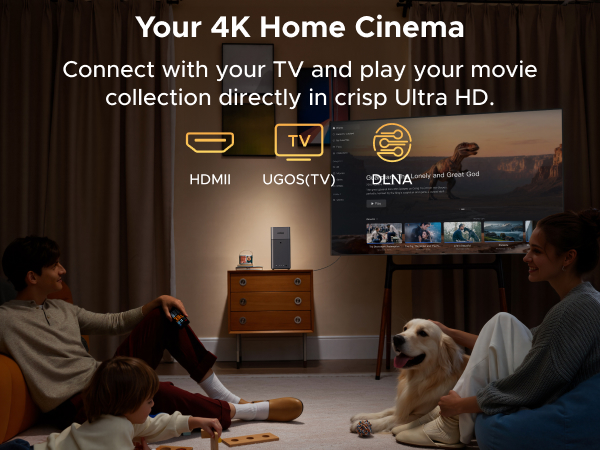
Tengo mucho tiempo queriendo, o mรกs bien, nicest and un NAS. Debido a mi trabajo -fotรณgrafo Profesional- es muy importante contar con respaldo y redundancia del material de mis clientes, tanto foto como video. Estรก marca y modelo estuvieron todo el tiempo en mi radar, pero lo que me frenaba era el precio actual de los discos duros En cuanto tuve la oportunidad lo adquirรญ (hubiera preferido la versiรณn de 4 discos pero de nuevo, los precios de estos) y no puedo estar mรกs satisfecho. Pero ademรกs me llevรฉ la sorpresa de que un NAS no se trata รบnicamente de respaldo y redundancia-por ende, seguridad- sino de mucho mรกs. Con este NAS ahora tengo mi nube propia. Puedo acceder a mis archivos sin importar en donde me encuentre. Esta caracterรญstica por sรญ sola, ya me brindรณ soluciรณn durante una emergencia con un cliente. Y eso no es todo. Tiene apps con IA para administrar fotos y videos. Por lo que puedes crear tu propia plataforma de streaming de pelรญculas. Y Aรบn estoy descubriendo mรกs prestaciones! Definitivamente la compra de aรฑo. Ya juntarรฉ para el modelo de 4 discos.
D**N
Good little Box
I bought this NAS because I was getting tired of photos, backups, and files being scattered across multiple devices and cloud services. My goal was simple: put my data in one place that I control. Initial setup was straightforward. The software guided me through the basics, drive installation was easy, and I had shared folders available much faster than expected. Even as someone who has worked with servers and networking before, I appreciated not having to spend hours fighting the setup process. Performance has been solid for home use. File transfers are fast, media storage works well, and backups run without drama. Photos, documents, Home Assistant backups, and other files are easy to access from multiple devices. One feature I ended up using more than expected was remote access. Being able to reach my files when away from home without building an entire VPN solution from scratch was convenient. For users who want something simple, it works well. The hardware feels well built and runs quietly. It sits on the network doing its job without demanding constant attention. In my experience, the best storage devices are the ones you forget exist until you need them. What impressed me most was the balance between simplicity and flexibility. A beginner can get it running quickly, but there's enough capability available for people who want more control over backups, storage management, and network services. My only real complaint is that buying a NAS starts a dangerous chain reaction. First you buy the enclosure. Then you buy drives. Then larger drives. Then you start calculating how many terabytes of photos you have. Before long you're explaining to family members why the blinking box in the corner is "critical infrastructure." Overall, this NAS delivered exactly what I wanted: reliable centralized storage without turning setup into a weekend-long project. If you're looking for a home NAS for backups, photos, media, Home Assistant backups, or general file storage, this is an easy recommendation. The device quietly does its job while I continue creating more data than any reasonable person should possess.
M**Y
My Own Cloud Service--flawlessly
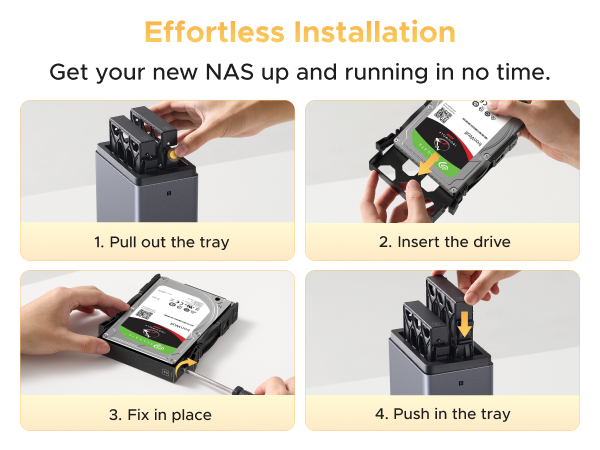
Quick update: I have had this up and running for a while now. For a true cloud service, running Tailscale VPN is a must. Once configured, it works great. I had problems connecting my work computer (after easily connecting my Android device and various other computers). The AzureAD posed a challenge but CHATGPT worked it out for me. All is well now. I am loving the access to the same files I had on Google Drive, but I also connected an external SSD (1TB) drive via USB and it picked it up immediately. On my android devices, I use Cx File Explorer and that is hands-down a great file explorer app (not just for cloud use). I am still loving my set up now. End update I have been seeing "NAS" all over the place and never gave it another thought. Until recently. I just happened to see a brief mention of doing your own cloud service. That caught my attention (and never really put the two together). I have been a "techie" since 1979 (Commodore PET w/cassette tape drive era) and always been able to hold my own. So, I investigated further into doing my own cloud. Everything I read led me to the UGREEN. And Wow! Rightly so. First and foremost, super easy to get up and running. Tons of software that comes with it to get you up and running (Five stars for the product, 3.5 or 4 for follow through on some simple tasks with the software). I have it mostly figured out now, but again, I have a little tech in my blood stream. I purchased the 2300 unit, 2 WD solid state hard drives (120GB each), and a user recommended battery back up made for the UGREEN line. Perfect set up. Easy to get up and running. First the 2300 itself. You will need a dedicated ethernet line. You can do wireless, but not recommended. The unit comes with two empty bays with pop in trays (very easy to get in and out) and screws for securing both 3.5" and 5.5" drives (the SSDs are 3.5" and fit perfectly). The top of the device is magnetic so it comes off easily (too easily?) to get to the trays. Other than that, you pop the drives in and plug it in. I added the UPS back up, so the cool thing is that it plugs in via USB. The main power from the 2300 plugs into the UPS, then the UPS powers the 2300. A simple ethernet connection and that is all. You go online to the UGREEN given site and it finds your device and helps you configure it. There are multiple options here, so do a little research before going too far. The interface is really clean and easily works with Windows 11 (it is compatible with few others as well). I also downloaded the app for my phone from Google Play (Apple as their version as well). Some of the things you may want are not as straight forward as I would have liked, but in the end, I can share files anywhere I am with it. This was my goal and I can now get rid of my Google Drive paid account (I am keeping the free 15GB portion). The total set up was $380 and I plan learning a lot more of the other capabilities. Final notes: This thing is fast. I transferred a couple large photos from my phone to the drive just to see and watched them almost immediately populate on the drive. Many say the 2300 is noisy. That is the furthest thing from the truth. I am guessing they installed traditional HDD that make a racket in the mostly hollow 2300 casing. The 2300 is dead silent in my set up. The photos attempt to show the set up process and the final configuration. It sits small where I needed it to do so, only 8.5" tall. The batter back up is immediately to the left in the final set up photo.
G**W
Great unit
This thing is great. Easy to set up, and packed with features.
Trustpilot
2 weeks ago
2 weeks ago