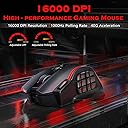
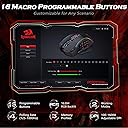
๐ฅ Dominate your game with precision, power, and style!
The Redragon Wireless Gaming Mouse M901P-KS delivers professional-grade performance with up to 16,000 DPI sensitivity, 19 programmable buttons, and a rechargeable battery lasting over 70 hours. Its ergonomic design and customizable RGB lighting make it perfect for MMO, MOBA, and FPS gamers seeking wireless freedom and ultimate control.
| ASIN | B0CKN2NSYL |
| Antenna Location | Gaming |
| Are Batteries Included? | Yes |
| Are Batteries Required | No |
| Battery Average Life | 35 Hours |
| Box Contents | USB Cable |
| Brand Name | Redragon |
| Button Quantity | 20 |
| Colour | Black |
| Compatible Devices | Personal Computer |
| Customer Reviews | 4.3 4.3 out of 5 stars (299) |
| Enclosure Material | Plastic |
| Hand Orientation | Right |
| Hardware Platform | Laptop, Personal Computer |
| Item Weight | 0.29 Kilograms |
| Manufacturer | Redragon |
| Model Name | Redragon Wireless Gaming Mouse |
| Mouse Maximum Sensitivity | 16000 Dots per Inch |
| Movement Detection | Optical |
| Network Connectivity Technology | 2.4Ghz Wireless, USB-C |
| Number of Batteries | 1 Lithium Polymer batteries required. (included) |
| Power Source | Battery Powered |
| Product Features | 19 Programmable Buttons, Ergonomic Design, MMO 12 Side Buttons, RGB Lights, Rechargeable, Wireless |
| Style Name | Modern |
| Theme | Rainbow |
H**O
Purchased this mouse as a replacement MMO mouse and it's fit for purpose. It just feels cheap and for some reason even with the sensitivity dialed in, I found it's precision to be off.
N**E
Very clean mouse. The only downfall, which honestly doesn't totally matter is the lack of DPI @ only 16,000 when many of the average and above average holds 25,000 and up. But I compete in games like Battlefield and CS2 and Fortnite and Call of Duty, and I haven't noticed anything abnormal. All works as good as my $25.00 logitech mouse. The programable RGB's are a cool feature and the software to control it has a nice interface, that is easy to manage and modify. The macro option is cool, but is difficult to understand, they don't seem to offer customer service on that area and places like reddit and google search don't render any results. So, that part is cool but a stalemate. Don't forget to remove the plastic covers over the easy glide or your mouse will not be as smooth as you hoped. LOL This model is very nice for semi or non-semi Large hands. Great for adults. Manageable for Teens. @ the price value & operations of a gaming mouse, I am saticefied. I recommend it for anyone who wants a cheaper and doable MMO mouse. *KinGaming Approved !!
K**E
This mouse is unassuming but incredible. I bought it at the beginning of the year and since then I have used it almost every day for over 8 hours at a time, and I feel I have enough experience with it that I can give a very positive review. Even after several thousand hours of gameplay in MMOs and Shooters over the past year, each button is still crisp, the response is still sharp and the RGB is still bright. I don't treat this mouse particularly well, I tend to just have it loose in my backpack that I take with me to work and anywhere else I might need it, bumping into stuff and getting squeezed between food items, books, chargers and all sorts of stuff, and it has never had an issue. Robust is an understatement. After downloading and using the software to program each button for my needs (with easily switchable profiles for whatever game or project I'm working on), it is so easy to access everything and use all of my programs without even thinking about it. It is large, but also lightweight enough to flick effectively in shooting games, and it fits very comfortably in my hand. The buttons on the side are robust enough that I don't accidentally press the buttons with my thumb, and are well defined enough that I can tell which button I'm going for easily without thinking about it. The RGB is a little lackluster, but it is also programmable and minimalistic. There is a switch when you turn on the mouse that allows you to use it in ECO (basically battery saving) mode, or full RGB normal mode. From what I can tell, the biggest difference is the RGB being on or not, as well as higher DPI and response rate. The best thing about this mouse however, is the battery life. You could charge this mouse to full once, and I swear it would outlast the sun. I rarely remember to charge it, and even when I do it is typically for 10-20 minutes before I run out of patience and begin using it unplugged again, but I have never ever had it turn off in the middle of whatever I'm doing. I do typically use it in ECO mode which may make a difference, but it's so efficient I don't think it really would. The fact you can buy this mouse for less than 30 bucks is mind boggling. If I could make one change it would be a free scrolling wheel like the Logitech G502, as although the scroller is well textured and smooth and the button press is robust and responsive, it can be somewhat slow and tedious. That is picking at straws though honestly. All around, I cannot recommend this mouse highly enough.
J**N
This is the 3rd redragon product ive used. Had the m18 mouse before and one of their keyboards (i use an msi one now just because it came with my msi aegis) but wanted an mmo mouse for wow so I grabbed this one to try. Works great so far, programmable keys are nice and the custom dpi settings are helpful when swapping between games where movement or fine tuned control is more important. The only thing i personally dont like is the very soft click on the side buttons. I like the clicks lol. For the price the redragon stuff ive tried is great.
D**X
Redragon... Love it and hate it. I dislike that you have to download the software for your very specific mouse unlike logitech that has Ghub that takes care of all things logi, you have to download each type of software based on each redragon product you have. The software was a bust the first download and wouldn't update the macro buttons. Around the time I was about to just pack it back up and ship it back for a refund, I uninstalled and re-downloaded the software again and it finally connected to the mouse and updated the buttons. I don't have the largest thumbs in the world but they aren't the smallest either and sometimes I have issues pressing more than one button at a time. Battery life, I would say a few days with constant use? Some days I feel like it was just two days ago I charged it and sometimes it feels like a week. I don't notice any lag but I also don't play super duper games where lag would be an issue. You can update some of the settings for how often the dongle moves signal so I'm assuming if you did have some lag, you could adjust the settings to find your sweet spot. I don't tend to run the RGB because obviously it drains the battery quicker but when I do run it, the brightness is nice. Not super bright causing eye strain but not dull and lifeless.
Trustpilot
2 months ago
3 weeks ago