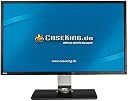
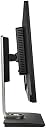
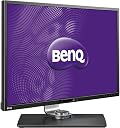


From the manufacturer 100% sRGB with VA LED display - 178°/178° Ultra-Wide-Viewing Angles For a faithful visual display of truly authentic colors and details from virtually any perspective – left, right, above and below. - 100% sRGB with Ultra-Vivid VA LED display For images that exceed the color performance of standard 72% NTSC monitors with exceptionally rich hues and vibrant tones. - Color Shift-Free Display For the most consistent color definition with reduced visibility of color shift between normal and oblique viewing angles. CAD/CAM Mode For clearly distinguished details in complicated object wireframes, switch on the CAD/CAM Mode to alter the monitor’s color and contrast settings to view highly detailed graphic information without ever missing a line again. SolidWorks Certification SolidWorks Certification Being a Solidworks Solution partner translates to display excellence certified to be of professional standard for CAD/CAM software users. Animation Mode To make distinguishing detailed textures in darkened areas easier, BenQ developed the Animation Mode to enhance the brightness in dark areas of the artwork – without overexposing bright areas. This allows animators to fine-tune their animation creation effortlessly. 10-Level Animation Mode Adjustment 10 levels of display brightness adjustment reveal details in darkened areas for the most precise design. REC. 709 Optimal Color Precision A selection of BL Series monitors are built to cover REC. 709 color space, which is well known as the standard format for HDTVs. A native REC. 709 color gamut ensures that every color is faithfully represented with optimal precision. Quarter-High-Definition Resolution A 2560x1440 quarter-high-definition (QHD) resolution offers over 77% working space comparing with 1920x1080 FHD. Desktop Partition With the aid of BenQ’s Display Pilot software can be displayed at once with your desired proportions to enable better multitasking. *Display Pilot Software and Windows OS required OSD Controller Switch effortlessly between CAD/CAM Mode, Animation Mode and Low Blue Light Mode with a simple click of a button using the OSD Controller. You can also use it for brightness adjustments and to access OSD settings. Ergo Monitor – HAS An extensive range of monitor adjustments – height, tilt, pivot, stroke and swivel – tailor your own unique working station that is best suited for your height and viewing habits with a maximum 150mm distance between the screen bottom and the base. Sleek Ergo-design Large screen monitors usually take a noticeable amount of space on the working desk. BL 3200 is designed to save as much of your workspace as possible. Compact stand architecture enables the screen to sit at the very edge of the desk and maximize your working space and comfort. I/O Ports on the Side I/O ports on the side of the screen effortlessly bring all your content together in one convenient package. 2x USB 3.0 and SD card reader provide super-speed data transmissions. Slim Bezel for Dual monitor setup The slim bezel makes the monitor look lighter and larger. In a multi-display setup with two or more units, thin bezels are less intrusive and effectively expand your work-space. Auto-Pivot Auto Pivot detects the movement of the monitor and dynamically rotates the contents displayed for flexible landscape or vertical viewing without utilizing Windows or graphic card settings. *Display Pilot Software required BenQ Proprietary Flicker-free Technology The BL Series are newly upgraded with the incorporation of BenQ’s proprietary Flicker-free Technology to eliminate backlight flickering at all brightness levels and effectively reduce eye fatigue. Conventional LCD screens flickers 200 times per second. The flickers may not be detectable by your eyes but they can certainly feel the flickering. So it is important to relieve your eyes from the stress caused by a flickering screen – and keep them nice and fresh when you are working on new designs. Windows 8 and Windows 7 compatible Mac compatible Review: Great desertcart services... - The first one I received had 9-10 dead pixels. I initiated a replacement unit. The replacement unit arrived in around a week. It had a slight lighting issue (an area was a bit darker than rest) at the bottom center, but it was hardly perceivable and is easily not a big problem. Also there were two or three half dead pixels (like only the green not lighting up), which is not an issue too as I was unable to perceive them from a feet away. The best part is that both the monitors had no flickering issue which customers got when the monitor was initially released. If you have the money, go for it. My productivity increased a lot, no matter what I did with it (I do mostly programming). And IMO, 1440p spread across 32 inches is way better than 1440p on 27 inches. I personally found UI elements too small on 27 inch 1440p monitors, and increasing font sizes and UI scaling, the experience just doesn't cut it. It's not the same as vanilla unscaled resolutions. Review: Whom do you think will buy such an expencive monitor ... - Whom do you think will buy such an expencive monitor and according to features guven in description its a god product but can't say anything about its performance


| ASIN | B00ITORMNM |
| Aspect Ratio | 1.78:1 |
| Brand | BenQ |
| Brand Name | BenQ |
| Colour | black |
| Customer Reviews | 4.4 out of 5 stars 265 Reviews |
| Display Technology | LCD |
| Global Trade Identification Number | 00012303561768, 04718755051326 |
| Hardware Connectivity | DisplayPort, HDMI |
| Has Color Screen | Yes |
| Image Brightness | m2 |
| Item Type Name | monitor |
| Item Weight | 28.6 Pounds |
| Manufacturer | Benq |
| Maximum Display Resolution | 2560 x 1440 |
| Model Name | BL3200PT |
| Model Number | BL3200PT |
| Mounting Type | Wall Mount |
| Native Resolution | 2560 x 1440 |
| Product Features | 32 inch QHD Monitor 100 percent sRGB with VA LED display |
| Refresh Rate | 60 Hz |
| Resolution | QHD Wide 1440p |
| Response Time | 4 Milliseconds |
| Screen Finish Type | Matte |
| Screen Size | 32 Inches |
| Screen Surface Description | Matte |
| Specific Uses For Product | Desktop |
| Total HDMI Port | 1 |
| Total USB 2.0 Ports | 2 |
| Total USB Ports | 6 |
| Total Video Out Ports | 1 |
| UPC | 840046030100 012303561768 085962127200 767261253933 |
| Viewing Angle | 178 Degrees |
V**Y
Great Amazon services...
The first one I received had 9-10 dead pixels. I initiated a replacement unit. The replacement unit arrived in around a week. It had a slight lighting issue (an area was a bit darker than rest) at the bottom center, but it was hardly perceivable and is easily not a big problem. Also there were two or three half dead pixels (like only the green not lighting up), which is not an issue too as I was unable to perceive them from a feet away. The best part is that both the monitors had no flickering issue which customers got when the monitor was initially released. If you have the money, go for it. My productivity increased a lot, no matter what I did with it (I do mostly programming). And IMO, 1440p spread across 32 inches is way better than 1440p on 27 inches. I personally found UI elements too small on 27 inch 1440p monitors, and increasing font sizes and UI scaling, the experience just doesn't cut it. It's not the same as vanilla unscaled resolutions.
A**R
Whom do you think will buy such an expencive monitor ...
Whom do you think will buy such an expencive monitor and according to features guven in description its a god product but can't say anything about its performance
G**E
Dead pixels, and won't be resolved by BenQ
Its a risk to buy this monitor (or any other BenQ monitor), as the money you spend can go as vapor. The monitor I purchased started showing dead pixels, and the service dept claims that they are dust particles! . And this happened within the warranty period. I've decided that I would never buy a benq product again.
T**S
Five stars plus!
This monitor is awesome. If you write software or build websites, 2k is often much more practical than 4k, because some things don't scale well (like remote desktops), and some things you need to view at 100%, because that's the way a majority of your audience will see it. For practical purposes, the size of objects on a 2k 32" monitor is slightly smaller than a 1080p 28" monitor, but the pixel density is close, which makes for comfortable to read at 100% scaling. Also, the aspect ratio of QHD is 16:9 (it's actually exactly 4 times the pixels of 720p), so it displays movies without strange cropping, and plays games that don't support odd aspect ratios. The BL3200PT has superb color rendering: it is accurate, pleasing, and bright; amazingly so considering the price. The controls are also fantastic, with physical buttons on the front that bring up good onscreen controls and a wired "puck" (it can be removed from its home on the base) with many that is remarkably and programmable buttons. Convenience/Connector-wise, this monitor has it all. There is every relevant connector in use today: DisplayPort, HDMI, DVI, and even VGA. Kudos to BenQ for also providing every cable. The speakers are pretty tinny, but as a plus, audio comes through both HDMI and DP, if you want to go that route. The USB features are really great: not only are there generous ports (a couple on the bottom and a couple on the right), but there is also a full-size SD reader on the right, that allows you to insert a card all the way in, flush to the monitor. That's wonderful for us photo buffs. As others have pointed out, this is not a screen for FPS action games. The refresh just won't serve you as well as some other monitors specifically built for that purpose. On the other hand, this monitor is just perfect for the kinds of games that I like -- mostly, turn-based or pause-enabled real-time, RPG and strategy. Divinity, Fallout 4, and Stellaris all play perfectly, for example. Considering it's value, I'd give this monitor more than 5 stars, if it were possible.
C**O
Gran monitor
Es un gran monitor por tamaño y prestaciones recomendado para diseño especificamente puesto que es un panel VA para trabajo no funciona muy bien en juegos ni en retoque fotografico
J**F
LOVE this monitor!!
I absolutely love this monitor. I couldn't be happier with my purchase. I came from an old acer 27" 1080p monitor, so making the jump to 1440p while also moving up to 32 inches was huge. This thing really makes a statement on your desk. It is gorgeous and very solidly built. The stand itself is metal and very heavy, which I like. You should know that I am a professional photographer. Color, contrast, and viewing angles, are all very important to me. I need to be able to view photos at different angles while I edit because I can't sit in one position for too long. My old monitor was really bad in this regard because if I so much as slouched back in my chair, and lowered my viewing angle to the monitor, the colors would look very different. I'm happy to say that viewing angles on the BenQ BL 3200PT are fantastic. There are no noticeable changes in color or contrast when I change position, and I've exaggerated it for purposes of testing the monitor (looking at photos at drastically lower angles than I ever would in practice). There also is NO back light bleeding that I can see (thank god! - nothing drives me more crazy than back light bleeding!) As far as picture quality, the colors and contrast were a bit wonky out of the box (which isn't unusual for a monitor). But after using an x-rite calibrator the colors are now spot on and everything looks incredible. My photos now have more pop and detail than I ever realized! You don't necessarily need a stand-alone calibrator, but if you don't have one, I recommend at least going into the settings and turning down the brightness and increasing the warmth a bit, because most monitors in my experience are too bright and don't have high enough yellow / reds by default. You can do some research online on how to calibrate monitors - it's worth your time. I also play PC games. This monitor looks fantastic in this regard. If you are a professional or "serious" gamer, most people will tell you to that 60hz isn't high enough, but as far as I'm concerned, it's just fine. I recently played Rise of the Tomb Raider to see how the black levels and lighting looks in some of the darker environments, and it looks AMAZING. There is no ghosting that I can see during faster sequences. In short, if you are a gamer, and you don't need ridiculously high refresh rates (for example, for competitive first person shooters), you will be very happy with this monitor. I'm very surprised the market for 32 inch 1440p monitors isn't larger. There aren't a lot to choose from, and it seems like most people prefer 27" monitors that have higher refresh rates, or higher resolution like 4k. But in my opinion, 32 inches at 1440p is the perfect balance between screen size and resolution. 1440p at 27 inches can result in pretty small text and menus. 4k makes that problem even worse since each pixel is so ridiculously small. When viewing photos or videos full screen, the larger screen size of a 32 inch really provides that extra "punch" you don't get from a 27 inch monitor. Meanwhile, a 32 inch monitor isn't so large that you can't sit in front of it up close for long periods of time as you would a smaller monitor. I have it set up about 2 feet in front of where I sit. The ONLY small criticism I have is that the included display port cord is very short. I had to purchase a separate one to keep my current configuration, in which my PC is about 8 feet or so away from my monitor. Also, I can't seem to get the auto-orientation to work when I switch the monitor to vertical, even though I have it enabled in the settings. I have to change the settings in Windows to make vertical orientation work. Not a big deal, because I plan to use the vertical orientation very sparingly. In short, get this monitor because you will LOVE it!
C**A
Asustado.... pero al final todo correcto.
No he tenido ningun problema con el Display. Y la verdad estaba algo asustado por los comentarios, por lo que nada mas llegar el cacharro y sacarlo ( y de pelearme con el jodido tornillo del soporte XD) para poder montarlo, hice pruebas de varios tipos. No soy un experto, pero no he detectado Flycring, Trying, Punching, ni Torturiting. Ni pixeles muertos, ni fugas de luz, ni colores raros, ni "flasazos" .... ya que habian un monton de usuarios que parece ser que les habian dado todo tipo de problemas cada cual mas extraño e impronunciable. Lo cierto esque tengo otro monitor WQHD que es un DELL es mas caro y mas bueno, este no es malo ( para nada) pero el otro es mejor. O kizas este yo acostumbrado al tipo de pixel del otro.... ( todo es posible) El caso esque en este BenQ todo es correcto, todo esta bien, trae un KOJON de cables, para conectar lo que quieras, el menu de cambiar de dispositivo es 100 veces mejor que el del DELL, ( es verdad no estas todo el rato cambiandolo XD pero caramba xD) se ve bien, y no he notado gosthing ni nada ....raro. Y ademas llevo usandolo encendido desde que llegó xD ( se suspende con la configuracion del sistema, pero vamos ) Si hubiera algo anomalo.... yo creo que lo habría detectado. Eso si, la GPU a la que esta conectado ahora mismo no es la mas potente del mundo, por lo que los juegos 3D a los que he jugado no son los mas punteros, kizas si hubiera.... empleado otro tipo de juegos.... habría visto otro resultado, por el momento no han habido fallos o problemas. El único "cosita" extraña ( es raro, pero prefiero comentarlo) en el menu XMB de PS3 cuando seleccionas un archivo o algo y el interfaz de la maquina deja difuminado en segundo plano, el resto de las cosas o archivos que hay en la misma carpeta en ese plano "difuminado" se ven unos pixeles o bordes negros muy fuertes, un negro muy dramatico.... Pero puede ser debido a la configuracion del color ( que yo no la haya seleccionado bien) o el rango de color del HDMI.... ni idea. Como digo es una tonteria, pero se que en el DELL esto no pasa. ( porque llevo tiempo empleando PS3 en ese) Igual debo calibrar el monitor de alguna forma, pero como lo desconozco.... Por mi bien, una buena compra, solo espero que dure muchos años y que funcione todo bien.
M**D
Genau das Richtige
Mein privater 27" BenQ wurde mir zu klein, u.A. weil wir kürzlich auch im Büro auf größere Bildschirme (86cm (34")) umgestiegen sind und man sich an die größere Arbeitsfläche sehr schnell gewöhnt. Also habe ich mich hier bei Amazon umgeschaut und habe mich zunächst für ein Modell von LG entschieden. Die 81cm sind für meine Bedürfnisse mehr als ausreichend. Weiterhin ist auf meinem privaten Schreibtisch eh nicht wirklich genug Platz für ein noch größeres Gerät. Allerdings konnte der LG (der zugegebenermaßen mit rund 240EUR in einer komplett anderen Preisklasse spielt) absolut nicht überzeugen. Wässrige Farben, unscharfe Schrift, Schlieren (Tearing) in Spielen usw. Schlussendlich war mit dem Gerät nur "blu ray schauen" angenehm. Ergo habe ich mich im zweiten Step für diesen entschieden und den LG heute zurück geschickt. Ein himmelweiter Unterschied! Habe das Teil am letzten Wochenende auf Herz und Nieren geprüft und intensiv in die Mangel genommen. Zunächst fällt das scharfe Bild auf, die Schrift im Browser und den Office Anwendungen überzeugt. Farben werden klar, hell, üppig und sehr lebendig dargestellt, die Bildbearbeitung im Photoshop mach echt Spaß mit dem Teil. Beim blu ray schauen habe ich den Marsianer und einen Teil von Harry Potter eingelegt. Auch hier gab es keinerlei Beanstandungen. Schlichtweg alles genau so wie es sein soll. Schlussendlich noch die Beurteilung über das, für daß das Teil eigentlich da ist - nämlich überwiegend zum zocken. Der zugehörige PC ist sehr üppig ausgestattet was Hardware angeht. Als Testkandidaten habe ich die Spiele Skyrim SE, Fallout 4, Far Cry Primal und Dishonored - allesamt in maximalen Qualitätseinstellungen und höchst möglicher Auflösung - herangenommen. Auch hier alles so wie es sein soll. Leuchtende Farben, knackiger Kontrast,- Helligkeit, gestochen scharfes Bild. Keine Schlieren, keine Wischeffekte. Sehr schön! Zu guter Letzt noch ein bisschen jammern auf allerhöchstem (!) Niveau. Der Aufbau ist etwas fummelig. Der "Bajonettverschluss" unten zur Platte hin gestaltet sich etwas hakelig, aber mit ein paar Handgriffen lässt sich das richten. Weiterhin ist der externe Bildschirm Contoller von den Tasten her für meine Wurstfinger ein wenig fitzelig, die Tasten dürften für mich aber ein wenig größer sein. Toller Monitor, wie im Titel geschrieben, für mich - genau das Richtige.
Trustpilot
2 days ago
4 days ago