Desertcart purchases this item on your behalf and handles shipping, customs, and support to Senegal.
🚀 Elevate your workspace anywhere with stunning 4K clarity and vibrant colors!
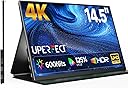
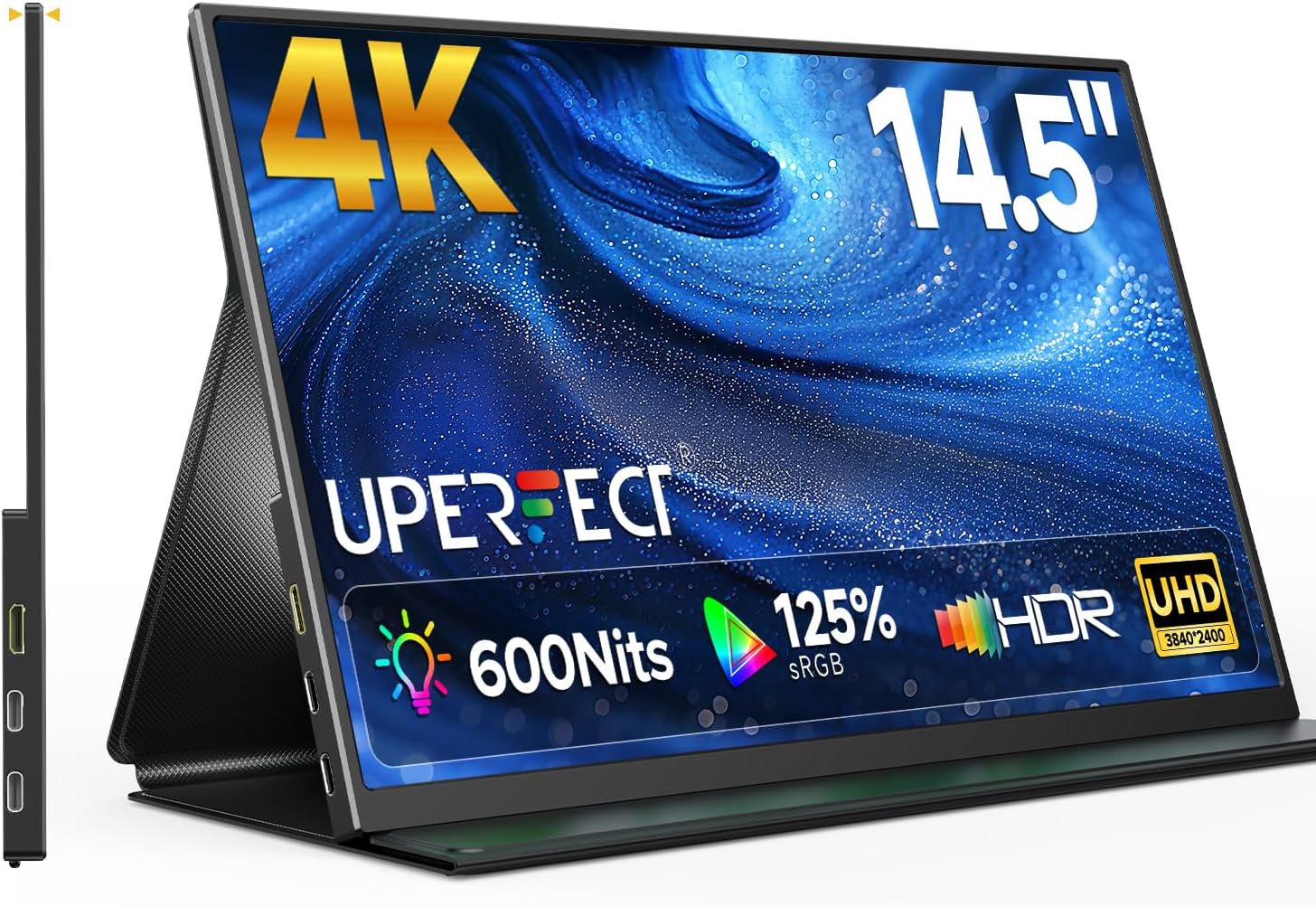
The UPERFECT 14.5" 4K Portable Monitor combines ultra-high 3840×2400 resolution with 125% sRGB color accuracy and 600 nits brightness in a slim, lightweight design. Its matte IPS panel offers wide viewing angles and anti-glare performance, while dual USB-C and Mini HDMI ports ensure effortless plug-and-play connectivity. Ideal for multitasking, content creation, and mobile productivity, this monitor delivers professional-grade visuals wherever you go.


| ASIN | B0FFB5D4CB |
| Aspect Ratio | 16:10 |
| Best Sellers Rank | #10,322 in Electronics ( See Top 100 in Electronics ) #329 in Computer Monitors |
| Brand | UPERFECT |
| Brightness | 600 candela_per_square_meter |
| Color | Black |
| Connectivity Technology | USB Type C,Mini HDMI |
| Contrast Ratio | 2000:1 |
| Customer Reviews | 4.4 out of 5 stars 1,069 Reviews |
| Display Resolution Maximum | 3840 x 2400 |
| Display Technology | IPS |
| Display Type | IPS |
| Hardware Connectivity | USB Type C, mini HDMI |
| Image Contrast Ratio | 2000:1 |
| Item Weight | 1200 g |
| Manufacturer | UPERFECT |
| Model Name | U27 |
| Model Number | U27 |
| Response Time | 5 milliseconds |
| Screen Size | 14.5 inches |
| Total Number of HDMI Ports | 1 |
| Total Usb Ports | 2 |
| Unit Count | 1 Count |
| Viewing Angle | 178 degrees |
| Voltage | 5 volts |
| Warranty Description | 2 Year Warranty |
G**O
Stunning definition and colors (OLED feels brighter than 500 nits)
I like to pair my MacBook with a second portable monitor, both to increase my productivity and, more often than not, to watch videos while waiting for one of my AI agents to finish working. I've used other portable monitors in the past, but this OLED has by far the most stunning colors and contrast. I was initially worried that at "only" 500 nits it wouldn't be as bright as my previous display or my MacBook's screen (both 600 nits), but in practice the higher contrast of the OLED panel makes it feel noticeably brighter than both, indoors and outdoors. It's also the first portable monitor I've successfully configured in HDR mode with my MacBook, which is a nice bonus. HDR is enabled on both the monitor and in macOS, and I verified it's actually active using online HDR test pages. I don't use HDR often, but the difference on HDR videos (tested with YouTube HDR content in Chrome) is clearly visible. After trying several color profiles in macOS Display settings, I got the best results with "P3 D65 Gamma 2.6" — other profiles either crushed the blacks or washed out the shadows, losing detail in darker scenes. With this profile, dark areas retain visible detail while highlights still pop, giving the best overall dynamic range in a dim room (see attached screenshot with config details). The display ships with a magnetic foldable cover that doubles as a stand — great for travel. When I'm at my desk I prefer to raise it slightly on a regular iPad stand. It comes with its own power adapter and cables, but most of the time I just plug it into my laptop and power both from the MacBook's power adapter without issues. In summary: great display, solid value, truly portable, and don't be put off by "only" 500 nits — the OLED panel is a significant upgrade over traditional LCDs.
C**N
Excellent Portable Monitor with Great Image Quality and Outstanding Support
I’m very happy with this monitor. The image quality is excellent — sharp, bright, and with very good color reproduction for a portable display. The 2K resolution combined with the high refresh rate makes it especially enjoyable for gaming, with smooth visuals and very fast response. Another great aspect is how easy it is to connect and start using it. The setup is simple and straightforward, and it works well with different devices. I also want to highlight the customer support. They responded quickly to my questions and helped me to solve my questions so I could get the monitor working perfectly and make the most of its features. Their support was fast, helpful, and very professional. Overall, it’s a great portable monitor, especially for gaming thanks to the high refresh rate and smooth performance. I would definitely recommend it.
J**H
The best portable monitor for Xbox Series X
After having issues with Xbox support on THREE other monitors, I’m glad I stuck with this one. It’s by far my favourite. Here’s why: Xbox support By far my favourite thing about this monitor is it’s Xbox support. Unlike the previous two monitors I tried, it actually supports 1440p at 120hz with Freesync! (A feature that allows your refresh rate to dynamically adapt to your frame rate.) The others only support 1080p at 120hz (without Freesync), or 1440p at 60hz (without Freesync), or 1080p at 60hz (with FreeSync). With this monitor I finally get all three! Upgraded Resolution, Refresh Rate, and FreeSync! Brightness I was quite surprised at the brightness. The monitors I tried before maxed out at 400 nits, while this one reaches 500. It doesn’t seem like that big a difference, but in practice, it means that I can use this monitor in a bright room without squinting. Color The increased brightness allows for better color. When using this monitor with my USB-C dock, the difference is clear. When moving images between monitors, the saturation and vibrancy of the image is clearly superior to my laptop’s screen and my other monitors. Screen size The jump from 16” to 18” makes a massive difference. It fits snugly in my bag, and the larger screen size means I can fit more on the screen without having to squint. Responsiveness The response time is also noticeably faster, as someone who grew up playing games on TVs. It makes a huge difference in playability in quick-response games (like Ghostrunner and Doom Eternal). Laptop support The 16:10 aspect ratio is perfect for PC use. As a programmer and a student, I find the taller aspect ratio perfect for reading (textbooks, articles, and websites), and multitasking when coding (like Visual Studio and a terminal). The 2560x1660 resolution makes everything crystal clear, and noticeably smooth at it’s 144hz refresh rate. Phone Support My Samsung phone is a pretty old, so it only output at 1080p, but sure enough, it works seamlessly over USB-C. The desktop mode (DeX) mode is super neat. This isn’t my usual usecase, but it worked great in my experiment. Hardware It’s actually incredibly sturdy - the first thing you notice about it is just how durable it feels. It comes with all the cords you’ll need to run it, and an AC adapter to power it. All of which works super well. Additionally, it supports pass-through charging, so if you have a higher-watt AC adapter, you can charge your laptop through the monitor (which requires less cables, and is necessary if your laptop only has 1 charging port like mine). One thing this monitor offers that I hadn’t seen before was a built-in audio jack, which was a nice addition. Interface The interface is also a huge step-up from cheaper monitors. The menu pops up in the bottom right, instead of right in the middle of the screen, which is already so much nicer. Then, the automatic aspect ratio adjustment is leagues better than my previous monitor. Now I don’t have to change the settings every time I switch between my Xbox and my laptop. In my experience, the Uperfect Monitor has exceeded expectations. It stands out in terms of Xbox support, brightness, color quality, and screen size. It's a worthy offering for anyone seeking a versatile and high-performing display. Overall, I'm highly satisfied with this monitor and would rate it a solid 5/5.
K**X
Great size and resolution at 18" and 2K; but firmware buggy and mini-HDMI port not built sturdy
Updated: 30 Nov 2024. While I still maintain my 4-star rating for the product itself. I have to say that UPerfect's customer service and warranty support is 5-star. It took us a while to get there, but this vendor is honorable, and can be trusted to deliver on their promise. Why? After 11 months, my 18" UPerfect monitor finally stopped displaying completely, my laptop could detect it as a display device using USB-C, but the screen was black (my laptop is on for 14-16 hours per day and all my portable monitors get a good workout). I contacted their support team and while the initial response was delayed, eventually, a Sophia was assigned to the case. She requested a video to be taking to verify the problem, which is fair enough. But it was an ordeal to send them a 349MB mp4 (email doesn't work for such large attachments), and I eventually had to set-up a OneDrive file share (because I can't use YouTube due to work/company policy). Once the video was received, UPerfect accepted that my warranty claim was genuine & justified, and Sophia sent me return label for UPS to pick-up the defective monitor (at no cost to me). Once the return was confirmed, she sent me a new, latest model 18" 2K replacement. Considering the low price I paid for this product, the service and warranty is 5-star (like what I get from Dell gold support for my work IT gear, and similar to Amazon Prime returns). The new monitor is working well thus far (after 4-5 days), and the brightness control issue I cited earlier on 12 September seems to have been fixed in this latest model - I can increase the brightness to 9/10 (which is really bright!). In this new model, the swivel/pulley switch is dual-function ~ flick it up, and the monitor goes to Volume control mode, and flick it down for Brightness control mode. Very easy once you work it out, because the user guide doesn't really mention this feature. Original review (12 Sep 2024). I really like this monitor for its size and resolution. Its 18" display, and 2K resolution is unique for a portable monitor. I'm marking down my otherwise 5-star review to 4 stars because: 1. the mini-HDMI port is loose & unstable and often does not receive a signal. My other portable monitors (3 different brands at 16" size) also plugged into the same laptop all work perfectly fine. 2. the brightness control turns off the monitor when I set it to above 5 of 10. Sometimes it allows me to go all the way to 10/10 brightness, most times, it powers down the monitor after 5/10 (so I can never get to 6-9 brightness settings). 3. Unlike my other portable monitors that remember their brightness settings after being unplugged (HotYeah, Ausai, AOC), this monitor does not remember its brightness or volume settings. I have to reset this every time I use it. 4. the brightness setting is hard to reach for restoring my preferred setting. This should be the default setting controlled by the up/down switch (instead of volume - which can be controlled via the laptop's volume button anyway). Overall, I like this product - other than the mini-HDMI port being loose, and its inability to remember previous user settings especially for birghtness.
A**Y
– Premium Quality 18" Portable Monitor – Perfect Mix of Size & Performance
I use this 18" UPERFECT monitor daily for programming and text-based work. I was so impressed with the first one that I actually bought a second exact model to complete my setup. It is not on the cheaper side of the market, but the premium matrix quality makes it worth every penny. Perfect for Long Workdays The 2K resolution (2560×1600) makes text incredibly sharp and easy to read. The panel matrix quality is top-tier and evenly lighted, which is a massive upgrade compared to other portable monitors. For long coding sessions, I can turn the brightness down low to significantly minimize eye strain without losing any text clarity. Great Connectivity & Cross-Platform Support This monitor features excellent connectivity and works flawlessly across Windows, Linux, and MacBook systems. The port performance is highly practical: * USB-C: There are 2 ports available, both supporting the full, fluid 144Hz refresh rate. * HDMI: Tops out at a fast 120Hz and requires external power via USB-C (UPERFECT thankfully includes the AC adapter in the box). While I bought these primarily for work, I did briefly test gaming on them. The high refresh rate makes the motion absolutely butter-smooth and responsive. Ultimate Portable Screen Size This monitor hits the sweet spot between massive screen real estate and portability. It is impressively lightweight, ultra-slim, and fits easily into a standard backpack. The build quality feels solid and reliable. Plus, the included magnetic cover/stand is very convenient to use, and having VESA mount compatibility is a great bonus for a clean desk setup. If you are looking for a reliable, high-end, and eye-friendly portable screen for development or multi-OS work, this is highly recommended!
A**S
I really like this monitor!
I'm glad I got a chance to try this monitor, because it's quite impressive. I've used a different model portable UPERFECT monitor and liked it a lot, and this monitor is a significant upgrade to that. The build quality is solid without being heavy. The cover/stand is improved over the previous model I owned (a minor sticking point for me on the previous one, but it's now better). All the features worked without a fuss - I connected the monitor to a 100W power brick via USB-C, then connected my laptop using one of the included USB-C cables, and I was able to easily enable HDR, FreeSync, and 144Hz refresh with no difficulties (Windows made it a bit of a pain, but the monitor was not an obstacle!) I was able to test the features out with some light gaming and they worked flawlessly - I was able to push high refresh rates with no tearing, and the HDR textures displayed great. What blew me away was the image quality - I spend my time around a lot of laptops and monitors, and in terms of image quality this display is pushing into the high end. HDR images and video were flawless, and the brightness is better than a lot of popular desktop monitors. There was no backlight bleed or any other light artifacting that I could see. Colors were bright without being oversaturated, blacks were deep, whites were vivid. Even without HDR switched on the image quality was excellent - crisp and bright without pushing into fatiguing territory. I'm just not accustomed to this level of image quality at this price point... it's a great value. It's not the best monitor I've ever seen, but it might be in terms of price/performance/features. The monitor is as portable as an 18" monitor can possibly be, but at this size it's not something I would toss in my backpack as a mobile daily driver. Can you carry it easily in one hand? Absolutely. It's something you can put up on a desk at a moment's notice, but not something you want to try to put on the tray table on an airplane. I didn't have to reach out to UPERFECT support with this monitor, because it worked exactly as expected. I did with my previous monitor from them though, and their support is thorough and helpful. I was impressed with their level of service, especially, again, given the price of the product. Another thing to be aware of is that they have a take-back recycling/reuse program - they repair, reuse, and repurpose parts from monitors they get back, and responsibly recycle what they can't. I haven't had occasion to use the service yet, but I'm going to keep it in mind once the time comes!
J**N
Good for office and Creator use, pretty decent for gaming.
This monitor is good for who it is advertised to, which is office and creator use. It can game as well, but it's more geared for the former. The sdr is so punchy on this thing, I would just stick with that. At 145% sRGB with the small brightness bump to 600 nits, I could see accessible use with it outside if needed. I did not test this, but believe it to be attainable. The color is exceptional if left in sdr and you get full brightness the panel offers. Brightness gets locked down much lower when you switch to HDR. Enabling HDR is another story entirely. It's definitely washed out. The screen settings display locks out almost all picture and color settings once you go to HDR. If you're using it for a second monitor with your pc or laptop, the windows ui is going to look washed out even with HDR calibration through windows. Once you go to a 4k HDR video, its definitely doing its job, but then jumping back to the ui can be jarring. I would recommend skipping HDR and just dial in settings for sdr at the highest brightness you can calibrate to. Again, at 145% srgb it really makes it perform as HDR. So I don't know, the HDR setting seems tacked on like another marketing checkbox ticked off. Skip it as it's not needed. I would say the only time it may be worth it is if you're watching 4K HDR with the room dark, but otherwise just skip it. The touch input is definitely in the high caliber section, with very snappy input. Just remember you need an additional cable for touch input if you want to have the peak brightness it offers. You can connect HDMI for video, but HDMI will not provide power or data for touch input. That's where the other cables come into play. You get four cables in the box with it. An HDMI to HDMI mini, usb-c for data, USBC for power delivery, and USBC to USB a for touch. This will cover all of your bases, but the user manual currently does not provide a section really explaining the different connection configurations. It just says connect HDMI for video and usb-c for power. This isn't a problem for me, but I could definitely see it becoming an issue for less tech inclined individuals. Regarding power required, this display has been bumped up from previous Uperfect monitors of similar size. This is due to the increased brightness, the touch screen digitizer, and the 4K resolution. I was trying to cut down on cable clutter by using adapter dongles that have power delivery input, but it doesn't work for the logic scaler in this monitor like it does for my previous blaze gaming Uperfect monitor. I think another reviewer said he did touch and power over USBC for this screen, but only at 1440p which requires less power to push that image on the display. Also the claim of achieving Max brightness at those settings can be deceiving. If you look at the power draw rating in the additional details of the Amazon listing, it says 30 Watts. My previous monitor is at a maximum of 15 watts. This is for all the previous reasons I described. Just because you have the on-screen display settings set to 100% brightness, the screen Auto adjusts it's 100% output based on the power delivery it's receiving. I tested this myself by having a USBc connection that established video but definitely did not have the maximum power draw supported, and I also set the brightness in the screen settings at 100%. Then while I left these settings intact, I connected an assured USBC power delivery cable that could supply the full 30 Watts. The visible brightness increased once this was connected. So just be careful with how you plan on using this monitor. It's extremely versatile, but you need to know your cable connections well to get the most out of it. For gaming there are improvements and caveats. I am using this with an Nvidia external GPU and my laptop. I know it's a lot of different devices but that's a different story. Trust me, I have a good reason, lol (z13 with usb4). Anyways, on my previous blaze gaming uperfect monitor I had to purchase and return a bunch of cables before I found the right adapter dongle that could get Nvidia g-sync established. The same dongle does not work on this monitor but that's not really a problem. The previous monitor would not establish g-sync compatibility mode over HDMI 2.1, which is why I went through all the trouble to find something that worked. This monitor has a newer logic scalar for its inputs and I am extremely happy to report that g-sync compatibility mode does work over the HDMI to HDMI mini connection. So it seems that as we proceed forward with newer Uperfect offerings, they will continue to buff up video signal feature support that gamers seek. I'm not sure why Uperfect doesn't confirm g-sync compatibility support but I'm here to tell you that it works over HDMI for this model. I also was able to get it to work with one adapter cable. Not the one I settled on for my other monitor but the fairakabe DisplayPort alt mode cable with the usba pigtail. The problem with this is you still need power delivery. So honestly I don't have a good answer for gaming with reduced cable clutter right now but if I find an answer I'll update the review. The last point before I start finalizing here would be the leather cover kickstand. To keep it simple it's very premium appearing. I'm sure many will like it for its appearance and versatility, but it's definitely not my style. I throw my monitors in hard shell shockproof cases. But I'm really not a fan of cover kickstands. This one functions well, don't get me wrong, but it only has two dedicated grooves for two dedicated positions. They're perfect angles for office use but I really prefer the built-in tilt kickstand style. The one thats built into the side and bottom perimeters of the monitor. With that style, you can adjust for any angle of light in the area you are employing the monitor. This cover kickstand style did hold its position in any angle outside of the designated grooves for me, but I prefer the built-in style. It works with the office/creator design theme for this specific model, so I'll let it slide. Oh and one last thing I forgot to mention which was weird. If you are trying to do freesync and HDR over USB c for whatever reason instead of HDMI, you can't do both. Only one or the other. So go HDMI if you need both for gaming. As you can see, even though I'm very critical of my review for this Uperfect monitor (lol) I've given it another five star rating. This is because Uperfect is still destroying the competition in my opinion with the features they offer in their panels. There are a few competitors that come close for select few models, but overall Uperfect has this product space locked down. Not only that but you're signing up for top notch customer support and I'm sure I'm not the only reviewer out there who will testify to that. I've been in contact with them often now, and they are very responsive and definitely take care of customers with issues. So in summary, is this my personal ideal and game monitor for my use case. No, I'll have my answer in probably another year and a half when they get the logic scalers required for vrr OLED gaming panels. But is this a top-notch monitor with top notch features that you can get on sale around $300. Most definitely. In my opinion is that an outstanding deal. 100% If the caveats I presented in my review are not issues for you go ahead and get this thing. It offers everything you need if you're looking for a portable monitor for your content creation or coding work or general office use. The 4K resolution is definitely going to give you that clarity that's helpful for those use cases. For gaming though I would tell those guys to just stick around for the next generation of gaming specific panels. That would be a 2.5 k resolution panel that is OLED with high brightness and vrr support. It's coming but we got to wait. Come on guys, there's no point in gaming 4k on a 16-in screen but you do you. Hope you enjoyed my ridiculous review. Cheers. Ps: for the two pictures I took, the first one is SDR calibrated and should show more punch than the second which is HDR with Windows calibration. It's through my phone camera so you might have to take my word for it.
J**G
A high quality monitor for game, travel, and work
First of all, I appreciate the customer service. They really want to learn feedback from the customer and actively provide help. I first bought their 16'' 120hz monitor and they sent me the wrong one. Once I notice them, they send the correct one very quickly. After a half month of usage for the 16'' monitor, I decide to change to this one. Here are some reasons for this movement. This monitor is good for gaming. 144hz makes the game display more smooth and more vivid. I ran some 3A games on this monitor and it presents very well. I also use this monitor to play some mobile games. It displays very well. I do not need to stare at my small phone game. Since it requires a single power supply, which means you need to charge while using it, I do not worry about my phone's power anymore. Besides, this connection with my monitor can charge my phone as well. Secondly, the screen. 18'' monitor can show more details than the 16'' one. A large screen can help more than the gameplay. It is also helpful for work. I can read detailed information easily. Besides, the brightness and color on this monitor display very well. It is very comfortable when watching some HDR videos through this monitor. The photo and video editions on this monitor also present well. Additionally, compared with the 16'' one, this monitor has more adjustment choices for display, which is a good thing for me. I have more ways to design for my use. Furthermore, the monitor is easy to carry. I sometimes need to move to different places, and this monitor is not heavy. My backpack is enough for it. One shortcoming of my experience is that the connection is not as stable as I thought. Sometimes, the screen would pause in the dark for one second, and then recover to normal. I am not sure about the reason yet, but I bought two Type C cables to replace the original cables, and this situation is gone. Until this time, this monitor displays very well.
R**R
Gewoon goed ding.
Gewoon een net 4K scherm. Net weer even wat meer extra ruimte voor graphics op kwijt te kunnen. Op 4K kleine lettertjes lezen is wat lastig, maar zeker voor wat meer extra scherpe desktopruimte.. geld meer dan waard vind ik.
C**S
Plat, strak, netjes en degelijk!
Ik heb bij mijn gamePC altijd een tweede monitor gehad, maar vanwege ruimtegebrek moesten PC, het bureau en de monitor weg. Hiervooor in de plaats kwam een knappe Game laptop. Pas later bedacht ik mij dat een draagbare monitor een goed alternatief zou zijn voor een lompe tweede monitor. Na kort zoeken moest ik kiezen uit een 18,5" scherm en dit 17,3" scherm. Het platte scherm is 17,3" groot en daarmee net zo groot als mijn laptop waardoor ik het veel eenvoudiger mee op reis kan nemen. Ondanks de extra schermruimte van een 18,5" scherm ben ik daarom voor een 17,3" gegaan. De refreshrate is, net zoals mijn laptop, 144hz. De kleuren zijn goed en tevens instelbaar, brightnes en contrast zijn ook meer dan prima. Het scherm heeft een stevige voet waarmee het scherm onder elke gewenste hoek geplaatst kan worden. Aan de achterzijde zitten ook bouwgaatjes zodat het scherm in een vaste opstelling geplaatst kan worden. Het scherm is vergeleken met 15,6" schermen relatief duur, maar het is de prijs meer dan waard.
V**.
Very effective and great image quality.
Does what it is intended to pretty well, easy to use, and to power with a power bank battery.
L**O
Funciona bem em hdmi mas nao transmite em usb-c
Não pegue se quiser usar a funcao de 144hz no usb-c, não funciona como deveria. De resto, o hdmi funciona bem
D**O
Un gran monitor, perfecto para trabajar, portable y super fácil de utilizar
Después de una semana utilizándolo prácticamente a diario para trabajar, puedo decir que ha sido una compra muy acertada. Compré el UPERFECT Monitor Portátil 4K de 15,6’’ principalmente para mejorar mi entorno de trabajo cuando viajo o trabajo fuera de casa, y la verdad es que ha superado bastante mis expectativas. Lo primero que me sorprendió fue la presentación y lo completo que viene el paquete. La caja llega muy bien protegida e incluye todo lo necesario: 2 cables USB-C, HDMI y cargador, así que puedes conectarlo de la forma que más te convenga sin tener que comprar accesorios aparte. En mi caso lo utilizo conectado directamente por USB-C a un MacBook y funciona literalmente plug & play. Lo conecté y automáticamente extendió la pantalla sin instalar nada ni tocar configuraciones raras. La calidad de imagen es probablemente lo mejor del monitor. Los colores se ven muy vivos y definidos, el brillo es más que suficiente para trabajar incluso en entornos con bastante luz, especialmente si trabajas muchas horas leyendo texto, usando hojas de cálculo o edición de contenido. También me sorprendió la fluidez general; todo responde rápido y no he notado retrasos ni problemas de rendimiento. Otro punto muy importante para mí es la portabilidad. Elegí específicamente el modelo de 15,6’’ porque quería algo que pudiera llevar cómodamente en la mochila junto con el portátil sin convertirlo en un “trasto”. Y en ese sentido cumple perfectamente: pesa poco, es fino y la funda que incluye hace además de soporte, algo muy práctico cuando trabajas en hoteles, cafeterías o coworkings. En pocos segundos tienes un setup multipantalla muy cómodo prácticamente en cualquier sitio. Además, aunque yo lo uso para trabajar, creo que tiene muchas más utilidades. La calidad de imagen hace que también sea muy bueno para consumir contenido, conectar una consola o incluso usarlo como segunda pantalla fija en casa. De hecho, algo que me gustó mucho es que también tiene compatibilidad VESA, así que si alguien quiere dejarlo montado en un escritorio de forma más permanente, también puede hacerlo sin problema. En estos días de uso no he encontrado ninguna pega real. La construcción se siente sólida, los acabados están muy bien y la experiencia general transmite bastante más calidad de la que esperaba para un monitor portátil. Hay productos que notas que están pensados “para salir del paso”; este no me ha dado esa sensación en absoluto. En resumen: si buscas una solución portátil para trabajar con doble pantalla sin complicaciones, con muy buena calidad de imagen y realmente cómoda para viajar, me parece una opción muy recomendable.
Trustpilot
5 days ago
2 months ago