Desertcart purchases this item on your behalf and handles shipping, customs, and support to Senegal.
๐ Elevate Your Desk, Multiply Your Impact!
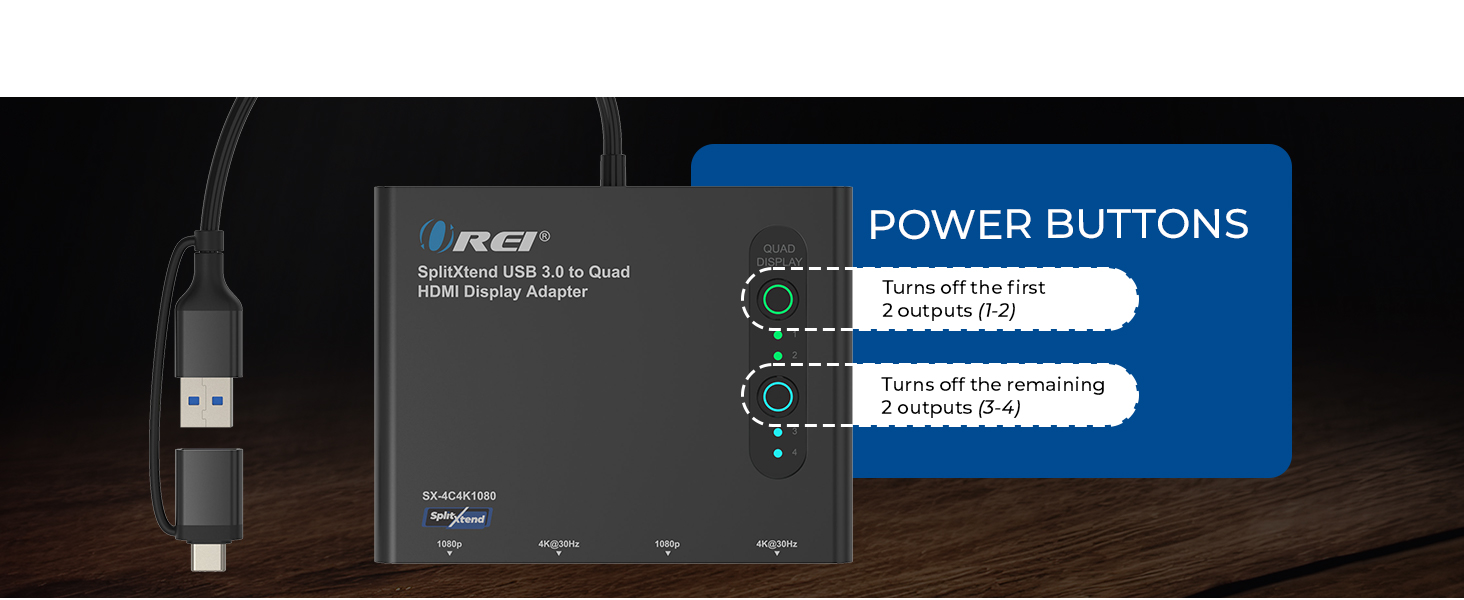
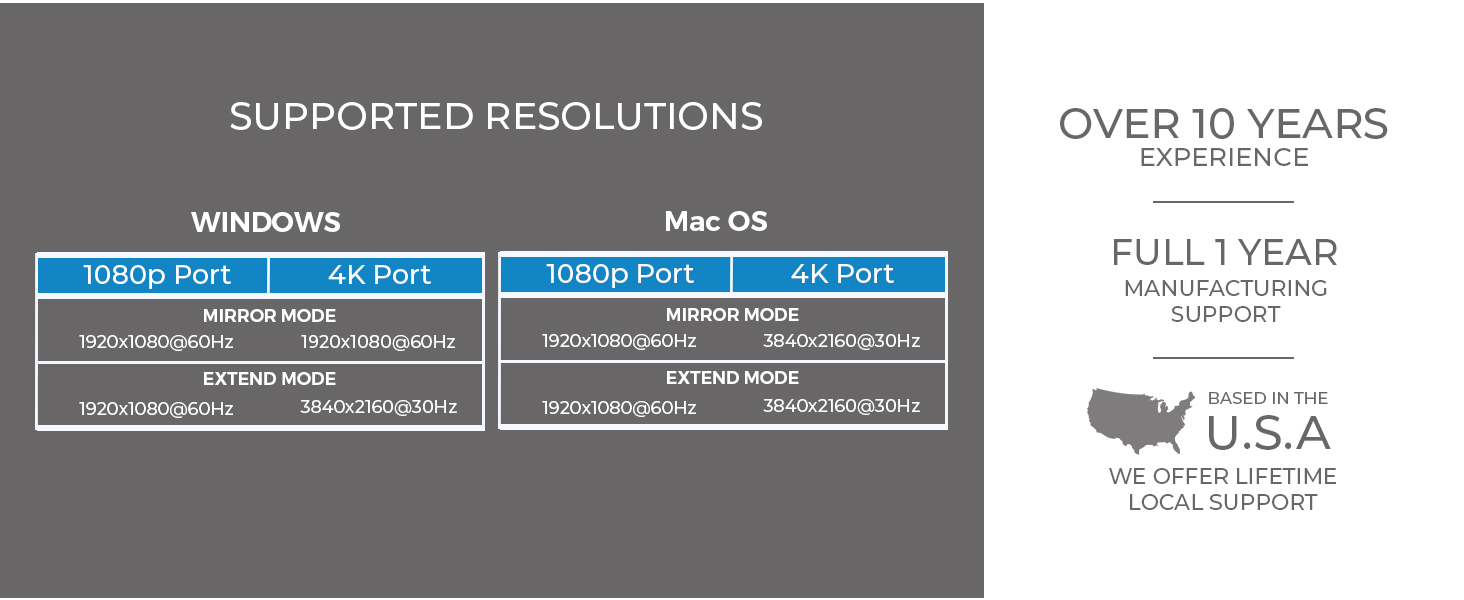
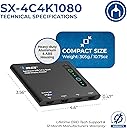
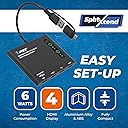
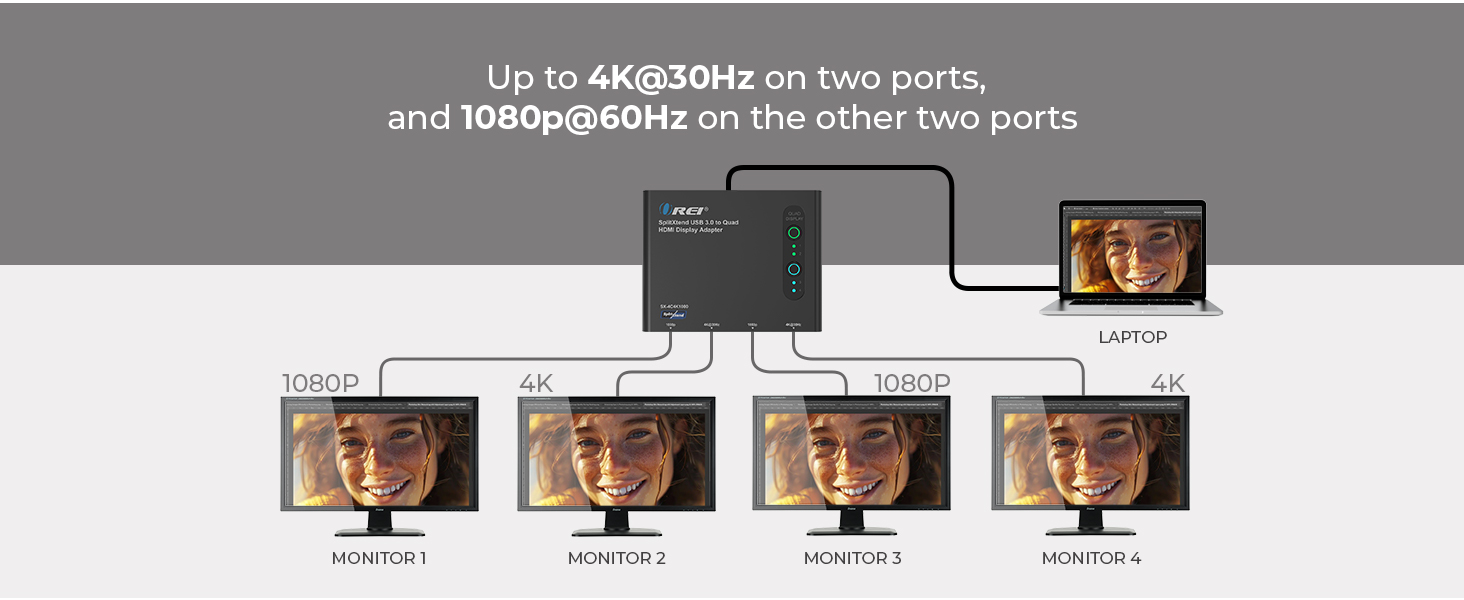
The OREI SplitExtend HDMI Splitter transforms your laptop or desktop into a powerhouse with up to 5 simultaneous displays, delivering 4K@30Hz on two HDMI ports and 1080p@60Hz on two others. Compatible with major OS platforms and Thunderbolt 3/4 ports, itโs designed for professionals craving enhanced productivity through extended screen real estate. Includes necessary power adapter and drivers, with a 1-year warranty and lifetime support to keep your multi-monitor setup running smoothly.






| ASIN | B0DG9PZDYL |
| Best Sellers Rank | 86,370 in Computers & Accessories ( See Top 100 in Computers & Accessories ) 713 in Docking Stations |
| Brand | OREI |
| Brand Name | OREI |
| Colour | black |
| Compatible Devices | Laptop, Monitor |
| Compatible devices | Laptop, Monitor |
| Country of Origin | China |
| Customer Reviews | 4.0 out of 5 stars 177 Reviews |
| Hardware Interface | HDMI |
| Hardware interface | HDMI |
| Input Voltage | 5 Volts |
| Item Weight | 4.94 Ounces |
| Manufacturer | OREI |
| Manufacturer Part Number | SX-4C4K1080 |
| Minimum Required Operating System Version | Windows 7 |
| Model Number | SplitXtend 4 Extended Display |
| Number of Items | 1 |
| Number of Ports | 4 |
| Number of ports | 4 |
| Total HDMI Port | 3 |
| Total USB Ports | 2 |
| Total USB ports | 2 |
| UPC | 810162900175 |
| Unit Count | 1.0 count |
| Wattage | 120 |
S**Y
A slow journey to a bitter end
Not happy at all. It worked fine for a couple of weeks but then displays started not coming on and then they would randomly blink off and on. I went to pull the cord out to try in a different USB-C port and the whole tip pulled out of the housing. I tried using just the USB three and but none of my displays would come up. I noticed also that the unit was very hot to the touch.
J**J
Awesome
This is awesome. Please go for it and it's working on Mac & Windows. Mirror - Yes Extend to all the 4 external monitors - Yes. Hence cumulatively, we're getting 5 different displays.
C**E
Pure magic
I love my Mac and buy a new one every 5 years or so leaving me with a working "legacy" model cause Mac's die tough. The one in my picture is a 2019 MacBook Air in a 13" model. So the native capabilities of this Mac for multiple extended displays was natively limited to one. Not sure if the limitations of the video card or it only has (2) thunderbolt ports and one is the charge port. Anyhow, I have (3) monitors from my work setup having recently retired and wanted to put them to use as they are fairly new 32" curved monitors. Very simple to setup and to my surprise, worked like magic even on the older limited video capabilities of my old Mac. I see some who left mixed reviews and I was hesitant but did not see much in anything even close with (4) extended screen plus use of my laptops screen (so capable of (5) total screens!). Especially not at this price. I am completely thrilled. There is a little flicker or buffer for a couple seconds only when I first wake up my laptop while it allocates the signals to generate the 3 screens I'm using but it's brief and then it does not do it again. Works fantastic for me. Super fast shipping. Amazon has a great policy with vendors for return and I have always been happy with Amazon, so I decided to purchase and am completely satisfied, thrilled matter of fact. Great product, great solution. I was not payed or otherwise received anything for this review but when I find a great product or get great service, I take the time to say so. Super fast shipping too
C**I
Ok ok
Not working for all laptop and computer,
L**Y
Great product. Doing what I wanted it to do.
So far I am very happy. I have this running three displays for my Mac Mini M1 and Thinkpad E16. Four displays for the ThinkPad if you include the laptop screen. It seems well made, it was nicely packaged. The quick start guide was well written, and it works! The host cable could be a bit longer. Historically I am a PC guy. I've been computing on Windows since Windows 2.0. I teach Computer Science and Cybersecurity in college and typically have a bunch of students on Macs who sometimes struggle getting some software packages installed and running properly on their Macs. I could help, but I didn't have the experience on a Mac that I do on a PC. And my wife is a Mac girl, always has been. So I finally took the plunge and got a renewed M1 here on Amazon not long ago. It took a little while to get it set up so I like it, but I do. The problem is I like multiple displays. And I wanted to bounce back and forth between the Mac and the PC. I bought a Lenovo specific USB-C dock which worked great for the PC, but the displays were mirrored on the Mac which is useless for computing. After a little bit of reading I decided on this product. After driver installation, which was a breeze, I plugged everything in. I have the three HDMI cables plugged into the adapter and I have that plugged into a 10 Gbps port on the Lenovo dock and it worked! To move between both machines I have to move only one cable. There are KVM switches that would work, but they are quite expensive. So I will use this for now and see how it works out. SO far I am very happy with it.
Trustpilot
2 weeks ago
3 days ago