🎨 Transform your laptop into a personalized masterpiece—because your tech deserves to stand out!
The icolor Laptop Skin Sticker Decal is a high-quality, universal vinyl cover designed to fit laptops from 12 to 15.6 inches. Made from durable, scratch-resistant PVC, it includes three protective films for the back of the LCD and sides of the touchpad. The decal is easy to trim for a custom fit, simple to apply without bubbles, and removes cleanly without residue. With vibrant, fade-resistant prints, it offers stylish protection that elevates your laptop’s look while safeguarding it from daily wear.


| ASIN | B0F3CPSPSL |
| Best Sellers Rank | #2,067 in Computers & Accessories ( See Top 100 in Computers & Accessories ) #19 in Laptop Skins |
| Brand | icolor |
| Color | 070 |
| Customer Reviews | 4.2 4.2 out of 5 stars (6,756) |
| Date First Available | April 2, 2025 |
| Item Weight | 1.28 ounces |
| Item model number | icolor Laptop Decal Sticker |
| Manufacturer | icolor |
| Package Dimensions | 15.24 x 11.42 x 0.55 inches |
| Series | icolor Laptop Decal Sticker |
A**A
Great quality and very easy to apply with these tips!
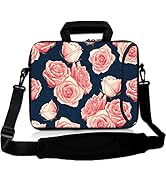
I didn't see a review with photos for pattern 61, the pink roses with a blue background, so I hope this helps. I included three photos, the collage one shows my steps. As you can see it comes with an over sized sheet that you trim to fit your laptop and two side panels. I only chose to adhere the full sheet. I really like that it has a grid pattern on the paper as that makes it easier to fit and that it's a nice thick quality. The image is a really nice sharp enough resolution. Luckily, I'm a crafter and had all the tools I needed. It really helps to have a paper trimmer and a corner rounder for sharp cuts. 1. First I used a card to place it over the ends of my laptop and crease it so I knew where to cut. I wanted most of the florals on the left to show so I went all the way on the left side of the pattern and creased on the other three sides. 2. Use a paper trimmer to cut just slightly shorter than your crease marks to allow a border on the side for when applying. If you don't have one, align as close as possible to the nearest grid line just before the crease mark cutting slowly, with sharp scissors. If the label hangs over the ends, it will get jagged with use, so give yourself that border. 3. Use a corner rounder to cut the newly cute angled edge corner to make it a rounded edge to match the laptop. If you don't have a corner rounder, trace the pre cut rounded corner on the cut corner and cute slowly with sharp scissors. 4. I chose to remove the paper slowly in the middle first by tearing and edge and then using the scissors to trim the paper only, not the vinyl, down the middle, and adhere in the center so I would get good placement. If you like how it looks, then remove the paper on the sides after the center was adhered and then I used a card to flatten it out starting on the inside going outwards to the sides. You get less bubbles that way. If it doesn't seem as centered as you like, you can easily lift up and try again. The adhesion is forgiving enough while still maintaining its stickiness. I have had this on my laptop for a month now, with daily use, and it still looks like day one application. I can see myself changing up different patterns for something new, so please keep adding new styles. I would love to see holiday themed ones also.
M**S
Beautiful improvement!
Someone gave me an old laptop, very grateful that I could personalize it to suit me. This skin decal is really beautiful and such an improvement over the basic gray.
J**I
Wish I could have used it
It arrived in poor condition. All bent up, which of course isn't the fault of the seller. I returned the item for that reason as well as because it was too big for my 13 inch laptop. I love the design, but by the time I'd cut it to size, I'd have lost a lot of the design. I'd recommend it for larger laptops.
J**A
Great skin sticker
Gave my laptop a whole new look! The sticker went on smoothly and looks amazing. Easy to apply and remove without residue. Adds personality and protection.
J**R
Pretty, easy to put on, but not sticky enough
Love the design, the colors, so much so that I bought a matching mouse pad! The decal seemed good quality when it arrived; the vinyl is durable and washable. However, to get the right fit, the decal itself required cutting, which resulted in somewhat uneven edges. Also, the lid of my laptop has a slight curve at the edges so the edge of the decal keeps lifting and one corner is pretty much non-stick at this point. I rarely take my laptop anywhere other than to other rooms so it does not get slid into a laptop case or anything and still have this problem. Maybe someone with better cutting skills will have less of an issue ;) I just know that for even gentle use, this decal was not sticky enough for my laptop and so I doubt it will stand up to more rigorous use. Not a horrible product, and I might order another one at some point, just not a "5".
K**R
Very pretty laptop skin
Very pretty laptop skin. I had to cut it to size for my laptop but there were lines giving guidance for where to cut. I hope it lasts a long time.
A**E
Love
This thing was so easy to put on my laptop, and it looks so amazing. Now I'm so happy with it. The fit the size, the brightness, how well it works, everything it is awesome.
I**R
Forgiving laptop decal
I ordered the marble and green specifically to use on the inside of my laptop and protect the metal interior from scratches from my wrist jewelry. I have a plastic marble cover that came with silicone keyboard cover in shades of green (see pics) so this pattern was the perfect compliment. After reading reviews about folks having troubles applying their decals because the had to cut it, I made sure to document my process to offer as advice. Do not cut the decal while it's on your laptop. Here's the process: 1. Use a clear plastic sheet ( I cut a plastic bag in half from another amazon order that I had) to tape to your laptop (double-sided tape works best), then with a straight edge ruler and marker draw out a pattern of where you want the decal to go. As another reviewer suggested, give yourself a margin and don't have the decal go all the way to the edge. I also used another card as a guide for the rounded corners -- the decal comes with the smaller ones, those work great. 2. Cut your pattern so that you are leaving more border space, less decal. Since mine was going inside my laptop, I made marks to remind myself what side of the line to cut and made a few extra lines to to cut for the interiors. 3. I used a scissors and my hand but using an exacto knife and cutting probably would have been a little easier and ensured straighter lines. My pattern is fluid marble, so I don't mind uneven lines in my cuts. 4. After cutting, before adhering, try out the decal on the surface and make any extra touch-ups especially with the corners where needed. If you're putting it on the outside, a small diagonal cut on the corner also helps if you didn't leave enough margin. 5. Clean the surface well before applying the decal. I used alcohol swab and waited for it to dry and then started on one end (lower left) and applied the decal in one direction. I did have to do a little touch up where I made extra cuts to get to the inner rectangles but that's because I adhered to the inside. If you're applying this on the outside, it should be pretty simple to get straight lines and get it fitted to your laptop. The other useful thing with using the plastic sheet is that you can decide where on the pattern you want. Enjoy your decal! Cheers - iShar
م**س
super very nice
み**り
通販は日々ポチポチとしておりますが、久々に心がときめいたのでレビューします。 傷隠しに安いのでいいやとシー〇ンで数百円のスキンステッカーを初めて購入してみたところ、プリントはボケた感じで筒状に丸まって届いた上に、かなり薄くてシールはめちゃくちゃ強力。貼りにくいこと貼りにくいこと・・・。 数百円で購入したのでその点は想定内でしたが、パソコンが壊れないか不安になりつつ空気が入らないよう何度も貼っては剥がしを繰り返すこと約2時間(⁉)でようやくそれなりに貼れました。(何度も剥がしたせいで一部分は伸びてしまって浮いてしまいました(泣)) どうしても気に入らないので、結局前から気になっていたこちらをポチり。 アマゾンの紙袋から取り出した時点で「わー!!素敵!可愛い!」と、子どもの寝かしつけまで待てずにすぐに作業に取り掛かりました。 筒状ではなく、ちゃんと平らな状態でパッケージされています。 苦労して貼ったものを剥がして型紙として再利用。(シー〇ンで買ったものがかなり役立った(笑)) サクサクハサミでカット。そしてめちゃくちゃ貼りやすい!空気は入りにくいし、貼り直しても伸びない。 トータル30分もかからずに作業終了。前回が激ムズだったので余計簡単に感じました。 しっかりとした素材なので角っこなどの丸み(?)のある部分にはフィットしにくく、フラットな面に合わせてひとまわり小さめに切ると浮かずにうまく貼れると思います。 表面はレザー調で高級感があります。プリントもピンク系の大理石が派手過ぎずモダンでオサレ。 ちなみに17インチですがいけました。 自分からは見えないけど明日から仕事が楽しくなりそうです。
S**A
Well made, not quite the quality of a Dbrand wrap but for the cost it is great alternative. While it is intended to go over the top of your laptop I'm using it by cutting out the size of the KB so it goes wound the KB and mousepad of my surface book 3. I am also going to cut one piece that can go over the mouse pad as well and i have already tested and it does not effect the glass high quality touch pad on the surface book 3.
W**M
Suitable for my need
س**ة
جميل جدا
Trustpilot
3 days ago
3 weeks ago