Desertcart purchases this item on your behalf and handles shipping, customs, and support to Senegal.
⚡ Elevate your build with power, speed, and style — don’t get left behind!
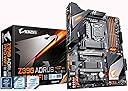
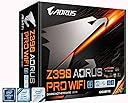
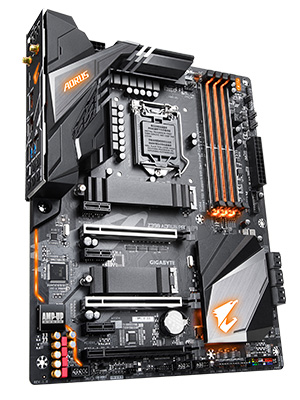
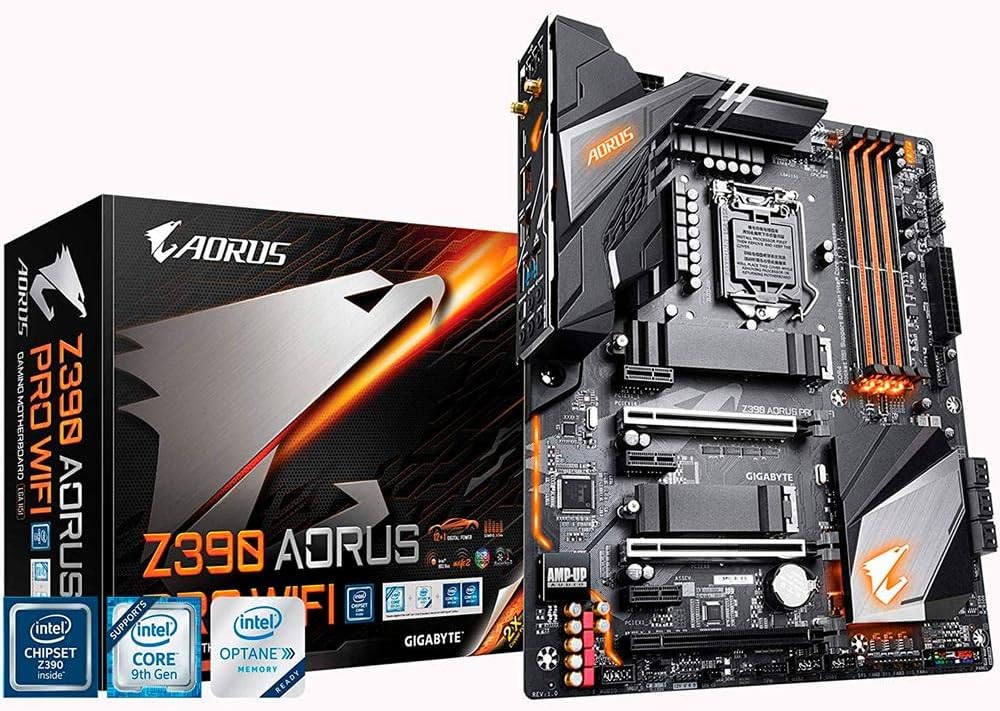
The GIGABYTE Z390 AORUS PRO Wi-Fi motherboard supports 8th and 9th Gen Intel Core processors with a robust 12+1 phase digital VRM for stable power delivery. It features advanced thermal solutions including multi-cut heatsinks and heat pipes to maintain optimal temperatures. Integrated Intel CNVi 802.11AC 2x2 Wave 2 Wi-Fi and Bluetooth 5 ensure fast, reliable wireless connectivity. The onboard ALC1220 VB audio codec with premium WIMA capacitors delivers high-fidelity sound. RGB Fusion multi-zone lighting with addressable LEDs allows full customization to match your gaming or professional setup.


| ASIN | B07HRZKPXM |
| CPUソケット | LGA 1151 |
| GTIN (Global Trade Identification Number) | 00889523014882 |
| HDMIポート数 | 1 |
| LANポート数 | 1 |
| PCIeポート総数 | 4 |
| RAMメモリ技術 | DDR4 |
| RAMメモリ採用技術 | DDR4 |
| S/PDIFコネクタタイプ | 光デジタル音声端子 |
| SATAポート総数 | 1 |
| UPC | 889523014882 |
| USB2.0ポート数 | 1 |
| USBポート数 | 1 |
| おすすめ度 | 5つ星のうち4.5 2,126 レビュー |
| グラフィックカードインターフェイス | PCI Express |
| コンピュータCPUタイプ | Pentium |
| チップセットタイプ | インテルZ390 |
| チップセットファミリー | LGA1151。 |
| ブランド | GIGABYTE |
| ブランド名 | GIGABYTE |
| プラットホーム | Windows 10, Windows 7, Windows 8 Pro, Windows 8.1 |
| プロセッサソケット | LGA 1151 |
| ポートの数 | 1 |
| メモリクロック(Mhz) | 4400 MHz |
| メモリメディアストレージ容量 | 1000 TB |
| メモリーのサイズ | 2048 GB |
| メモリースロット数とタイプ | 4.0 |
| メーカー名 | Gigabyte |
| メーカー型番 | Z390 AORUS PRO WIFI |
| 主電源コネクタの種類 | 24ピン |
| 互換デバイス | ゲーム機 |
| 互換プロセッサタイプ | 8th Generation Intel Core |
| 付属品総数 | 1 |
| 同梱商品 | マザーボード、取扱説明書 (日本語ではない場合があります)。 |
| 品目寸法(L x W x H) | 27長さ x 8幅 x 33.5高さ cm |
| 商品の重量 | 1400 グラム |
| 型番 | Z390 AORUS PRO WIFI |
| 対応システムバス規格 | SATA 3 |
| 対応デバイス | ゲーム機 |
| 対応プロセッサ | 8th Generation Intel Core |
A**A
Sobresaliente.
Excelente tarjeta madre, con una buena fuente te mantiene los 5ghz sin ningún problema, es bastante cómodo que traiga Bluetooth 5 integrado para poder jugar con mandos a distancia, el wifi es de lo mejor, a su vez la conexión alambrica es magnífica, las luces RGB aunque tenues agregan un toque gaming bastante chulo, excelente en compatibilidad ya que cuenta con un montonal de puertos de expansión, el audio como lo describe gigabyte es de alta gama, quizá incluso un poco más de lo que debería para el mercado al que se enfoca, honestamente no es de lo más barata pero vale la pena ahorrar para invertir en esta chulada. 👌
S**H
انصح اي مهتم بشراء هذه السلعة
التوصيل سريع التغليف ممتاز مطابقة للمنشور عنها تماما
M**I
Works flawlessly
Great motherboard for a 8th gen or 9th Intel processor. Assembling it is flawless. The only downside is the cosmetic side of things. RGB fusion is not as straight forward as ASUS.
T**N
Love it
Everything is perfect about this product, i9 processor and you’re good to go
K**S
Awesome Motherbaord
After researching the top 3 brands of motherboards (Asus, MSI, Gigabyte), I decided to go with the Gigabyte Z390 Aorus Pro WiFi board for my Intel i7-8700K. I was looking for certain features including a board with WiFi and the latest M.2 NVMe Technology, and not too much bling with lights So far, I am very pleased and happy with this board because I wanted to use Samsung's 970 EVO 500 Gb M.2 NVMe SSD. And so far, the stick is working smoothly with Windows 10 installed. The board instantly recognized the stick without doing any setting in the BIOS. Just make sure you only have this SSD installed when first installing Windows 10 if you want the OS on this SSD (or else you may have issues) I currently have 4 sticks of 3200 RAM CORSAIR Vengeance RGB 8GB DDR4 3200MHz C16 installed on the board along with a GPU EVGA 1070Ti FTW2 - the board booted up the first time it was turned on going straight to the BIOS screen and instantly recognized my Corsair fans, AIO Cooler, M.2 Samsung Drive and EVGA GPU card without any tweaking in the BIOS. A lot of people say the BIOS interface is not the best; but, being a first time PC building, the BIOS has an EASY Mode for a newbie like to me navigate through. However, the board defaults at the 2133 Mhz for any RAM over 2133; you'll have to go back into the BIOS...easy mode...enable XMP...then reboot to get it to change automatically You also can get a 3 year warranty with Gigabyte if you register your motherboard
Trustpilot
1 month ago
2 weeks ago