Description
⌨️🖱️ Elevate your living room workspace—type, swipe, and control like a pro from your couch!
- WHISPER QUIET TYPING - Stay focused with quiet, responsive keys featuring bold, easy-to-read characters designed for comfort.
- PLUG PLAY SIMPLICITY - Instant setup with the tiny Logitech Unifying receiver—no Bluetooth hassle, just reliable connection.
- SEAMLESS COUCH CONTROL - Navigate your TV-connected laptop effortlessly from up to 33 feet away with reliable wireless freedom.
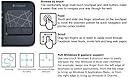
- PRECISION MULTI TOUCH TOUCHPAD - Enjoy smooth, intuitive web browsing and gesture control on a spacious 3.5-inch touch surface.
- WINDOWS OPTIMIZED COMPATIBILITY - Perfectly tailored for Windows XP through Windows 7, ensuring broad device support for your office or home setup.
The Logitech Wireless Touch Keyboard K400 combines a large 3.5-inch multi-touch touchpad with a quiet, easy-to-read 78-key layout, delivering seamless wireless control up to 10 meters. Designed for Windows XP to 7, it connects via a compact Logitech Unifying receiver, making it ideal for managing TV-connected laptops with effortless plug-and-play convenience.