Desertcart purchases this item on your behalf and handles shipping, customs, and support to Senegal.
⚡ Dominate the game with speed and color that leave others in the dust!
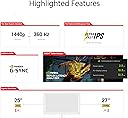
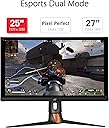
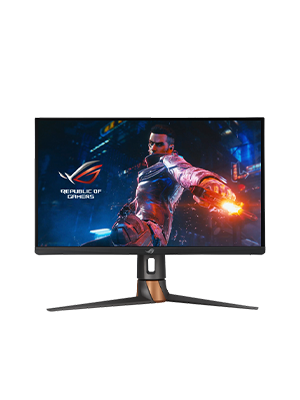
The ASUS ROG Swift PG27AQN is a groundbreaking 27-inch QHD gaming monitor featuring a blazing 360Hz IPS panel with 1ms response time, HDR10 DisplayHDR600 support, and pro-level color accuracy (120~125% sRGB, 95% DCI-P3). Designed for esports professionals, it integrates NVIDIA G-SYNC Ultimate and Reflex Latency Analyzer for ultra-low latency and tear-free visuals. With versatile connectivity options and ergonomic design, it’s the ultimate weapon for competitive gamers craving speed, precision, and stunning image quality.


| ASIN | B0BHK7LLZD |
| Adaptive Sync | G-Sync |
| Amazon 売れ筋ランキング | パソコン・周辺機器 - 395,658位 ( パソコン・周辺機器の売れ筋ランキングを見る ) ディスプレイ - 7,584位 |
| EUスペアパーツの入手可能期間 | 3 年 |
| GTIN (Global Trade Identification Number) | 00195553580625 |
| HDMIポート数 | 3 |
| UPC | 195553580625 |
| USBポート数 | 1 |
| おすすめ度 | 5つ星のうち3.8 142 レビュー |
| アスペクト比 | 16:9 |
| カラー | ブラック///ホワイト |
| カラースクリーン機能付き | はい |
| コンポーネントアプトプット数 | 4 |
| スクリーン表面の仕上げ | 光沢 |
| ディスプレイの種類 | 液晶 |
| ディスプレイ方式 | 液晶 |
| ディスプレイ最大解像度 | 2560 x 1440 ピクセル |
| ネイティブ解像度 | 2560x1440 |
| ハードウェアインターフェイス | HDMI, USB, ディスプレイポート |
| ピクセルピッチ | 0.233 |
| ブランド | ASUS |
| ブランド名 | ASUS |
| メーカー名 | ASUS |
| リフレッシュレート | 360 Hz |
| レンズマウントの種類 | ウォールマウント |
| 互換デバイス | ゲームコンソール, デスクトップ, ノートパソコン |
| 同梱商品 | LCDモニター |
| 商品の用途 | ゲーム |
| 商品の追加説明1 | 高ダイナミックレンジ |
| 商品の重量 | 18.51 ポンド |
| 商品種別 | コンピューターモニター |
| 型番 | PG27AQN |
| 応答時間 | 1 ミリ秒 |
| 画質向上テクノロジー | True |
| 画面サイズ | 24 インチ |
| 画面サイズの単位 | 24 インチ |
| 画面表面の説明 | 光沢 |
| 縦横比 | 16:9 |
| 視野角 | 170 度 |
| 解像度 | QHD Wide 1440p |
| 通信・接続インターフェース | 有線 |
| 電力消費サイズの測定単位 | 42 ワット |
| 電圧 | 240 ボルト |
T**J
The Asus ROG PG27AQN is an absolute madlad of a beast.
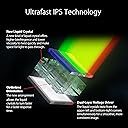
AMAZON FUMBLED THE BAG CAUSE I STOLE THIS FOR $750. I was so shocked and skeptical why it was listed as that price but props to the one who actually secured the bag. I heard reviews of quality control being poor such as dead pixels, and broken back plates, but luckily my unit was not affected at all. I honestly don't know where to start. I've tested multiple monitors such as Neo G8, Alienware QD-Oled (DW Version), BenQ Xowie XL2566k, LG Oled 27gr95qe-b, AW2723DF, and so on but I have the perfect monitor for me that I finally settle on. This monitor can play any title of what you want but is purely for competitive games. This is the fastest panel I've played on with very good picture quality. Out-of-the-box settings when you first boot it up are factory calibrated in sRGB mode with accurate colors. Although it was very dim without messing with the settings since there is no way to adjust the brightness in that mode. The monitor is definitely bright, brighter than an OLED display in general which I find lacking in that department in what I owned previously before. It may not have the infinite contrast ratio or so-called good blacks level because it's an IPS display but let's be real, when you are playing games in general such as competitive, you do not need to have that. I can't stress enough why people are so obsessed with OLED when burn-ins are a problem. I mostly game and have static images such as UI and productivity work that I would worry so much about it constantly, with it being an LED, I don't have to worry as much. It has a G-SYNC module built but you don't really need to enable it if your hardware can run 360hz. Somewhat my 7700x/RTX 4090 was capped at around 323 fps such as OW2, or Valorant so I disabled it and it hit above that FPS count. At a high refresh rate, you won't notice image tearing at all. You do want to run the Overdrive mode to normal since anything above such as esports and extreme mode will increase the amount of inverse ghosting, but overall it's clear as day with a good response time for an IPS panel. There is backlight bleeding but to a minimum where I don't notice it all. You definitely are not going to use HDR at all which is a gimmick on a panel like this without a local dimming zone such as FALD. It uses Edge-lit dimming like the G7 but you might as well turned off because it's only meant for HDR as I stated above it's a gimmick and just worth turning off. Most of the content you play or even watch is in SDR, just mess with the settings on this monitor and you have the most fantastic picture quality. The settings I use for a vivid color-like image and gaming are: GameVisual: Racing Mode Brightness: Whichever you prefer, I setting mine atleast very high nit of brightness (for example like 85%) Variable Backlight: Off (that was the gimmick I was mentioning about) OD: Normal Display Color Space: Wide Gamut (THIS MAKES THE COLOR POP MORE) All the other settings I didn't list such as blue light, color temp, dark boost, gamma and such didn't touch because that's all user preference. In conclusion, this monitor is very good for absolute competitive gaming and watching content. It's an IPS display with the fastest response time of any IPS (cause of ultrafast crystal and dual voltage driver) out there with little to no input lag (360hz) whatsoever. It's worth picking it up for hardcore gamers if it ever comes back in stock.
S**.
Bonito pero .....
Muy bonito y mucha tecnología pero al mes de comprado dos píxeles muertos. Muy desepcionante para el precio que tiene este producto. A ver si puedo tramitar devolución o reemplazo.
J**I
Came with a scratch
Good monitor but that’s the only issue I had
K**E
سعرها مبالغ به
يوجد الافضل منها
J**L
Fast, all-around and pricey monitor
TL;DR Very good but pricey monitor for competitive gamers and those who need to do productivity work. PG27AQN is a good all-around monitor. It has a very fast 360Hz IPS panel that can also be used for productivity work. I came from a fast 144Hz ultra-wide and a 240Hz 16:9 IPS. The 360Hz is noticeably smoother, but the difference isn't as huge as I expected. This monitor came with a factory calibration report, so the color accuracy should be excellent. I used the Reflex Analyzer and the display + PC latency is very low. This monitor also came with ULMB2 support that provides excellent motion clarity when you use a fixed refresh rate at 360Hz. This IPS panel is very bright, so it will provide more headroom when you enable ULMB2 which will significantly dim your display. With that being said, this monitor is still very pricey at $900 during Black Friday. It also doesn't come with DP2.1 or HDMI 2.1. Therefore, if you want to use 10-bit or 360Hz, you have to enable DSC which can sometimes result in loss of details. This is a limitation of the G-Sync module, and I hope ASUS can just abandon it or demand NVIDIA to upgrade their G-Sync module instead of putting ancient ports on a flagship monitor in 2023. This monitor is DisplayHDR 600 certified, but it's not really HDR-capable. This monitor uses edge-lit zone diming which does not really provide the necessary contrast and local dimming required for true HDR gaming. If you don't need to do productivity work or don't play multi-player, competitive FPS games, you should look for PG27AQDM instead; the WOLED monitor provides a much better color, contrast and HDR capabilities but is slightly worse in terms of motion clarity and much worse text clarity.
Trustpilot
2 weeks ago
4 days ago