Desertcart purchases this item on your behalf and handles shipping, customs, and support to Senegal.
๐ Double your screen, double your impactโwork smarter, anywhere!
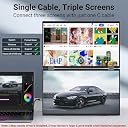
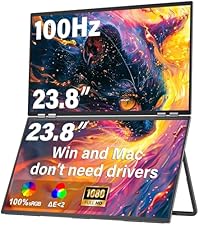
The InnoView 15.6" Dual Portable Monitor offers plug-and-play connectivity with USB-C and HDMI, featuring two crisp 1080p IPS displays designed for multitasking professionals on the go. Its foldable, space-saving design with 180ยฐ auto-rotation adapts to any workspace, while versatile display modes and reliable power support make it an essential productivity booster for Windows and Mac users alike.


| ASIN | B0DS4N8YJT |
| Aspect Ratio | 16:9 |
| Aspect ratio | 16:9 |
| Brand | InnoView |
| Brand Name | InnoView |
| Colour | Black |
| Contrast Ratio | 1500:1 |
| Customer Reviews | 4.1 out of 5 stars 184 Reviews |
| Display Technology | IPS, LED |
| Display Type | IPS |
| Hardware Connectivity | HDMI, Headphone, USB 3.0 Type C |
| Has Color Screen | Yes |
| Image contrast ratio | 1500:1 |
| Item Dimensions D x W x H | 21.6D x 35.6W x 2.2H centimetres |
| Item Weight | 1.41 kg |
| Manufacturer | InnoView |
| Maximum Display Resolution | 1920 x 1080 Pixels |
| Model Name | PM609 |
| Model Number | INVPM009 |
| Native Resolution | 1920x1080 |
| Network Connectivity Technology | HDMI, USB Type C |
| Product Features | Portable |
| Refresh Rate | 65 Hz |
| Resolution | FHD 1080p |
| Response Time | 3 Milliseconds |
| Screen Finish Type | Matte |
| Screen Size | 15.6 Inches |
| Screen size | 15.6 Inches |
| Screen surface description | Matte |
| Total HDMI Port | 1 |
| Total Thunderbolt Ports | 2 |
| Total Video Out Ports | 2 |
J**N
Great Portable Monitor with Some Docking Station Quirks
Overall, this InnoView 18โ 2K portable monitor is a great product. The display is crisp, the 100Hz refresh rate makes everything feel smooth, and the dual-screen foldable design is excellent for multitasking on the go. I especially appreciate how lightweight and stable it isโitโs perfect for travel or moving between workspaces. That said, Iโve had some compatibility issues with my Surface Studio docking station. The monitor doesnโt always work properly unless I plug both cords directly into my laptop, and even then, there are times when my device doesnโt detect both screens. Another quirk is when the device goes to sleepโI sometimes have to unplug and replug the monitor to get it working again. Despite those minor frustrations, I still really like the product for its portability, stability, and performance. Itโs a great solution for dual-screen productivity without needing drivers, and Iโm hoping future updates might improve compatibility with docking stations. Many of my coworkers want one now.
C**A
Worth the price
Great purchase, worth the price. The resolution is great and it's very easy to switch between extended screen and individual screen. I haven't had to use the power cord at all which cuts down on wires on top of the table.
A**E
Love how portable !
Works great and love how portable it is !
F**Y
Best on the market
This is a great. Plug in a play and lightweight. Itโs not as clunky as other ones. I think itโs the best on the market.
J**I
Amazing - Windows Advice
Amazing. It's a little hard to setup, I need to write a guide to it because the instructions leave out some key steps. Right off the bat, connect with HDMI, then use USB C to download the drivers. Then install the drivers and reconnect with USB C. There's something fiddly about the cables, make sure you're using their cables or very high speed high quality (4k) usb c cables, no other cables will work. You also have to pay attention to the settings on the monitor, the instructions will guide you, but you need to have it set for the right mode you want - it doesn't autodetect and switch modes. If you're in HDMI mode and connect with USB C, it wont work. If you're in USB C and connect HDMI, problems. There are also differences between it acting as one giant monitor, or two separate monitors. If I haven't used it for a while it's a struggle, so I need to write some clear instructions for myself and maybe to share. Windows: I spent days trying to get this to work and almost threw it out the window. Luckily I was traveling with a friend that had a different travel monitor. His monitor worked fine, so I borrowed his cable and tried it with my monitor and BAM it started working. I had an expensive USB C cable, but not the one that came with it. Went online and bought an expensive USB C cable that specifically said it was for video, and it worked like a charm. If you're having problems, MAKE SURE that you use the cable labled "power" only for charging the screen, and you use the ORIGINAL cable to connect to your laptop, OR you buy a USB C cable dedicated for USB C Video.
Trustpilot
2 weeks ago
1 day ago