Buy anything from 5,000+ international stores. One checkout price. No surprise fees. Join 2M+ shoppers on Desertcart.
Desertcart purchases this item on your behalf and handles shipping, customs, and support to Senegal.
🎯 The ultimate smart home conductor—control, monitor, automate like a pro!
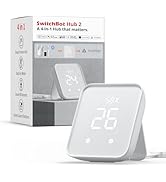
SwitchBot Hub 3 is a cutting-edge smart home hub that unifies control of IR appliances, SwitchBot devices, and Matter-compatible gadgets. Featuring a 150% stronger IR signal, high-precision temperature and humidity sensors, and an intuitive Dial Master rotary control, it offers seamless integration with Alexa, Apple HomeKit, Google Home, and IFTTT. Its vivid IPS display provides real-time home status, while automation triggers and geofencing elevate your smart home experience to effortless sophistication.


| ASIN | B0F5QKQ6PV |
| Batteries Required? | No |
| Batteries included? | No |
| Best Sellers Rank | 84,680 in DIY & Tools ( See Top 100 in DIY & Tools ) 38 in Home Automation Hubs & Controllers |
| Colour | Black |
| Customer Reviews | 4.1 4.1 out of 5 stars (357) |
| Date First Available | 21 April 2025 |
| Included components | Hub 3 × 1 |
| Item Package Quantity | 1 |
| Item Weight | 499 g |
| Item model number | W7202100 |
| Manufacturer | Wonderlabs |
| Measurement Accuracy | +/-0.2℃ |
| Part number | W7202100 |
| Product Dimensions | 9.4 x 3.8 x 12.6 cm; 498.95 g |
| Special Features | Universal, Voice Search |
| Voltage | 5 Volts |
| tech_spec_battery_description_toys | No Battery |
S**6
Excellent Hub
Fantastic Hub! Easy to setup via Switchbot App and Matter integration works flawlessly between Alexa, Gemini and Home Assistant. Built in motion sensor, humidity and Temperature sensors can be used in automations for all systems. Well worth the investment
D**N
Great Matter Hub
Really impressed with the SwitchBot Hub 3 so far. It feels really well made—the dial is super solid and satisfying to use, and the screen is nice and clear. One of the best parts is the built-in temperature and humidity sensor (which is actually in the USB-C cable, not the hub itself—smart design!). It connects easily with my other devices—TV, Apple TV, Chromecast, and all my SwitchBot gear. Matter support, ties everything together really well. With integration with platforms like Philips Hue through HomeKit. Overall, it’s a great little hub that does a lot, looks good, and just works.
S**W
A great Hub
The world of smart home technology can sometimes feel fragmented, with different devices speaking different "languages." Enter the SwitchBot Hub 3, a phenomenal innovation that acts as the ultimate translator and conductor for your entire smart home ecosystem. It's not just an upgrade; it's a transformative leap, solidifying its place as a truly fantastic piece of technology. At its core, the Hub 3 is designed to simplify and unify your smart home experience, and it excels in every aspect. One of its most ground breaking features is its robust Matter connectivity. As a Matter bridge, it seamlessly integrates your myriad of SwitchBot devices, and even some third-party Matter-compatible gadgets, into popular ecosystems like Apple Home, Google Home, Amazon Alexa, and Home Assistant. This means unparalleled compatibility, allowing you to control up to 30 devices through a single, unified platform – a dream come true for anyone tired of juggling multiple apps. Beyond its impressive bridging capabilities, the Hub 3 offers comprehensive device control. Its enhanced infrared (IR) functionality is a standout, boasting a 150% stronger signal than previous models and an extensive database of IR codes. This breathes new life into your traditional appliances like TVs, air conditioners, and stereos, allowing you to control them smartly through the Hub 3. It even extends to popular streaming devices, giving you centralized control over your entire entertainment setup. What truly elevates the Hub 3 to "fantastic" status are its intuitive physical controls. The new Dial Master rotary knob and customizable physical and touch buttons on its sleek display provide a tactile, satisfying way to interact with your smart home. Imagine adjusting your AC temperature with a precise twist of a dial, or launching an entire "movie night" scene with a single tap – all without reaching for your phone. This blend of physical and digital control is remarkably user-friendly and incredibly convenient. The Hub 3 also excels in environmental monitoring. With built-in temperature, humidity, and light sensors (the temperature/humidity sensor thoughtfully placed on the USB cable for accuracy), it provides real-time insights into your home's conditions. When paired with the SwitchBot Meter Pro CO2 Monitor, it can even display CO2 levels. These sensors aren't just for display; they unlock powerful automation capabilities, allowing you to create intelligent routines that adapt to your environment, saving energy and enhancing comfort. For instance, you can set your air conditioner to automatically activate when the temperature rises above a certain threshold, or lights to dim as ambient light decreases. From its modern aesthetic and compact design to its straightforward setup via the SwitchBot app, the SwitchBot Hub 3 is a testament to thoughtful engineering. It significantly improves upon its predecessors, offering more device support, stronger IR signals, and the revolutionary physical controls. It's more than just a hub; it's the intelligent nerve center that makes your smart home truly responsive, intuitive, and a joy to live in.
R**S
More than just a hub
The Hub 3 is a fantastic upgrade – it’s more like a smart control panel than just a hub. I bought it for the roller shades, but the extra features really set it apart. The built-in environmental sensors are a great bonus and work perfectly with my smart home setup - matter compatibility is great and it works with my Hue setup too. It did take me a little time to get used to the controls (it reminds me of a Logitech Harmony remote, so I kept expecting a touchscreen), but it’s responsive and easy to use once you get the hang of it. I love the sleep mode at night, and the fact I don’t always have to rely on my phone or voice assistant is a big win. Overall, it’s unique in the market and really versatile – highly recommended if you want more than just a hub.
D**H
Avoid
Was working on but now has constant notification of ( space occupied) with no way whatsoever to turn it off unless you stop all notifications which in my opinion is not a great option
G**S
Great product
Works great, pairs to switchbot appliances without problem. Quality-made product with sleek, modern design. Temerature and hydrometer seems to be accurate.
P**A
Powerful little hub!!!
This little hub is a powerful tool in my home office. Not only it allows me to trigger a number of automations (and obviously connect other Switchbot devices) but with its IR blaster I can replace all the IR remotes. As an extra, to gives me basic information at a glance, including temperature (inside and outside), humidity and weather forecast for the day. Love it!
A**B
Getting a little better with new firmware releases
UPDATE Switchbot's customer service team reached out to me to see whether they could provide help in any way with some of the issues I was experiencing, and forwarded the details of my original review to their development teams and I can see some new features coming to the hub 3 in the latest update, hence increasing my review by one star. I will come back and increase this further if more features are brought to the hub 3. Thank you Switchbot team! ORIGINAL REVIEW (with edits following the latest firmware update) I've been using home automation gadgets since 2010s. Most of my ecosystem is now built around Google Home controlling over 40 smart devices (plugs, dimmers, sensors, dehumidifiers, heaters, projector) etc. Last year I bought a SwitchBot bluetooth hygrometer (selected the SwitchBot one as it had the best precision) to keep an eye on my Cuban cigars. As expected, being only bluetooth (no WiFi) impossible for the hygrometer to warn me (push notification) when humidity levels were low. The only way was to let Switchbot App run constantly in the background on my phone and it would pull data from the hygrometer only when I was physically home. Also a very slow process synching data as no cloud storage. Hence the decision to buy the SwitchBot hub 3 and explore what new smart functionalities it could bring to my home. Pros: - Looks beautiful on my desk - Acts as a hub to my switchbot hygrometer giving me proactive warnings (to my phone) if humidity levels are breached, so I no longer need to check manually via bluetooth, nor wait a painfully long time to download data, nor have to be at home to get any warning - Weather feature: the Switchbot team listened and updated the widget to show min/max temperatures which makes a lot more sense than the previous firmware which showed outside temperature at point of syncing once every 12 hours. Cons: - Build quality: whilst not really a big problem, the device could have had a little more weight to it as it slides a little pressing buttons if using the stand - this of course would not an issue if mounted to a wall. Anyway, I've resorted to a little bit of double-sided magic tape on the base to keep in position. - Setup: was a little painful. After two firmware updates out of the box, the Hub 3 was not appearing as a "Hub" under the App’s Profile > Manage Hubs. Two or three power cycles, still nothing. So I resorted to removing the hub from my account and adding it again and everything worked fine thereon out. - Changing the SwitchBot hygrometer configuration from "bluetooth > phone" to "bluetooth > hub" was enigmatic. No easy way to switch. Everything I tried would fail, the hygrometer was still dependent on the phone. I then resorted to removing the hygrometer and re-pairing it, that still did not work. Then randomly whilst exploring different areas of the app, a message popped up saying "Hub detected for the Hygrometer, do you want to use it?" Yes! From then on, the Hub has taken over the sampling and cloud storage. But I still have no idea what triggered this. - Programming the Hub 3 keys: complicated. To allow a Hub 3 button to control a scene, you must first setup the scene in the app, then go to Hub 3 settings, "add" the scene to the Hub 3, then configure the button menu and attach the scene to a button. I.e. you can't just go to Customised Shortcuts and add a scene to a button, you first need to import it to the device. If you then change the scene's name in the app, the Hub 3 gets upset with an exclamation mark. You need to resync it. And reassign it to its shortcut. I'm sure the dev team will resolve this in future firmware updates as they have been very proactive. - Matter: This has to manually be setup after first setup, through the Hub 3 settings "Matter Setup". Ideally, this ought to be part of the initial setup. Again, I'm sure the dev team will look to enable matter by default in future updates for those receiving a brand new Hub. - Matter device compatibility: I have 4 matter plugs working very happily in my Google Matter ecosystem, but this Hub 3 will not see them. I.e. any device you want to control from the Hub 3 needs to be Switchbox branded, otherwise forget about controlling any matter devices from the Hub 3’s buttons. I see Switchbot are increasing the number of products by the day, but it would be ideal if this hub could be opened up to other matter / non-switchbot devices. - Hub 3 buttons in Google Home: you need to 'enable' these buttons in the SwitchBot app for Google Home to 'see' these "Matter" buttons. Unfortunately, once done, and this is a Google Home limitation, the buttons serve no purpose. i.e. even though they appear in Google Home, and are configured as “switches”, you cannot create any automation with these buttons. On the positive side, I see in Google's latest home app, when creating an automation, these buttons feature an exclamation mark with a note saying "coming soon". So hopefully when Google enables this functionality, Hub 3 buttons will be able to control Google Home automations. Fingers crossed. - Infrared: the Hub 3 is principally geared for those with infrared AC controls. We're in the UK. Few people have AC (recent FT article highlighted this). Yet the landing page of the Hub 3 in the app is entirely focused on Infrared control. And a huge portion of the app asks me to add an IR device. Sadly, all my devices are either Matter compatible, Google Home compatible, or works with bluetooth. My projector’s remote is bluetooth. My Chromecast TV is bluetooth. The focus on Hub 3's IR functionality is not of much use. Hopefully the Switchbot dev team will hide this section in an update and only show it if an IR device has been added to the ecosystem (via the add device button). - Heating control: I was hoping to be able to use the dial to set a target temperature to control electric heaters (using Switchbot relays). This is not fully possible. Again, the temperature knob is for AC devices only, that are controlled with IR. So instead, I had to create multiple automation sequences (e.g. for a target 23C, automation 1: above 24C switch off heaters, automation 2: below 22 switch on heaters / for a target 21C: automation 3 above 22C switch off heaters, automation 4 below 20 switch on heaters) then create scenes to control temperature targets (scene 1 set 23C: switch on automation 1 and 2, turn off automations 3 and 4, scene 2 set 21C: switch on automations 3 and 4, switch off automations 1 and 2)… almost done.. then I had to import the scenes to the device (as per previous bullet point) and finally assign these scenes to buttons. I'm hoping the development team will provide an option to repurpose the dial for heating temperature control, enabling automations based on the value of the set temperature. - Temperature display: the Hub 3 has its inbuilt (on cable) temp and humidity sensor. Great! But I also have my hygrometer (by SwitchBot) in the cigar box. For the moment, I cannot cycle through different device temperatures on screen - i.e. you can only select one source for temperature readings and display. So if you have multiple sensors, e.g. outside temp, living room temp, bedroom temp, etc. you cannot cycle between them, you must choose only one source to display. I'm hopeful future firmware will provide options to cycle through different sensor temperatures on screen using the left/right knob buttons. In summary A little disappointed as I was hoping to get a more flexible solution to integrate with Google home, but now realise you need to be invested in Switchbot devices (and there are plenty!). I do of course get live humidity warnings for my Cuban cigar box without needing to be home, which is a big benefit. Additionally, the Switchbot team have been very proactive in addressing some of the previous niggles I called out, so I am confident future firmware updates will bring new features and functionality to the Hub 3 (heating control please!! that would be an instant 5 stars and the best opportunity for Switchbot in the UK - to control electric heaters through the Hub 3 using Switchbot relays).
F**.
SwitchBot Hub 3: un passo avanti sostanziale. Hub definitivo!
Dopo anni passati a cercare soluzioni domotiche semplici, affidabili e compatibili con più dispositivi possibili, posso dire che con lo SwitchBot Hub 3 hanno davvero fatto centro. E lo dico con cognizione di causa: ho utilizzato sia il vecchio Hub Mini sia altri sistemi domotici, e posso affermare senza esagerare che qui siamo davanti a un vero salto di qualità, sia a livello hardware che software. Partiamo dal design, che è la prima cosa che salta all’occhio: molto più curato, minimalista e con un aspetto che non sfigura in nessun ambiente. Ha una linea moderna, sobria, e non dà l’impressione di essere un “aggeggio da nerd” come certi hub precedenti. La finitura opaca è elegante, e anche il piccolo display e i LED sono ben studiati, non invasivi. La migrazione verso il colore nero, di cui inizialmente ero scettico avendo una casa con i toni neutri, è risultata invece un quid in più in termini di eleganza. L’installazione è stata semplice come tutti i device switchbot devo dire: basta collegarlo, aprire l’app SwitchBot e in pochi passaggi è pronto. Supporta Wi-Fi 2.4 GHz ed ha una connessione molto stabile: mai riscontrate disconnessioni. Uno degli aspetti che ho notato subito è la maggiore velocità di risposta nelle automazioni. A quanto ho capito adesso molte di queste vengono eseguite localmente, senza passare per il cloud, specialmente se si usano i nuovi sensori SwitchBot (temperatura, umidità, apertura porte, ecc.). Un esempio pratico: ho impostato una scena che accende automaticamente un deumidificatore collegato a una smart plug SwitchBot quando l’umidità nella camera supera il 60%. Con l’Hub Mini c’era un ritardo di almeno 10-15 secondi. Con l’Hub 3? È praticamente istantaneo. Un’altra cosa utilissima: le notifiche personalizzate. Si possono ricevere avvisi mirati, ad esempio quando si apre una finestra con l’umidità alta, o quando cala la temperatura in una stanza dove ho un sensore. E funziona benissimo anche fuori casa. Un altro punto forte è il modulo IR migliorato. Io ho diversi dispositivi “vecchi” che non sono smart (TV, condizionatore, ventilatore a torre), e con il vecchio Hub Mini qualche comando IR funzionava parzialmente. Qui invece la copertura è più ampia, l'apprendimento dei codici è più preciso, e soprattutto posso controllare tutto anche da remoto o con la voce tramite Alexa/Google. Una cosa che mi ha stupito: sono riuscito a configurare un vecchissimo condizionatore Mitsubishi dei miei che nessun altro sistema IR riusciva a riconoscere, nemmeno Broadlink. Invece con questo, in pochi minuti l’ho “clonato” manualmente e adesso posso accenderlo e spegnerlo anche da fuori casa. Per me questo è un game changer. Da non sottovalutare, poi, finalmente l'aggiunta dell'orario visibile a display quando è in stand by, nonché la presenza di numerosi tasti fisici ed una rotellina che mancava nella precedente versione. Di base, il comportamento è semplice: la rotellina centrale può essere ruotata (in senso orario e antiorario) o premuta come un pulsante.I pulsantini laterali, invece, agiscono come scorciatoie. Dall’app SwitchBot, è possibile associare a ciascuna azione una scena personalizzata o un comando specifico: accensione luci, attivazione condizionatore, chiusura tende, ecc. ecc. L’integrazione con Alexa è impeccabile. Tutti i dispositivi vengono riconosciuti al volo, e si possono creare routine vocali o automatismi molto personalizzati. In sintesi, Il device SwitchBot Hub 3 è un upgrade reale, non solo cosmetico. Funziona meglio, è più veloce, più stabile, con funzioni intelligenti realmente utili. Finalmente un hub che si può considerare "professionale", e che può essere il cuore di un ecosistema domotico completo, senza spendere una fortuna. Se avete già qualche prodotto SwitchBot in casa, è quasi obbligatorio fare l’upgrade. Se invece siete alle prime armi con la domotica ma cercate qualcosa di versatile, affidabile e ben supportato, è una scelta ottima per iniziare.
M**C
El mejor centro de control disponible.
⭐⭐⭐⭐⭐ ¡El cerebro de tu casa ahora tiene mandos físicos! Una evolución brutal. El SwitchBot Hub 3 juega en otra liga. Ya no es solo un "puente" que escondes en una estantería; es un panel de control precioso que querrás tener a la vista y tocar. Por fin, domótica que puede usar toda la familia sin sacar el móvil. Lo que más me ha gustado: 🎛️ La Rueda de Control (Dial) y Botones Físicos: ¡GAME CHANGER! Esto es lo que marca la diferencia. Aparte de controlar todo desde la app o por voz, ahora tienes una rueda física y botones táctiles en el propio Hub. ¿Quieres subir el volumen de la tele? Gira la rueda. ¿Ajustar la temperatura del aire acondicionado? Gira la rueda. ¿Lanzar tu escena de "Buenas noches"? Toca uno de los 4 botones de acceso directo. Es súper intuitivo y perfecto para las visitas o para cuando no quieres gritarle a Alexa. 🌐 Matter y Puente Definitivo Sigue siendo el rey de la compatibilidad. Convierte todos tus dispositivos SwitchBot antiguos (los que van por Bluetooth) en dispositivos Matter. Esto significa que tus cortinas, cerraduras y sensores viejos aparecen mágicamente en Apple Home, Google Home o Assistant sin configuraciones extrañas. La estabilidad es roca sólida. 🌡️ Sensores "Pro" y Pantalla LCD La pantalla ya no es una matriz de puntos básica, es un LCD nítido que te da toda la información de un vistazo: temperatura, humedad, hora y estado de los dispositivos. Además, incluye un sensor de presencia (radar) mucho más preciso que los sensores de movimiento tradicionales, lo que permite automatizaciones súper rápidas (como encender la luz nada más entras en la habitación). 📺 Mando Universal Infrarrojos (IR) Mantiene la capacidad de controlar tus aparatos "viejos" (TV, Aire Acondicionado, Ventiladores) por infrarrojos, pero ahora con la ventaja de poder mapear esos controles a la rueda física. ¡Es como revivir tu mando a distancia pero vitaminado! Pequeños detalles a considerar: Precio: Es notablemente más caro que el Hub 2 o el Mini. Si solo quieres "conectar cosas a internet" y esconderlo detrás del sofá, quizás sea demasiado "premium" para ti. Este Hub es para lucirlo y usarlo. Tacto de la rueda: Aunque funciona genial, el "clic" de la rueda podría sentirse un pelín más robusto por el precio que tiene. No es malo, pero no es "Apple feeling". Conclusión final: El SwitchBot Hub 3 deja de ser un simple accesorio para convertirse en el centro de mando de tu hogar. La combinación de compatibilidad Matter con controles físicos reales es una idea brillante. Si quieres modernizar tu casa y que hasta tu abuela pueda controlar las luces o el aire acondicionado sin complicaciones, vale cada euro. Es el hub más completo del mercado ahora mismo.
L**T
Bien plus qu'un simple Hub
Le SwitchBot Hub 3 est un excellent hub. Possédant la première version du hub SwitchBot, cette nouvelle version apporte de nombreuses nouveautés. Ce modèle va désormais bien au-delà d’un simple hub : - Il permet toujours de connecter l’ensemble de vos appareils SwitchBot, facilitant le contrôle à distance et la création de scénarios. - Le Hub 3 intègre un capteur de température, d’humidité et de luminosité. - L’infrarouge a été amélioré avec une portée étendue, ce qui vous permet de contrôler une large gamme d’appareils "non connectés" classiques (TV, climatiseurs, projecteurs, etc.) via l’application SwitchBot ou les assistants vocaux. Solution idéale pour rendre vos anciens appareils intelligents. - Le Bluetooth a également été ajouté, permettant notamment le contrôle de votre Google Chromecast. - Le Hub 3 est équipé d’un écran LED clair qui affiche des informations essentielles (température, humidité, état des serrures SwitchBot) et dispose de boutons tactiles personnalisables ainsi qu’une molette de contrôle. Cela permet un contrôle direct des appareils et des scénarios, sans toujours passer par le smartphone. C'est très pratique :) - Son design noir minimaliste lui permet de s’intégrer discrètement dans n’importe quel intérieur, que ce soit posé sur un meuble ou fixé au mur. - Enfin, le Hub 3 agit comme un pont Matter, permettant de connecter vos appareils SwitchBot à des écosystèmes comme HomeKit, Google Home et Home Assistant (que je vais bientôt tester :) ). Cela ouvre la porte à une intégration plus fluide et à un contrôle unifié, même avec des produits d’autres marques compatibles Matter. Si vous avez des produits SwitchBot, je vous recommande ce nouveau Hub 3, qui est simple à configurer, complet et efficace :)
F**R
Prijzig maar voelt goedkoop
Bouwkwaliteit past meer bij een apparaat van €25,-, voor €125 verwacht je wat meer. Het is allemaal erg plastic. De draaischijf werkt niet out-of-the-box met home assistant, bijvoorbeeld als dimmer of volumeknop, terwijl je dat wel zou verwachten.
M**E
This is a thumbs up product for sure.
My good experiences with other SwitchBot devices over the years encouraged me to try the SwitchBot Hub 3 for some extra functionality with a SwitchBot Lock Ultra Touch Combo that I purchased recently. What is really nice about this unit is that it does so many different things. I like having temperature displays and remote monitoring of temperature, but I also like the direct access programmable buttons on the unit… As it did in my case, if you have a use for one feature on the Hub 3, you will likely also find something else it can do for you, making it a great value at a reasonable price. The unit is well made and feels sturdy while also being compact and lightweight. I am finding more and more SwitchBot device solutions as they expand their already very broad ecosystem, and it is nice to consolidate devices into a single app. The Home Screen on the Hub 3 is customizable to display time, temp & humidity with the built in sensors or external sensors, the status of other SwitchBot devices, locks, etc. There are 4 programmable soft keys on the Hub 3, a rotary dial, and some fixed function keys for navigation. The screen can be dimmed or turned off and can be motion sensitive, if desired, to turn back on upon approach, which the operation and sensitivity of is programmable. The connection range from SwitchBot devices to the hub is impressive, as well as WiFi connectivity to the router. The Hub 3 will control infrared devices as well, for example, giving the ability to adjust stereo volume or channels from another room from within the app on a customizable screen. The range of the infrared emitter is excellent. This is an awesome feature that works really well. I am super happy with this setup, especially the programmable soft keys. I have a multi room garage where the lights are all plugged into outlets via extension cords that aren’t wall switch controlled. I have gotten around this in the past by using the SwitchBot app, which is excellent, to turn the lights on/off from the app. Now, I have several other better solutions. The Hub 3 mounts to the wall, on a table, or anywhere I like. The 4 soft keys available to control devices or directly enter into menus in the Hub 3 are incredibly handy. I programmed several soft buttons on the unit to operate all of the garage lights in tandem, so now I have a physical “switch” mounted on the wall at the entry door with no building wiring required. In addition, utilizing Scenes and Automations in the app to control the SwitchBot Switch (a plug in device that has a physical switch, an app controlled switch, and even monitors energy usage) I can have the garage lights turn on automatically when I activate the lock keypad or open the door. I have them programmed to turn off late at night if I forget. I need to stress the level of customization that is easily available in the app between the Hub 3, lock, lock keypad, Switches… and all of the SwitchBot devices. If you can follow the menus you will find many options, most with descriptions of what the option does and how it works. The app has many methods of customization and integration with home control systems from Apple, Google, Amazon, Matter, etc. The layout of the SwitchBot app is easy to work with and it is stable… this is important because so many good devices come with poorly designed and glitchy apps. If I find any issues I will report back, but at this point I am very satisfied with the solutions the product offered.

Trustpilot
3 weeks ago
2 days ago