


Desertcart purchases this item on your behalf and handles shipping, customs, and support to Senegal.
📡 Unlock the future of home internet with lightning-fast 5G and Wi-Fi 6 — Stay connected, stay ahead!
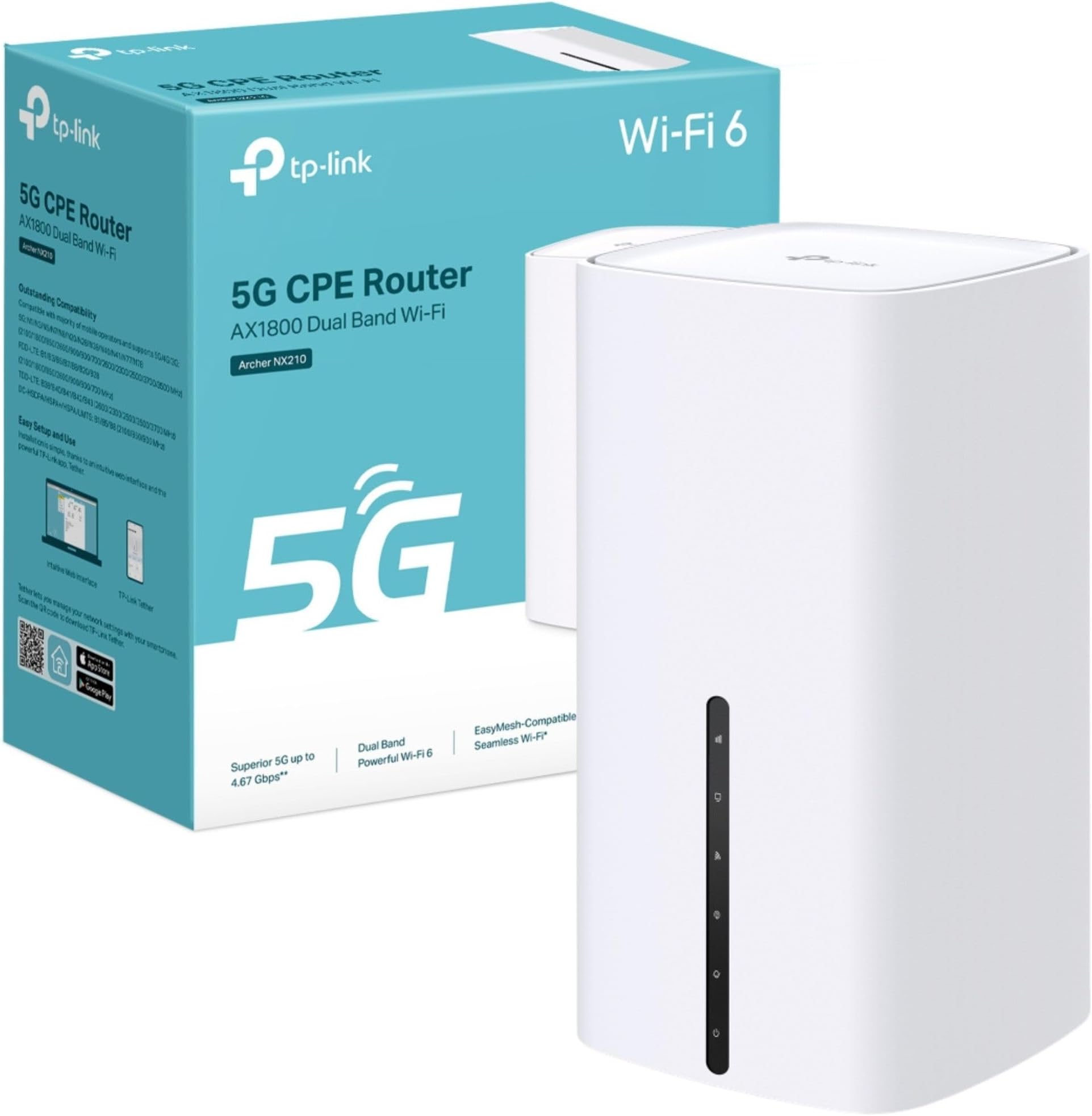
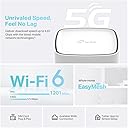
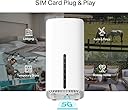
The TP-Link Archer NX210 is a cutting-edge AX1800 dual-band Wi-Fi 6 router featuring ultra-fast 5G download speeds up to 4.67 Gbps via a built-in SIM slot. It supports plug & play 5G connectivity, gigabit WAN/LAN ports for versatile wired connections, and EasyMesh compatibility for seamless whole-home coverage. Designed for professionals and tech-savvy users, it offers robust security protocols, smart app control, and reliable backup internet options, making it ideal for homes and remote locations seeking hassle-free, high-speed internet.



| ASIN | B0F2TCB3R4 |
| Antenna Location | Business, Home |
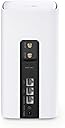
| Antenna Type | Internal |
| Best Sellers Rank | 816 in Computers & Accessories ( See Top 100 in Computers & Accessories ) 3 in Routers |
| Box Contents | 5G AX1800 Wireless Dual Band Gigabit Router Archer NX210|RJ45 Ethernet Cable|Power Adapter|Quick Installation Guide |
| Brand | TP-Link |
| Brand Name | TP-Link |
| Colour | White |
| Compatible Devices | Gaming Console, Personal Computer, Printer, Security Camera, Smart Television, Smart Thermostat, Smartphone, Tablet |
| Compatible devices | Gaming Console, Personal Computer, Printer, Security Camera, Smart Television, Smart Thermostat, Smartphone, Tablet Compatible devices Gaming Console, Personal Computer, Printer, Security Camera, Smart Television, Smart Thermostat, Smartphone, Tablet See more |
| Connectivity Protocol | Wi-Fi, Ethernet, 5G, IPv4, IPv6 |
| Connectivity Technology | 5G, Ethernet, Wi-Fi |
| Control Method | App, Touch |
| Controller Type | App Control, Push Button |
| Country of Origin | China |
| Coverage | Home Network |
| Customer Reviews | 4.2 out of 5 stars 6,187 Reviews |
| Data Transfer Rate | 1201 Megabits Per Second |
| Frequency | 5 GHz |
| Frequency Band Class | Dual-Band |
| Frequency band class | Dual-Band |
| Has Internet Connectivity | Yes |
| Is Modem Compatible | No |
| Item Dimensions L x W x H | 9.9L x 9.9W x 19H centimetres |
| Item Weight | 0.61 Kilograms |
| LAN Port Bandwidth | 1000 [NO] |
| Manufacturer | TP-Link |
| Manufacturer Part Number | Archer NX210 |
| Maximum Upstream Data Transfer Rate | 1201 Megabits Per Second |
| Model Name | AX1800 Wireless Dual Band Gigabit Router |
| Model Number | Archer NX210 |
| Model name | AX1800 Wireless Dual Band Gigabit Router |
| Number of Antennas | 10 |
| Number of Ports | 6 |
| Operating System | Linux |
| Other Special Features of the Product | Beamforming, Guest Mode, Plug & Play, QoS |
| Product Warranty | 3 Years Manufacturer |
| Router Network Type | hybrid |
| Security Protocol | WPA-PSK, WPA2-PSK, WPA3 |
| Special feature | Beamforming, Guest Mode, Plug & Play, QoS |
| Voltage | 12 Volts |
| Wi-Fi Generation | Wi-Fi 6 |
| Wireless Compability | 802.11ax |
| Wireless communication standard | 802.11ax |
A**W
Easy setup, good signal, seems reliable so far.
Bought this to replace an M1 Nighthawk used with a large 2X2 MIO panel antenna. This new router, without the external antenna, gets higher gain and a better SNR then the old setup with the antenna. I can also connect to cell towers I couldn't previously. Only using LTE as I don't have sight of any 5G cells. I've only had it about two months but so far, it seems to be good buy.
M**R
Superb 5G Router
Superb router if you don't have good DSL broadband. I'm in the country with only 50% signal strength on 4G+, but I bought the NX210 as soon as my mast was upgraded to 5G. On an EE 5G contract, I am now getting 100% signal strength and 245Mbps, which is more than I've ever seen here. Very good user configuration via the user interface, or you can use the Tether app if you don't want to tweak. I like that the front lights face me so that I can see them easily. Neat, tidy design with three rear LAN ports. Works with TP-Link mesh units for extended wi-fi in a large house.
P**N
Good result for me anyway.
We started from "no knowledge" but needed *something* in an apartment we were moving into on a temporary and intermittent basis, no fibre option anyway, any copper option seemed to require a longer term commitment and installer disruption, and there was no obvious Starling option even if we could have signed up for a portable option. Also wasn't clear whether we could get away with wireless connectivity to the router or whether we might need wired Ethernet as well. 4G/5G options were more flexible, partly because it's so easy to switch to another 4G/5G provider and also because plans with providers such as GiffGaff and SMARTY are more "intermittent-use" friendly. I hoped we might be able to get a 5G connection as we were on the edge of a town centre 5G zone, so I went for a 5G-capable router, signed up for a SMARTY plan. and it has gone very well. Couldn't actually get 5G. I tried attaching a 4G/5G aerial to the router but TBH that seemed to make things worse. We typically have good 4G connection except when it's rush hour in the town centre, when the network gets a bit crowded. And we do seem to be able to get 2 simultaneous " TV connections" via 4G, which impressed me, but that does sometimes result in playback glitches. The SMARTY options we use are a mix of regular payments plus "bolt-ons when you need them". All pretty easy to use via SMARTY's app (I use the iPhone version, haven't ever used the Android version). The only slightly irritating thing is that when SMARTY sends you a link when it wants to verify you, it seems to send it to the phone number of the router SIM (how do you actually reply?!) rather than the one you registered in your account. Switching the router off and on again seems to help in that situation.
J**N
Perfect 5g router
Got this to upgrade from my older tp link 4g router, very easy setup and a much improved 5g connection. Used for home Internet with a 5g unlimited sim and we stream movies music and all our Internet browsing emails etc never had any issues with buffering
S**E
Easy set up, Fantastic product, great app !
I purchased The Tp-Link Deco X10-4G router AX1500, (and an unlimited data sim card from elsewhere) and the speed and signal strength is far greater than I was receiving previously from a 5G network with their provided 5G router. Installing the Deco was easy, plug in and download the app to your phone follow the simple instructions to add all your devices and watch them be added and come on-line, after installation the app will ask you to install new firmware and software available, press continue and install and your good to go. Couldn't be happier, great bit of kit, well worth the investment, have been using the Deco for approx 6 weeks now and no issues. Also making a saving of over £8pm on my internet bill, that's a result !
B**T
Good for simple use (5 star) -useless if you want to use it with external antenna. (zero star)
This is both good and bad, if you just want to place this near a window with a reasonable 5G signal great would give it 5 stars! But purchased this for use with an external high gain antenna (Maswell 4G 5G Directional MIMO Antenna Outdoor also on Amazon). The issues - the 'just' annoying one first The area where you connect the two SMA connectors from the external antenna is made so narrow that its difficult to tighten the connections - Or perhaps the engineers are small kids with small fingers - which would explain the next issue. There is no way to accurately align the antenna for best signal, using the built in web page, it displays the information,. but doesn't update it - why not? You have to exit and go back in to get an update. Making an easy job hard especially when on the top of a ladder! Tried the TP-Link tether app - you would think this would cater - no chance, just shows some signal bars which turn out not to actually be an indicator just an icon! TP-Link does some good stuff - but this is not one of them. Some simple software changes could turn a bad product into an excellent one. Would I buy again? As it stands no, unless its for very simple use using the built in antenna in an area with reasonable 5G reception. Note: Its been a while since the firmware was updated - so maybe on the next release TP-Link ?
J**N
Brilliant improvement over 4G mobile if you have a 5G signal
Went from a 4G to this 5G router when I noticed that our (rural) mobile phone signal had been upgraded to 5G. Although my signal strength meter (free download) indicated only a weak signal available (25-30% signal strength) I thought this worth a try on the basis that if it didn't work then I could return it to Amazon anyway, so no risk. Oh wow! Connected it up and without any additional antennae fitted (the ones that I had ordered from Amazon wouldn't fit) the speed increased from 15-20mbps under my old 4G router to a consistent 70-80mbps with this item. Now that is what I call a result. Works seamlessly with my mesh setup (also TP-Link items) to provide high speed internet access through the whole house. Easy to set up as well - it has to be as far as I'm concerned.
A**T
Requires a settings tweek before use with EE SIM.
I have been suffering from a slower-than-ideal-speed Internet connection via ADSL2 for many years. Although we are finally on the list for FTTP, this could still take up to 2 years. So I decided to take up Plusnet's offer of a £20 per month EE SIM card giving unlimited data at up to 100Mbps (symmetrical), saving me £8 or so per month. I just had to purchase my own router - and I chose this one from TP-Link. I'm in a 4G area, but decided to buy a 5G router just in case we got lucky with 5G. In practice speeds have improved from about 30Mbps down and 5Mbps up to about 100Mbps down and 40Mbps up (not very symmetrical, but a big improvement in upload speed. The router turned out to be a version 2 unit manufactured in 2024 (I believe version 3 is the latest), but I don't know if this has any disadvantages. The main issue I had was the same as that experienced by many others: TP-Link routers don't seem to play nicely with EE SIMs. The solution involves changing from IPv4/IPv6 to IPv4 only, but this isn't a simple edit; instead you have to create a new profile, copying all the parameters from the default profile, except for the IPv4 only setting. It's quite straightforward once you have trawled the Internet for the remedy, but shouldn't be necessary, or should at least be included in the documentation.
C**M
Prise UK
Attention, livré avec une prise UK, ne fonctionne pas en France
A**T
Kaliteli ve pratik
Nano sim kartla çalışan en yeni versiyonı v.5 geldi. Sinyali En iyi çektiği bir pencere kenarına konumlandırdık 30 mbit download hızı 27 mbit upload gördük, şimdilik yeterli 4g ve 3g arasında otomatik kendi geçebiliyor. İsterseniz sabitleyebiliyorsunuz da. Kurulumu tether üzerinden kolayca yapılıyor, modemi de yine aynı uygulama üzerinden güncelledim. Mersin kırsaldaki İki katlı orta boyutlu yazlık bir evde alt ve üst katlarda kesintisiz internet ve telefon görüşmesi sağladı ki normalde alt katlarda telefon ve internet çekmezdi. Turkcell data hattı ile kullanıyoruz.
A**S
Solider 4G-Router für einfachen Internetzugang
Der TP-Link TL-MR110 lässt sich sehr einfach einrichten. SIM-Karte einlegen, einschalten und nach kurzer Zeit ist das WLAN verfügbar. Die Verbindung ist stabil und reicht für Surfen, Streaming und normale Alltagsnutzung völlig aus. Die Geschwindigkeit ist in Ordnung, auch wenn man keine Höchstleistungen erwarten sollte. Verarbeitung wirkt solide und zuverlässig. Für Zuhause, unterwegs oder als Ersatzlösung bei fehlendem Festnetz eine gute Wahl.
M**.
Funciona EXCELENTE con Claro Puerto Rico
Excelente modem, funciona muy bien con Claro Puerto Rico. Estable, excelente receptor de señal y sirve muy bien. Mucho mejor que con los Modems que brinda la compañía. La velocidad de Claro PR no es muy buena, pero este modem le ha dado una excelente estabilidad que hasta con alta resolución funciona. La instalación no es tan fácil como la describen, pero siguiendo las instrucciones lo tendrás funcionando en minutos.
L**P
Una vez instalado va muy bien
Lo que más: Rendimiento y estabilidad Lo que menos: La instalación no es difícil, pero no tan fácil como se publicita. Si se utliliza un duplicado de tarjeta, hay que validarla antes con el operador con un movil. Una vez validada puede introducirse en el equipo y creará la red wifi. El nombre de la red y la clave de acceso vienen en la etiqueta situada en la base del equipo. Si se quiere personalizar el nombre de la red o la clave de acceso hay que conectar el equipo a un ordenador con el cable de red. Una vez hecho este proceso se puede desplazar el equipo a otra vivienda donde se pondrá en marcha automáticamente tras conectar la alimentación a la red
Trustpilot
3 weeks ago
1 week ago