Buy anything from 5,000+ international stores. One checkout price. No surprise fees. Join 2M+ shoppers on Desertcart.
Desertcart purchases this item on your behalf and handles shipping, customs, and support to Senegal.
📊 Stay ahead of your glucose game with Stelo — where precision meets lifestyle freedom!
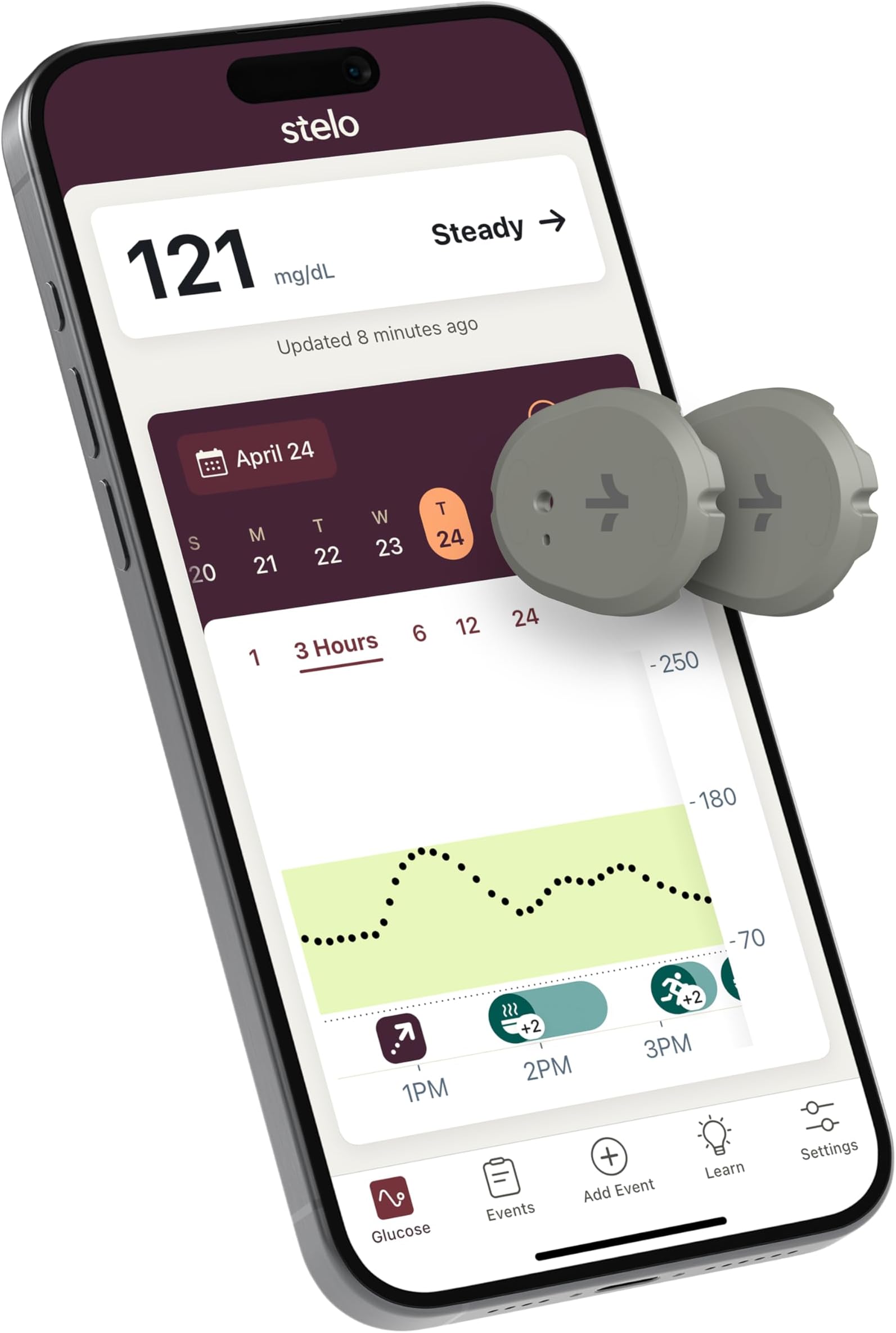
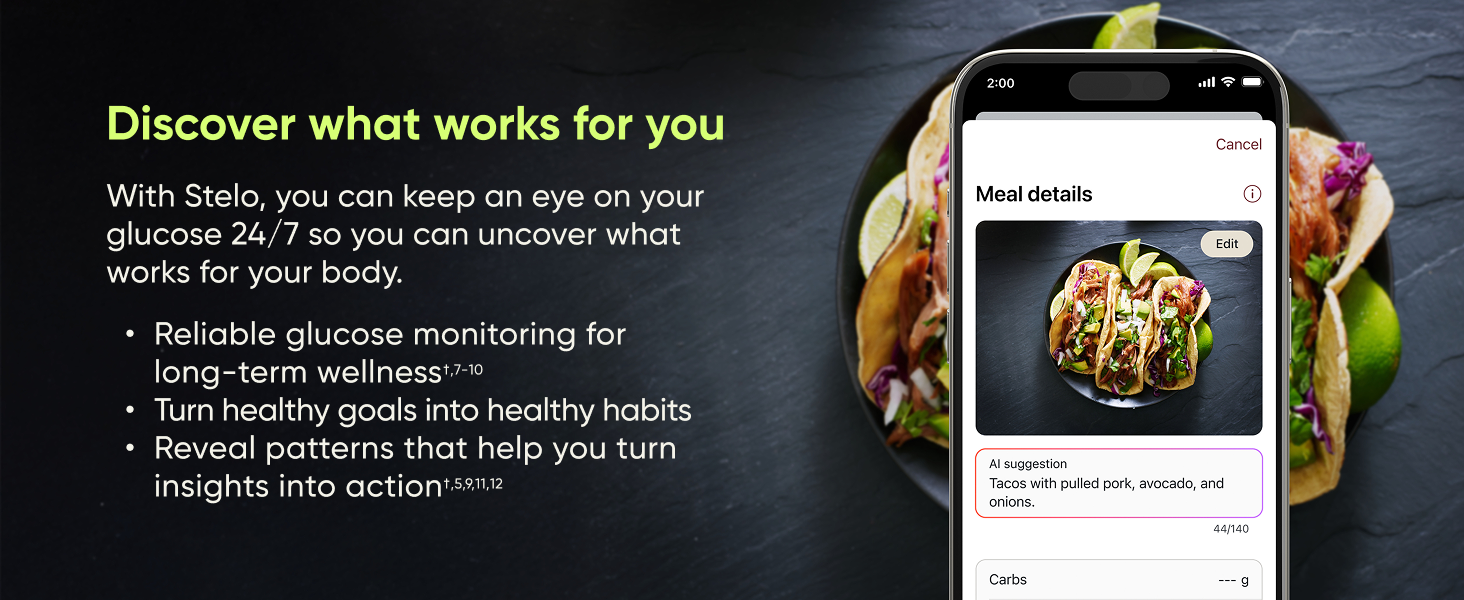
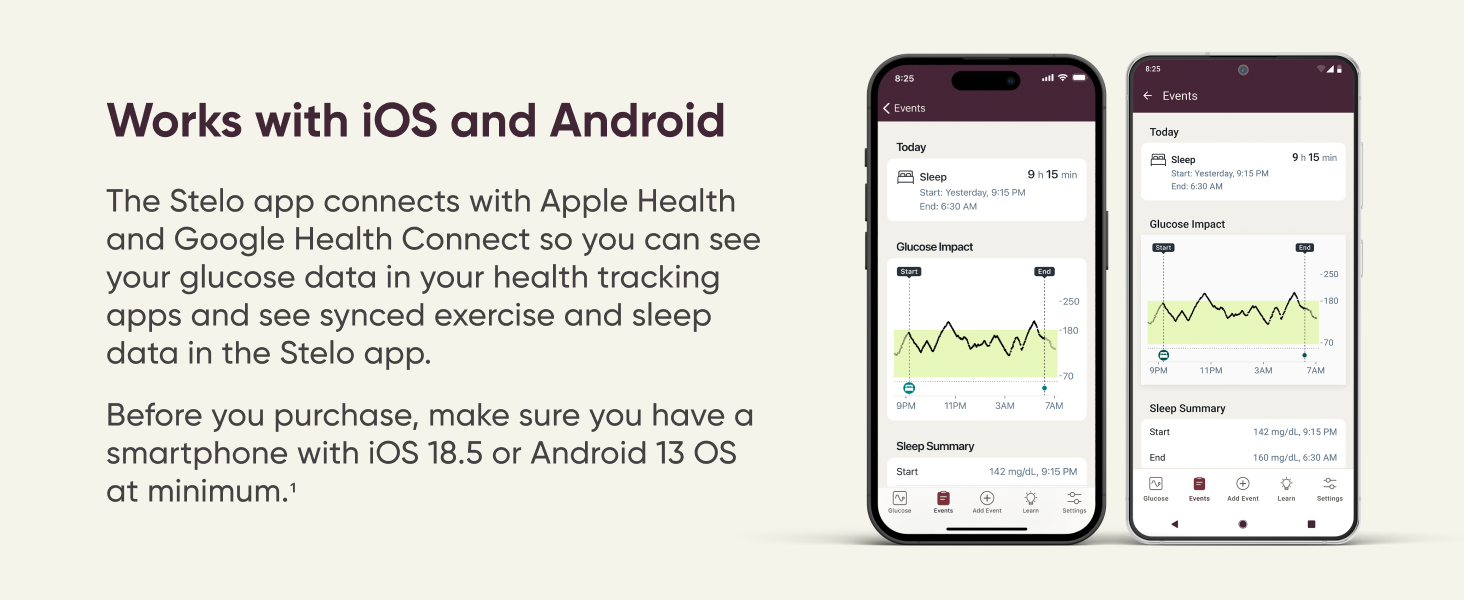
The Dexcom Stelo Glucose Biosensor & App offers continuous glucose monitoring for adults not on insulin, featuring up to 15 days of sensor wear, waterproof durability, and seamless syncing with iOS and Android devices. Designed for lifestyle insights rather than medical-grade precision, it provides personalized glucose pattern tracking, smart food and activity logging, and 24/7 support with guaranteed sensor replacement for early failures. Ideal for proactive glucose management without prescriptions, it empowers users to understand their body's responses in real time.


| ASIN | B0DTZ616WZ |
| Battery Cell Composition | Lithium Manganese Dioxide |
| Battery Life | 30 days |
| Best Sellers Rank | #872 in Health & Household ( See Top 100 in Health & Household ) #2 in Blood Glucose Monitors |
| Brand | Stelo |
| Brand Name | Stelo |
| Customer Reviews | 3.0 out of 5 stars 3,634 Reviews |
| Included Components | 2 applicators, 2 biosensors, 2 overpatches |
| Item Dimensions L x W x H | 1.1"L x 0.9"W x 0.2"H |
| Manufacturer | Dexcom, Inc. |
| Manufacturer Contact Information | Dexcom, Inc. 6340 Sequence Dr., San Diego, CA 92121 |
| Model Name | Stelo |
| Model Number | STP-XN-003 |
| Operating Time | 30 Days |
| Part Number | STP-XN-003 |
| Product Dimensions | 1.1"L x 0.9"W x 0.2"H |
| Special Features | App available on iOS and Android |
| UPC | 386270004857 |
| Unit Count | 2.0 Count |
D**.
Malfunctioning Sensor….You will need to check for Accuracy..
I was so happy to get this to manage my husband’s type 2 diabetes. This kit includes the sensors along with the online app to track your glucose and so much more. The first two sensors seemed great at first. They were easy to apply, very little pain if any (according to him) and they stayed put, lasting the entire 15 days. Although, he does says they are a bit painful when removing the adhesive surrounding the sensor, when it needs to be replaced. The app even tells you how many days you have left with each sensor. Additionally, the sensors were pretty accurate when testing against the finger stick glucose meter. However, this third one is showing numbers that don’t correspond with the finger stick meter. The Stelo Sensor is showing a glucose reading of around 224 which is consistently almost 100 points off the finger stick meter and there are still 9 more days to go. At one point, it showed a reading that was above 250. Although, it doesn’t show what the exact number is above 250. It just shows a broken dotted line. If this continues with the other sensor that was sent (got a pack of two) I am going with a different brand. I can see being off a little, but this is ridiculous! It’s been consistently like this now for the past day and a half. These sensors are too expensive to be malfunctioning. So, if you get a high or low reading make certain to check it first against the finger stick meter to verify if it is, in fact, correct. I am disappointed with this. But, will give an update on the next sensor. UPDATE: I contacted the company, via their chat box. You can then choose the option to connect with an actual person (live agent) via text, during normal business hours. Once I explained what was wrong, they gave me a link to open a case and fill out a form. I then received an email stating that they will send me a new sensor. Seemed easy enough! UPDATE: So, after experiencing issues with the 3rd sensor and waiting on the replacement, we decided remove the defective one and put on the other sensor we had. Well, we couldn’t get it to pair with the app we tried everything that was recommended with the troubleshooting advice and to no avail. Therefore, we had to open yet another case via chatbot (after business hours). They said it could take up to 1-2 business days, before they can reach out. At this point, I feel that although the company seems to try and help with these issues, there are a lot of glitches with this these otc continuous glucose monitors. I have even looked up the Lingo Continuous Glucose Monitor and it doesn’t look much better and It has about the same ratings. I have read that there are many things that can impact the monitor’s functionality. Pressure from laying on the sensor at night and even certain otc med such as acetaminophen can cause false highs and lows in glucose readings. However, when you have issues pairing the device with the app, that is a whole other matter. Especially, when you go through all the troubleshooting and still can’t find the issue (closing all apps, then restarting the Stelo app. unpairing any previous sensors with Bluetooth, turning Bluetooth off and then back on, making certain the sensor code is correct…and on and on! It seems to me that if the same company can make a prescription monitor that is more accurate, why can’t they make the OTC monitors more reliable? My husband isn’t on insulin, and according to the doctor, he isn’t eligible for a prescription monitor that is covered by his insurance unless he uses insulin. Needless to say, this is a very frustrating issue and it almost seems like it would be better to switch back to the finger sticks at this point, with the expense and issues which this monitor, it doesn’t seem like it is worth the hassle. I will continue to update on this issue.
S**Y
CGM
When ordering these I saw reviews about issues contacting customer service as well as problems with adhesion and even pain for some people but after I looked in to documentation and how this device works and what support is expected and how to handle issues I felt pretty comfortable ordering. I ran though two sensors and each lasted entire 15days and I am on the third one right now 3 days in. My overall experience has been great and I will try to address some of the common issues and pitfalls you may want to avoid. This device is a derivative of Dexcom G7 that are sold for diabetics by pharmacies with prescription only, main differences between Dexcom G7 and Stelo from what I know are: 1) Dexcom G7 is 3 sensors 10 days lifespan each, while Stelo is 2 sensors with 15 days each 2) Dexcom G7 has calibration in the app, white Stelo does not have this feature. 3) Dexcom G7 has live support because it is a medical device for patients with diabetes and is only available by prescription. 4) Dexcom G7 costs more - that I think is the obvious one. Lets go over each one, Stelo explains in its documents that it expects over 80% of its sensors to last all 15 days it also mentions that should a sensor fail before 15 days they will replace it. They also mention that over 90% or so will last 10days This means that medical device G7 is limited to 10 days because of much higher survival time %, while Stelo is allowed to run 15days with bit higher probability of failure which reduces costs to the consumer - as they only get two sensors and they are protected from failures by replacements. There is no calibration because accuracy is not as important for average person without medical condition, and incorrect calibration may mess up accuracy. Consumer version is targeted for general trends and not for precision accuracy, I agree with this decision. Medical grade devices have phone support but they also cost significantly more and require prescription and doctor visits. When using Stelo you will be limited to chat and email support, but in most cases sensor failures will be reviewed and decision will be made about the nature of the failure. Company can monitor these devices and it knows when device fails and how based on telemetry form the sensor and how it failed. Expect that support will be weak but they will address failures and if they meet criteria - these will be replaced. If sensor fails for me I will post the process and update. Now about the device and user experience - it is important that you apply the sensor properly and in the correct are, if you make a mistake here - sensor will not be covered by warranty. Watch some videos, learn how prep the area, how to find the right area, how to best position the applicator. Simple rules are to look for fat on the back of the hand, with your finders find the fatty are - avoid muscles. if you apply this to a muscle - you will bleed, you will be in pain and you will kill the sensor. If you use the included patch it lasts 15 days no problem, but this patch is soft and you will notice the sensor more, if you get high quality patch with a hole for G7 then it is thicker and will distribute movement better and sensor basically disappears. I added photos of the patch I use from Onida and it made a big difference. The app is very simple and well made and works amazingly well, you can bring sleep data, exercise data and food data right on to the chart via Google Health Connect if you track and monitor those activities in other apps. Over that last 30+ days I saw disconnected sensor few times, it was always when i was not near my phone and it reconnected on its own once I was close. Having a phone on, in the same room works fine, it is only when you go in to another room it may loose connection. Apple seems to have support for direct connection to watch so sensor talks to the watch and phone is does not need to be close by. Spend time making sure area you apply the patch to is clean - use alcohol to remove oils, make sure you place the sensor in the right area, add high quality patch. Placement is most important part of the process, take your time note what worked. For me placing the sensor with release button facing the shoulder was resulted with best experience, actual filament entry is on that side. Some advice I got from others, is to apply next sensor while existing one is still working and let that new sensor warm up before switching to it, some people do it 30min before and some people do it 12 hours before the switch so data is most accurate and there is not gap in the data. Sensor will continue to work 12 hours after 15 days are up and I tested that on my last sensor, where app said sensor life is over and it showed 12 hour countdown reminding me to switch over to new one. *** This is first update on Jan 23 and I plan to update again after I complete all 4 sensors. *** This is an update on Feb 8, I completed third sensor that also lasted all 15 days and worked 12 hours after it expired officially.
T**F
CUSTOMER SERVICE ? HORRENDOUS !
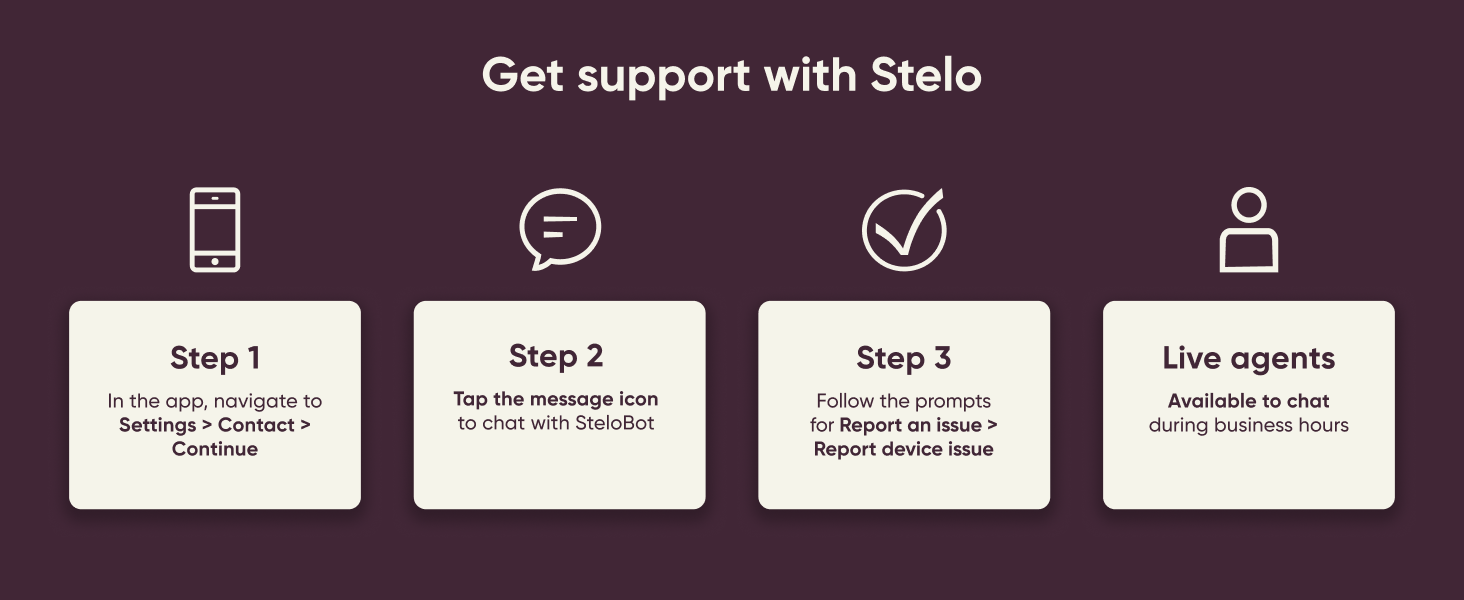
If I could give it less than 1 star I would. Sensor worked for only 8 days, and then gave me a “Signal Loss” message. I went through all the trouble shooting steps in the app, and checked all my phone settings. Signal NEVER came back. App says if signal loss lasts longer than 3 hours, contact customer service. I went through the app to manufacturer’s website. Customer service is an automated chatbot called SteloBot. Eventually, I was able to request chat with a live agent in the Philippines, which is also where their technical “support” is. The agent said they would request a Case ID be assigned and open an investigation, and that I would hear back in 1-2 business days. The next day, which was Saturday, I received an e-mail with a case ID number, and a link to fill out the customer service form. There was space to provide details of what the issue was as well as the sensor serial #. Before I could submit the form on Sunday, I received another e-mail saying that if I didn’t respond within 24 hours, they would consider the case closed. I submitted the form. The Stelo/DEXCOM system, acknowledged receipt of the form, and again said I would hear back in 1-2 business days. 8 days later I still had not heard back, so I again went through the Customer Service rig-a-marole, to finally contact a live agent. They were polite and apologetic,and they requested a “reinvestigation” . I received an e-mail later that day saying, my “customer service issue could not be validated” (whatever the hell that means), and that they would not replace the faulty sensor. I contacted customer service AGAIN, and asked what “could not be validated” meant. I was told the “computer investigation” said the signal came back after 10 mins. I told the agent that was not correct. The app said “Signal Loss” and the signal NEVER came back. I checked multiple times a day for the remaining time the sensor was supposed to be working. Never came back. I asked if there was anyway they could just replace the sensor anyway, and was told that it was not possible for her to override the computer’s decision. I told her once again that the “computer investigation” was incorrect, and that there was no communication between the sensor and the app on my phone, after the initial signal loss and that the signal never came back. I was told that they could not manually issue a request to replace the sensor. For what it’s worth, there also seemed to be no mechanism to attempt to re-pair the sensor with my phone, or the app installed on my phone. While it was working, the app/sensor worked okay. Be aware, the sensor DOES NOT measure actual blood glucose. It measures the amount of glucose in your interstitial fluid in your tissues, just beneath your skin. If you’re diabetic and/or need your exact blood glucose, this is NOT the device for you. I’m almost 70. Blood glucose was not diabetic level, but was higher than my doc would have liked on my last 2 physicals. My wife is an RN, and thought these might be a good indicator of what affected my blood glucose and by how much. The accuracy is roughly + or - 10%. Just be aware of that. It’s more for blood glucose trends than actual, accurate blood glucose, so if you’re diabetic and need exact blood glucose, you probably don’t want to rely on this product. The customer service for this product is EXTREMELY WEAK in my opinion. Let’s face it, we paid Amazon roughly about $110 for a two pack of these sensors. The manufacturer probably pays around $10-15 per sensor. The fact that they refused to acknowledge a faulty sensor and wouldn’t replace it tells me all I need to know. Yup, you guys got me for $110, and saved $10-15 on replacing a sensor, so in theory, you got me, ONE TIME, for $125, but I will never again by ANY product associated with Stelo/DEXCOM, and I will discourage family and anyone else who is considering it, from purchasing one of their products. For what it’s worth ; out of curiosity, just checked other reviews of this blood glucose monitor. They actually have a higher percentage of 1 star reviews than 5 star reviews. What does THAT tell you. AVOID THIS PRODUCT !!!! WOULD NOT RECOMMEND/WOULD NOT BUY AGAIN/ABSOLUTE CRAP !
A**R
You are whole Universe: looking behind the curtain of your own biology with Stelo
FINAL UPDATE (April 25) I’ve officially finished my journey with the second sensor, and I’m pleasantly surprised! This time it lasted the full 15 days. I had also +12 h, it seems the Grace Period are designed specifically so you can install a new sensor and let it calibrate without losing data continuity. When Stelo recently disappeared from Amazon for a few days, I found a solution and bought another "titan" in the CGM world -Lingo. This will be a great comparison! First impressions of Stelo vs Lingo: Stelo Cons: It is more expensive. Stelo Pros: The kit includes an extra protective overpatch (Lingo doesn’t), and the applicator feels much more premium - higher quality, solid, rubberized plastic compared to Lingo’s simpler construction. This review has already become a "Talmud," so I’ll post the detailed comparison in my upcoming Lingo review. Happy shopping, everyone! ------------‐-------------------------------------- Why that was in my wishlist? Because I wanted to see what is invisible to the naked eye. Stelo is the first CGM cleared for over-the-counter sale. It is officially NOT intended for people on insulin because it lacks active alerts and frequent samplings. However, it is an invaluable tool for biohackers and individuals exploring their own biology to fine-tune their diet and lifestyle. If you, like me, have an irrepressible urge to control everything around you, this device will become your best ally. It lifts the veil of mystery and shows your body’s real-time reactions to food. Installation & Setup: * Placement: I chose the arm I sleep on the least. Look for "the fluff": the sensor must sit in the subcutaneous fat layer. Do not attach it directly to the muscle. Flex your arm to find a spot that remains soft and stays away from joints. * Preparation: Do not use oils or heavy moisturizers on the skin that day. Wipe the area with an alcohol pad and let it dry completely. If the area is hairy, it’s worth using a razor for better adhesive contact. Avoid scars or skin irritations. How it Works: *Update Frequency -data syncs automatically every 15 minutes. * Glucose in the interstitial fluid (where the sensor sits) lags behind blood glucose by about 15 minutes. This is a physiological fact, not a device error. *There can be a slight margin of error. Especially, the first 24 hours, the sensor is "settling in". I installed mine in the evening, and by night, it showed values at the very bottom of the normal range. My Personal Experience: * I took showers and went to the pool, everything was perfect. The adhesive didn't peel or itch. * The "Shot": The needle is hidden inside the applicator and is invisible during the "fire." It’s incredibly fast and painless, which was crucial for me as I fear the sight of blood and needles. *The App Interface. One downside for me is that you can't see specific numbers for past readings, only the current one and the overall graph. The graph lacks a fine grid (e.g., every 10 units); the 70-140-250 spread is too wide for tracking. If I missed a setting for this, please let me know in the comments! I conducted a small experiment to see how different "shields" affect a glucose spike from a "carb bomb" (a can of pineapple juice). Day 1: Just the juice (fast spike). Day 2: Protein first, then juice. Day 3: Fats first (egg yolks), juice. Day 4: Fiber (psyllium husk), juice. Day 5 (The Grand Finale): A complex mix of fats, proteins, and fiber (Avocado + Eggs + Psyllium). The results a little surprised me. The highest spike wasn't from the juice alone, but from juice after protein. Fats and fiber significantly smoothed the peaks. The most intense hunger occurred after drinking juice on an empty stomach, it was actually easier for me to skip breakfast entirely. The most satisfying day was the last one with the complex breakfast. You can see the summarized data in my attached chart. I’ve always known I love fatty foods, despite the common narrative that "fats are the enemy." Now I value them even more—they are delicious and provide long-lasting satiety. Calories matter, but they aren't everything. My Conclusion: Numbers-whether on stelo, the scale, or a calorie counter- are just numbers. What matters most is how you feel. Understanding your internal reactions turns anxiety into awareness. I am not a doctor, so everything described in my experiments is my personal user experience. My charts are an illustration of my body’s reactions, not a guide for yours. Any anomalies in your data or questions regarding your health should be discussed with a doctor, not self-treated. P.S. I have one more sensor left, so my journey isn't over. I think the next part of my research will focus on physical activity! UPDATE (March 26): How I got a FREE replacement. My sensor died on day 14 , just hours after I posted my first review. The app will ask you to toggle Bluetooth and restart your phone. That didn't work for me.I took a screenshot that my session ended early, just in case. I was devastated because I hate English phone calls - they are a nightmare for me. But I found a way to get a replacement without talking to anyone! Here is the step-by-step: Go to Settings -> Support -> Contact in the Stelo app. It will take you to their website. IMPORTANT: Log into your account on the website and add the address BEFORE starting the chat. If you don't, the bot might glitch and ask you to restart the whole conversation because it won't remember chat history. Don't send long texts, the chat bot doesn't like "walls of text", just say: "Session Ended Early." It will then trigger the replacement form. Have your box ready: You will need the SN (found on the side of the box next to the number 21). I checked the installation date in the app, based on the schedule-specifically, when the first entries appeared. The Result: I submitted my claim on the morning of March 23. I got an email with a Case Number immediately, and 30 minutes later - an approval! Today is March 26, and the new sensor is already in my hands in Camas, WA. That is incredible speed! Update (April 19). I know how activity influence blood sugar after a "sugar bomb" (pure pineapple juice) right now. * 1 cup of pineapple juice on an empty stomach. * Compare a sedentary morning vs. two different walking strategies. Day 1: Bed Rest. Ispent the morning in bed reading books with my daughter. Result: My sugar spiked from 115 to 163. Day 2: Walking AFTER the Juice. I drank the juice at home and then immediately went for a 1-hour walk. The peak was still high 165, but the duration was much shorter. Walking AFTER helps clear sugar from the blood faster, but it does NOT prevent the initial peak itself. Day 3: I started my walk first. After completing one-third of my usual route, I drank the juice (which I had in my pocket) and continued walking. Result: This was the most effective method. The peak reached 145. By "pre-heating" my body began burning the energy immediately. Pay attention area under the Curve. I looked at the total glucose load on my body: Day 2 - even with a high peak, the total load dropped by 34% because the sugar cleared so quickly. Day 3- the total load decreased by nearly half (-42%) compared to lying in bed. Bonus Discovery 🥥 I also tested how my body reacts to coconut dark chocolate treats like dessert: 1 candy: Almost no change on the chart. 2 candies: Created a noticeable "hill" toward the top. 3 candies: Caused a full-blown spike. Final Note: The sensor is incredibly sensitive. On the third day you can see chart reversal at the end, because as soon as I returned home and ate my husband's pancake, the reading jumped from 101 to 113.
A**S
Review after 3 ,10, and 13 days of Using the Stelo CGM (compare with fingerstick readings)
Stelo CGM Review: My 13-Day Experience as a Prediabetic Background: As someone with HbA1c of 6.0 (prediabetic), I started using the Stelo Continuous Glucose Monitor (CGM) to get ahead of my condition. I also used a manual fingerstick glucometer to cross-check accuracy throughout. 1. 3-Day Update (Early Impressions) Over the past 3 days, I carefully compared readings — taking at least 30 fingerstick samples and comparing each with corresponding data from Stelo. Consistently, the Stelo CGM showed readings 8 to 15 mg/dL higher than the fingerstick measurements. I understand that CGMs measure glucose in interstitial fluid, which can lag behind fingerstick readings from capillary blood by about 15 minutes. That said, the difference I observed was very consistent — Stelo was always higher. . My Verdict: 1. Stelo is a useful tool for identifying trends and patterns over time. 2. It is not as precise for exact moment-to-moment readings. 3. For accurate blood glucose levels, fingerstick testing should stay the standard. . Notes: However, CGMs like Stelo can be very helpful for daily decision-making, meal timing, and understanding how lifestyle impacts glucose. . If you're looking to spot trends and improve metabolic health, Stelo is an option - just remember to double-check with a manual test when precision matters. 2. 10-Day Update (Mid-Way Review) By Day 5, accuracy dropped sharply: Stelo showed 25–30 mg/dL higher than fingersticks, even at rest. I fully admit I’ve pushed the sensor hard: -Daily gym workouts, heavy lifting, running. - Swimming 4+ times/week. Applied a Skin Grip patch, which impressively kept the sensor secure through sweat and water. Despite surviving physically, data quality of CGM declined: -Only helpful for general directional changes - rising, falling, or steady. -Not trustworthy for absolute numbers. Decision: I would keep it on for trend watching, but no longer trusted the data for actionable decisions. 3. 13-Day Final Update (Sensor Fail) By Day 10: Readings became wildly erratic, jumping from e.g. 120 → 170 → 110 within minutes. No longer reflected any real trend or state. 4. By Day 13: Battery died and I removed the CGM. Remarkably, Skin Grip still held tight. Final Verdict on Stelo CGM (Sensor #1) -Days 1–5: Solid performance, good directional data, valuable tool. -Days 6–10: Usable only for trend direction (rising/falling). -Days 11–13: Garbage — data was erratic, unreliable, and eventually the device died. Conclusion: If you're prediabetic and want to learn how your lifestyle affects your glucose, Stelo may provide short-term. But: -Don’t trust the exact numbers. -Be wary if you're physically active — sweat, motion, and water appear to impact accuracy over time. I’ll test the second sensor, but my expectations are modest.
H**T
Works great until it doesn't
Been using this for months now and while it can't track spikes over 250, it's been pretty good at helping manage my early diabetes. Why the low rating then? While it normally works fine, this last last box sleeves end of April '26 is faulty. The first sensor suddenly disconnected after 5 days and even after reconnecting it failed to continue sending readings and needed to be replaced. Inserted the new sensor (same box of two sensors) and it won't connect at all. I've placed two subsequent tickets to Stelo support to see what can be done as this box is a waste of money. Currently disheartened. Will update once I see how support handles things. In the meantime, hope this box is just a one off and not something else.
P**S
So far it is working great!
**Update: 8/13-Sensor worked for 15 days, no issues other than me walking away from phone and disconnecting Bluetooth a few times, easy fix, connected again after turning Bluetooth off and back on, about a minute to continue tracking. Second sensor just applied, paired perfectly, no issues. With the "Skin Grip" cover patch applied, kept my sensor working 15 days without patch coming off even with sweating from exercise and in 100 degree Texas heat. Numbers can be high but I find it close and good for watching numbers over night, morning. History: I'm going on 50, not diabetic--could be Pre-diabetic (isn't everyone Pre-diabetic?), I have PCOS (mild) so I know I have insulin resistance and it still exists and that is why I'm tracking my numbers. Started Keto 4 years ago, dropped 60 lbs. I'm Perimenopausal and on HRT for those issues, so I have gained 10-15 lbs back last year due to this. We started exercising everyday--walking 3 miles, rowing machine so far. I started my sensor on 7/29 midday/evening. As of 8/1 my Stelo has been working like it should. I did some research about Stelo, proper placement, best patches/covers for it, what to download, how it works etc. My husband is type 2 on insulin and uses G7 CGM. So, I'm familiar with it and I can compare Stelo with G7 version. My equipment and Apps: I use an Android Samsung S24 smartphone, Samsung Galaxy Watch 7 and Samsung Health app with Google Health Connect app to get information from various apps for tracking. So, download the Stelo app, download the Dexcom Clarity app and use the same log-on information as Stelo. Clarity will save your tracking information and you will be able to manage Data sharing with your doctor/clinic. If you are a Samsung/Android user the Stelo app will show when you exercise and sleep under your glucose tracking. Comes in handy for knowing what you were doing during a spike or dip. You can also track what you ate at a moment when you have a spike also. Far as recommendations---- Skin Grip covers (for Dexcom G7 & Stelo) and I got the one that totally covers the sensor. DONOT use the cover that comes with your sensor kit. You can also buy the Skin Grip tacky wipes if you have had problems with the covers coming off early. Clean with an alcohol wipe well before applying these. Apply the sensor to the fat on the back of your arm closer to your armpit but not where the end of the cover will be in your folds of the arm, if you apply too far on side of arm in the muscle area you can bleed and bend the probe in the sensor. The reviews I've seen on here state that the sensor is either too high or too low on numbers. Well, the sensor probe is inserted in your Interstitial fluid below your skin, not in your blood. The readings will be slow to respond versus your actual blood glucose level. It updates every 15 minutes versus G7 updates every 5 minutes. I have tested with a finger prick test and the readings are behind but really close to accurate for me at times. I will update this review if I see any changes or if the sensor ends early. The fine print on the website states "up to 15 days" so it could fail early. The key is to apply the Skin Grip which keeps the sensor from popping in and out while you're moving around, showering and sleeping or if you're clumsy like me and sometimes bump into door frames and such---it won't pop off! I only gave 4 stars for now because I have found issues within the app that could be better experience for the user. Another thing I noticed in reviews is the errors with the sensor from lost of connection. You HAVE to keep your phone within 20 ft at all times. Sometimes I forgot my phone, walked off and got this error. A easy fix is turning Bluetooth on/off and it connected again (30 seconds?). It is easy to use and apply (my husband did the honors of putting the sensor on for me to get the best placement). The size is small and looks just like the G7. In comparison to the G7, Stelo updates slower but it works pretty much close to the G7. Buy the Skin Grip covers and I think this will allow the sensor to work as described because I think the sensor probe works it's way out with movement IF you use just the surrounding covers it comes with. I would suggest G7 users also buy these patches. You cannot use the Dexcom Follow app to track someone else's sensor like I can track my husband's G7. You cannot get glucose readings on your watch (Apple watches you can) but there are 3rd party apps that you can use to do this but you can't use Stelo App & Clarity with the 3rd party apps. The quality is the same as Dexcom G7, just works a little d slower but you don't need a doctor's RX and insurance for purchasing the Stelo! It's great for overall patterns in glucose but if you're diabetic or on insulin--talk to your doctor about getting the G7 to track.
K**K
UPDATE! Buyer Beware- support is awful!!
UPDATED 9/16 Okay- it pains me to do this but I’m revising my rating. The first sensor worked great, game changer. But when I changed sensors after the first one was done I’ve had nothing but issues with the 2nd one. And it’s IMPOSSIBLE to get help!! Your forced to deal with a bot and if you can get to the point where you can actually open a case, good luck because you cannot even correspond to the email you send to further explain or provide info on th issue because it’s a no reply email?! Huh?! What kind of service is this? Zero service. I reached out to Stelo via a bot (your only option unless you can manage to get to the chat during certain biz hrs), finally got to the point where I could open a case only to be told in an email response to my case that I need to fill out some form which they never sent and then they proceeded to close my case the next day! I could not even respond to let them no that no form was ever rcvd (and yes, I check my spam/junk) …And yet I’m still stuck with a faulty sensor. I cannot even respond to the case email! It gets kicked back - so while I think the CGM as a device is amazing for understanding where your blood glucose is without pricking your finger all day (and seems more accurate too!) I cannot support a business who makes it so difficult to get help when it’s needed. I’m switching to a different company for my CGMs going forward. Sigh. I really liked the convenience of getting this CGM via Amz but it’s not worth this hassle when something goes wrong. Original! I’m working on a healthier lifestyle to better manage my blood sugar and was getting frustrated with the glucose meters being questionable when I did finger pricks. Between three different ones my b2b readings using the same finger prick would have variants of 10mg or more making it nearly impossible to determine which one was the most accurate. Decided to try this CGM and wow! Not only has it enabled me to find the blood glucose meter that is the most accurate it also helped me better understand my glucose levels after meals, exercise, during sleep patterns and has helped me stick to a lower carb lifestyle! I love seeing that I’m finally within a normal range day over day after making significant lifestyle changes!! I’m finally able to get into ketosis each day since it’s become such a great motivator to stick with that way of eating. I’m about half way through using my first of the two sensors. It paired with the app on the first try and through workouts, showers, and sleeping on my side, it’s still well intact. I purchased an additional pack of waterproof over patches that are a bit larger than the ones that come with it and I believe they have made a huge difference in protecting the sensor and keeping it in place. I’m definitely going to keep using these for the foreseeable future, at least until my next round of bloodwork in the next few months!! Im grateful to find and use this CGM w/out the added expense of a prescription. Making these more accessible is a game changer!
Trustpilot
3 weeks ago
3 days ago