Desertcart purchases this item on your behalf and handles shipping, customs, and support to Senegal.
📝 Elevate your note-taking game with precision, style, and zero distractions!
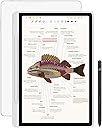
The XPPen 3-in-1 Color Digital Notebook is a 10.95-inch Android 14 tablet designed for professionals and students who demand a premium note-taking experience. Featuring a TÜV-certified anti-glare AG nano-etched LCD with 90Hz refresh rate, a battery-free X3 Pro Pencil 2 with 16,384 pressure levels, and 128GB storage, it offers versatile color modes and seamless app integration. Lightweight and equipped with a 13MP front camera and dual microphones, it’s optimized for remote meetings, study, and creative workflows—all with eye comfort and productivity at the forefront.


| ASIN | B0DX234NWP |
| Aspect Ratio | 16:9 |
| Battery Average Life | 4 hours |
| Battery Capacity | 8000 milliamp_hours |
| Battery Cell Type | Lithium Ion |
| Battery Power | 8000 milliamp_hours |
| Best Sellers Rank | #20,605 in Electronics ( See Top 100 in Electronics ) #428 in Computer Tablets |
| Brand | XP-Pen |
| CPU Model Number | MT8781 |
| Camera Description | Front |
| Cellular Technology | Wifi |
| Compatible Devices | Stylus |
| Configuration | Magic Note Pad with X3 Pro Pencil 2 |
| Connectivity Technology | Bluetooth, WiFi |
| Customer Reviews | 4.2 out of 5 stars 341 Reviews |
| Display Refresh Rate in Hertz | 90 |
| Display Resolution Maximum | 1920*1200 |
| Display Type | LCD |
| Generation | 1st Generation |
| Graphics Description | Integrated |
| Hard-Drive Size | 128 GB |
| Hardware Interface | 802.11 b/g/n |
| Human-Interface Input | Touchscreen with Stylus Support |
| Included Components | X3 Pro Pencil 2 |
| Item Dimensions L x W x Thickness | 10"L x 7"W x 0.2"Th |
| Item Weight | 300 g |
| Lithium-Battery Energy Content | 7800 milliampere_hour |
| Manufacturer | XP-PEN |
| Memory Storage Capacity | 128 GB |
| Mfr Part Number | MNP1 |
| Model Name | Magic Note Pad |
| Model Number | B0dx234nwp |
| Model Series | Magic Note Pad |
| Model Year | 2025 |
| Native Resolution | 1920 x 1200 pixels |
| Number of Items | 1 |
| Operating System | Android 14 |
| Operating System Family | Android |
| Other Special Features of the Product | Extra-Slim |
| Processor Brand | MediaTek |
| Processor Description | MediaTek MT8781 |
| RAM Memory Installed | 6 GB |
| RAM Size | 6 GB |
| Screen Size | 10.95 inches |
| Set Name | Magic Note Pad |
| Size | 10.95 |
| Specific Uses For Product | Business, Student, Writing |
| Video Capture Resolution | HD 720p |
| Warranty Description | 1 Year Warranty |
| Warranty Type | Limited |
| Wireless Compability | 802.11g |
| Wireless Technology | Wi-Fi |
N**N
Great tablet for note taking!
This is a fabulous alternative for iPads! It is especially good for students and note taking. My daughter in high school is very studious and artistic. She absolutely loves using it to help with her studies. The writing on the screen has a very smooth feel but not like the hard glass feel when using an iPad. It's also nice that the included pen is battery free and so responsive. You can create such fine lines with the amazing levels of pressure sensitivity! The matte display is wonderful and usable in the sun. I also love the ability to change to color modes to light color and black and white. You can also multitask easily with the ability to use dual windows.
E**!
Fantastic all-in-one tablet for creatives
Just going to start by saying, if you're looking for some sort of high-performance, crazy high resolution, multi-tasking behemoth... this isn't it. The XPPen Notebook is EXACTLY as the name implies. This is for note-taking, is excellent for drawing on, and can even double as a pretty decent ebook reader. Granted, it's not an e-ink display, but it does come pretty close thanks in large part to software and hardware enhancements designed to mimic e-ink. As someone who IS sensitive to flicker and can wind up with a gnarly headache if I read on a traditional LCD screen for too long... I'm extremely happy and surprised over how effective their implementation has been here. Along with the decent refresh rate and uniquely versatile screen, I REALLY appreciate the matte finish. Again, this is a clear indication that this tablet is NOT made for high-end gaming or even general video watching (not in the casual sense, anyway). The display is designed to cut down on glare. As a result, viewing angles aren't going to be the best, nor is the brightness which, while listed as 400 nits, is noticeably dimmer than my ACTUAL 400 nits Lenovo Yoga. However, it still gets bright enough for outdoor reading, scribbling, and drawing because that finish really does a remarkable job of cutting down on glare. Frankly speaking, despite its lower brightness rating, because of how effective that finish is, I can still read the screen just fine outside, even though I have to crank my S24 Ultra all the way up to get around the same level of legibility. Build quality is also great. Yes, it's got thicker than normal bezels, but again... that makes perfect sense for what it is. In fact, it makes this tablet easier to use for its intended purpose. The thicker metal side where the pen magnetically attaches is an excellent hand holding spot when reading or scribbling notes. Overall, this is a solid tablet that feels great in my larger-than-normal hands and doesn't feel so thin that I'd fear about bending it as I do with more "high-end" models out there. Seriously... I'm personal tired of razor-thin bezels for handheld devices, ESPECIALLY tablets. Now granted, regularly priced, this may come across as being on the high-end given the tablet's specs. But specs only tell a piece of the story. The XPPen Notebook is a device clearly intended for a very specific market and, when that context is taken into consideration, the price starts to make much more sense. This tablet is significantly more pleasant to write and draw on than any other Samsung or Lenovo tablet on the market. The hardware and software tech used to make it's screen easier to read absolutely makes a difference... And the pen! If you're unfamiliar wit XPPen, there's a reason why "pen" is so prominently featured in the brand's name. This company KNOWS how to make a stylus. Hands down it is the best stylus on the market in its intended price range for writing and drawing, as far as I'm concerned. Yes Wacom might be the overall more premium brand, BUT... and it's a big one... you REALLY have to pay for it. XPPen in general tends to be more accessible while compromising shockingly little. So, should you get this tablet? If you are an artist on the go, a college student looking for a more lightweight note-taking alternative over lugging around your laptop, or an avid reader looking for a bit more versatility... I would encourage you to strongly consider the Notebook. For my purposes (avid reader, frequent notetaker, amateur cartoonist), the XPPen checks off all the necessary boxes and then some. My ONLY complaint?... I wish there were other 3rd party compatible covers on the market. Then again, this is a fairly new product, so hopefully that will change soon enough.
G**O
Highly Recommended!!!
This tablet has made taking notes whether it is for school or meeting so much easier! Then it is also able to have apps downloaded etc. definitely getting a good value for money, battery life is good, charging is good, responsiveness is amazing as well, it doesn’t hurt the eyes and the screen quality is amazing in all 3 types of modes. Reading a book on it is amazing it’s wide and just right you actually feel like you are reading an actual book. Sometimes I caught myself trying to flip a page and had to remind myself that I’m reading on a tablet. In addition it comes with a magnetic case and replacement tips for the stylus. It’s nice and sleek so it fits anywhere and feels like an electronic notebook. I would definitely recommend for those who are wanting to draw, write notes for classes, need a business planner or for meeting notetaking. It’s easy to add PDF’s to its note taking app.
S**A
Great but know its not an e-ink tablet
A Great android tablet for the price. Needless to say need to realize what is being offered though. First this tablet is pretty much a standard screen that has the capability to shift color palettes from vivid colors to muted colors (which maybe nicer on your eyes) to black and white (might be even nicer on your eyes). Needless to say tired eyes is mainly because of refresh rate for me so this can be mainly to eliminate blue lights that might give you headaches and stuff . When sketching black and white screen it does help me a little. Now to cover elephant in the room this isnt a e-ink display but the matte finish on the screen the pen provided gives a pretty nice feel for note taking and drawing. And the provided folio is nice to have to keep the tablet safe. While the battery life is good (a few days of use between uses) it isnt an e-ink and will need to be charged regularly (not like e-ink where you can weeks between charges). I find it to be a great tablet to sketch with although tilt shading isnt a thing because of the way the pen is built. the pen was great for document signing and note taking. Lag is only a bit noticeable in gaming but to be fair tablets with this hardware isnt really meant for gaming but can do some light to medium lifting. (if recording while playing is any indication it is somewhat capable if screen is set to 60 fps)
G**G
Very solid notepad
I design custom home repair solutions. I have always relied on graph paper and a pencil to design them. I got this about a week and a half ago and I couldn't be happier with it. It is really easy to use. I can quickly highlight different areas using different colors, automatically converts written text to typed, I can add pages to jobs, and made my own custom template for the first page of each job. I was worried that I wouldn't be able to see it in the sun, but I havent had a problem with that at all. It froze up on me 1 time where it went to the start screen and I had to restart it. So far it only did it once. I will keep you posted. For the money, it is a great value so far. Highly recommend.
J**G
Forget any tech support.
Oh, how I wanted to love this tablet. Initially, I was impressed. The packaging was excellent. It is a very nice looking tablet, the size is perfect for taking notes. The pen location has been well thought out. It holds magnetically to the front left, not to the side or back as some tablets. It comes with a cover. Even with the cover on, the tablet still has a thin profile and for a tablet of its size it is light weight. I was able to use Smart Switch to sync my phone with the tablet. Now for the negative and the reason for the 1 star review. I bought it to take hand written notes in meetings. I liked the idea of being able to keep all of my notes in digital files that I can upload to One Drive. I also liked the feature of downloading PDFs which I could highlight and add notes. The fact that it could double as a tablet was a bonus. One of the most important features was the conversation of my handwriting to text. Unfortunately, it converts my handwriting to gibberish. I know it isn't my handwriting because that feature works perfectly on my Samsung Galaxy tablet, so the problem isn't with my handwriting. The XXPen tablet would convert my printing properly. Now, maybe the problem was the protective plastic they cover the screen with, but if you remove the protective plastic, you can't return the tablet. I emailed tech support explaining the issue and requesting assistance just in case I was doing something wrong. If they could have assured me that the problem lay with the plastic film, I would have kept the tablet. Four days later I still hadn't heard back from their tech support. As a result, I have returned the tablet. It is way too expensive to take the chance that it will work properly IF the plastic film were removed. BTW, several days later on and I still haven't heard back from tech support. Apparently, once you purchase a product from XPPen you are on your own.
E**A
Confused by Bad Reviews
This is a fantastic tablet. It's the perfect happy medium between an e-ink device and an LCD tablet, and I think you COULD be disappointed if you were expecting one or the other, but it suits my needs perfectly. I mostly use this tablet for reading and annotating PDF books, reading manga and comics, and very basic coloring. I'm not an artist, so I can't speak on its drawing capabilities much, but I noticed how much I love the pressure sensitivity on the stylus immediately while coloring! Super cool, when all I had used previously stylus-wise was an apple pencil on an old iPad. I love that it switches modes, and use the sepia-colored mode for reading most of the time. Very easy on the eyeballs! The battery life is not ideal, but even with heavy use, I haven't gotten the "4 hour battery life" complaint at all. Maybe that's in the color mode? I bounce between modes, and have noticed it'll hold a charge for at least 6 hours. This thing is excellent for reading, and can visually behave like an e-ink device pretty flawlessly (minus the need for regular charging). That being said, it can function like a regular LCD tablet in a pinch. I have watched shows/cartoons on it, and the video quality wasn't stunning, but that's not why I bought it. Only gripe is the goofy button on the stylus screws me up while coloring sometimes as I click it accidentally a lot and it toggles and eraser tool, but that's probably an app-specific setting I need to figure out. If you are primarily a reader who likes annotating and coloring sometimes, I recommend this tablet!
D**K
Not for dedicated note taking
Update: I've decided to update my review. I'll leave the old one up for context and more detail. But I've decided that this is "okay." I do not recommend this as a notebook replacement. You'll want an actual e-ink tablet for that, because 1) the battery for this lasts no where near as long (plan to charge this regularly; my e-inks can go weeks without charging) and 2) despite the screen, I don't find this any more comfortable for my eyes than a regular tablet screen. I'm still not a fan of Jnotes's lack of syncing, but I'll admit that's the software's issue and not the tablet's. Plus, although I haven't found one yet, you can always install a different note app. So after a little more thought, I will say this is still a fine tablet if you want something to write and and draw on in color. Color e-ink tablets are not there yet with the current technology. This is probably the next best thing. Original: If I made a mistake, I will update my review. But the one star is due to JNotes/XPPen Notes. The selling point for this is being a digital notepad. So why can't I easily sync my notes to anywhere else? I naively thought I would be able to easily sync and transfer notes to Google Drive (like I can with Boox) to pull up on my phone and computer, but I can't even sync JNotes from the tablet to the JNotes app on my phone. I did manage to get a note into Google Drive, but it looks like you need to upload it as a PDF... every time you make a change. So you will end up with multiple files you will need to delete if you upload frequently and need to keep order. At least let your own notes app sync with itself across devices. I'm not planning on returning this. I enjoyed actually writing on it (it's still doesn't feel as good as a paper-like e-ink), but since I won't be carrying tablet around with me everywhere, it's pointless without easy syncing. Maybe I'll still use it to take notes and annotate PDFs in color. I'm sure I can even get some use out of this as a regular tablet, though as a regular tablet, there are better ones out there. As a notetaking tablet, there are also better ones. But the color changing modes are nifty, and if you get it on sale, it's good enough for casual use. Just-- especially if you want it for writing-- make sure you fully understand what you want vs. what it can do.
D**R
A good Notebook.
I think that some people might be slightly surprised to find that this Notebook is really just an Android tablet - but perhaps a very good one - which has all its special note-taking and sketching capabilities rolled into one specific app named XPPen Notes. As a thank-you for buying a tablet from them, the manufacturer gives its users VIP status within this app. As such, I found the setup to be very easy and familiar. What I decided to do with this tablet was just to start with a clean setup, after which it only showed that 13GB were used by its preinstalled software, so that 99GB were displayed as available to me, to do with as I choose. I think that maybe, if some users find that after an initialization, 50-60GB of storage are already taken, maybe those users mistakenly imported the online profile which they already had from an earlier device with Google? This Notebook offers that because all Google-backed tablets do. Also, where some users complain that the display isn't easy to read, with me, this just seemed to be an issue with the auto-brightness being too dim. I found that I could make the display brighter in manual brightness mode. Now, the tablet offers a special feature - named NXTVISION - which will make text and graphics sharper even at low brightness. And this technology could be a way to extend the battery life, so that entire books could be read. Yet, I cannot weigh in just yet on how many hours or days a full charge of this battery lasts, because I just received the Notebook this evening. And I was just lucky again, I guess, that I don't seem to have any stuck pixels. So far, I'd say that this has the potential to be an above-average general-purpose tablet. I'm not disappointed in any way. Dirk Mittler P.S. I finally understand the importance of the Notebook's Monochrome and Light Colour modes. The LCD is, essentially, a transflective display that actually works, which is easy to read in direct sunlight in either of these modes, where the sunlight passes in through the white parts of the document and gets reflected back by the backlight - rather than to rely totally on the backlight being active as some designs do. I appreciate that the display is easy to read with these settings, which it wouldn't be in Natural (Full) Colour mode.
A**D
Impressive Functionality at a Great Price
⸻ I had doubts at first, but after a month of daily use I’m impressed. Smooth Android software, great stylus (close to paper feel), and solid all-day battery. Price is unbeatable for the value. Downsides: a bit bulky and Android e-note apps aren’t as polished as iOS. Overall, very happy and highly recommend!
S**A
Satisfied, interesting item, big screen
Really happy with this purchase. The build quality is excellent and the stylus feels great to use, very precise and comfortable for drawing or writing. It arrived quickly and was well packaged. I also really like the paper-like screen texture, which makes reading and sketching feel natural. The different screen modes are handy too, it’s easy to switch between reading and note-taking. The companion app from the manufacturer works smoothly and adds useful features.
K**E
I'm liking it more and more
I'm liking it... two good writing software... very responsive pen... adjustable color modes... for reading and writing... pretty decent at this price range...
S**R
Value for money tablet
This tablet is fantastic for taking notes as it is amazing to write on. The three modes it offers are also really interesting and the ink paper mode is very easy on the eyes. The notes app it comes with is also quite easy to use and I like how they give you templates. Only problem is that battery drains a bit on the faster side but other than that this tablet is highly recommended :3. It’s also much cheaper than other tablets :)
Trustpilot
2 months ago
3 weeks ago