Buy anything from 5,000+ international stores. One checkout price. No surprise fees. Join 2M+ shoppers on Desertcart.
Desertcart purchases this item on your behalf and handles shipping, customs, and support to Senegal.
๐ Elevate Your Internet Experience!
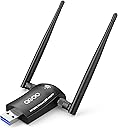
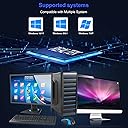
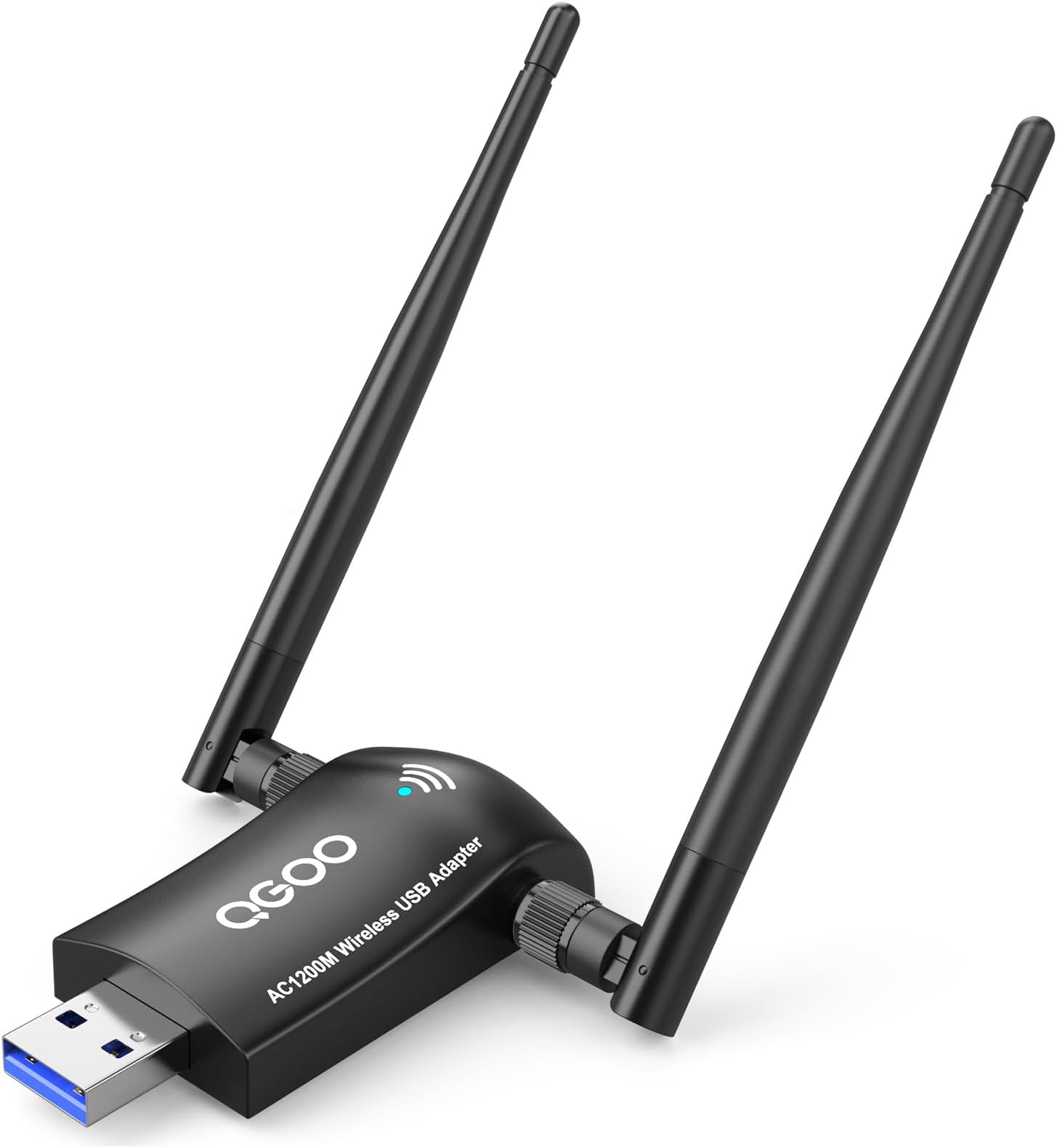
The QGOO USB WiFi Adapter AC1200 is a high-performance dual-band adapter designed to upgrade your PC's wireless capabilities. With ultra-fast speeds of 867Mbps on the 5GHz band and 300Mbps on the 2.4GHz band, it features external antennas for improved coverage and stability. Compatible with a wide range of Windows operating systems, this adapter also allows you to create a WiFi hotspot and is easy to install with plug-and-play functionality.


| ASIN | B07F9WJ1C1 |
| Best Sellers Rank | #93 in USB Computer Network Adapters |
| Brand | QGOO |
| Color | black |
| Compatible Devices | Laptop,Desktop,computer,PC |
| Compatible Operating System Family | MacOS, Windows |
| Customer Reviews | 4.3 out of 5 stars 7,387 Reviews |
| Data Link Protocol | IEEE 802.11ac, USB, Ethernet |
| Data Transfer Rate | 1200 Megabits Per Second |
| Hardware Interface | 802.11 ac/b/g/n, USB 3.0 |
| Item Dimensions L x W x H | 7.09"L x 5.08"W x 0.67"H |
| Item Type Name | usb wifi adapter,wifi adapter for desktop pc |
| Item Weight | 0.06 Pounds |
| Manufacturer | QGOO/SHEN ZHEN XIN HUA TIAN TECHNOLOGY CO., LTD |
| Mfr Part Number | d-23 |
| Model Number | A23 |
| Product Dimensions | 7.09"L x 5.08"W x 0.67"H |
| UPC | 602016610923 |
K**N
Great Product Great Internet Speed!!
I have a decade-old PC tower that I intend to keep until it no longer functions. Recently, I noticed a significant improvement in my internet speed, which has greatly enhanced my gaming and work experience. I purchased this upgrade on sale for just $12, and I always recommend waiting for discounts. Overall, I am very satisfied with the product.
D**O
calidad
excelente producto
M**C
YOU BETTA READ MY TING
Ok heres the Nuts ๐ฐ๐ฐand Bolts you need to hear. I recently got a free PC in addition to my everyday laptop I would use. I needed Internet access and had no built in wifi within the PC to connect. I legit found a box w mad misc wires and gadgets (1st time i used the word gadget since watching Inspector gadget cartoon as a little runt in the neighborhood.....howudooooinnnn), popped in the wireless card I found and BAM!! That joint worked immediately. Look at the pic its from 2006 when internet was first invented ๐๐. Either way good company brand and I gave it mad respect for holdin up thru the years. My connection been slowishhhh lately and I jumped in the search bar and looked at some youtube vid and bought my new adapter the next day. Received fast. Thanks, Jeff. Jeff B is my boy. We hang out on his yacht and laugh as they dismantle bridges for us. Anyway, as reading other reviews CHECK THIS! It comes w a CD and i have a disc drive but was like nahhhh im good. Ppl said plug and play type process. I STRIGHT UP PLUGGED IT IN N WENT TO WIFI NETWORK OPTIONS>ADAPTER OPTIONS and saw Realtek wifi 3. RIGHT CLICK>CONNECT(OR ENABLE) and the WIFI signal popped up 1 sec later and i selected my 5g and and punched๐๐ฝ๐๐ฝthe password in and guess what happened?? The whole computer froze, went black and started to smoke. Hahahhahaha JK. IT CONNECTED IMMEDIATELY AND THE PICTURES SPEAK FOR THEMSELVES!! LOOK AT THAT SPEED INCREASE. WOWWWW. 06 LINKSYS VS 2021 CHINA GOKU GOHAN...results speak for themselves. Havent tested 2g hang on I will now. Brb. Just cause ur a good crowd i ran 3 tests on 2g wifi rackin up 28, 37 and 39 more than 100% inc over my previous adapters 15 result. To note, the antenna is not that big tbh. Not if its a PC. If u have a laptop then yeah youre connecting a TMobile tower to it๐๐ So in all seriousness I dont hope this helps, I KNOWWWW IT DOES!!! Leave a tip on your way out ya cheapskates. Take care, lighten up and lay hold of eternal life.
B**G
Slow speeds and constant drops
Using this to get wifi on a desktop pc. Easy to install and updated drivers. Was able to connect to wifi without issues. While working, connections would randomly drop and reconnect. I use this pc for work and the vpn drops when the wifi drops. Then I have to reauthenticate which is a pain and wastes a ton of time. Not worth the headache and currently looking for a replacement that is more reliable.
C**E
Reliable when working, but arbitrarily loses signal from time to time.
Had trouble when first using, repositioning the antenna to a higher unobstructed location helped a ton. I bought this because I don't do a ton of live gaming, and I am glad I don't, as it is difficult to go a few days without randomly losing a signal. I leave the utility software open often, and it seems to lag when antenna loses signal, taking a minute or 2 to say the signal is lost after losing my connection. I have a lot connected to my new wifi, and other devices connected to it regularly show 200 mb/s. Other devices don't have this issue of dropping signal, so I believe this is an issue of the antenna. If you want something low budget, not requiring a ethernet post, and easy to setup, this antenna is a good buy. Just don't rely on it for streaming/live gaming.
A**N
It works for 3 weeks
When I first got the product it worked great, it seemed high quality and I was playing on only 20 ping but after about a week it started to get worse and worse. It would randomly disconnect and take like 5 minutes to work when the PC first turned on but it was still usable. Then after 2 weeks I started have minimum of 180 ping and the thing would be extremely hot to the touch. I just decide to route ETHERNET and everything work amazing. SAVE YOUR MONEY JUST ROUTE ETHERNET!
B**L
Works on Ubuntu 22.04 as an RTL88x2bu chipset
This is a screenshot of an Ubuntu 22.04 install running speedtest.net off of the 1200Mbps QGOO device. The download speed on this thing is in the 155-160Mbps range, which is a little over half of what I see on my Mac (225Mbps). My Ubiquity Wifi gear does 300 Mbps each way, so 225 is approaching line speed. 140, not so much. Installing this on Linux can be a little daunting for someone inexperienced, but it's not really black magic, just some tools you may not have come across. If you don't understand the stuff below, then make sure you're using a box for nothing but experiments; that is, you are willing and ready to wipe it clean and start over at any time. Then just take your time. Read the man pages. Duck for examples. It's a good learning experience. The big picture is that we need to install a kernel module (a .ko file), which is a chunk of code that supports certain functionality (like a network card) and can operate at a privileged level (sometimes called, "kernel mode"). Normally, you might use modprobe, which is a handy tool for installing modules live, among other things. (I hate to do a "back in the day," but in the late 1990s, you had to reconfigure kernel parameters to add a module and then recompile the kernel; always a little nerve wracking). Stick the dongle in a USB port and run lsusb (list the USB devices). I get "003 Device 005: ID 0bda:b812 Realtek Semiconductor Corp. RTL88x2bu [AC1200 Techkey]" on one of the lines. "RTL88x2bu" is your chipset. Other devices have other chipsets. Searching for the chipset and linux and driver will probably take you to a github or git site. Download the software from the git site (green button in the upper right lets you download the zip file). Unzip and then run make. Again, if you haven't done this, make is a very primitive software tool chain configuration system. The instructions telling make how to build and deploy software are in a file called Makefile (capital M). A typical cliche for using make is make clean ; make ; make install; make clean Clean removes any temporary and previously built files. "make" does the compilation (and a ton of error checking usually). "make install" does what you'd expect. Some folks don't run make clean twice. You'll have to use sudo for make install since it's going into the system area. Depending on the driver and Makefile, some code will install the module as part of make install. Some drivers require you to use a tool called dkms (which is part of the source code payload). Some will create a kernel module and leave you to use modprobe to install it (something like 'modprobe <module name>' where the module name is the file name without the .ko extension. In the case of the RTL88x2bu driver code, make install puts the kernel module in place (lsmod shows the loaded modules). One last step: Edit (sudo) /etc/modules and add the name of the module (88x2bu in this case). That will guarantee that the module will be loaded at boot time.
J**N
Good value
Get it if you can't afford a more expensive usb wifi adapter, don't need to download a software to make it work but it works just fine if you need wifi instantly. The speed isn't the greatest but that's a no brainer.
B**S
Well made, works well, good price
Looks and feels well made and the antenna feels like good quality. worked without need of drivers on windows 10. Better signal strength and speed than the previous USB wifi adapter I had without an antenna. Used it on my sons PC and it made an obvious difference in speed if the internet and latency was decently low as well. The package Includes a driver disc and instructions if you need it and it works for most OSes as itโs a Realtek wireless chip inside. Overall, itโs a very good product at a reasonable price. Would definitely buy again and from this manufacturer.
J**S
Does as advertised
Works as advertised! Very easy to set up with the included instructions. Receives a very strong signal, I did not notice any slowdown versus plugging in directly with an ethernet cable. One minor quibble: the disc included that provides you with the needed drivers is low quality and my disc drives have trouble reading it, so you may have to download the drivers directly from the company's website. Other than that, recommended.
C**A
works well both in 2.4G/5G in Windows
but doesn't work in Linux , even follow the instruction to compile the driver provided, it couldn't pass compiling, it costed me a lot of time, finally I gave up.
M**L
Good adapter - make sure to change settings to increase speed
Overall good WiFi adapter and good speed. A couple of quick steps may improve overall user experience. 1. The installation USB comes with both the driver and a utility software. Don't use the utility software. Once you install the driver, uninstall the utility software. I've found the utility software sometimes bugs out and disconnects to the WiFi network. This issue was resolved once the utility software that came with the installation USB was uninstalled. 2. If you notice the speed is a bit slow you can configure the adapter to increase its speed substantially. On a Windows machine search for Device Manager, select Network Adapters, right click on Realtek 8812BU Wireless LAN 802.11ac USB NIC and select Properties. Go to the Advanced tab and click Wireless Mode. In this option, by default, the adapter is set to Auto. Instead set it to IEEE802.11ac. Click OK to save the setting. You may need to reconnect to your WiFi network, but you should see a large increase in speed. 3. To optimize speed, you should play around with the angle of the antenna on the WiFi adapter. I recommend using an internet speed test (you can just Google for one) and rotate the antenna to test different angles till you get the fastest speed. In most cases this will be when the antenna is rotated at an angle that make it stick out, so nothing is blocking it.
A**R
No issues
Like most of these semi generic adapters these work right out of the box, plug and play, zero issues. Ive gone through over a dozen of these for different clients and never had an issue.
Trustpilot
2 weeks ago
1 month ago