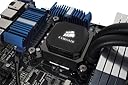
💻 Cool down your game, heat up your performance!
The Corsair CW-9060025-WW Hydro Series H100i V2 is a high-performance 240 mm liquid CPU cooler designed for gamers and professionals alike. With its low-noise fans, pre-filled system, and flexible installation options, it ensures optimal cooling without compromising on aesthetics or space.
| ASIN | B009ZN2NH6 |
| Brand | Corsair |
| Compatible Devices | Desktop |
| Compatible devices | Desktop |
| Cooling Method | Water |
| Cooling method | Water |
| Customer Reviews | 4.3 out of 5 stars 625 Reviews |
| Global Trade Identification Number | 00843591025119 |
| Item Part Number | CW-9060009-WW |
| Item Weight | 1.5 kg |
| Manufacturer | Corsair |
| Manufacturer Part Number | H100i |
| Material | Rubber |
| Model Number | CW-9060009-WW |
| Noise Level | 37.68 Decibels |
| Number of Items | 1 |
| Number of Packs | 1 |
| Power Connector Type | 4-Pin |
| Power connector type | 4-Pin |
| UPC | 069060200713 843591025119 |
| Unit Count | 1.0 count |
| Voltage | 12 Volts |
| Wattage | 1250 watts |
F**D
Classy Corsair Cooling CPU's like Champions!
I spent a lot of time researching my PC build before going ahead with the H100i by Corsair. I have had the product for a year and a couple of months before writing this review, so it's fair to say I've given it a good go! The processor I have this beast keeping cool is the Intel i7 4790k (not overclocked). It's a powerful processor, yet the system is running as well as it did the day I booted it up for the first time! I will use the E.P.I.C scale for this review, judging 4 main things to consider when looking for a CPU cooler. E - Ease of Use (8/10) At first I didn't know where to start with this, it was the first time I had used something other than the stock cooler. Very quickly though, it was easy to install and ensure safe connection to the CPU and the case. Took a few attempts but overall a very pleasant experience getting it set up. P - Price (9/10) I got it at a bargain price of £75 during a promotion last year, so it is fair to say my score for this is going to be higher than the average price point! For the price paid, I don't think I could ask for a better performance. It is only a 9 however as I weighed up the standard price of roughly £99-110, which is a little more, and reduces the "bang for buck" ratio. Still, I think at this price, you're not going to get anything that performs much better, Corsair have cooling down to a tee! I - Innovation (10/10) Corsair have created a product that not only performs well, but runs in almost complete silence, and that you never need to maintain. As mentioned above, I've had this running pretty heavily under high load from gaming for over a year, and the system is still running cool and at great smooth speeds. If this isn't a direct result of the H100i then I would be very surprised! C - Content (9/10) A very premium looking product, well fit to reign over your supreme Central Processing Unit. The flashy light on the Corsair logo is a nice touch, and if you have a glass panel looks fantastic to show off in your build. The fans are well built, run quietly and the whole product just comes together really nicely. I would definitely recommend this product, especially if you can grab it at a great price like I did. There are newer units available in the market today, but I don't think many of them would compare to the H100i in price + performance + reliability. Thanks for reading, I hope this review helped, please do share an up-vote if it did! My reviews are completely independent and written from an unbiased viewpoint. Good luck and have fun!
K**Y
Awesome piece of kit, piece of cake to fit and fantastic cooling results!
Really the title says it all, but to elaborate:- I recently built my first PC, I've previously played with RAM, GPU and most recently a PSU replacement so thought, what the heck, I'll go the whole hog and build a new one. So I got myself onto some geeky websites and found that I wanted the I7 4770k processor and planned to overclock it so needed after market cooling and was recommended the H100i. Having bought myself a Fractal Design R4 case I was aware of reviews stating this wouldn't fit as a top fix as the radiator was large, but even as a first timer I had no problems with it. It's a piece of cake to install, looks awesome and does a great job. I've got my CPU clocked at a steady 4.2Ghz (Up from 3.5Ghz) and the H100i has my temps maxing out at no more than 43 Celsius. If I had one complaint, it would be that the fans are noisy, in fact when I boot the PC they spin up to max RPM for about 5 seconds and oh my days they're loud! But they're easily changeable and I plan to swap them out for some Fractal Design Silent Series R2 120mm fans. But I'm not taking a star off for that as I didn't buy it to be quiet, I bought it to keep my processor cool and it does a fantastic job of that. Awesome piece of kit and if you're buying a Haswell processor or planning to overclock, you won't be disappointed with it.
B**C
4.7ghz to 5ghz AMD cpu and no more to it . keep it cool at moderate gaming use in my opinion the thicker radiator ...
dont get the gtx buy the gt as on test its better fact. i would not buy any other cooler for this price , as it just does the job. im running on an AMD 8 core 4.7ghz cpu and ramps to 5ghz no cooling issues. apart from the corsair link get the latest version . cool at moderate use in my opinion the thicker radiator is a better option and this one does have the standard radiator which is ok for intel and AMD so a few more pounds will get you the better thicker radiator. in dual 120mm and dual 140mm . if you are short on space otherwise get the Antec H100i liquid cooler . its got better software , should be ok for 2 years in most cases without leaks under normal use. check the charts as for the money the 280 mm radiator keep this cool up with the best of them . the only minus is the corsair link software its not wearly cool enough . functional but only 3 settings quiet mode ,balanced mode , performance mode . but actually on balanced mode you can overclock . on performance mode thats the highest setting . its like a hoover in your pc . summary buy it but play with the corsair link software . alot. had it a year no issues but gaming needs balanced or middle mode enabled on the taskbar i click it opens up i click it and its ready to game i game on arma 3 and bf4 mainly ark and run 980ti in sli . asus republic of gamers full set up built it myself . only issues i have is the copper backplate get it flat and orientated properly seat it with your hand for a few mins be patint before tightening those screws down gently and evenly . dont overdo it . and good luck people. its a noisy beast .that needs cleaning even with case fan filters installed.
A**N
Great cooler and easy to install
This is a great cooler. My 4970k is running at around 21 - 22 degrees at idle, which is fantastic. Pros: - Looks great compared to your standard, bulky air coolers. - Corsair standard; your usual great quality component - if it (unlikely) leaks, Corsair is known to refund you the cost of damage for not only the cooler, but all the ruined components. - Quiet! Quite noisy upon boot up, but then after a few seconds it operates in silence. - Rubber tubing is very firm and flexible, so it doesn't feel like it's going to snap or leak at all. - Pre-applied quality thermal compound! - Fairly easy installation - the diagrams in the manual are very easy to follow, and has made installation a lot easier than I thought. Cons: - The plastic cover that protects the pump and its thermal paste falls off very easily - you always have to be careful when installing not to smear the thermal compound, which is a fairly annoying inconvenience and why I only give this 4 stars. NEW BUILDERS: I suggest you should read up about positive/negative pressure in the case and the different configurations for the radiator fans (pull/push). Install the fans onto the radiator first, before you mount the radiator onto your case. In the manual, Corsair recommends you top mount the radiator, pulling in the air from the the top but if you already have a lot of intake fans, I suggest you exhaust by mounting the fans on top of the case (above the radiator) and pulling the hot air out. Make sure you have space first! I tried it on my H440 case and I didn't have enough space, so I had to reinstall the fans when the radiator and pump were installed, so it was unnecessarily more difficult.
M**R
Very good, Keeps my 3770k cool and is Quiet so far even when running metro, BF3
This works very well and my CPU doesn't really go above 45 even on games like metro on max settings. My only issues are no1: the instruction are RUBISH the back plate was really loose when i put it on and i spent an hour searching online before I found one comment stating that it will be loose until the heat sink/pump is connected. That's all they need to say in the instructions to make it an easy install. I used my own Akasa thermal compound and got rid of the stuff its shipped with as i believe a fresh layer works better. My second issue is that the screw holes on the radiator do NOT have much resistance to being overtightened at all, one of mine lost its thread a little and doesn't sit as tight as the others now, but still works well with no vibrating noise. The corsair link software works well and allows me to customize my LED to change colour depending on temperature, However make sure u get the latest version http://www.corsair.com/en/corsair-link-techzone/ I also recommend having a case that allows you to place the cables above the cpu and back behind the motherboard plate otherwise you will have sata power cables hanging over your GPU. This brings me to another point, make sure you have a spare sata power connector as it needs sata power not molex, but a molex to sata cable can be bought cheap if you dont have modular PSU connector free.
D**N
Does what it needs to do!
First, great delivery! It came 2 days before it was said to which is always a plus. But does it work? Of course it works! Fitting it wasn't a problem and whether you have a intel or AMD you're pretty much set with everything that comes in the box. I wasn't really interested in a huge bulky fan CPU coolers that sat on my motherboard as they do take up a lot of room and can cause problems with whether they'll fit over ram and such which is why this cooler is great, the big bulky cooling part of this cooler sits away from things like ram at the roof of the case where as the cooler block is pretty small and isn't in the way of all these other components! I fitted it with a pair of Noctua NF-F12's and not only is my CPU running super cool on small load and surprising cool on full load it's pretty much silent which is a great plus for all you people who like your PC's to be quiet! The fans that come with it do the job but they are very loud and even with the NZXT sentry 2 fitted they still made a fair bit of noise even when they're turned down which is why I did pick up the Noctua's which fixed this problem and didn't effect cooling at all! Very happy with the H100i so far and haven't really got a bad thing to say other than if you want your PC to run quiet strap some Noctua's to this baby and you're laughing!
P**D
Probably the best 240mm cooler for the Corsair 250D
Update: After just under 5 weeks with this cooler, the green LED has failed, and my white Corsair logo turned pink/purple, as now there is only red and blue light available. RMA time I'm afraid. And with something like a water cooler, this isn't a trivial matter. One of the reasons I went with the Corsair was that they had a good reputation, and I wanted to put the cooler in and forget about it. 5 weeks later, and I'm pretty confident I would have gotten better longevity from a cheaper alternative. The H100i seems to be just about the best 240mm water cooler to use with the Corsair 250D Mini ITX case. Unfortunately now that the H100i GTX (which is too big for the 250D) has been released, the H100i has become hard to find. After doing a lot of searching I managed to find one on Amazon at a reasonable price (still more than a H100i GTX), so I went for it. Installation was very very easy. The hardest part of the installation was squeezing it into the 250D. It is a tight fight, and I found it easier to install the the radiator prior to inserting the motherboard. However, there is really no more than 1mm clearance between the fan and the motherboard. The bracket is very easy to install, and once installed and screwed down, everything is very secure. The H100i radiator is 27mm thick, and with the 120 x120 x25mm fans attached, the total thickness is 52mm. The 250D seems to have about 55mm of space to the edge of the motherboard. The first thing I noticed is that the system was noticeably louder than the stock Intel cooler fan, which was virtually silent. However, after installing the CorsairLINK software and selecting "quiet" mode, it became much quieter. The CorsairLINK software controls the unit, including the fan speeds, led colours etc via the USB connector attached to the pump and directly to the motherboard USB 2.0 header. This works fine for me (in Windows 10), and the settings are "remembered" by the cooler so if you boot into another OS or close the CorsairLINK your settings will remain. The software is a bit clunky, but it does the job. Now, performance. I'm using an Intel i5-4690K. At stock speed and running with the stock Intel supplied cooler, I observed temperatures ranging from around 34 degrees while at idle, up to 68 degrees at load. With the H100i, again at stock speed (3.5Ghz with 3.9Ghz turbo), the temperatures were 26 degrees at idle and just 45 degrees at load. And, within 2 or 3 seconds after the CPU returns to idle, the temperature has dropped back from 44 or 45 to 26 or 26 degrees. This is perhaps one of the biggest advantages of a liquid cooling solution. I don't generally run much of an overclock, but given how good a job the H100i was doing I went ahead and cranked the i5-4690K up. At load, and at 4.689Ghz, (1.3v), temperatures reached 64 degrees, and idle temps were below 29 degrees. I didn't want to risk my CPU by running at 1.3v for too long, so after testing I stepped it back to stock speeds, until I have time to OC properly in a way that will keep the CPU voltage a bit lower. All of these temps were with "quiet" mode in the CorsairLINK. I did try performance mode, but I didn't notice any real difference in temps. This could be to do with the fact that I have set the fans up to pull the air into the case to create positive pressure in the case. Increasing fan speeds might make more difference if the fans were pushing air, but I'm not sure. Anyway, overall I'm very happy with the performance of the H100i. My system is quiet, and while it isn't completely silent, it is always at the same quiet level, even when the system is at full load. This is preferable to me than hearing the fans get loud when the system is under load. Why not 5 stars? I think the H100i is very expensive, and even more so now that it is hard to find. Also, I have read that some other coolers have quieter fans. This is an older unit at this stage, and you are probably best to go for a H100i GTX if your case can accommodate it's slightly thicker radiator. Also, there are air coolers that will do a good job for much less. Given the design of the 250D, my options were limited as there isn't enough vertical room to accommodate a tall (quiet) air cooler.
A**R
Very Good!
Water cooling has come a long way in recent years. Once upon a time it was the domain of enthusiastic amateurs with home made installations, but now it is pretty much mainstream with all big component manufacturers making their own pre-built, fit and forget, kits. This kit is marketed as an entry level water cooling solution, but to be honest, unless you are looking at really extreme over-clocking, it really is all you need. As my case has a cut-out under the motherboard in order to allow changing of the cooler without removing the motherboard from the case, installation was a breeze and took about 20 minutes. Possibly the hardest bit is to make sure that the plastic cover protecting the thermal paste on the base of the cooling block does not fall off - I used a bit of masking tape to tape it around the block so that it stayed in place until I was ready to mount the block on the CPU. Fitting the back plate was a little tricky too - make sure you line up the cut outs on the back plate with the rivet type things that are on the base of the CPU socket, and that the plastic insulation layer is laying flat on the bracket. As for cooling performance - it really is very good indeed. I am running an i5 3570K at a moderate over-clock of 4.2ghz. At idle it sits at 28c. Under full load on a lengthy Prime95 test, temperature were around 65 degrees C, which is well within the acceptable range. Overall - 5 stars - Great cooling, good looks, and easy to fit.
A**X
Corsair quality. Imo one of the best closed loop coolers.
This h100i is definitely not close to a custom loop, but is able to run a overclocked i7 4790k at 5ghz at about 70 degrees Celsius under load. However, stock fans are noisy. I replaced them with a couple of Sp120's, but Cougar Vortex's and Noctua's would work well also. By the way, just remember that this cooler cannot be used with the NZXT G10, as the G10 uses the aAsetek style mount. Corsair link may be a bit glitchy, but it works well enough for me. The colors stay after a reboot.
C**N
Excelente
Funciona perfectamente y se ve muy bien. Utilizar el programa CorsairLink para controlar las velocidades de los abanicos y monitorear las temperaturas.
J**N
Refrigeración bestial a buen precio
Hace unos años comencé a utilizar un Corsair H50 (el cual todavía funciona sin problemas). Viendo lo bien que funcionaban estos kit de refrigeración líquida, y en particular el de esta marca, decidí pasar a un modelo más moderno, el H80i, el cual mejoraba el rendimiento de su predecesor. Como aún disponía de hueco en la torre y me surgió la posibilidad de cambiarlo, adquirí el modelo H100i, cuyo radiador es el doble de grande que el del H80. Mi valoración sobre este kit de refrigeración líquida es en esencia igual que la del modelo H80i: bomba muy silenciosa y consigue refrigerar la CPU mucho más que con un disipador con ventiladores estándar. Otro aspecto a favor es que extrae el calor del procesador directamente al exterior de la torre. Una diferencia con respecto al H80i es que el H100i es más silencioso, debido a que gracias a la mayor superficie del radiador no necesita ajustar la velocidad los los ventiladores a unas rpms tan altas para conseguir las mismas temperaturas. También es cierto que con el H100 no se consiguen temperaturas mucho más bajas que con el H80i. Un detalle curioso es que en el kit del H80i se incluyen dos ventiladores de 120mm para colocarlos en modo "push-pull" a cada lado del radiador (uno "empuja" y otro "tira"). En el H100i se incluyen dos ventiladores de 120mm para colocarlos en modo "push" normalmente, lo que también debo decir que es suficiente. Estos ventiladores son silenciosos en la gama de baja-media rpms, pero ruidosos en altas. Personalmente pienso que con el H80i es suficiente, pero si se dispone de espacio esta opción es más silenciosa y eficiente.
F**O
Prodoot ottimo
Innanzi tutto 6 stelle ad Amazon, che ha consegnato il prodotto ben prima del previsto. Per quanto riguarda il prodotto in sè; 6 stelle all'hardware 3 al software Innanzi tutto qualche parola sull'Hardware che è la cosa più importante trattandosi di un sistema di raffreddamento. Il kit è completo e facile da installare, considerando che il target di tale dispositivo è un overclocker. Le prestazioni sono eccellenti. Qualcuno si è lamentato della rumorosità delle ventole. In effetti non sono il top di gamma a silenziosità, ma devo dire che impostandole in quite mode, non sono udibili e la CPU (overclockata pesantemente) non supera a pieno carico i 34 °C. Va da se che le temperature dipendono dal set-up del case, e nel mio caso è un case ben areato. Il software (Corsair Link) è, attualemte, un prodotto in alfa stage, quindi funzionicchia (molto male) e la sua unica utilità è quella di configurare il colore del led della pompa sul processore, in modo statico o in corrispondenza di variazioni di temperatura di vari dispositivi. Cosa carina a chi pensa al lato estetico (modding). Per quanto riguarda il monitoraggio delle temperature, il SW è inguardabile. In ogni caso consigliato anche se, visto il costo, il SW dovrebbe essere fatto molto meglio (e non ci vuole molto). 4 stelle e mezzo per il prodotto, l'altra mezza la regalo ad Amazon.
星**グ
とても良いです。
簡易水冷というものに興味が出て、こちらの商品を試して見ましたが、冷却性能や取り付けのしやすさ価格面でもどれも非常に高レベルでバランスが取れていて満足です。 もちろんFANコンや温度モニタリング機能まで実装しているので至れりつくせりです。 i5 3570k@4.3で運用していますが問題なしです。
Trustpilot
1 day ago
2 weeks ago