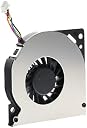
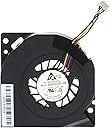
โ๏ธ Keep your NUC cool, calm, and collected โ because overheating is so last season!
This TRADOCK CPU cooling fan is a lightweight, energy-efficient cooling solution designed specifically for a wide range of Intel NUC models. Operating quietly at 40dB and powered by 5 volts with just 2 watts, it ensures your device stays cool without noise distractions. Backed by a 6-month warranty, it requires careful installation to deliver reliable thermal management.
| ASIN | B09D7R34VX |
| Best Sellers Rank | 346,163 in Computers & Accessories ( See Top 100 in Computers & Accessories ) 4,891 in Fans & Cooling |
| Brand | TRADOCK |
| Compatible Devices | Desktop |
| Cooling Method | Air |
| Cooling method | Air |
| Customer Reviews | 4.7 out of 5 stars 95 Reviews |
| Item Dimensions L x W x H | 5.5W x 0.8H centimetres |
| Item Weight | 0.02 Kilograms |
| Manufacturer | TRADOCK |
| Manufacturer Part Number | TRADOCK |
| Material | Plastic |
| Max Rotational Speed | 2000 RPM |
| Noise Level | 40 Decibels |
| Number of Items | 1 |
| Power Connector Type | 3-Pin |
| Power connector type | 3-Pin |
| Product dimensions | 5.5W x 0.8H centimetres |
| UPC | 755205627117 |
| Unit Count | 1.0 count |
| Voltage | 5 Volts |
| Wattage | 2 watts |
M**O
Muy funcional
Funcionรณ sin problemas
M**Y
Got rid of the noise
Fits perfectly, works quietly. Pretty easy to install if you are not afraid to open the case and remove/reattach cables to a PC board. Take pictures as you go to be sure everything gets put back together properly.
D**S
Thanks team
Showed up fast. As u can imagine, when a fan fails then the hardware won't run on a Intel NUC. Happy to receive the correct parts quickly.
D**.
Perfect replacement
The fan fit perfectly and since it already had the screws for the mount, it was no hassle installing it once I had the NUC apart. Was able to do the entire process and have the computer back up and running in about 10 minutes.
B**N
Make sure you buy the right fan.
I originally bought one of these for a GMKtec G2 a couple of years ago. And of course I quickly found that the pin order is different and the connector itself is slightly larger than the one for the GMktec. I don't blame the manufacturer or the seller because it wasn't marketed as a replacement for the fan in that unit. I knew that. I bought this one because I could not find the exact right one on Amazon. So, as it turns out, the fan has all the right wires for the GMKtec unit. They're just too short to reach the MB header and the wires are in a different order. So if you want to use this fan for that unit, you have to snip the original connector off the original fan, extend the wires slightly with similar wire and solder the original connector onto the wires of this fan (in the correct order, of course). So thee wires all do the same thing once they're in the right pins. The fan also did not screw in the way the old one did so I had to improvise a bit there. At first the PC was drastically overheating so I had to just remove all the screws and tape the new fan to the heatsink where the output of the blower housing mates with the output of the heatsink. I used a small piece of poster putty on the other end of the fan to hold it in place. Once that was done, the overheating went away and this fan actually cools my PC better than the original. So I bought two more. Anyway, yeah. Making it work takes some work and isn't fun but it can be done. I do wish the right fan was easy to find on here though. I think this fan would likely be a great replacement for the PC it was meant for.
Trustpilot
3 weeks ago
3 weeks ago