Buy anything from 5,000+ international stores. One checkout price. No surprise fees. Join 2M+ shoppers on Desertcart.
Desertcart purchases this item on your behalf and handles shipping, customs, and support to Senegal.
👓 Elevate your reality — see bigger, play smoother, work smarter!
XREAL One AR Glasses combine cutting-edge X1 spatial computing chip technology with a massive 147" virtual OLED display and ultra-low latency for an immersive, lag-free experience. Designed for professionals and gamers alike, these smart glasses offer adaptive lens transparency, precise IPD adjustment, and broad compatibility with leading devices via USB-C. Whether you're streaming, gaming, or working remotely, XREAL One transforms any environment into your ultimate personal screen.


| ASIN | B0FDPGHVCB |
| Additional Features | 120 Hz FHD Display, Dual Ipd Design, Lightweight |
| Age Range Description | Adults, Teens |
| Band Material Type | Silicone, Rubber |
| Best Sellers Rank | #2 in Video Display Glasses |
| Brand | XREAL |
| Built-In Media | Nose Pad (S/M/L) and C-C Cable, Prescription Frame (No Lenses Included), Protective Case and Cleaning Cloth, User Manual, XREAL One Pro AR Glasses |
| Closure Type | Temple Pieces |
| Color | Black |
| Communication Feature | Bluetooth, Wi-Fi |
| Compatible Devices | iPhone 16/15, Android phones, Steam Deck, ROG Ally, MacBook, Windows PCs |
| Compatible Phone Models | Android Devices, Ios Devices |
| Connectivity Technology | USB |
| Customer Reviews | 4.0 out of 5 stars 673 Reviews |
| Display Type | OLED |
| GPS | No GPS |
| GPS Geotagging Functionality | No GPS |
| Global Trade Identification Number | 06976143801498 |
| Human Interface Input | Buttons |
| Item Dimensions | 1.97 x 3.94 x 1.97 inches |
| Item Weight | 87 Grams |
| Manufacturer | XREAL |
| Maximum Display Brightness | 700 Nit |
| Model Name | X1112 |
| Model Number | XREAL One Pro |
| Operating System | Proprietary (Android & iOS compatible) |
| Resolution | 1920 × 1080 |
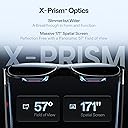
| Screen Size | 171 Inches |
| Shape | Rectangular |
| Special Feature | 120 Hz FHD Display, Dual Ipd Design, Lightweight |
| Supported Application | Camera, Music Player, Phone, Video Record |
| Unit Count | 1.0 Count |
| Warranty Description | 1 Year Warranty |
| Warranty Type | Limited |
| Water Resistance Level | Not Water Resistant |
| Wearable Computer Type | Smart Glasses |
C**E
Perfect for watching movies on an airplane
I had the previous generation xreal glasses and they were very good with a few annoying problems. This generation Xreal one fixes all of the problems with the previous generation and add more features. One of the most useful features is the ability to pin the virtual screen to real world space meaning you can move your head to the right and you see the image being left on your left side as your face turns away from it. While this is required for augmented reality, even for a more practical use, which is watching a movie on an airplane on a virtual 100 inch plus screen it is very handy to be able to turn your head slightly away to focus on something in the real world, merely by moving your head without having to fumble for your phone to hit the pause button or taking off your glasses completely. In fact, a feature in these glasses that is combined with the screen being to the physical direction is the ability for the glasses to turn off the black background temporarily when you shift your head away from where the screen is. When you are watching something on the virtual screen, it is very useful for the glasses to enable their black filters which prevents outside light from coming through the virtual screen. This was something that the old generation had as well, but this new generation can now toggle that black filter automatically as you turn your head to look away from the virtual screen, making the glasses be completely see-through to where you can see whatever you are looking at. Another cool feature is a virtual big screen meaning that not the entire entirety of the virtual screen is visible at the same time. So for example, in normal virtual screen mode, you don’t have to move your head or your eyeballs really to see the entire screen because all of it is in your field of view. With the big screen feature turned on the image is projected onto a virtual screen that is bigger than the LCD panels in the glasses, which would simulate the type of experience that you would have in the movie theater if you were sitting toward the front of the theater. Where you only see about 60% of the screen directly in front of you and you have to turn your head left or right to see the rest of the screen. This is actually a more natural way for us to view things because in the real life you tend to turn your head, slightly left or right or up or down as you’re looking around. And finally a third feature of these glasses, which is a little bit more advanced to get into but nonetheless very cool is if you have a video game that is capable of turning on virtual reality mode using “side-by-side“ then these glasses can actually act as VR glasses not just AR glasses. I have done this successfully with the video game called elite dangerous where turning on side-by-side 3-D mode creates a screen that is essentially 19 20 x 1080 x 2 meaning it’s actually 38 40 x 10 80. The left half being your left eye and the right half being your right eye. Using settings that are built right into the glasses you can enable this mode and it will split that very wide signal coming from your video game into a left eye and right eye allow allowing you to see full 3-D imagery as you are navigating your way in the video game. This is exactly what VR glasses costing hundreds of dollars more will also do, but in a much more compact and cheaper set of glasses. I highly recommend anyone that travels to buy these glasses to have a huge screen to watch movies on or do computer work on a flight and for anybody else that wants to have a portable large screen experience right from your phone or laptop anywhere you happen to be even if that is in your bedroom.
K**E
I HAVE FOUND MY PERFECT PAIR!!!!!!!
I’ve tried a few pairs and researched for days and days trying to find just what I was looking for and that turned out to be the XREAL One. These are exactly what I’ve been searching for. They’re so comfortable, with a design that actually works for real-world use. Unlike the Viture which had some impressive features (but did not execute them nearly as well as these) but I felt as if I was wearing a pair of kids glasses, the XREAL One fits across my face perfectly. I can see clearly and immerse myself without getting distracted by the movement of everything around me. I have never thought of myself as having a big head or wide face (round yes but not too wide) until I put the viture glasses on my head and cound see around every part of them no matter how they were positioned or what nose pads I wore nothing worked(not to mention they looked really stupid being so narrow on my face). I wanted something that I could actually wear outside if I wanted and it not scream AR glasses. Honestly, the xreal one glasses are very similar to the size and shape of a lot of my sunglasses so I am quite comfortable wearing them around. Also, if you have ever owned or seen the viture glasses these are not as bulky at the top and do not stick out as far (which i have seen reviews about these being bulky). Honestly, maybe you can tell these are not regular glasses, but if you have seen me with my usual sunglasses on, these would not make you turn your head and think they were not one of my normal pairs! So what I was looking for I thought was simple to come across but apparently not so much. I get bad migraines, and a lot of the time it helps to dull them if I can lay down flat (and i know this sounds weird) and keep my eyes focused on something such as a tv. Also i'll lay flat if I feel like I am getting a migraine to hopefully prevent it which is no fun just staring at the ceiling. So, I have a projector (or 3) and my PSvr and VR2 headsets but those are a lot of hassel sometimes, not to mention the vr headsets are HOT and you get sweaty real quick. So what I wanted was something that had decent quality but would not break the bank, that I could blackout the light easily, the screen was a decent size and clear, the sound sharp, the glasses were comfortable and easy to use, and I really wanted something that I could pin a tiny screen to the corner of my vision and still see through the glasses. All of those things I mentioned were do-able with other cheaper glasses but no easily and not without a seond device! I had looked at the air 2 pro version of xreal (and actually accidently ordered them first without realizing I ordered the wrong ones) but to do what I wanted I needed the beam thing. So with the viture neckband or the air 2 with the beam, it came out to more money than these glasses which DO EVERYTHING by themselves and very easily might I add!!! The display is sharp, vibrant, and super responsive. I love how I can pin a small screen in the corner for casual multitasking or go full cinema mode with a screen size that honestly feels ridiculous—in a good way (the Viture does not compare here at all with screen size). Being able to swap modes with a quick button press is a game-changer. Plus, I can still use just my phone—no second device needed. That’s HUGE. I am a Samsung user and currently use a Fold 6. I love DEX and have been a long time user and it is the reason I will never go back to any other brand!! Anyways, using Dex this is flawless and does not drain any more battery than wireless streaming of Dex to a tv or computer. I know I meantioned you can do everything without a second device but I forgot to mention that you also do not need a seperate app to do any of these things. I did nto even see a need for the Nebula app when connecting these to my PC or Mac. Everything worked flawlessly unlike the other glasses like the viture which needed the spacewalker app/program (HORRIBLE AND BUGGY). The menu of the glasses is easy to get to and navigate not to mention has everything you need right there with just the little 3 buttons on the glasses themselves. The glasses integrate well with everything I need, and while a few minor things like a built-in pause or volume rocker shortcut would be nice, the overall experience is unbeatable. Between the screen quality, ease of use, and overall flexibility—these are absolutely worth the extra money and I can not hype these up enough. If you’ve tried other AR glasses and walked away disappointed, these are the redemption arc. I'm obsessed. Dont't even consider the others just buy these!!!!!!
A**G
XREAL has really done something spatial with this one...
My, my... these glasses are absolutely FAAAABULOUS! Before diving into the actual review, let me share a bit of history. I previously owned the Nreal Air 1 for a couple of months, just before the company rebranded itself to XREAL. When I first tried those glasses, I was blown away by the experience of having a massive screen in front of me, all in the compact form factor of sunglasses. I absolutely loved them—they didn’t look overly futuristic or strange, just like a pair of normal sunglasses. However, the Nreal/XREAL Air 1 had a significant issue: over time, the hinge area would develop cracks for many users. Some people came up with creative fixes, like using heat-shrink tubing (either fully or around the area prone to cracking) or binder clips. I experienced the problem couple months after, sended it in for repair to XREAL and once I received immediately applied heat shrink tube to the temples. Fortunately, XREAL addressed this issue with their newer lineups, starting with the XREAL Air 2 and leading up to the current XREAL One. This is my first time experiencing how the updated temples feel, and I must say, they’re much more flexible and comfortable in comparison. Another improvement from the original Nreal/XREAL Air 1 is the color accuracy. Initially, the colors on the Air 1 were a bit oversaturated in certain areas. Over time, firmware updates improved the color reproduction, making it noticeably better. With the newer models (XREAL Air 2 and beyond), each unit is individually color-calibrated to ensure near-accurate levels, so the colors now do appear more natural. All I can say is wow. When XREAL kept releasing new glasses, I didn’t feel the need to upgrade—until the developer model, the XREAL Air 2 Ultra, was announced. Even then, I wasn’t entirely convinced. The XREAL Air 2 Ultra introduced hand tracking and 6DoF, but those features still weren’t enough to win me over. Additionally, I wasn’t a fan of the dual visible cameras, as they made me feel like I might be invading people’s privacy in public. But what the XREAL One has in store is just game-changing... -------------------------------------------------------------------------------------------------------------- Now, let’s dive into the review of the XREAL One... What XREAL brings to the table here is their newly custom-built chip (XREAL X1), which offers the same spatial mode features previously available only through their separate puck devices (Beam/Beam Pro). Now, you no longer need to carry a puck device to access these spatial modes—all you need are the glasses, and you're good to go. The spatial modes are as follows: - Body Anchor: Keeps the screen fixed in space regardless of head movements, moving only with your body. This is useful when you want to look away from the screen but still keep it anchored, like when you're on a plane and need to look at the flight attendant serving food. - Smooth Follow: Minimizes image instability caused by physical movement in the environment. Perfect for when you're on a moving vehicle and want the screen to stay stable. - Sideview: Reduces the display size and places it in a corner. This mode is perfect for doing chores around the house while keeping a small screen in the corner, allowing you to stay entertained while staying busy at the same time. Now, I’ve noticed that the spatial modes are much smoother compared to when they were achieved through the XREAL Beam. XREAL claims that the glasses achieve an ultra-low 3ms M2P (Motion to Photons) latency, reducing latency by 85% compared to the XREAL Beam. I believe the built-in chip really proves this point, as it no longer has to deal with transferring data back and forth between the glasses and software on a separate puck device. I'll just go ahead and talk about some of the other features... The XREAL One now finally offers onscreen display controls and a bit of customization. You can adjust the screen size, depth, IPD level, change the color temperature, customize buttons and more. Currently, the top button can be remapped to enable/disable 3D mode, adjust the electrochromic dimming levels, switch to the newly introduced ultra-wide mode, and more. You can assign these actions to either a single click or a long press. I absolutely love the level of customization so far and can’t wait to see even more options in the future—the more options, the better! Now, you may be wondering, how’s the sound? I think it’s greatly improved, thanks to the "Sound by Bose" quality. It feels richer and more refined compared to the XREAL Air 1. I enjoy watching content a bit more without taking out my earbuds, but of course, I still prefer using my noise-cancelling earbuds for their premium sound quality. What about the future? Well, guess what... XREAL has decided to make the XREAL One somewhat modular by introducing something called the XREAL Eye, which attaches just below the nose bridge. This will allow you to take great first-person photos and videos, as well as explore some exciting future features once they decide to implement AI and hand tracking. While the hand tracking won’t likely be as good as the XREAL Air 2 Ultra with its dual cameras, it’s possible they may release a dual-camera attachment in the future. Either way, it’s great to have this added flexibility. Why 4 stars? I deducted 1 star because XREAL consistently releases new products without addressing their software issues in a timely manner. Some XREAL Air 2 Ultra owners were disappointed to see the XREAL One released just a few months after the Ultra, especially since the hand tracking feature—temporarily removed months ago for improvement—still hasn’t been reintroduced in the latest firmware for Nebula OS on the Beam Pro. XREAL’s customer support is pretty good, but their software support leaves something to be desired. They have promised more frequent software updates and better care for their existing lineup, so let’s hope they follow through. I may update to 5 stars if I see an actual improvement in the frequency of software updates. Until then, I’m taking 1 star off for their software support, despite the otherwise 5/5 product. -------------------------------------------------------------------------------------------------------------- Conclusion: Overall, I think what XREAL has achieved here is amazing. They’ve brought the spatial modes we loved—previously only available with a separate puck device—directly into the glasses, powered by their new custom chip, which offers much lower latency compared to the XREAL Beam. The Beam would get very hot, and charging and playing at the same time was a hassle. I had to use a special long cable from a company called Fairikabe to charge and play simultaneously, which wasn’t very convenient. Thanks to the built-in chip, we now have the same great features directly in the glasses. I really enjoy the onscreen display, which lets me see what I'm adjusting right on the screen and gives me access to a menu of options that enhance my experience. The improvements from the XREAL Air 2 and above lineup—such as better build quality, flexible temples, comfort, and color accuracy—are all significant pluses. Let’s not forget the electrochromic dimming introduced with the XREAL Air 2 Pro, carried over to the XREAL Air 2 Ultra, and brought back to the XREAL One. The electrochromic dimming feature is a big plus, allowing me to adjust between three levels: transparent, letting a little light through, and nearly completely blocked. This makes the glasses perfect for bright sunny days without needing to carry a light blocker attachment. My main use cases are watching/playing content (movies, TV Shows, video games) and occasionally using the glasses for productivity, such as using Samsung DeX on my Samsung Galaxy S24 or utilizing multi-windows in Nebula OS with the Beam Pro. Sorry, I didn’t talk much about the FOV and Ultra Wide Mode here, as my main use case isn’t productivity. But if you’re a fan of that, you might appreciate the slightly higher FOV of 50° compared to their previous models (except the XREAL Ultra, which has a slightly higher FOV of 52°). Previous models had a 46° FOV, which could feel limiting for those using the glasses for productivity. If you’re willing to wait, the XREAL One Pro, expected to ship in March, will offer a 57° FOV and new birdbath optics, making the glasses a bit slimmer. Some of you may also really enjoy the new Ultra Wide Mode. So, I say these glasses are absolutely worth the price tag. They're perfect to take with you wherever you go—whether it's on a plane, at the beach (just be careful not to get dirt or water inside the glasses), at the gym, or even while walking the dog. However, do exercise caution with both yourself and the glasses to avoid accidents. Watching movies, TV shows, and playing video games has never been better. With these glasses, you essentially have a personal home theater on the go, providing an immersive and convenient experience no matter where you are.
N**N
The future is finally here
This is the future. This does not feel like a tech demo, it feels like a well thought out, high-quality device. It is incredibly simple to use, just plug into your device and then bam, big screen with your content. The screens are extremely high quality, bright, and razor sharp. As far as the sound quality, I was honestly blown away. Built in sound may not seem like a big deal, but being able to plug in and not have to worry about extra cords or putting in headphones makes all the difference in it's usability for me to just grab and go. This has become a device that I use every single time I play on my steam deck and a device I use often when watching movies or shows. Couple of small things I would like to see improved upon: • The ability to adjust the volume directly from my glasses • I love being able to customize the shortcut button but please allow me to set "Side View" as one of the options • The ability to play/pause my media with my glasses (Getting a call and having to fumble around to find your device, open the portfolio cover if it's an iPad, then hit pause is annoying) Side notes: • If you wear glasses you will MOST likely need the glasses inserts. I can get away with playing in VR without glasses but these I literally could not use without the inserts • If you want to charge your device while you use the glasses make sure you get a quality adapter like the Viture USB-C to Glasses and Charging Adapter. I tried going cheaper but the sound wouldn't pass through to the glasses. Don't make the same mistake I made • These are NOT normal sized glasses, you will look a little goofy in them but they aren't really made to walk around and use at the same time • The lens transparency feature is cool but feels more like a gimmick (unless you find a good use for "Side View" mode. There has not been a single occasion where I wanted any other transparency than just the darkest. (You can just tap a button to get full pass-through without the screen so you are good if you need that) Couple of tips/tricks: • You can increase quality by a bit by turning off stabilization (this makes smaller text easier to read and I feel like the image is sharper as well) • Turning off stabilization allows you to adjust the brightness which helps a TON if you are wearing them at night • This also allows you to adjust the color tone. I like to skew it towards the oranges in the evening so it's easier on your eyes • Try the different nose pad sizes, it took me a little bit to get it to fit exactly how I wanted and feel perfectly comfortable • Connecting to an iPhone 14 or older (lightning port) requires a lot of cables (Lightning to HDMI Adapter, HDMI to USB C 4K with USB C powered (two female USB C ports)) - Now you can plug your glasses into the HDMI to USB C adapter but you need to also power the adapter so you will need a power bank if you are on the go and another USB C cable. ALSO, this does NOT charge the phone, as you need to plug a lightning charger into the Lightning to HDMI Adapter to supply power to the phone. Final thoughts - I love this device, this now goes with me when I travel and I absolutely love laying on the couch and playing my Steam Deck while I look up to the ceiling and see a huge screen. It has added new life into games that just don't pop on smaller screens or games where you need to spot smaller things. $500 feels a bit steep but the quality of the device IS top notch and I have zero regrets getting this device in particular. I have also owned and used a multitude of VR headsets and while that is a different experience, it does eventually become cumbersome and you lose interest and doesn't add a lot of daily value. This is more like having a set of AirPods. I carry them around so I can easily enhance my listening experience instead of listening to music from my phone speaker. These are the same, it easily enhances your long form media consumption.
B**O
Ideal Glasses for Portable Devices – Perfect for Low‑Movement Sessions like Gaming & Movies
I would recommend the Xreal glasses to anyone who wants a minimal movement, extra large, high quality, visual experience with their portable devices (phone, tablet, laptop, and portable gaming devices such as steam deck, especially steam deck like systems). The most exciting use was sitting down with the phone watching a movie or with the steam deck. Especially with the steam deck where you could be comfortably reclined (like on the couch, bed, or airplane seat) and view a very large screen while also being able to comfortably hold the deck in your lap (rather than needing to hold the deck up to your face where it becomes tiring). While the glasses do draw additional battery it wasn't unreasonable and there are ways to mitigate the battery drain, by for example using a purpose made hub. I would not recommend these glasses, at this time, for desktop use. I would caution those looking for 'active' use, such as doing regular tasks while also having a screen strapped to your face (it works, but you can see vision is altered/obstructed slightly by viewing the world through the glasses, and others can see that you're beaming content to your eyes). Visuals: Very high quality with a screen size 171 inches when not in ultra wide (it claims larger in ultra wide, but that is because the screen curves), which is to say that it is still very large and your biggest issue will be the FOV (57 degrees) does not allow you to easily see the whole screen without it also clipping on the edges if you turn your head. By turning on follow mode you can mitigate this, which will cause the screen to gently glide with your vision rather being set in a fixed location (and is awesome). I personally recommend slightly reducing the screen size to fit easily within the FOV while also allowing minor head movements that will not clip the screen. This screen size will still be substantially larger than any normal TV you could purchase on the market, and it will be wherever you feel like you want it (awesome). If the exterior is very bright and you're wearing a reflective color (like white) you may have some visible light leakage from below into your lower vision, its not that bad but it is worth noting if you were looking for 'flawless' and can be mitigated a bit by location and apparel choice (don't wear reflective / white, especially in bright environments- in darkness it doesn't really matter). The electrochromic dimming, which allows the glasses to darken the lens themselves to make whatever is behind them, in the real world, less visible, helps mitigate this as well. Outside of the normal large screen and curved screen options there is also a PIP like mode where the screen is in the corner of your vision which could allow you to walk around and also have content. I personally was not able to ignore the altered vision through the glasses itself to find the screen in the corner acceptable, that said I believe some people could and for them this would allow them to do things like walk, cook, and other tasks while viewing content. You can see through them, its just partially darkened (even with electrochromic at minimum) and very slightly warped (like a less exaggerated form of looking through aquarium glass). There is a 2d to 3d mode, which is neat, but more of a gimmick- as you can see when the AI does not do it correctly, like early NVIDIA and AMD AI frame generating technology would create oil smudges on moving objects here too you'll see some AI artifacts sometimes. It's cool but would not be the reason I purchase a device. It should be obvious, but perhaps still said, people can roughly see the content you're looking at. These are not your stealth watch and play games while at work glasses ;). Sound: The sound is quite good and has minimal leakage if you control the volume. There is some leakage though, so be mindful of your surroundings or still use your headphones depending on the situation. Due to where the sound is being generated from, it will sound quite a bit different if you're laying on them and therefore covering the sound ports (so be mindful of this if you intend to strap yourself in for a long flight, or lay down, that you may also want headphones as the contact of other objects will alter the sound- you can hear it still but it will definitely not be what you'd consider 'intended'). Wear / Use: As mentioned in visuals, you can absolutely see through the glasses when they're not on, and you can increase or decrease the electrochromic dimming to make seeing through your content easier (or essentially impossible, which is great when you're wanting to focus on the content). That said, you will know you're wearing these glasses when they're not on, as they do slightly distort vision and the birdbath optics can be seen in your view too. The glasses themselves are not very heavy, and are comfortable to wear for extended periods of time so long as you do not have very sensitive ears. Some people report discomfort with the included nose pads, but I never had this issue, even when I pressed them against my face for as close as possible visuals, yet to note this product does come with additional sizes to help customize your experience and because they're removable you can change them to aftermarket options too. The glasses do generate heat, it was never enough to be annoying or distracting but you should expect your forehead to be warmed. While I would personally not see myself use them to do active tasks, I do like that I can make the glasses see through (through the electrochromic setting) and see things around me- as you do not need to take them off if you got up to go to the bathroom, do basic tasks, or to in general acknowledge your surroundings temporarily. If I needed to engage with the surroundings for longer term I would take them off, but having the ability to temporarily shift back in with ease was a notable plus. Like grabbing a drink or bite of food. There are much cheaper options that rely on physical barriers to not see through them, where the solution is not hard (take them off) the flow of being able to just do that quite task with them on is nice. Please note that these glasses are powered through their usb c connection to usb c (on the target device), and so you will be corded to something or they will not work. They do not turn on by themselves, there is no wireless feature. I did not find the wire to be a challenge, but I grew up with corded headphones and so this felt normal. If you're a wireless only person, then be aware that there is a cord and it must be used. Connecting these to a phone is relatively easy; however, if you have a Samsung phone your phone will most likely default to Dex while also not providing you a way to control Dex. You can go into settings to either default into just showing your normal phone screen (as it looks to you typically, and rotate to landscape for big screen vibes) or also go into settings and turn your phone screen into a trackpad mouse which will allow you to be in Dex mode while also controlling it via your phone screen (alternatively you could grab a bluetooth keyboard/mouse combo). Many modern laptop/tablets should plug in without issue as well. However.... if you want to use this on your computer you'll need to buy additional accessories or have an uncommon (for desktop) feature of usb c video. Even then there will be a number of potential pain points depending on how it's done and ultimately for myself.. my glasses didn't like the route taken even though it was in scope of regular use. Where my glasses just stopped working, while I read the customer service for Xreal is fine and so I don't have concerns there I had largely wanted to use them for desktop and since this event occurred I decided to work with Amazon instead for a refund (and so like phones I highly recommend buying through Amazon when possible, as it can reduce a lot stress and challenges you would get otherwise when not protected). The stars are not brought down for this issue as while they don't say it CANT be used on a desktop (yet you can find some help info created by Xreal on how you might achieve this) they also don't actively advertise that opportunity, so its more of an advance user and not really a target user use case (even though it is within the sphere of possible uses). When I was using these on my phone and steamdeck it worked perfectly, and particularly on my steamdeck these were very cool. Therefore, if you wanted to use this on your desktop, please note this and potentially consider waiting for the design to be improved- or understand you are the edge of use cases. In so much that if you wanted to use this exclusively for desktop, you should mentally remove stars from my review and potentially reevaluate if these are right for you - as for me it was not convenient and ended up causing issues with my glasses. One notable quality of life missing, especially while using the glasses with my phone, is that you may mentally want to use hand to grab content sometimes and that is not currently possible with the glasses (no hand tracking), but I suppose I should note that is a feature rare to all glasses of this field (at this time, soon it wont be!). Battery: These do not come with their own battery, they siphon from the device they're plugged into. This means whatever you're connected to will have a higher battery draw than without these glasses. The draw is not that bad; however, if you're not typically using your phone for videos non-stop and then you compare that to using this while also looking at videos non-stop... it's going to be a huge difference and make your phone battery look like it's flying. There are accessory solutions to allow the glasses to plug into a hub, which plugs into your target device, to make that device last longer (Xreal and others sell this battery hub, I would recommend it if you're going to use it for travel - as you cannot charge your device while also using the glasses without a hub, since it takes the usb slot, unless you have this hub as well or a device with multiple ports built in like some laptops). Material: The material feels sturdy and should hold up against regular use. The wings of the glasses have a bit of give on them, to open the frames wider, for larger faces- this could feel a little scary but is by design (assuming you're not trying to make them do the splits.. don't do that). Product packaging: High quality packaging, the type of boxes you get that are sturdy enough that you might want to reuse it for other things. It comes with a case for the glasses, though I wish there was a section dedicated to packing the cord with the unit (as mentioned the device is corded, so the cord goes with the glasses). Additionally there is the usb cord, glass cleaner, insert for prescription glasses, and multiple nose pad options included. Overall thoughts: The glasses look and sound great, with a great FOV for the field they're competing in (as of early 2026). Although you will pay for that when compared to other glasses, when these are on sale I think they are a good value for a premium product (there are cheaper options out there if you're willing to lose sight of real life all together or will not move your head AT ALL, where follow mode in these glasses make for a very comfortable experience). If you wanted an awesome way to enjoy movies and games on devices like your phone, tablet, laptop, or portable gaming device (steam deck, etc), these were a joy to use. If you are looking to replace your desktop experience I would wait for the technology to be refined. If you wanted to wear these while doing regular tasks, and don't mind ignoring partially disrupted vision, these are also interesting, but if you wanted to feel like a seamless AR experience then we are getting there but is not quite the tech you're looking for. When you're looking for far better FOV you will be starting to look at actual headsets rather than glasses (for now, technology is on the move!). The things that I would like improved most in these glasses are currently the bleeding of edge of technology and so I cannot really fault this product for not having the features that are not even out (yet). With higher FOV, and built in hand tracking, I think these types of glasses will really shine. TL;DR: 5/5 for passive low motion situations on portable devices, with an absolutely highly recommended incredible steam deck experience, your plane rides with these would be incredible. Particular the rating is in terms of products currently out there and available (EARLY 2026). This technology is improving rapidly, and by the end of this year all pain points mentioned above may not even be a thing (also check your updates on these glasses, as these glasses themselves do get updates that improve them). I am looking forward to the future with this technology, I would look into Aura by Xreal if you're looking for 'more'. I do not recommend this product if you're looking for desktop specific uses only, it was a 3/5 experience at best trying to get it to work, and I would highly recommend purchasing through Amazon if you're going to give this route a try anyways (for additional protection). I caution them if looking to use them for active conditions, like walking, or cooking, due to the minor visual changes (minor sunshade, even with low electrochromic settings, and visual aquarium-like effects). I highly discourage time sensitive safety important tasks, like driving as I would not even try it in that situation (outside of just the general concept of distracted driving, these slightly alter and obstruct your vision in such a way you will be less effective).
J**N
These are great! Pefect for my needs.
April 15, 2026 – 30+ days Complaints ---------------------- #1 When my PC is off, it still sends power to the glasses, and one day they decided to start flickering. I rebooted everything and that fixed the issue. Now I shut everything down when I'm done and unplug the PC. No more display issues! #2 They get warm. The most I've used them is 3 hours, and they got warm enough to notice. I'm going to play around with the various settings to see it that helps, but out of the box I would say they won't do for someone who is working all day long in them. Other than those two things, I'm absolutely thrilled with them. I use these glasses when I want to do some dev work away from my office, which is usually no more than an hour or two. I use the optional corrective lenses and my eyes love these glasses. I've heard of people having problems with their AR glasses, but my eyes have no problems. For occasional use, they are amazing. I'm going to try to start using them for full-time use, so I'll be back in a few weeks to discuss what I've learned. March 02, 2026 - 18 days later I got in the prescription inserts. The instructions kind-of indicate you need to pull the small plugs out from where the prescription lenses go in. Once out, the lenses I got, today, from Frame of Choice fit perfectly and OMG the prescription is spot on. The screen is bright and clear, no blurring, and nothing negative to say. I'm going to love these things! Tonight I'm going to be able to use my laptop in bed without getting a sore neck. My only concern now is how to handle my beautiful 45lb staffy-mix when she randomly decides it's time to lick daddy's face. Feb 2026 - 2 weeks later I'm not using them much yet, but when I do, I am immensely pleased with their clarity. While I can use them with my glasses, they eventually slip around and cause focus problems requiring a moment to get them back in place. My advice is that if you need corrective lenses, that you get onto the XREAL sight and order some glasses at least 3–4 weeks before you order the AR glasses. I ordered from the Frame of Choice website that is US based, and they promise faster deliver than anyone else. I don't know if that's true because it's been less than 2 weeks since I've ordered them. I'll update again once I get them. Feb 2026 - Original Review I'll update this review over the next few months as I have things to add. I received my XREAL 1 Pro glasses and hooked them up, via an HDMI/C adapter to a little, underpowered, Win 11 box and fired it up. Initial setup was pretty straight forward and the visual display was nothing short of extraordinary. Every pixel was sharp and clear. Right now, I see no reason why I'd do anything other than enjoy using them. The reason I got these is that I have bad eyes that need pretty decent correction, and I can't stand looking at a screen smaller than 27 inches for more than an hour. Since I live in an RV and I don't want to have to sit in my cramped little office every time I want to use my computer (I have dual 32" screens), I decided to try these out. They are comfortable and while I can get them over my glasses (barely), I'm going to definitely get the prescription lenses for them. I will say that the color and brightness is pretty darn good. I especially like them because I don't want to have to take a day off just because I'm not feeling well enough to get to my office for 8 hours. With these, I can easily work on my laptop from bed or comfy recliner and have virtually as good of an experience as my dual 32" displays. The included case is a hard shell with soft interior. While VERY good, I'll probably get a larger custom case for the XREAL glasses so that I can keep my HDMI adapter and spare cords. In a few days, I'll try watching a movie and that will give me enough info to know if I need to purchase one of the privacy attachments for the sound. The only "weird" part is that I realized it's like looking through an open-ended box attached to your head. In the wide screen mode, you can only see about half of the screen if it's set for close in, forcing you to look left or right. Push it out farther, and you can see more, but the text is smaller because you're optically farther away. I haven't tried the larger screens yet, and probably won't for a few days. The 1920x1080 mode (unanchored) keeps the screen right in front of you with slight follow lag, but not enough to annoy me. In anchored mode I can see the whole screen as long as I hold my head still, otherwise the screen is blocked by the "box view" as I call it. I've seen some complaints about the edges being fuzzy, but I have yet to experience that. The cord going from the glasses to the PC or laptop will take a little getting used to, but I'm going to order a 6ft cord to see if that will make it easier to deal with. All-in-all, a solid 5-star product. As to be expected, there are abuse/breakage/don't-do-that warnings. Not surprising, as it's a very high-tech heads-up display that so far delivers on its promises. If you want to be able to beat on it, I'd look for something a bit more rugged. I'll be treating these like the high-precision instruments they seem to be.
H**Y
Great Tech, Real Comfort Challenges - But Solvable
The Good: The screens are fantastic. The X1 chip features work as advertised. For what these glasses ARE - a private display for gaming, movies, and work plugged into my RTX 4090 - the tech delivers. The Problem: The comfort claims in the marketing don't match reality out of the box. Around the hour mark, nose pain sets in. The 89g weight doesn't sound like much, but it's front-loaded, and the nose pads press hard on the bridge. I had visible pressure marks on my nose for weeks (see photos). What Actually Worked: I removed the XReal nose pads entirely and used: Rhinoplasty Suspension Headband - keeps the weight off your nose completely Triangle Powder Makeup Puffs - act like pillows on the sides, providing soft tension to hold the glasses in place My setup: 1. Remove the XReal nose pads (you won't need them) 2. Put on the rhinoplasty suspension headband and adjust it so it's secure 3. Rest the XREAL glasses on the headband hook 4. Place triangle puffs on both sides of the glasses ear frames so they are cushioned against your head 5. Adjust IPD to a higher setting if needed The result? Actually comfortable XReal glasses for hours with no nose bite. I'm speaking from experience. It's not 100% perfect, but I'd say more like 90%. This worked for me - it might work for you. Although my nose is still healing after a few weeks of no nose pads. Credit Where Due: XReal reached out after my original review 1 star review. I've since changed it to reflect the overall experience and outcome. They acknowledged the nose pad design affects users with higher nose bridges and said they're working on improvements. They attempted to make it right and wanted to send me some improved nosepads for testing. However, I eventually found my own solution that works. Bottom Line: If you're expecting "hours of comfortable viewing" straight out of the box like the marketing suggests - adjust your expectations. But if you're willing to get creative, the underlying tech is worth it. Buyer beware on comfort. But solvable with effort.
B**R
Excellent AR glasses with awesome features
These glasses are great! I have been using AR glasses for productivity and gaming since the NREAL Air back in 2022 and finally decided to upgrade. The One Pros are an improvement in every way. The built in 3DoF processing is super stable and does not drift after hours of use and is activated with a press of a button. Not having to rely on other processing devices or external software is the main reason why I wanted to upgrade to the One Pro. When you have the screen anchored in front of you the glasses automatically get dark around the outside of the screen so it's like you're in a theater, and then you look away from the floating screen, they automatically turn back to transparent, super cool and works really well for using your laptop screen in addition to the virtual one. Resolution is great and text is very readable thanks to the clarity adjustment and IPD settings (I am writing this review while wearing them). Built in menu and settings are easy to use and you can customize 3 quick settings that can be changed at the press of a button. 120hz refresh rate is awesome for gaming. The glasses sound fine, though I will mostly be using them with headphones so I didn't test this too much. While the One Pro is not the cheapest option out there, the features present over the competition was well worth the investment for myself. The built quality and included hard case also give me confidence they will last just as long as my old pair did too.
U**R
Disappointing!
I expected more from these glasses. The image quality, in particular, is disappointing — it lacks sharpness, especially when compared to competing products that deliver a noticeably clearer and more refined picture. The real-time 3D conversion is an interesting feature and a nice concept on paper, but in its current state it still feels more like a gimmick than a truly useful enhancement. It needs further refinement to become genuinely compelling. My main concern, however, is the limitation within the Apple ecosystem. When downloading movies for offline viewing — for example on a flight — DRM restrictions force you to use a lower-resolution version when connected to the glasses. As a result, the already limited sharpness is further degraded. Competing brands do not have this issue, allowing full-resolution downloads and a significantly better viewing experience. Overall, the concept is promising, but the execution — particularly in image clarity and ecosystem compatibility — falls short of expectations.
A**H
I Just Stepped Into a New World!
I was all set to experience this new tech , and it still blew my mind! Everything works great. However, I’m taking one star off to suggest improvements in the design and wearing comfort.
D**A
Good AR glasses
First time using AR glasses. I was a little surprised at the FOV being only at 50 degrees, but after using it for sometime, I got used to it. I’ve encountered no issues so far. They’re great for an extra screen for productivity purposes. I can open 3-5 windows with the ultra wide. Although, it’s a little blurry, but that’s expected with early generations of AR. While outside, it can be a little hard to see if it’s bright. In other words, you can see beyond the screen. But if it’s night time, it’s bright enough to block your vision.
S**E
Great product
Planed to use for work and leisure but found that the words in PDFs and emails were just too blurry even though the super wide screen was helpful. Then I got the prescription lenses and it cleared everything right up. My prescription is very light so I thought I’d be fine without but even with the slight adjustment, it made all the difference. Goes without saying that these are great for movies but I like spreading my spreadsheets across the widescreen and bask in the huge amount of data. Still getting used to the limited field of view that comes with these types of glasses but I believe these are the best for that so can’t complain.
C**N
Süper fiyat süper ürün
Süper ürün ama uygun fiyata ki ben 25 bin e aldım dikkatli olunması gereken husus cep telefonu için aliyosaniz type c çıkışı nin video out özellikli olmasi sart
Trustpilot
3 weeks ago
3 weeks ago