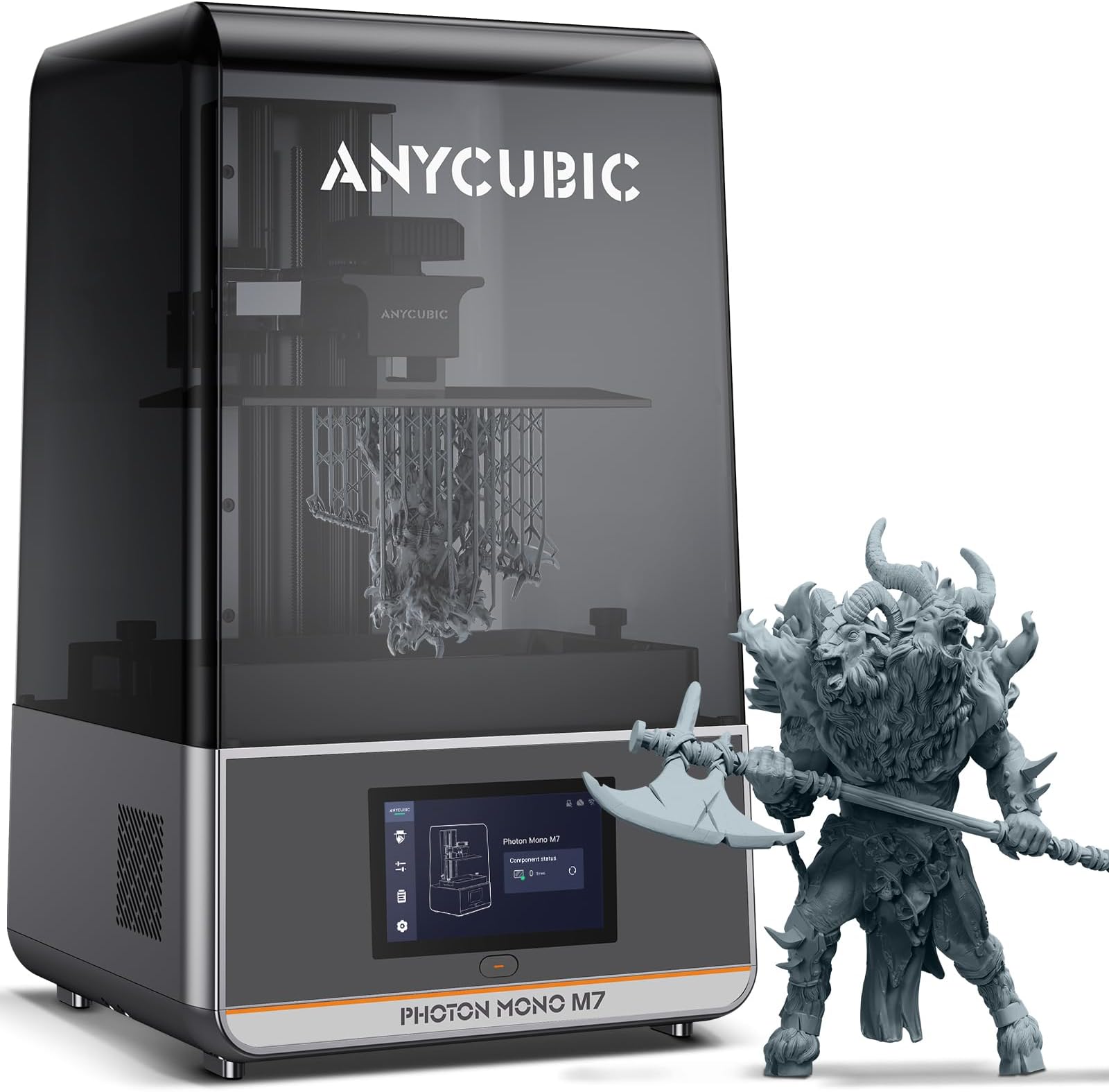
---Update--- Dropping to 1 star from 2 because customer service is terrible. They messaged me offering a full refund, then partial refund, then no partial refund unless I fight with their tech support. I'm not interested in wasting my time troubleshooting a brand new machine. It should just work. I even offered to fix some of the issues myself (the ones I can, anyway) if they sent me parts, but they won't do that either. Save yourself the headache and get a different brand. ---Original Review below--- This is an okay printer if you can get it at a sale price. But it has some questionable quality issues and design choices. If you're a beginner, this is probably not the printer for you because you won't know why the issues are happening or how to fix them. It would be a very frustrating way to learn. Pour spout is non-existent. It just runs across the vat side and underneath if you're not careful. Pour spouts is something most companies get totally wrong, so not really surprising here. All reviews and unboxing I've seen show that a carbon filter unit is included. That plugs into the USB port on the back right. I personally think those things are useless and recommend some kind of extraction system instead. That said, mine didn't even include one. Not sure if it is just missing or they stopped including them, but paying for something I didn't get isn't a good look. I personally prefer lift-off lids to tilting lids that newer printers use because lift-off lids can hold in heat which benefits printing in colder environments. However, this printer comes with a giant hole in the back for the pump system that it doesn't even come with (it comes with the M7 Pro). I guess it's nice that the lid is still compatible if you find a use for it (I personally hate resin pumps), but that's still a giant hole in the back. They do include a sticker of some kind to cover it. But it's weird. Like many others have said, my build plate was not flat. As a result, I had failures towards the center of the plate. Also, the handle is open towards the back where it connects to the printer arm. As a result, if you rest the plate at an angle while there's resin on it, it travels up the entire opening. You have to clean it out every time otherwise, you'll get resin all over the printer arm when re-mounted. It's a really annoying design. I believe the M7 Max knows the upper limit of the plate height and so you can't force it to past that. That's not a feature they felt was necessary in the M7, so if you manually move the plate, be careful when you're near max height. It will try to go past it if tell it to, breaking the machine. I like that the power brick is built into the unit, so there's only a power cord. But there's no power toggle on the back. Instead there's a momentary power button that works in a push-on push-off configuration. But button doesn't lock into place the way a toggle would. I personally like to have toggle/rocker switches always left in the ON position and turn my printers on and off using smart outlets. That doesn't work with this printer. That means that I always have to go to the printer (in a detached garage) to turn it on making the remote printing option kind of useless. Alternatively, you can just leave the printer on all the time. But considering how loud the fans are, you're probably not going to want to do that. This is the loudest resin printer I've ever used. You're not going to want to be within earshot of the room it's in while it's running. I like that it comes with a screen protector, but it really should be pre-applied from factory. Trying to get a screen protector on dust / bubble free is near impossible. The fake auto-leveling it uses is like everyone else's. It pushes against the screen and has springs of some kind that makes sure the plate is flat against the screen on the first layer. But as the print continues, that spring system doesn't continue to keep it level, so if the plate is out of level, it goes back to out of level mid-print and affects your print quality if it doesn't end up outright failing. Another negative about these types of fake auto-leveling is that you can't set z-offset because the plate always has to smash against the screen in order for the "auto-leveling" to work. That means you can't print flat against the plate because you can't calibrate the thickness it will end up. On older printers, you could move the plate up in 0.01mm increments and then hit a "z = 0" button to compensate. That doesn't exist on this (or any "auto-leveling" printer). I find it's at least 0.5mm-1.0mm off and can't be adjusted. The UI of the menus on the printer are just okay. I've seen worse, but I've also seen better. There are options you can change while it's printing, but I honestly am not sure if they actually work. I tried avoiding reslicing a calbration print by sending the one that was already on the printer and changing the exposure on the fly, but the print looked and failed in the exact same way. On a related note, I don't like that the homing button and leveling test button are on the same screen as the manual plate controls. This is a really bad place for that. Since you have to use those manual buttons frequently (like after every print), it's a high possibility you hit the wrong button and smash a model still on the plate into the screen. Also, check out a video of what it takes to change the LCD screen. It looks like a nightmare. Remember, this is a consumable part and you WILL need to change it at some point. Having to basically disassemble the entire printer to change a consumable part is very bad design. The ability to monitor progress in the app is a good addition. But everything else about the app is trash. There's a section where you can supposedly find models to send to the printer, but there's no clear way to filter out there FDM (filament) printer models from the resin models. There's a filter, but it still doesn't limit the results to be only resin print files. Even if they were, I'm not confident in sending a resin print over that I didn't slice myself to the profile I've calibrated to the resin I'm using. Other than that, you just get a lot of spam for their reward programs or their store. Last, Anycubic doesn't use a Chitu systems type motherboard. So while it CAN work with alternative slicers to Anycubic's slicer software (like LycheeSlicer and Chitubox), you lose all the sensor stuff (pressure sensing, residue sensing, etc) AND the network stuff (no remote printing or monitoring). Anycubic COULD make this info available, but choose not to. If you can look passed all of this, print quality (of the objects that didn't fail in the center), were fine. I know a lot of people hate ACF release film but I don't see significant detail difference from my older printers still on NFEP. Definitely not something the human eye sees instantly. Maybe if you do macro photography or just feel like using a magnifying glass on your prints... BUT... ACF does have this weird striping artifacting on flat surfaces. If that bothers you, swap out the ACF for PFA/NFEP. For me, this printer has too many cons that outweighs the pros. I'll most likely return it and look at another brand.