Buy anything from 5,000+ international stores. One checkout price. No surprise fees. Join 2M+ shoppers on Desertcart.
Desertcart purchases this item on your behalf and handles shipping, customs, and support to Senegal.
๐จ Elevate your art game with precision, color, and speed โ donโt just create, captivate!
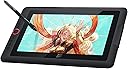
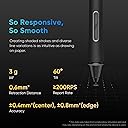
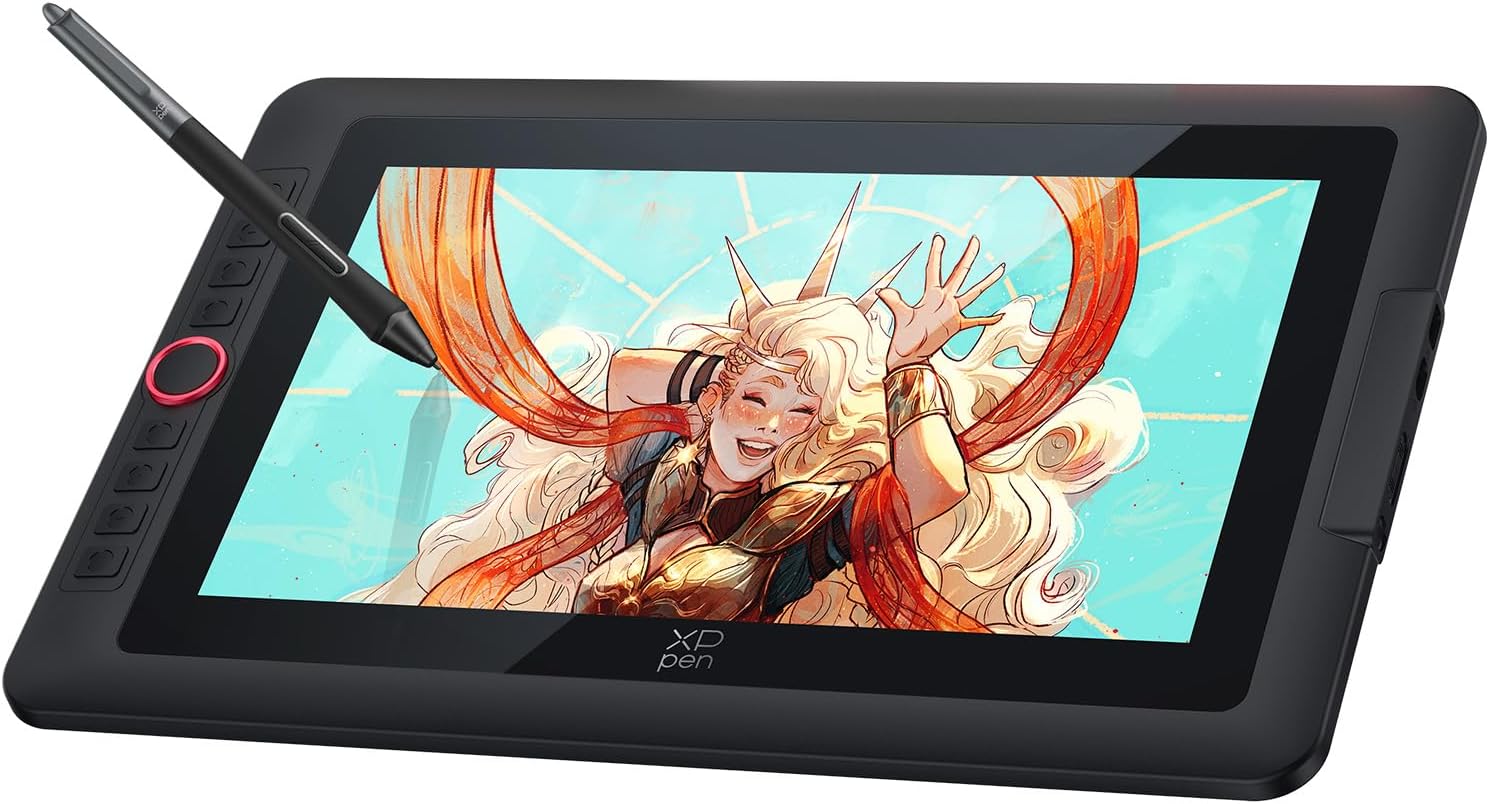
The XPPen Artist 13.3 Pro V2 is a professional-grade portable pen display featuring a 13.3-inch full-laminated screen with 99% sRGB color accuracy and anti-glare coating. Equipped with the groundbreaking X3 Pro Smart Chip stylus offering 8192 pressure levels and 16K sensitivity, it delivers an unparalleled natural drawing experience. Its 8 customizable shortcut keys and red dial streamline your workflow, while broad OS and software compatibility make it a versatile tool for digital artists seeking precision and portability.


| ASIN | B0DKT4Y74Y |
| Active Surface Area | 293.76 x 165.24 = 48.65 square inches |
| Best Sellers Rank | 4,982 in Computers & Accessories ( See Top 100 in Computers & Accessories ) 12 in Graphic Tablets |
| Box Contents | Stylus, Shortcut Keys |
| Brand | XP-Pen |
| Brand Name | XP-Pen |
| Colour | Black |
| Compatible Devices | Laptop, Desktop, Tablet |
| Connectivity technology | USB |
| Country of Origin | China |
| Customer Reviews | 4.5 out of 5 stars 7,275 Reviews |
| Display Type | LED |
| Item Dimensions L x W | 39L x 25W centimetres |
| Item Weight | 1.14 Kilograms |
| Manufacturer | XP-Pen |
| Model Name | Artist 13.3 Pro V2 |
| Model Number | Artist 13.3 Pro v2 |
| Model name | Artist 13.3 Pro V2 |
| Native Resolution | 1920*1080 |
| Network Connectivity Technology | USB |
| Operating System | Windows, macOS |
| Operating system | Windows, macOS |
| Pressure Sensitivity | 16384 Levels |
| Pressure sensitivity | 16384 Levels |
| Product Features | Anti-Glare Glass |
| Product Warranty | 2 year manufacturer |
| Screen Size | 13.3 Inches |
| Special feature | Anti-Glare Glass |
| Specific Uses For Product | Drawing |
| Target Audience | Professional illustrators |
| UPC | 850065239552 |
| Unit Count | 1.0 count |
M**D
Pressure sensitivity settings had to be changed to adapt the pen (highly recommend product)
The 1 star reviews were putting me off from this tablet (I had a Wacom one tablet that stopped working) but this is a great product at a great price, going from one tablet company to another also worried me since I thought adjusting would take a while but it hasnโt its also very simple and clear, the side buttons are handy, people had problems in their reviews but they are a very small percentage of the thousands of people who got a great product. The only problem I had was that the pen had 0 pressure sensitivity but I heard the XPPen was very good, it turned out that the software I use needed its settings changed to adapt to the type of pen and now it works perfectly especially since it doesnโt need to be charged.
C**E
Fantastic pen display however.... (PLEASE READ)
So first and foremost this tablet is a fantastic bit of kit. I've just spent the past hour or so testing it out on Krita and Autodesk Sketchbook and it responds beautifully. There is minimal parallax (distance between the pen and the cursor on the screen) and has wonderful pen pressure so I can produce varying line weights and textures when creating artwork. The quality of the screen is very high and the build itself feels sleek and sturdy. The anti glare coating is awesome as you can work without fear of lights interfering. The red dial is a wonderful addition to the tablet as it allows the most natural and efficient access to zooming in and out and scrolling up and down. The 8 express keys are also extremely useful and allow for a seamless experience when creating. The build is the perfect size for somebody who has limited space but prefers the medium working space. I personally felt like the 12 inch version would have been a little too small whereas this version is what I would expect a small laptop would be like. I prefer to zoom in and work on my pieces so the extra space from the 15 inch version would of just resulted in taking up more desk space- this version is compact but also big enough to draw effectively on. The build is also fairly lightweight and I can see travelling with it being a piece of cake. The pen is lightweight and may be off putting for users who are used to battery powered styluses. With a little practice it is easy to get the hang of and is not noticeable when working. I love the stand the pen comes in and the additional nibs thrown in is much appreciated, i imagine especially so for those who bust through nibs quickly. The tablet also comes with a stand in the box. Albeit a fairly basic stand, it does the job. It only has one height level above completely flat so I will likely be looking for a replacement as i prefer the ability to change the angle i work at. However, this is personal preference and will be different for everyone so it's not a deal breaker. Setup was easy to understand and the little additions in the box are a nice touch - a cleaning cloth and a glove to prevent smear marks whilst leaning on the screen. Overall I really love this product and I'd recommend it to anyone looking for a good quality medium sized pen display. ---------------------------------------------------------------- Now my only gripe with this product is the delivery service. I really wish XP-Pen gave customers the choice of courier because HOLY HELL it was a nightmare getting this delivered. I have never in my life experienced such poor customer service from DHL Express. This was supposed to arrive on August 16th. I have only just received it on August 21st due to DHL Express messing me about with delivery times and changing the information about my parcel. The tracking system is abysmal and Amazon and DHL clearly do not update each other on what's going on until hours/days after the information should have been updated. DHL does not offer accurate tracking info and do not update you off of their own accord. I ended up making several phone calls to their customer service line which is a premium line meaning you're charged to chase up a parcel you should have received days prior. I also think it's worth mentioning if you decide to purchase this that XP-Pen put long delivery windows on the products to accommodate for potential issues but when contacted about late deliveries they do not do anything. I tried repeatedly and was met with what felt like automated responses. Regardless of what i told them they would just brush me off with 'Please wait longer' and I felt that it was disrespectful considering I was the one doing all of the communication for both DHL and XP-Pen/Amazon which a customer should not have to do. The whole experience was extremely stressful as I did not know whether I was going to even receive my product or not and if that had been the case that would have been a big amount of money to lose. Just be aware that this could happen if you purchase and DHL is assigned as your courier service. ---------------------------------------------------------------- Other than that the tablet is fantastic and budget friendly for artists who cannot afford Wacom. Everything works beautifully and I have no issues with the product itself.
H**S
Great display tablet at a nice price
The only other display tablet I have experience with is an old Wacom cinique so Im going to be doing some comparisons. I decided on the 13.3inch screen as I intend to use this on my lap, and anything bigger would be unweildy, but I wanted something large enough to see clearly. There is a lot of bezzle on this, even more than the glass of the screen, so there is quite a bit of wasted space and added bulk, but I see most of this sort of tablet is the same, so Im sure there must be a reason for it? I havent had much chance to play with this yet, but so far I really like it, the pen isnt too bulky like Ive struggled with in the past, and the screen is nice and sharp and responsive. The wheel and buttons on the side are very useful and Ive already bound them to undo, copy, paste, delete etc. The software you download to go with it is very easy to use, and the instructions tell you exactly how to get it. The feel on the nib is very nice, no gritty feeling that can sometimes happen and it glides smoothly. As a lefty with quite large hands, I wasnt expecting the glove to be of any use to me, but it does actualy fit ok, well enough to use anyway. Over all a very nice display tablet considering how much cheaper it is compared to others of a similar nature and the buttons and wheel are an almost required feature. So far, I highly recomend.
A**R
One of the best drawing tablets available
I have been using this tablet for months now, and it is a pleasure to work with. The few problems it has are so inconsequential that I can do nothing but recommend this product to anyone looking for a screen this size. I am very happy with the tablet and hope XP-Pen continue to make products of this quality. PROS: - Great screen with great colours - Comfortable pen with very low activation pressure -Tilt function -Express keys with a programmable dial wheel - One cable - Included screen protector Cons: - No VESA mounting option - The nib remover scratches the nibs THE BUILD: The tablet's made of sturdy plastic, unfortunately it has no options for VESA mounting at the back. It's very thin, and lightweight, has no air vents and doesn't overheat. The included stand is practically unusable because of the tilt angle. In fact, I'd be happier if it wasn't included at all, and the saved costs be used to improve the tablet itself. There are 8 distinguishable express keys with a red dial wheel. The express keys can be distuinguished by touch and feel good to press. The dial is a feature I didn't know I needed until i tried it. Spinning it can make you zoom in/out, change brush size, or even work as extra 2 individual functions (spinning left = step backwards, spinning right = step forward). THE DISPLAY The display is a 1080p IPS panel, clear and sharp, capable of displaying very accurate colours after calibration. It does have a slight yellow tint towards the edges, which are taken up by software UI anyway. The tablet comes with a removable pre-applied matte screen surface protector. The screen itself is glossy, but the protector does a great job at reducing glare and adding some texture to the surface. The screen protector's quality is questionable, as mine scratched in the first few days, but I have since replaced it with a third party solution. Either way, having any screen protection out of the box is a great foresight and I hope XP-Pen will do include a removable screen protector in all of their products. This display is laminated, which reduces the distance between the surface you draw on and the display. The reduced parallax is great, however because of this, pressure gets transfered to the IPS panel and hue shifts will pulsate through the screen when you press the pen too hard. This is a drawback of having a laminated screen, and it is present on every tablet with a laminated screen, so I don't count it as a con. THE PEN The pen is very comfortable to hold. It's very similar to the Wacom Cintiq pens, although a bit lighter, but still substantial enough to not feel like a toy. The tip of the pen has very little amount of play, which is a huge bonus for me. It doesn't *click* every time you put the pen to the screen. This also means the activation force needed for the tablet to register a stroke is very tiny. The pen pressure was a little jumpy for me, but works perfect after adjusting the pressure curve in the drivers. This pen also has a tilt function. This works surprisingly well. I use the tilt function to rotate brushes, and about every 60 degrees there is a slight "jump" to the next 60 degrees when tilting the pen around in a circular motion. The tilt function works perfectly for what it was designed, and works very well whatever you decide to use it for. A massive plastic pen holder is included. Opening one side lets you access the pen, the cap doubling as a pen holder. It functions well. Unscrewing the other side reveals 8 extra nibs for the pen, along with a small hole to help you extract the nib from the pen. CON: The hole is lined with a metal ring from the inside, and has cut a small dent into the my nib when removing it. This extra edge on the nib has scratched the screen protector, leaving rainbow-like marks on it. I advise on using nailcutters, pliers, or just extra care when trying to remove the nibs!
C**C
excellent
its an excellent drawing tablet! i really love it! the only down side is that there are 3 wires all connecting the laptop to tablet...
A**R
Fantastic, easy to use
Had it for 1 month and it works flawlessly. Pen works great, no battery needed. On the application you can set which monitor you want, in case you want to drawing not looking at the screen itself. Really easy to use. The 3 in 1 cable was long enough to reach my pc which is placed above my desk.
R**L
Exceptional quality at an affordable price!!
I was apprehensive about taking the plunge into digital drawing (as I prefer the old fashioned way) but my ambitions meant that it was a necessity. I planned to start with an affordable version at first and upgrade should the needs must. The Xp-Pen tablet however leaves little else to be desired. It really ticks every box, great size (just a little smaller than A3), exceptional display, simply set up instantly, perfect shortcut keys (Iโm yet to customise as the presets are what I need), slightly matt surface to draw on and a pen which is exactly like a Wacom. Exceptional for the price considering a lot of its features are on the more pricey Wacom models. The stand offers only 1 angle and would be nice to rotate to turn your canvas, these however are available as extras so this is no hindrance of the tablet. A definite positive choice and worthy contender in drawing tablets!!
J**L
Excellent Value with on caveat
Bought this for my kid who is in art school, and they love it. Very large drawing surface, functional, easy to use, and the pen with pressure levels is great. Value for money over some other brands is fantastic. One caveat and I took off two stars for this because I spent 4 hours trying to set this thing up: the setup "manual" is horrible. It leads you to believe you can use just the USB-C cable to connect to a PC, and indeed, it looks to be the only non-power cable in the box. However, the USB-C will only work if you have Thunderbolt 4 on your PC!! Turns out, in the plain brown shipping box, they've thrown in, in a plain yellow envelope, an HDMI cable to use if you don't have Thunderbolt 4. Would have saved me 4 hours had they put this in the MAIN product box or written the manual properly. Why the HDMI wasn't in with the tablet, I have no idea.
Trustpilot
5 days ago
4 days ago