Desertcart purchases this item on your behalf and handles shipping, customs, and support to Senegal.
🖥️ Elevate Your Workspace, Command Your Day
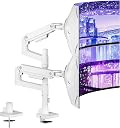
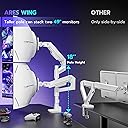
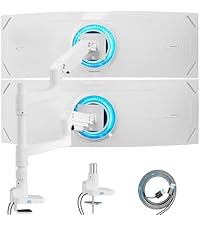
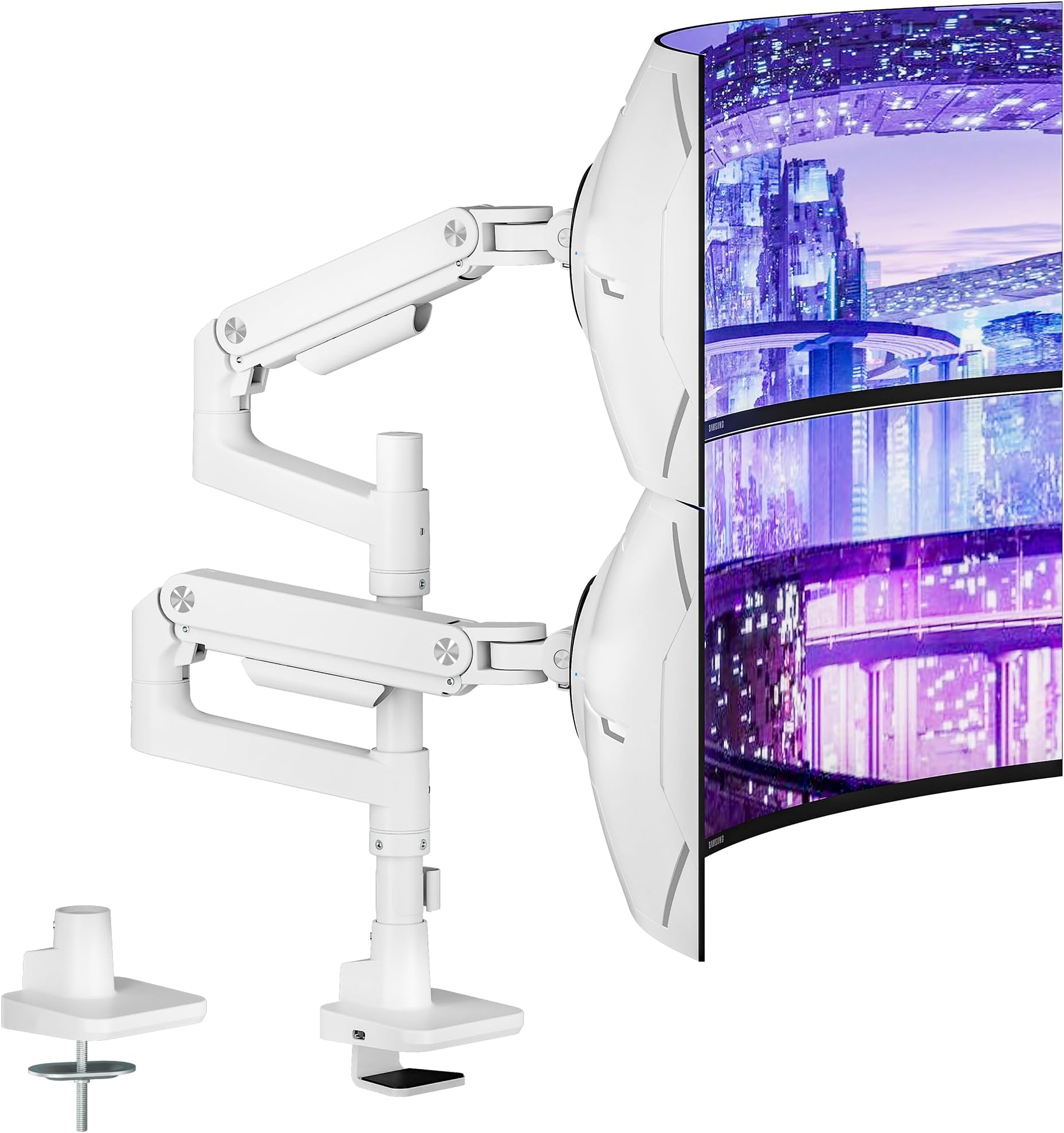
The ARES WING Dual Monitor Arm Desk Mount is a premium aluminum and steel solution designed for professionals craving a sleek, ergonomic setup. Supporting 17-49 inch ultrawide and curved monitors up to 44 lbs each, it offers full-motion adjustability with tilt, swivel, and rotation. Its robust build, cable management, and easy installation transform cluttered desks into streamlined productivity hubs favored by millennial managers and creatives alike.


| ASIN | B0DGQD5SN7 |
| Best Sellers Rank | #117 in Computer Monitor Arms |
| Brand | ARES WING |
| Color | White |
| Compatible Devices | Monitor |
| Customer Reviews | 4.2 out of 5 stars 260 Reviews |
| Enclosure Material | Aluminum |
| Item Highlight | Heavy Duty Monitor Mount Stacked Monitor Arm Desk Full Motion Gas Spring Vertical Monitor Mount, 75/100 VESA Mount |
| Manufacturer | ARES WING |
| Material | Aluminum |
| Maximum Tilt Angle | 50 degrees |
| Maximum-Supported Screen Size | 49 inches |
| Mfr Part Number | GDT1004WH |
| Minimum-Supported Screen Size | 17 inches |
| Model Number | GDT1004WH |
| Mounting Type | Tabletop Mount |
| Movement Type | Tabletop Mount |
| Number of Items | 1 |
| Number of Packs | 1 |
| Unit Count | 1 Count |
| Warranty Description | 3 |
M**N
Works for horizontal 34 in & 45in
Thank you to all the feedback and reviews others have left first if all. This stand is great and works very well! It's very strudy, tilts well and the instructions, while very minimal and wordless, did a great job of getting everything set up. The movement is sturdy and easy. Since my monitor was so large, you will need some assistance with making sure it snaps on to the mount correctly. It's not a one man/woman job with large monitors. The one up top was simple. I will say, please watch the instructions on how to tighten each arm as they aren't like mechanical arms where they just drop for adjustment quickly, they will hold but they'll move in different directions based on what your arm is doing. I did read that you can break the arms by over tightening, so please be careful. I didn't have this issue, as they are heavy and solid arms. I DO WISH - that they came with a longer pole base from the start. 45 + 34 is really pushing it as far as getting them to be firmly seated, but they're really close together as you see by the photos. The smaller pole base just doesn't allow enough height but it does work and still looks great. You'll find a balance.
R**.
My favorite mount (details below)
Ater trying numerous monitor arms, these are my go to unless there's something specific needed (longer arms, additinoal neck rotation, wall tight against back of desk). The Ares Wing is very clean looking, yet incredibly stable. It has tight tolerances at every connection from the post and base, to teach of the elbow joints. The quick disconnect monitor plates make iit very quick to swap monitors around. I also like how simple and effective the tooless cable management is. I've used AVLT, Ergotron, Ergounion, and numerous lesser quality brand mounts. These are superior in fit, finish, and simplicity. The caviat is I'm currently using the base from this mount with AVLT arms as I wanted a little bit more range of motion with the longer arms and my 34" widescreen monitors. I do however like how these look better and they are a much better value.
V**L
Good product as well as good support!
Bought this to upgrade my previous monitor arm. Using to mount a laptop and monitor instead of dual monitors. Was pretty straight forward to assemble and mount. I thought i had in issue since i used the 2nd arm to mount a laptop as it meant for a monitor the arm will shoot up everytime you take the laptop off. After contacting support they responded within a few hours to help me adjust and understand that it requires weight to be on the arm to stay in place. Work great in the end.
N**L
Cable Management Could Be Sturdier, Good Value Though
I'm deducting one star because the cable management channels on the underside of the arms are held on by fragile plastic clips that require some force to engage and only slightly more force to break. Be gentle; I've broken two of them. So far it seems like excellent value for the money overall, though. The arms are solidly built out of sturdy metal, they articulate smoothly across a wide range of motion, and they have thus far held the one monitor I currently have attached to them with rock-solid stability.
C**R
Really good
Easy setup. Doing good so far.
J**.
Nightmare Installation - I went through it so that you don't have to.
If you want to pay for an expensive mount just to have an installation nightmare... be my guest. I somehow ended up getting it to work in the end, but only because I improvised. I could tell that the item I got was not new and in fact returned due to the arm that positions your monitor's tightening screw being stripped. I've never run into this with an allen wrench install before. It's because the one they provide is rounded and too loose a fit. If you want the install to work, use your own. The instructions actually have a warning that tell you not to tighten it too tight, with no mention of what the consequences are. Let me tell you those consequences... you will BREAK IT. Both of the arms have hydraulics in them... so if you break this part (which at this point you probably have a REALLY high chance of getting one that's already broken since Amazon states this is a frequently returned item), you will be left with a mount that can not be adjusted vertically, and it will just stay propped towards the highest position. I spent an ungodly amount of time inadvertently working out my arms just because I had to push the hydraulics down to allen wrench a screw that was doing absolutely nothing no matter which way I turned it. The way I worked around it was by putting the broken one on top, since the top position doesn't really need to move lower. The hydraulics were a good idea, but the implementation of the tightening and the extremely cheap tools provided for installation made what should have been a super easy install into a nightmare. If you got to the same steps I did and decided to return this, it would have been way worse because you would have had everything pretty much done just to take it apart... and if you took your monitors down already and prepped the mounts... it would just be a big waste of time and energy. So that's why I kept it, to maintain my sanity. But save yourself the trouble and buy just about any other mount because they are rarely this bad.
M**T
Design flaws
I understand, this is a "heavy duty" item. Still it doesn't explain why you made it so bulky. I thought it will be a good idea to try and save space, but... It's been 3 hours since I started and I ended up with the idea to redo it in the morning 1. Instructions ARE confusing. Though I loved the package with itemization. 2. Adjusting screws do not work the way they actually should. 3. Whose bright idea was to make 1st part of the arm shorter than the second? Because of that you can't flatten monitors to the wall. They will always be in front of the pole. I have a 30 inch depth table and it is still a strugle to center 1 34 inch and 1 32 inch curved monitors. 4. Second design flaw is adjusting screws. Which you always need to adjust as arms just do not move the right way. 5. Arm can be adjusted vertically, but it becomrs too high for the standard table. At the moment it seems tgat two separate arm holders might be a better idea than 2 arms on 1 pole. To be edited later . At the moment 34 inch Uwide monitor can't take vertical position. And 32 inch can't make it central or close to central position without taking whole surface of the table
S**N
ELEVATE SETUP & INCREASE DESK SPACE !!
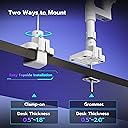
Easiest way to elevate your setup and increase desk space! Installation is simple as can be, a simple clamp-like mechanism that attaches to the desk. I’ve had mine over a year and a half now and it’s held up strong, even with an ultrawide. It’s sleek yet sturdy. Cannot go wrong for the money. There are more expensive alternatives that feel less durable.
S**T
Great product
I've had it for a year, work great. Very satisfied
O**E
Comment fixer
très solide Il y a deux façons. L'installer, percer un trou sur le bureau, soit installer en fixant des vis. Je le conseille. Fortement pour 180$ avec taxe incluse, c'est pas un mauvais achat si vous avez un écran 34 po. Aussi très facile de changer de direction des écrans en comparaison de plusieurs comme Vigo.
D**M
Très bien
Le support pour la bordure d’un bureau n’a pas pu s’adapter w mon bureau StellCase j’ai dû prendre l’autre support et percer la surface
J**N
Good Quality!!
Good Quality!!
R**T
Qualité bon prix fiable.
Super produit
Trustpilot
2 months ago
1 day ago