Desertcart purchases this item on your behalf and handles shipping, customs, and support to Senegal.
🚀 Elevate your workspace — where productivity meets cinematic immersion!
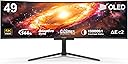
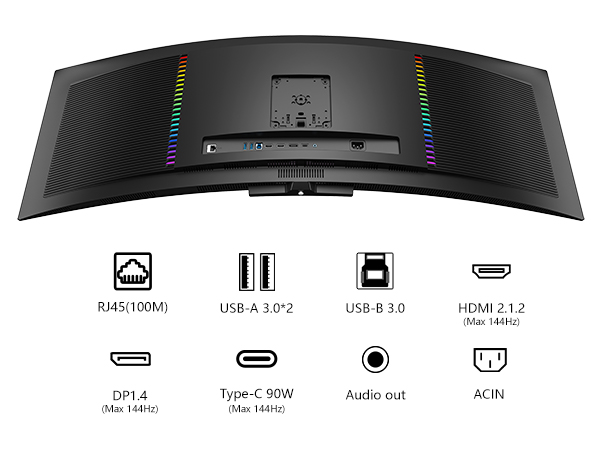
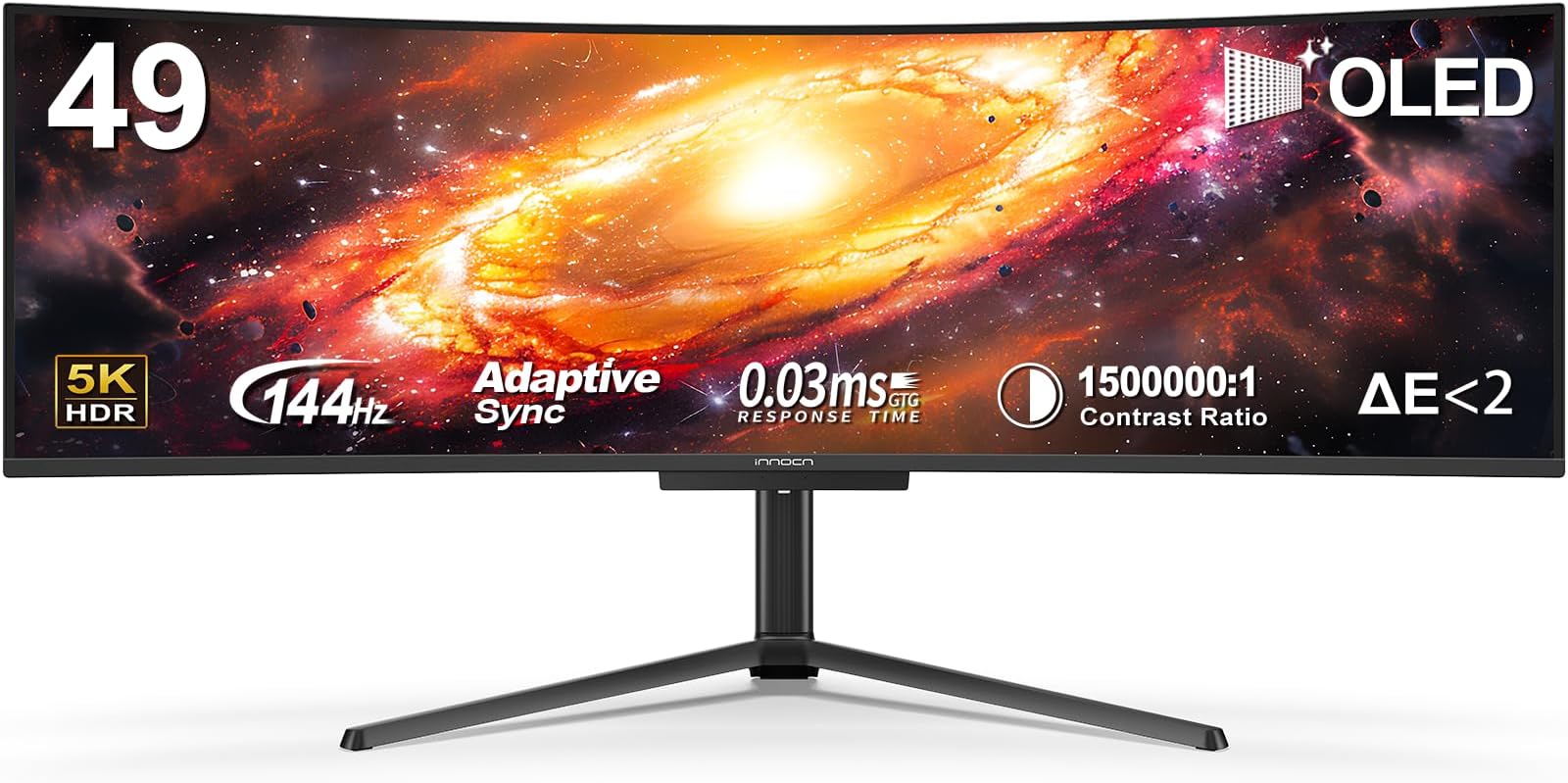
The INNOCN 49Q1R is a premium 49-inch ultrawide curved monitor featuring cutting-edge QD-OLED technology with a 5120x1440 resolution and 144Hz refresh rate. It supports 90W USB-C power delivery, multiple connectivity options including HDMI 2.1 and DisplayPort 1.4, and advanced features like Adaptive-Sync, HDR 400, and PIP/PBP multitasking. Designed for professionals and gamers alike, it offers ergonomic adjustments and a stunning 32:9 aspect ratio for immersive, fatigue-reducing viewing.


| ASIN | B0DD2ZB3DZ |
| Adaptive Sync | FreeSync |
| Additional Features | Built-In Speakers, Height/Tilt/Swivel Adjustable, PIP/PBP Split Screen, QD-OLED Technology, USB-C 90W Power Delivery |
| Aspect Ratio | 32:9 |
| Best Sellers Rank | #27,915 in Electronics ( See Top 100 in Electronics ) #800 in Computer Monitors |
| Brand | INNOCN |
| Brightness | 250 candela_per_square_meter |
| Color | Black |
| Color Gamut | 99 |
| Compatible Devices | Desktop, Gaming Console, Laptop, Racing Simulator, Speaker |
| Connectivity Technology | DisplayPort, HDMI, USB Type A, USB Type B, USB Type C |
| Contrast Ratio | 1500000:1 |
| Customer Reviews | 4.2 out of 5 stars 225 Reviews |
| Display Resolution Maximum | 5120x1440 pixels |
| Display Technology | OLED |
| Display Type | OLED |
| Hardware Connectivity | 3.5mm Audio, DisplayPort, HDMI, USB 3.0 Type A, USB 3.0 Type B, USB Type C |
| Image Contrast Ratio | 1500000:1 |
| Manufacturer | Guangxi Century Innovation Display Electronics Co.,Ltd |
| Model Name | 49Q1R |
| Model Number | 49E9R |
| Mounting Type | Desk Mount |
| Native Resolution | 5120x1440 |
| Number of Component Outputs | 4 |
| Picture Quality Enhancement Technology | HDR |
| Refresh Rate | 144 hertz |
| Resolution | QHD Ultra Wide 1440p |
| Response Time | 0.03 milliseconds |
| Screen Finish | Matte |
| Screen Size | 49 inches |
| Screen Surface Description | Matte |
| Shape | Curved |
| Specific Uses For Product | Business, Entertainment, Gaming |
| Total Number of HDMI Ports | 3 |
| Total USB 3.0 Ports | 3 |
| Total Usb Ports | 3 |
| Viewing Angle | 178 degrees |
Z**I
Punches above the competition and A+ for Laptop use
I spent hours researching an upgraded ultrawide monitor from my current 34-inch one before landing here and I'm very happy with my decision. I have a very specific set of needs that I didn't see being met with your typical Samsung OLEDs that were: -Needed to be 49 inches -Needed to be high resolution (1440p not 1080) -Needed to be able to act as a dock utilizing a single USB C cable to my surface laptop (THIS ONE IS IMPORTANT) -OLED prefered -Higher refresh rate than 120Hz, not a gamer but the smoothness is noticeable coming from an 60Hz monitor. There is a surprising lack of 49 inch ultrawides that meet this set up, and I can't imagine I'm the only one who wants to run their laptop to an ultrawide with an addition dock ( a very common need with the Samsung OLEDs so add the price of a Cal-digit dock most likely on top of that price). With this monitor I'm able to plug my keyboard/mouse/attached drive into the monitor and run one cable back to my Surface Pro 7 and have everything work. Rumor has it this OLED is sourced from Samsung so it's almost just as nice. For the monitor itself, it's great. Colors like wonderful, onscreen menu's are simple enough to set up, and while don't love the LEDS on the back they can be turned off. USB ports work great and while I did try to directly network connect to this monitor via the ethernet cable on the back (a rarity for these monitors) I didn't see significantly better network speeds compared to my wifi off of a first gen Google wifi router so I left it unplugged. Net: if you are a laptop user with a desire for a one cable solution to a high quality 49 inch ultrawide get this. I cross shopped some other options from brands like ROG, and the massive confusing Samsung line up and this one comes out on top.
O**I
What a great monitor for work
I've used this monitor almost every day for 8 months. Preface: my primary use is for work. I am a software developer and have previously used some combination of monitors for multi tasking. Since buying this monitor, I only use this single monitor and my laptop as a secondary side monitor for ansilary windows like chats, music, etc. I don't game very often so this review won't focus on the gaming aspects. I love this monitor. I originally bought a Samsung G9 but returned it in favor of this monitor. One of the main decides was the I/O. I wanted a single cable to connect to my laptop that supports power delivery and I've achieved that goal with this monitor. I still use a KVM to switch between my laptop and my personal servers which has worked just fine. I use the USB c and hdmi inputs which have worked great. I also make use of the real usb I/O for simpler cable management. Video quality is great IMO and screen resolution is insane. I can have 2 full screen apps side by side which is incredible for task switching. Sound quality is meh, but I never planned on using the built in speakers anyways. Overall this monitor is incredibly and I have no regrets buying it. P.S. Spreadsheets are crazy in this screen.
D**L
Tremendous value for the price
This is a great monitor and for $89.99 on sale it is a steal! Bought it for my home office so I could extend my laptop display to 3 screens. The stand extends to 12 inches vertical, pivots horizontally and vertically. It is very wide and very sturdy. No tools needed to assemble it. Comes with an HDMI cable. I didn't use that, I needed a USB-C to HDMI which I bought separately. Worked great. Only issue is the power cord is only about 4 feet long. I'd prefer 6. But that isn't a deal breaker by any stretch. Picture is great. Again, using it for work, not gaming or media viewing. But perfect for what I needed.
K**R
Started so well ... then went to literally blank
It pains me to write a critical review of this product. After purchasing the product in 2/8, the screen went blank just over a month later. I reached out to customer service and after requesting a ton of details about my issue I have not heard back from them. Now I'm in the inglorious position to try to get my money back and finance a different monitor. It's a real shame that this has been my experience. I wanted so much to switch my loyalty to a burgeoning brand. I decided to try INNOCN because I had a negative experience with another manufacturers 49" curved monitor that crapped out after only 4 years of use. But having loved having a curved monitor that size I decided to try this one. When I received the monitor, I was excited. It cost about the same as my previous monitor but had higher resolution and was noticeably lighter. In the month I used it I was very happy with the several aspects of the product. It was easy to adjust, the menu was intuitive and the graphical performance was ideal. And then, it just went blank and so did the messages from customer service.
L**E
Wireless charging base
Amazing monitor couldn’t complain less with the wireless charging base. Super sick!
S**S
Clunky control/toggle but great screen
I bought this after a lot of hand ringing. I read lots of reviews. I mainly use this for daily office work (Excel, Word, etc). I’m not a gamer. The amount of screen space is amazing. I was concerned from going from my 37” that is taller to a wider but shorter screen. It’s an adjustment but I wouldn’t go back. Overall I’m pleased but there are quirks. Occasionally the screen will blink on and off. There is no perceivable pattern to it. It’s not often enough to send it back. I have two laptops that I connect to it. Swapping from one laptop to another via the toggle button at the center base is a bit clunky but not a big deal. One issue is when I swap from one laptop and then back, the brightness level resets to full brightness so I have to use the center clunky button to adjust it back down. My windows also get shuffled and have to re organized as they were previously displayed. I had this same exact setup on my 37” (different brand) and didn’t have these issues. These clunky issues and occasional blinking is why I give it a 4 star. I have had it a couple of months now and satisfied. Hopefully it will last for a few years.
D**O
Great budget friendly option for gaming and coding
I've been using this monitor for about a week now. I'm a web designer/developer and a gamer. I have a fairly unique use case situation as I have 3 computers I'm switching between. I have a Macbook Pro for my main job as a Web Admin, a Windows PC (with Radeon) for my business as a web designer/developer, and another Windows PC (with nvidia) for gaming. Because of this, I had to purchase a USB switch in order to be able to switch between all 3 devices and still be able to share a Keyboard, Mouse, and Webcam. Unfortunately, the switch in the monitor only allows switching between 2 computers and you can only share 2 devices. That's fine if you are using a wireless keyboard and mouse that share a receiver, but I don't, so I need to be able to share 3 devices. Previously, I was using a 34" ultrawide and a 1920x1080 monitor. The issue was that my KVM kept burning out the HDMI ports of my smaller 16:9 monitor and I figured it was cheaper in the long run to just buy this big thing. I'm glad I did because I now have a much cleaner setup with just the 1 monitor. I like using the middle of the screen as a 16:9 and having the two outside ends be smaller because that works for what I use them for. I also can have it split into 3 even monitors which also works great because of how big this thing is. I have no issues with resolution and text. I was a bit concerned about the text side of things since I do a lot of coding, but I haven't had any issues with being able to read anything. Gaming is fine too. I only have a 3060Ti in my gaming rig so it can't drive more than 60ish fps when using fullscreen, but I'm not a pro gamer and don't need all that. I am a bit bummed that there isn't a manual process of kicking off the pixel burn-in prevention features. However, contrary to all other reviews I've seen, I DO seem to notice when the pixels shift. It literally looks like the image moves. It's not something you notice all the time, but I have noticed it a few times.
R**H
Monitor is excellent, the stand is terrible
So the monitor is great, however the monitor stand is a terrible design (see below) and while I can recommend the monitor I would suggest that anyone purchasing this also buys a different monitor stand. The problem with the stand is in its design. An arched, three legged stand with a completely unnecessary rear "foot" which, when combined with another completely unnecessary long mounting arm which extends the monitor away from the vertical support pillar, means the monitor on most desks is simply much too close to the user's eye. The arched, three footed stand means that you can't even get close to the edge of the desk because (unlike a flat bottomed stand) the entire stand and monitor will fall off the desk if the rear foot goes over the edge by even a millimeter. With a new stand I am very happy with the monitor itself and can only offer praise of that. However its irritating to be forced into another purchase because of bizarre and impractical design decisions on the stand.
Trustpilot
2 weeks ago
3 days ago