Desertcart purchases this item on your behalf and handles shipping, customs, and support to Senegal.
🚀 Elevate your workspace and game anywhere with InnoView’s vibrant, ultra-smooth portable monitor!
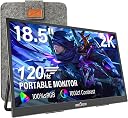
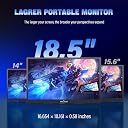
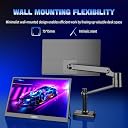
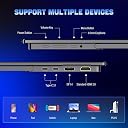
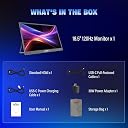
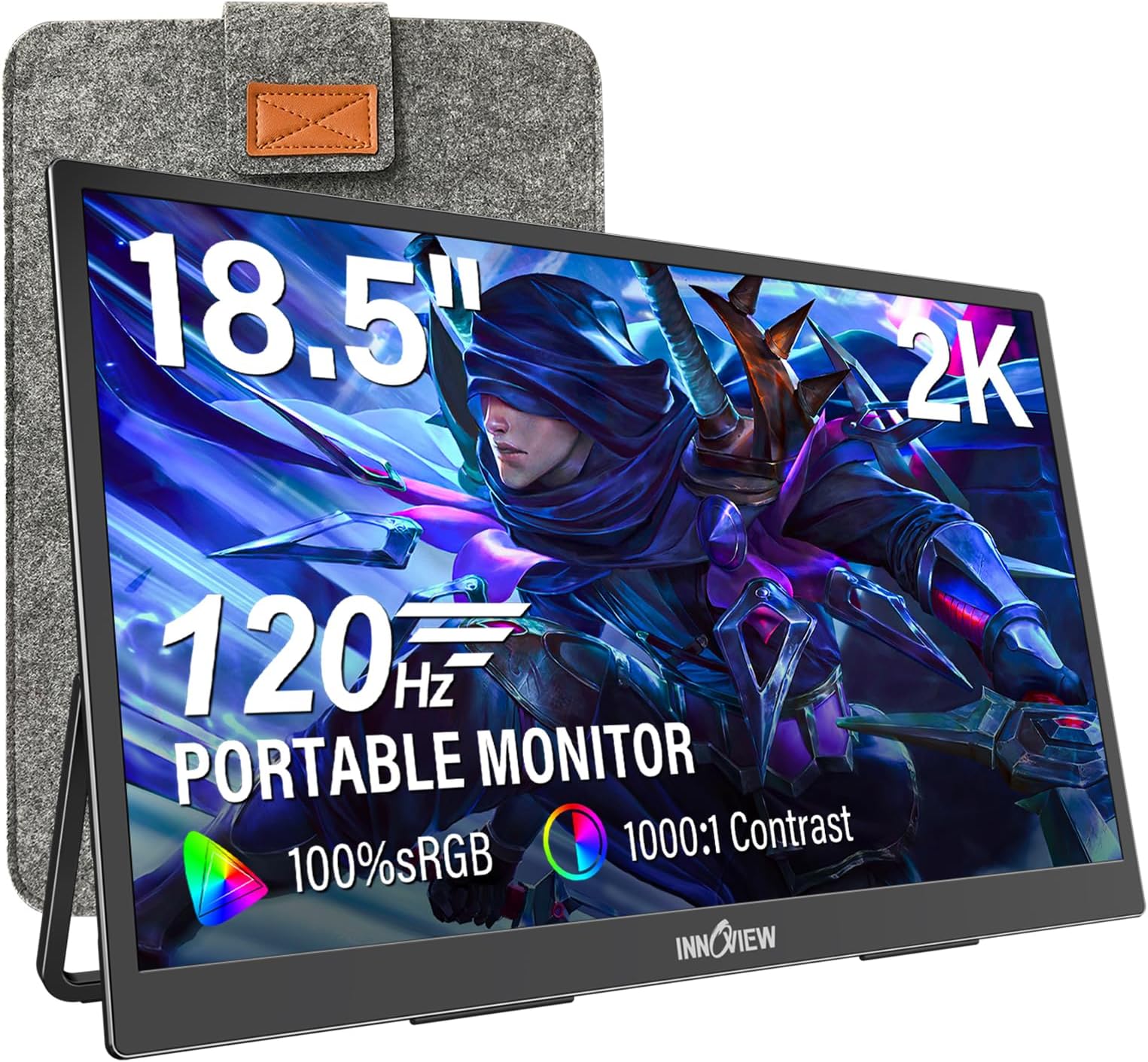
The InnoView 2K Portable Monitor features an 18.5-inch QHD (2560x1440) IPS display with 100% sRGB and HDR support, delivering vivid colors and sharp details. It boasts a 120Hz refresh rate with FreeSync for smooth visuals and a 3ms response time ideal for gaming and professional use. Connectivity includes USB-C, HDMI, and DisplayPort, supporting plug-and-play across laptops, PCs, and consoles. Weighing only 3.2 pounds and equipped with a sturdy metal stand plus multiple mounting options, it’s designed for portability and versatile setups. An 18-month warranty and responsive customer service back this premium portable display.


| ASIN | B0GKGBW8HT |
| Adaptive Sync | FreeSync |
| Additional Features | Adaptive Sync, Portable |
| Aspect Ratio | 16:9 |
| Best Sellers Rank | #8,105 in Electronics ( See Top 100 in Electronics ) #269 in Computer Monitors |
| Brand | InnoView |
| Color | Black |
| Connectivity Technology | HDMI, USB Type C |
| Customer Reviews | 4.2 out of 5 stars 804 Reviews |
| Display Resolution Maximum | 2560 x 1440 pixels |
| Display Technology | IPS |
| Display Type | IPS |
| Hardware Connectivity | HDMI |
| Item Dimensions D x W x H | 16.7"D x 0.57"W x 10.2"H |
| Manufacturer | InnoView |
| Model Name | INVPM502 |
| Model Number | INVPM502 |
| Native Resolution | 2560x1440 |
| Number of Component Outputs | 3 |
| Picture Quality Enhancement Technology | HDR, 100% sRGB, FREESYNC |
| Refresh Rate | 120 hertz |
| Resolution | QHD Wide 1440p |
| Response Time | 3 milliseconds |
| Screen Finish | Matte |
| Screen Size | 18.5 inches |
| Screen Surface Description | Matte |
| Total Number of HDMI Ports | 1 |
| Total USB 3.0 Ports | 2 |
| Total Usb Ports | 3 |
| Unit Count | 1 Count |
| Warranty Description | 18 months |
A**L
Impressive screen - bright and clear, feels premium and love the metal stand
2nd Update: In this day and age, excellent customer service is hard to come by, so I was really pleased when the customer service team reached out to me about the defective monitor. I'm happy to report that I now have a fully functioning one. When I connected the USB-C cable from my laptop to the monitor, the laptop screen appeared on the monitor within a few milliseconds—which my defective unit didn't do before. In the meantime, I had to use another 18-inch monitor for work. It was serviceable, but it had a few pet peeves. You know the saying, "You don’t know what you’re missing until it’s there"? That definitely applies to the Innoview monitor. The extra features the Innoview monitor offers make it extremely difficult to go back to my old one. First, the screen is noticeably brighter, clearer, and—dare I say—beautiful. I took a photo comparing the Innoview monitor (left) and my old 18-inch monitor (right) displaying the same image. While it’s hard to capture in a photo, the Innoview screen is brighter, and the details are much sharper. The screen has no glare. There were other annoyances with my old portable monitor. For example, it would display a low-power voltage warning when only one cable was connected, and the brightness would inexplicably increase when I attached a second USB-C cable. The Innoview monitor didn’t have these issues. Once I connected the single USB-C cable, the Innoview logo appeared within 3 milliseconds, followed by the laptop display. Another issue with the old 18-inch monitor was the control wheel for adjusting settings, including brightness. It was hard to access with my fingers, and I often had to turn the monitor sideways to see it clearly. Thankfully, the Innoview monitor has buttons, which are much easier to use. The Innoview monitor also feels more premium. Initially, I thought all portable monitors were the same, especially since both the Innoview and my old 18-inch monitor had metal stands that cover the ports. But the Innoview is built with sturdier materials. For example, the Innoview has four longer rubber feet—two on the bottom of the monitor and two on the metal stand—while the old monitor only had two shorter rubber feet on the monitor itself. The metal stand on the Innoview is also thicker and feels more durable. Another difference is that the Innoview uses a full-sized HDMI cable, while the other monitor uses a mini HDMI cable. I'm not sure if there’s a major advantage or disadvantage to that. I also received a power wall outlet which nice. I appreciate that the Innoview’s USB-C cable is more flexible and “bendy,” making it easier to manage. The other cable was stiff and harder to hide. All in all, I love the Innoview monitor. I originally planned to use it just for work, but because of its beauty and screen clarity, I now plan to use it for personal viewing and gaming while traveling. Streaming movies on it feels far more enjoyable than watching on a hotel TV. The Innoview also supports VESA mounting but I don't really plan to use that feature. I’m giving the Innoview monitor 5 stars because, honestly, I have a comparison—the other 18-inch monitor I used. The Innoview is definitely an improvement in every way. The 18-inch monitor is just big enough to see everything I need on my screen, and it’s small enough to be portable and easy to carry when I travel to hotels which I do very frequently thanks to my kids extra-curricular activities. I definitely recommend this monitor—especially for its incredibly bright and clear screen. It really makes a difference, and now I can’t go back to my old monitor unless I’m forced to. Here are a few additional observations: When only one USB-C cable is attached, the default brightness is set to 20%, but you can manually increase it to 43%. If you try to go higher, the screen will blink, turn off, and then reset back to 20%. When you attach a second USB-C cable for power (and Innoview includes the wall plug), you can adjust the brightness all the way up to 100%. And wow, is it super bright! There is volume on the Innoview monitor, but it’s just okay. At maximum level, you can hear it if you're sitting directly in front of the monitor, but I wouldn't rely on the monitor's speakers. I'll most likely just use a Bluetooth speaker connected to my laptop or device. For comparison, I’d say my previous monitor seemed a tiny bit louder. Update: Since this review I noticed one more additional review that didn't have my problem of USB-C to USB-C. So I wonder if I got a defective product. I wanted to exchange it but I was only given the option of a refund by Amazon. I planned to use this for remote work as my work laptop screen is too small for tasks like Excel reports. I upgraded from a 15.6" 1080p portable monitor to this 18" model. However, when I connected the USB-C cable to the Innoview monitor, it didn’t display anything—only the Innoview logo flashed. I waited and the laptop screen never appeared on the Innoview. My other portable monitor worked fine - USB-C to USB-C so I knew my laptop and cables were fine. I even tried different USB-C cables and a power brick, but the laptop still didn't materialize on the Innoview using USB-C. Only connecting it through HDMI worked. As an aside, the screen seemed brighter than my laptop screen (when connected via HDMI), and I wanted to check if the Innoview was brighter using USB-C to USB-C compared to my other portable monitor, but didn’t get the chance. Given the price and my preference for fewer cables, I’m returning it, though I did like the metal back and stand.
G**K
Nothing comes close. (18.5" 240hz 2560x1600)
As someone who picked a 120hz TV to replace a multi monitor setup, I have found myself wanting to scratch that high refresh rate competitive itch for a long time, and wanted a portable display I can easily maneuver in front of me when I'm playing competitively. I've tried the uperfect k5, and a 200hz 23" innocn, yet this monitor wipes the floor with them. Both the overdrive mode and dynamic contrast mode are functional on this OSD, which you don't often find with other manufacturers that use the same display board. My main display often is set to black being an OLED, and the light bleed of a LCD is very distracting. I was delighted to see that the DCR setting actually worked, and the back light of this monitor will dim itself properly according to the scene presented. When displaying black, the monitor actually looks turned off which is fantastic. (4th pic) Plugged directly into my GPU via type c, it can stand full brightness, at full resolution with 240hz output without turning off, meaning you can fully utilize this monitor with a single high bandwidth type C. The response times are actually really good. Minimal ghosting when over drive is on, and looks just as good as a high end desktop IPS monitor. And given the size, it can legitimately replace one too. The build quality is also a cut above the rest. I actually broke my uperfect portable monitor, because it would flex so much from moving on the arm I have this mounted to. This display in comparison is rock solid and won't flex when being pulled pretty hard from the base. When not mounted on my monitor arm, the portability provided by the kickstand is amazing. With a single type c, you can use this monitor with your laptop anywhere. While I don't have a method for testing color accuracy or exact contrast ratio, the colors look really good while the contrast ratio is as expected of IPS. DCR won't be for everyone, but it is a way to reduce IPS backlight glow when viewing dark images. Being a 16:10 display, black bars may become distracting when viewing regular 16:9 content. I'm personally really sensitive to backlight glow, so your mileage may vary. If you don't regularly use an OLED, chances are you won't even notice. HDR, while it's cool to have as an option, isn't viable to use on pretty much any IPS without local dimming zones, sobit doesnt offer much when enabled on this monitor. Best to leave it on SDR as most SDR content will be washed out when HDR is on. In the end, I can say I am more than satisfied with the performance of this monitor. It does exactly what I want it to, and I think it will satisfy any gamer out there. If I could change anything on this monitor, I would ask for a gyro to auto rotate, and display port/mini display port input for more accessibility. Modern GPU's tend to only have one HDMI on them, and only a few have type C out, so connectivity is more limited on desktop use. Either way, it's an easy 5/5. Amazing purchase.
J**L
Great large portable monitor
Great monitor at a good price. Video is good for what I need to do for work when traveling. Lightweight as well. However, be sure to get a separate cable that powers and transfers video if you don't want to hassle with connecting two cables to the monitor, one for power and the other for video.
J**.
Not great
I bought two of these screens. One of them is excellent and has no issues. The other screen goes out approximately every 15 minutes and is very annoying. It would be nice if the company would offer to replace it but they haven’t. I bought this in March and already need a new monitor.
A**1
Awesome big 18" crisp bright travel 2nd monitor
Bright clear easy to read portable display. Love the large size, fits with an aftermarket Amon bought 18" monitor soft case in the laptop travel backpack. If you have a powerful USBC lap top charger you can plug this into one of the two monitor USBC ports, then connect monitor to lap tops USBC, this powers the monitor so 100% portable monitor screen brightness is achieved and it charges your lap top at the same time (at a slightly slower charge rate cause some power is for portable monitor). Advantages 1) Largest portable monitor that fits in my travel backpack with monitor in a soft case with my del rugged lap top in the same backpack pocket. 2) Good quality colorful bright monitor picture, text is crisp and easy to read, awesome 2nd monitor for my lap top. 3) Comes with all the cables you need and small wall wort power supply. Cable s are good quality, thick and work reliable. 3) Monitor includes high quality studey stand that folds flat into the monitor back. Very nice, useful, and very durable/sturdy. 4) When I work at remote job sites every few weeksd all others without a 2nd travel monitor a very envious, plus this one is much bigger the most. 5) My 62 year old eyes love, cannot live without a 2nd large then my laptops monitor and it's just as bright. Life is good. Disadvantages 1) Requires/recomend always using 2nd seperate USBC power wall wort for reliable 100% screen brightness, your laptop USBC is likely not providing enough power to the monitor to get anything ove 69% brightness and monitor mar work for a few hours the over tax the laptops power supply as all get warm and monitor shuts off. Or see above a few paragraphs method of powering monitor and charge laptop at same time, see a few paragraphs above above about using laptops charger plugged into the monitor ging monitor full brightness while charging your lap top at the same time way cool thing. 2) Does not come with a protective case, search Amazon for 18" monitor case two come up, I got the all black one, is protective, works great. This works great, monitor in the soft case just fits in my travel backpack.
N**4
Decent Quality, But Requires Power Supply
This is a decent large portable monitor for any need. We use this when using our laptops at home or on the go. I also own the ASUS ZenScreen monitor so I have some experience with portable monitors. The biggest issue I have with this monitor is that it requires a spare power supply in order to work. The ASUS ZenScreen is powered via the same USB-C cable that provides the video feed as well which is a really nice feature. The main difference between this monitor and the ASUS monitor is the size. My ASUS ZenScreen is 15.6" and this monitor is 18.5". I can't see that being the reason why it requires it's own power supply, but it might be the reason. What this means is that you'll have to plug the USB-C cable into the laptop for video feed and the power supply into the wall for power to the monitor which makes it.........less portable. The video quality is decent compared to most screens on the market and it's great to have the sRGB color grading as well as the 100Hz refresh rate. The kickstand works well for standing the monitor up on a table as well. My ASUS ZenScreen uses the screen cover for this purpose rather than a kickstand. It would've been nice if this monitor had a screen protector/cover like the ASUS ZenScreen, but it doesn't so we had to purchase a monitor bag to keep the screen in good condition while traveling. Overall, for the inexpensive price, this is a really good monitor. If you're looking for something a little more professional, you're going to have to spend some decent cash.
K**J
Best portable screen I've bought so far.
Absolutely love this monitor. The screen is sharp and colors look great right out of the box, better display than my $1800 laptop. 120Hz makes everything feel super smooth whether I'm gaming or just multitasking. USB-C setup took literally 5 seconds, no drivers, no headache. Other than that its light weight for protabality, it has nice built quality. It's Worth it.
A**Y
Great for small places and great size
I bought this monitor to use at our beach house when I’m needing to work remote there. I don’t have a lot of space there so this portable monitor is perfect, it’s a great size but it also packs away easily. It’s very slim and lightweight. I don’t have any issues with it just being connected to my laptop for power. It’s very easy to setup. I highly recommend this monitor, it’s an overall great value for the money.
A**R
Pas le produit annoncé
L article reçu n'avait pas la résolution annoncée, 2560 x 1440 et pas 2560 x 1600 la fiche de produit n'a toujours pas été corrigé, n'achetez pas ici
Trustpilot
4 days ago
2 days ago