Desertcart purchases this item on your behalf and handles shipping, customs, and support to Senegal.
⚡ Capture the Game Like a Pro—Without Lifting a Finger!
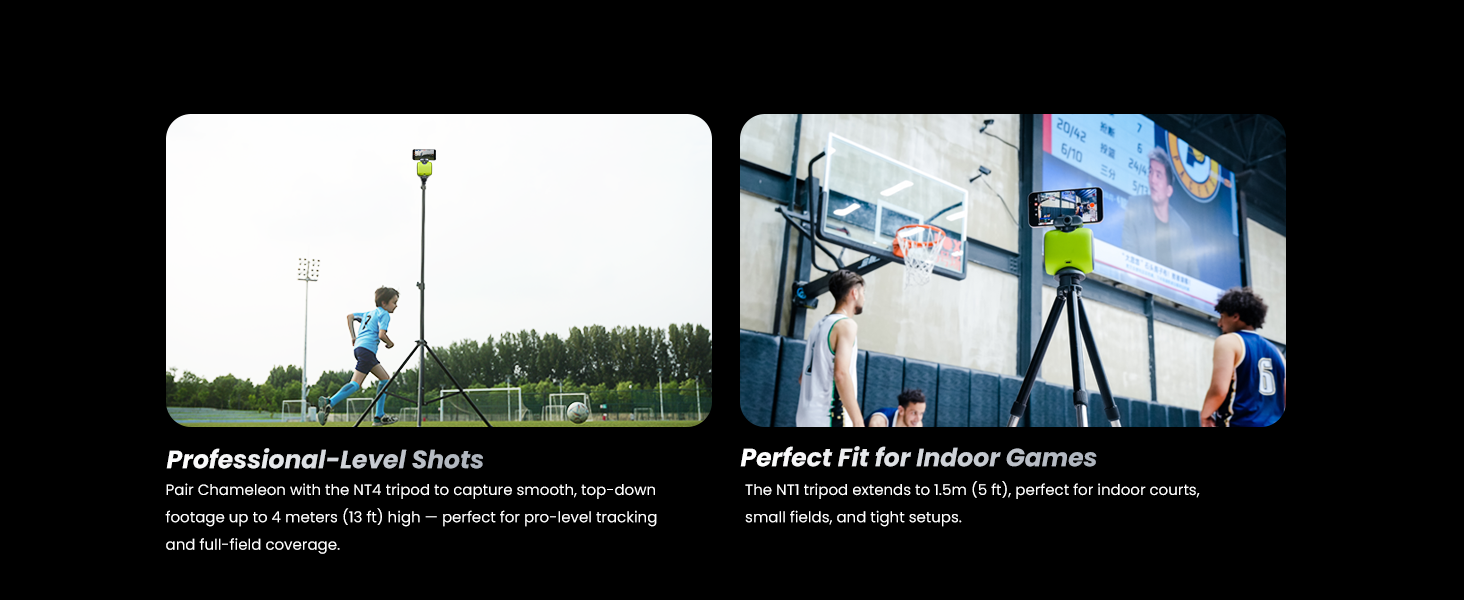
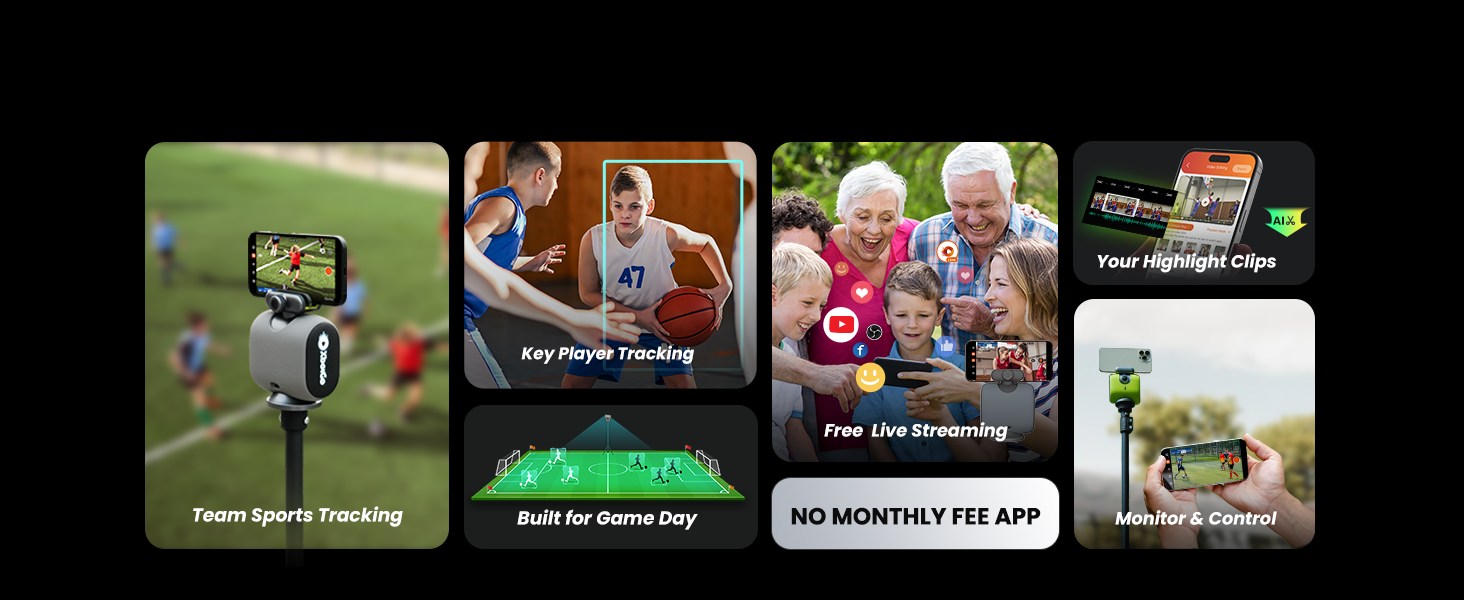
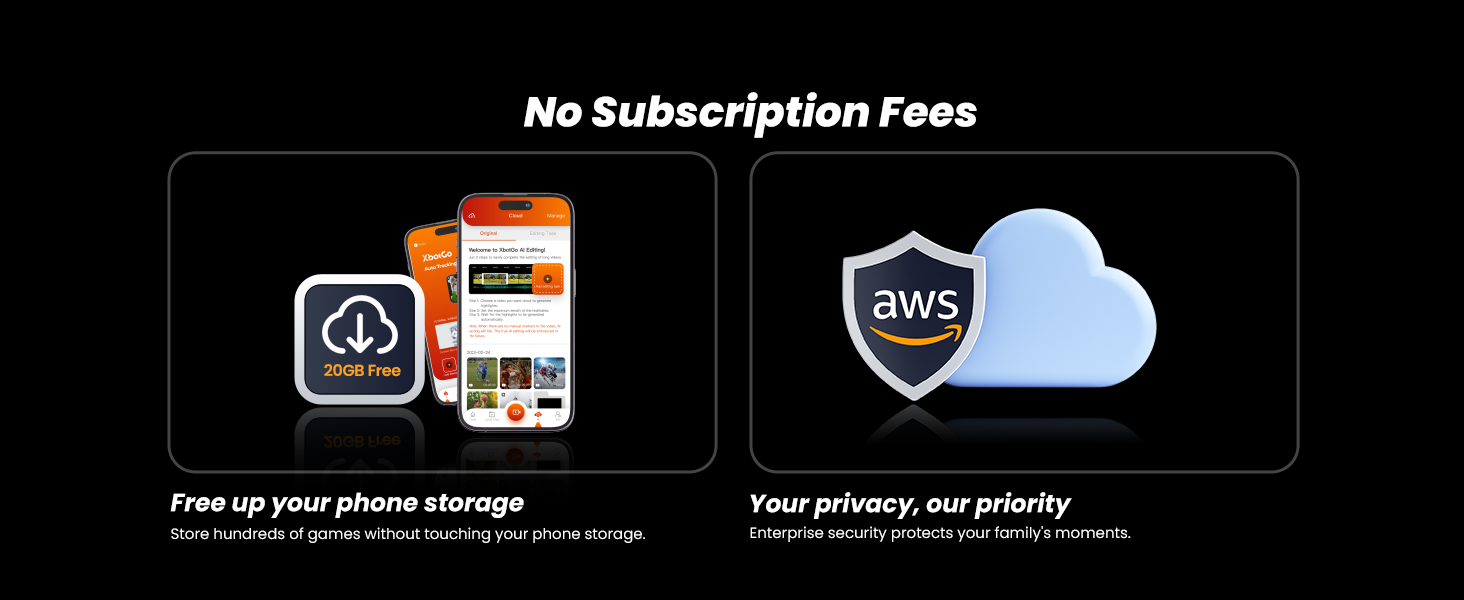
The XbotGo Chameleon AI Auto Sports Action Camera revolutionizes sports videography with its advanced AI 2.0 tracking algorithm, delivering precise, hands-free 4K 60FPS footage across 20+ sports. Featuring a 120° ultra-wide lens and 360° panoramic rotation, it ensures comprehensive coverage of every dynamic moment. With up to 8 hours of battery life, Bluetooth remote and Apple Watch controls, plus seamless live streaming and AI-assisted auto-editing—all subscription-free—this compact, portable camera transforms smartphones into intelligent sports filming powerhouses for coaches, athletes, and content creators alike.


| ASIN | B0D7HQFKPB |
| Battery Average Life | 8 hours |
| Best Sellers Rank | #7,097 in Electronics ( See Top 100 in Electronics ) #43 in Sports & Action Video Cameras |
| Brand | XbotGo |
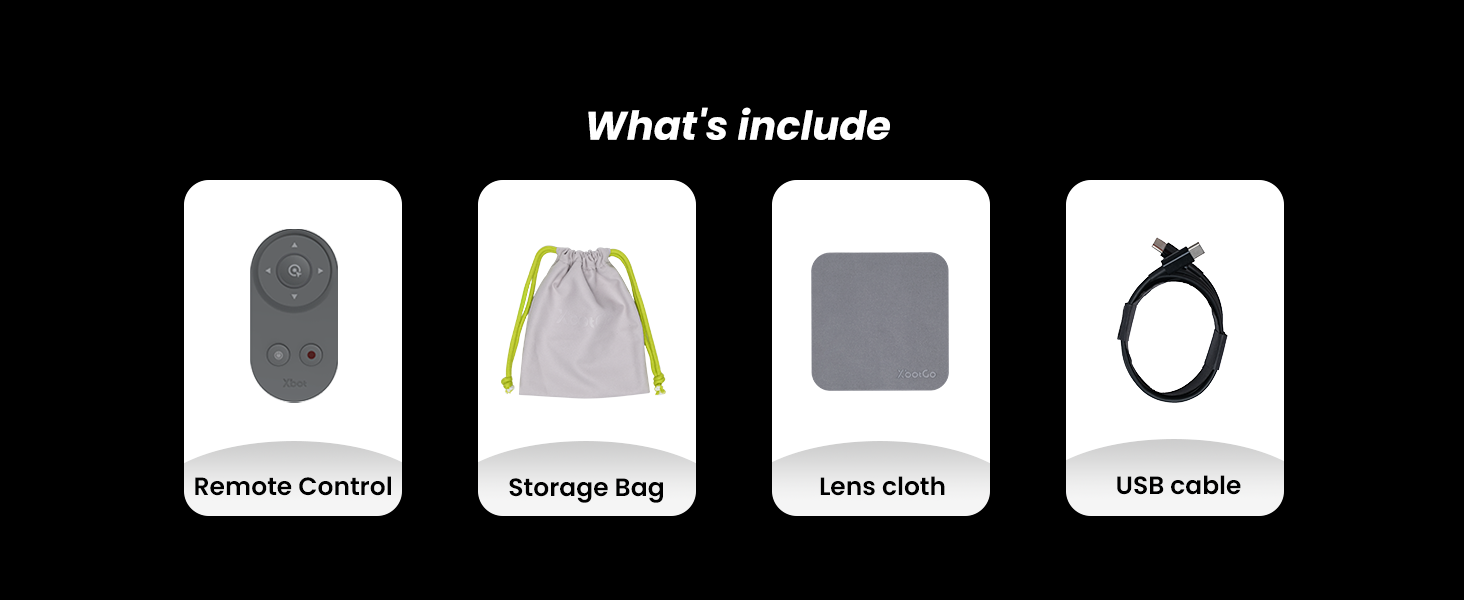
| Built-In Media | Chameleon, Remote Control, USB-C Cable, User Manual |
| Camcorder Type | Action Camera |
| Color | Lava Graphite |
| Compatible Devices | Smartphone, Smartwatch |
| Connectivity Technology | Bluetooth |
| Customer Reviews | 3.8 out of 5 stars 515 Reviews |
| Display Resolution Maximum | UHD |
| Effective Video Resolution | 3840 pixels |
| File Format | MP4 |
| Flash Memory Speed Class | C10 |
| Flash Memory Type | SmartMedia |
| Flash Memory Video Speed Class | V60 |
| Focus Type | Auto Focus |
| Form Factor | Compact |
| Image Aspect Ratio | 16:9 |
| Image stabilization | Digital |
| Item Dimensions D x W x H | 6.5"D x 12.2"W x 17.51"H |
| Item Weight | 540 g |
| Lens Type | Wide Angle |
| Manufacturer | Blink Tech Inc |
| Maximum Aperture | 1.8 f_stop |
| Model Name | CHMB01 |
| Model Number | CHMB01 |
| Number of Batteries | 1 Lithium Ion batteries required. (included) |
| Number of Speakers | 1 |
| Photo Sensor Technology | CMOS |
| Sensor Type | CMOS |
| Shooting Modes | Custom, Night, Sports |
| Special Feature | Wireless |
| Style Name | Lava Graphite |
| Supported Audio Format | AAC, MP3, PCM |
| Supported Image Format | JPEG |
| Unit Count | 1 Count |
| Video Capture Format | MP4 |
| Video Capture Resolution | 4K |
| Video Resolution | 4K |
| Warranty Description | 1 Year Manufacturer |
| Water Resistance Level | Not Water Resistant |
| Wireless Compability | Bluetooth |
| Zoom | Digital |
✧**°
Game Day Filmmaking Made Effortless and Fun
This has quickly become one of my husband’s favorite gadgets, especially for sports days. From the first time he used it, he was genuinely impressed by how smoothly it tracks the action without needing someone behind the camera the whole time. He loves that he can set it up, start the app, and actually focus on the game instead of worrying about filming angles or missing important moments. What really stands out is how smart the tracking feels. Whether it’s soccer or basketball, the camera follows the movement naturally and keeps the players centered, which makes the footage feel polished even though it’s all automatic. The video quality looks crisp and clear, and the motion stays fluid, which is great for fast paced games. He also enjoys being able to live stream straight from his phone since it makes sharing games with family and friends incredibly easy. The app experience has been smooth overall, and he likes that updates keep improving the features instead of locking everything behind a subscription. The hardware itself feels solid and portable, so it is easy to pack up and bring to practices or games. Battery life has been reliable enough for full sessions, which was a pleasant surprise. He also really enjoys the remote control option since it gives him quick control without interrupting the game. Overall, it has turned recording sports into something fun and stress free for him instead of a chore.
@**@
Pretty cool camera
Impressive AI action camera. Its easy to set up and the quality are good and clear. When it comes to sports videography, this gimbal is revolutionary. This system, which is intended for coaches, teams, individual athletes, and analysts, provides automated player/team concentration, smooth motion stabilization, and precise tracking, making it a vital tool for producing high quality sports video. The accuracy of the recording surprises me. dynamically follows players using AI-powered tracking to make sure every important moment is recorded. even in fast-paced games, makes shots that are steady and fluid. A dedicated camera operator is not necessary because the system is easy to set up and the AI tracking functions flawlessly. The Chameleon AI-Powered Sports Action Camera is a cutting-edge solution for capturing sports footage with advanced tracking capabilities. AI-Powered Tracking System Automatically follows teams and players using smart motion detection. Sports Gimbal with 360° Rotation – Ensures smooth and stable footage, even during fast-paced action. COMS 4K Video – Captures ultra-high-definition footage for crisp and clear replays. 120° Field of View (FOV) – Provides a wide-angle view to cover more action on the field. Auto-Focus & Real-Time Adjustments – Keeps the subject in focus, optimizing clarity and stability. Ideal For: Recording sports games, training sessions, and action-packed moments Coaches analyzing player performance Live streaming and content creation Hands-free filming with automated tracking
M**M
The app today mandates full access of my photo library to start recording!
Things go crazy today! The app started mandating ***FULL*** access to my entire photo library, all my photos and videos, to start recording! When I grant it full access, it works as it used to be. After I revoke the grant, I cannot do anything with it. More interestingly I could not find the app’s version at all. I really hope this happened during the return time window!
O**.
Live broadcasts with scoreboard!
Being an electronics enthusiast, I've come across phone gimbals and camera gimbals, but what I haven't come across is something like the XbotGo tracking camera gimbal. While DJI Osmo and other vlogging cameras with built in gimbals and object tracking are great for being your own cameraman, they are weak when it comes to recording and live streaming sports events. Before coming across this product, I watched a live stream of a basketball game streamed by my son's middle school done by another parent. It had a scorboard overlay and great quality. I always wondered how that was done. It was when I came across the XbotGo that it clicked for me. The parent must have used a similar device to this product. The XBotGo hardware is simple in concept. It has pan and tilt capabilities and a bluetooth remote for controlling the gimbal operation as well as starting and stopping the video. It has a camera built in that is used only for optical tracking. This condensed set of hardware makes the XbotGo more versatile as it leaves the camera and wireless hardware up to the phone that you provide. The streaming video quality is up to the phone that you provide. This is where the software comes in. The software is an all-important part of this system. It is used to connect to the Chameleon via bluetooth and provides the functionality that sets it apart from a standard phone gimbal. Upon starting the app, you choose the sport that you will be recording. This allows the Chameleon to customize its motion tracking to the sport. If you think about it, in Basketball or Soccer, the camera should be following the ball, not a specific person. This is the key feature that sets this product apart from standard gimbals. To really make the live stream work, you need to log in with an XBotGo account. From there, you will have the ability to live stream to Youtube or Facebook. To create a scoreboard overlay, you will need another phone. This phone will be the remote monitor for the Chameleon and you can customize the feed with a scoreboard. Even better is the ability for Chameleon to work with OBS. From a laptop, OBS can connect to a URL given by the product once you have the camera started. OBS treats this as a live source and you're then able to create even more overlays and stream to other social media platforms not covered by the XBotGo's app. Overall, this is a well thought out system that is just impressive with the results that you can get. Very cool.
A**A
It allowed both parents to watch the game instead of the camera
We record all our child's hockey games to share with family. We found that one of us was always watching the camera more than the game, and then we would spend a significant amount of time going through the footage to add in a scoreboard to make it easier for that family to follow. We wanted to find a new way to capture games, and keep score without while not having to fiddle with technology, and be more in the moment. We also didn't want to have to spend hours on the computer editing the footage after the game. That's when a fellow hockey parent mentioned they'd heard of this device. We decided to get it and give it a go. Since the games are for smaller kiddo, we weren't sure how the camera would do recording half ice games. I can say it did a wonderful job. I didn't have to do much in the way of configuring the camera before the game. I just followed the directions, and selected Hockey, and the age group. Put it at "center ice" and hit record. There's a need feature where my spouse could connect their phone to mine (the one doing the recording), and add in the scoreboard in real time. Anytime there was a goal they just clicked a "+" for that team, and it added it to the video. It even let you customize the team names and colors of the scoreboard. It was so easy to use, and the fact that we could just upload the video as soon as it was over made this a no brainer. One thing we did notice when watching it back was that the panning motion could be a bit jerky at times, and a few times it struggled to keep up with the game, but I would say it captured the important moments of the game, and fit our need perfectly. I would like to see them add in an additional metric for hockey though. It would be nice if the scoreboard could track "Shots on Goal", and I'd like to see further improvement to the motion of the panning, but considering it does 99% of what we want I would recommend it to anyone who is looking for this sort of thing depending on the price range they're looking to budget for. I've included a test video we shot to show the quality, but have removed the sound. TLDR; This tool as been great. It allowed us to both enjoy the game with out a need to fiddle with a camera the entire time, capture the score in an easy to use and nice looking scoreboard feature by connecting to phones together, spend less time on the computer after the game preparing the video for family, and get it online faster. The family that typically view it have already said it was a great viewing experience, and they're looking forward to following the rest of the season.
S**R
Powerful Sports Tracking Camera That Actually Delivers, With a Learning Curve
I’ve been using the this primarily for soccer and basketball, and it has genuinely elevated how we record and stream games. This is not just another phone gimbal. It is a purpose built sports tracking system that feels thoughtfully designed for real game environments. The standout feature is the AI tracking. When set to the correct sport mode, it does an impressive job following the flow of play rather than locking onto a single person. In fast paced transitions, it keeps the ball and primary action in frame most of the time, which is exactly what you want for team sports. It is not perfect in every scenario, especially in extremely chaotic moments or sports like hockey or volleyball where tracking angles are more challenging, but for field and court sports it performs remarkably well. Video quality is excellent. Shooting in 4K at 60FPS produces sharp, smooth footage even during quick movements. The stabilization is strong enough that it looks like someone is manually operating the camera. As long as you use a solid tripod and position it correctly, the results look very polished. One of the smartest design decisions is that the device uses your phone for the actual recording and streaming. That means your final video quality depends on your phone’s camera, which is usually better than most built in action cameras at this price point. It also keeps the hardware compact and portable. Setup is straightforward, though there is definitely a learning curve. The app is powerful, but new users should set aside time to explore features before game day. Tutorials explain features well, but navigating them mid game is not ideal. Live streaming works well when your internet connection is strong. The built in streaming options are convenient, and the ability to integrate with OBS on a laptop opens up serious possibilities for overlays and more advanced production setups. The scoreboard feature is a great touch, though it requires a second device to manage properly. Battery life has been solid. I have been able to get through full games without stress. The build quality feels premium and durable, and the pan and tilt movement is smooth and responsive. The remote control is useful, though some users may wish for more direct zoom control from a secondary device when mounted high. This camera is best for coaches, teams, parents, and content creators who want automated tracking without hiring a dedicated camera operator. It performs far better than a standard gimbal for sports, especially when properly configured. While there is room for refinement in tutorials and certain sport specific scenarios, the value and results are extremely impressive. If you regularly record games and want something that feels close to professional production without a full crew, this system absolutely delivers.
A**R
Could be 5 stars
Let me start with this camera is not easy to set up. Lots of trials and tribulations, connecting and disconnecting, logging in and out. After all that the camera is really cool in that it tracks pretty well the video is good quality with a good phone, and it makes the game more enjoyable not having to worry about filming. It would even be 5 stars with all the trouble setting up. The lower rating comes from the fact that it will not stream live to Facebook where others can see. It does stream live, but only as a “me only” video, meaning only the person posting can see it live. You can go back later and change it to public but only after the stream is done. That is pointless because you can just record it and post later if that is the case. Hopefully it is a software problem that gets fixed soon, which they say they are working on, but the camera has been out for awhile and it is still not resolved. Fix the live stream problem and I will change to 5 stars, I just don’t like being deceived.
A**T
Has potential but not quite there yet.
Note this was used for youth flag football which may have some variables, and also the football option was listed at beta. This may improve with a later software version and with a full football team. Overall, the device is well built and works fairly well. I’d say 80-90% of the time, you’ll get your video - if not in the center of the frame. I had 2 completely missed plays and that disappointed me and my son. In one case, the camera just panned about 130deg opposite of the play and shot the sideline. The 2nd major issue was the remote. First, it needs dedicated buttons - at least one more. As it is currently, there is an action button and one other that cycles through the actions. This was a problem as the very useful “mark” option, which marks important plays for easy review is only accessible if you cycle to it. But if you’re set on mark, then you have to cycle to the play/pause option. (And if you have to manually pan because the AI isn’t tracking well, you have to cycle to that.) At least a dedicated play/pause button should be added. The 2nd issue with the remote was that distance was surprisingly far to start - 30-40’. About 30min through my son’s game, it started disconnecting beyond about 15’. It could be a bad battery but this was the first use. I missed starting one play due to this. Beyond actual flaws, the system works fairly well. There is a process to learn, however, that is really the reason I’m returning. The system does decent at following a play but it can’t track the location well to start. Placed at midfield (as instructed), I’d have to set the cam to look at the offense near the left goal line. As the play progressed to the right, the camera followed ok. But if the field switched - which is common in flag since the don’t punt, I’d have to manually pan to the other side. I wouldn’t call this a flaw and I don’t know how to solve, but between the occasional glitch, the risk with the remote and constantly panning after a drive, it was too much focus on the camera and not enough on my son. I couldn’t enjoy the game. Additional notes: if it’s not clear, you must use a phone and it must be mounted on the device to function (semi-properly). It is not an actual camera and the video is saved to the phone. So you need to tie up your phone or have an extra one - with sufficient battery and storage. You may be able to disable but every time you click home to change a setting and then go back to record mode, you have to select all the setting and “skip” the tutorial/setup. Minor annoyance but adds a good 5+ seconds and you don’t want to fight with that during a game. There is a follow me option that might help with the panning issues mentioned above but when testing with my son, if he ran fast, the device could not keep up. If he got out of frame, it would stop tracking. I may test this once more with a mid-zoom to see if that works better during the game. The system will slightly digitally zoom but there’s no simple way to control that during plays. There’s also no way to zoom in on review. You must download the video and zoom in with the phone’s standard video viewers. Build quality is good, as is battery life in my tests. It’s not a bad system for the price and may work better with other sports/fields/courts/etc. Just be aware that it’s not a set-it-and-forget-it / enjoy the game type of device. 3 stars for potential.
L**U
Ideaal voor voetbal
Ideaal om voetbalwedstrijden mee te filmen en terug te kijken.
C**Z
👌🏽
Muy recomendable
A**O
Mejor de lo esperado, muy buena calidad
Cuando compré la XbotGo Chameleon no sabía muy bien qué esperar, al recibirla y abrirla ya vi que tenía una presentación y calidad muy cuidada, tanto la cámara como los accesorios, muy bien terminados y de una calidad muy buena, y todo muy bien protegido. Por ponerle un pero, las instrucciones no están en español, aunque con los vídeos y la aplicación no es difícil de manejar. Desde el primer día me sorprendió lo fácil que es usarla, no he usado este tipo de accesorios nunca, yo solo quería grabar partidos sin tener que estar sosteniendo el móvil todo el tiempo, perdiéndome el partido estando allí por estar pendiente de grabarlo todo, y la verdad es que esta cámara me resolvió ese problema, puedo disfrutar del partido y luego poder ver de nuevo los momentos más importantes, para que ellos mismos puedan ver los fallos y aciertos que han tenido. La primera vez que la encendí, la conecté a la app y fue inmediato que mi smartphone lo reconoció, al igual que el mando. Una cosa que me paso pero no sé si es por mi smartphone es que tuve que actualizar la versión de una en una hasta que llegó a la más actual, no sé si es lo normal o solo me ha pasado a mí, aviso por si acaso, cuando llega a la última versión no vuelve a pedir la actualización. Lo que más me llamó la atención es cómo sigue la acción sin que yo tenga que hacer nada, la cámara detecta automáticamente a los jugadores y se mueve para mantenerlos dentro de la toma, puedes elegir el deporte, e incluso, en fútbol, que es el que probado, las dimensiones aproximadas del campo, para que el seguimiento del partido sea el mejor. La verdad, es bastante impresionante. No tengo buenas tomas porque el trípode que tengo es muy básico, ahora buscaré uno acorde, con buena estabilidad, pero aún así me ha sorprendido. El modo FollowMe se ha convertido en mi favorito. Me encanta porque puedo seleccionar a un jugador específico y la cámara lo sigue durante todo el encuentro, también puedes además de manejarla manualmente con el mando grabar y parar con gestos frente a la cámara. La calidad del video es realmente buena. Los 4K a 60 FPS hacen que todo se vea muy nítido y suave. El ángulo amplio de 120° también ayuda a captar más campo sin necesidad de mover la cámara. La aplicación me pareció muy práctica. No necesitas saber nada de edición porque la propia IA te crea clips automáticos con los momentos más destacados. Si quieres editar por tu cuenta, también puedes hacerlo sin complicaciones. Todo está organizado de forma clara y eso se agradece cuando grabas mucho contenido. El almacenamiento en la nube también me pareció un extra. Tener mis grabaciones guardadas ahí me permite verlas desde cualquier dispositivo y no depender solo del móvil. Además, los marcadores automáticos le dan un toque más profesional a los videos, especialmente cuando quiero compartirlos. La batería aguanta muy bien, podemos grabar partidos completos sin preocuparme por quedarme a medias. Y con el control remoto, empezar y detener la grabación es tan sencillo como un clic, al igual que marcar puntos importantes. En general, estoy muy contento con esta cámara. Me permite grabar partidos con calidad profesional sin necesidad de ser experto. Si lo que buscas es capturar deportes de equipo sin complicarte, la XbotGo Chameleon hace exactamente eso y lo hace muy bien.
G**E
Dopo aggiornamenti....tanta roba
Appena provato la prima volta non seguiva bene l'azione, anzi a volte sembrava andare dove gli pareva. Dopo degli aggiornamenti (da applicazione) adesso posso dirmi soddisfatto.
M**S
Happy
👍
Trustpilot
1 month ago
4 days ago