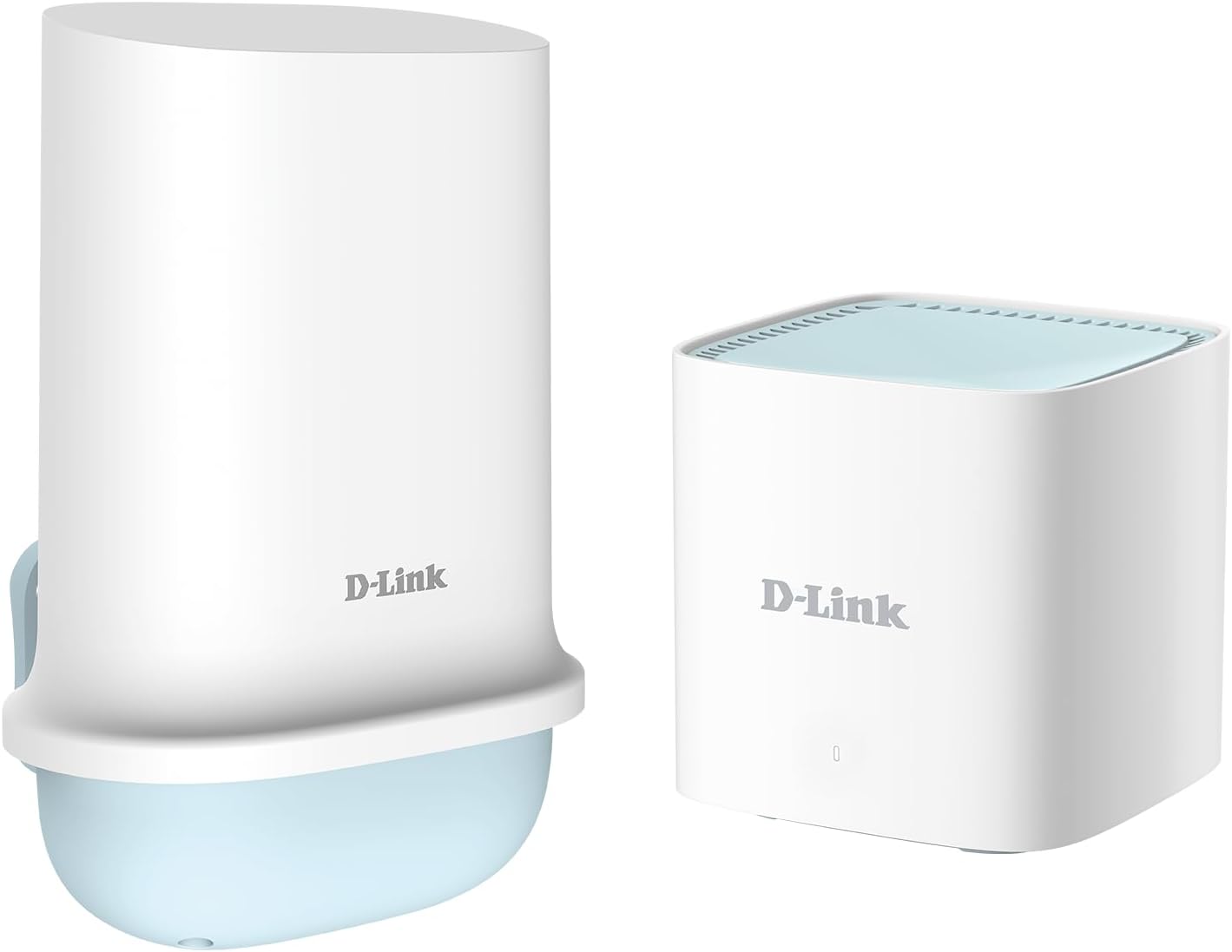
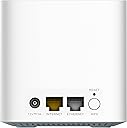
🚀 Elevate your outdoor internet game with unstoppable 5G power!
The D-Link DWP-1010/KT/B is a rugged, high-performance 5G/LTE outdoor CPE designed for ultra-fast wireless connectivity up to 3.4 Gbps. Featuring IP67 weatherproof housing, 1kV surge protection, and Gigabit PoE with included injector, it offers easy installation and reliable operation in any environment. Unlocked for all networks, it supports dual-band Wi-Fi and is ideal for homes and businesses seeking cutting-edge fixed wireless access without the constraints of cables or fiber.


| ASIN | B00PS19ZKC |
| Antenna Location | Business, Home |
| Best Sellers Rank | 11,765 in Computers & Accessories ( See Top 100 in Computers & Accessories ) 28 in Mobile Broadband Devices |
| Box Contents | AC Power Cable, DWP-1010 5G/LTE Outdoor CPE, PoE Injector, Pole/Wall Mount Kit, RJ45 Cables (15m and 1m), Quick Start Guide and Warranty Information |
| Brand | D-Link |
| Brand Name | D-Link |
| Colour | White |
| Compatible Devices | Gaming Console, Personal Computer, Printer, Security Camera, Smart Television, Smart Thermostat, Smartphone, Tablet |
| Compatible devices | Gaming Console, Personal Computer, Printer, Security Camera, Smart Television, Smart Thermostat, Smartphone, Tablet Compatible devices Gaming Console, Personal Computer, Printer, Security Camera, Smart Television, Smart Thermostat, Smartphone, Tablet See more |
| Connectivity Technology | 5G, Ethernet, Wi-Fi |
| Controller Type | App Control |
| Coverage | Outdoor and Weather Protection |
| Customer Reviews | 3.6 out of 5 stars 830 Reviews |
| Data Transfer Rate | 1 Gigabits Per Second |
| Frequency | 5 GHz |
| Frequency Band Class | Dual-Band |
| Frequency band class | Dual-Band |
| Is Modem Compatible | Yes |
| Item Weight | 760 Grams |
| LAN Port Bandwidth | 1000 Mbps |
| Manufacturer | D-Link |
| Maximum Upstream Data Transfer Rate | 600 Megabits Per Second |
| Model Name | DWP-1010/KT/B |
| Model Number | DWP-1010/KT/B |
| Model name | DWP-1010/KT/B |
| Number of Ports | 2 |
| Operating System | Linux |
| Other Special Features of the Product | Parental Control |
| Security Protocol | WPA3 |
| Special feature | Parental Control |
| UPC | 790069477898 |
| Wireless Compability | 802.11ac, 802.11ax, 802.11b, 802.11g |
| Wireless communication standard | 802.11ac, 802.11ax, 802.11b, 802.11g |
S**I
Solid Mobile Internet
I've been using the DWR-932W 4G hotspot for a few week, and it's performing well. As someone who travels frequently for work and relies on stable, high-speed internet wherever I go, this little device has become my go-to companion. Here's why I'm giving it a solid five stars: First off, the portability is unbeatable. It's incredibly compact – about the size of a credit card and lightweight enough to slip into my pocket or backpack without noticing it's there. The battery life is impressive too; I get up to 10 hours of continuous use on a single charge, which means I can power through a full day of remote work, streaming, or video calls without hunting for an outlet. Recharging is quick via USB-C, and it even supports power banks for extended trips. The 4G connectivity is lightning-fast. In areas with good coverage, I've clocked download speeds over 80-90Mbps, making it ideal for downloading large files, HD streaming on Netflix, or even online gaming without lag. Setup was easy, inserted Sim and powered it on, it states 32 devices can connect at once, but I dont have 32 devices to connect! but haven't had an issue so far Overall, the DWR-932W is a solid performer for anyone needing reliable mobile internet on the move. It's durable, user-friendly, and delivers performance without breaking the bank. Highly recommended.
C**N
Good but with a caveat
I bought this to provide an always-on wifi hotspot in a remote location, so it is always plugged in and (almost) always has devices connected. Generally, I'm getting on with it well, but with one important caveat. It is working well and is very stable ONLY if it only has it's 2.4Ghz interface enabled (i.e. 5Ghz disabled). If 5Ghz is enabled, it seems to periodically kick everything off, and nothing can re-connect until it's been rebooted. I haven't had chance to try and diagnose why - I'm fine with just using 2.4Ghz - but, as others have said, it does seem like the firmware is a bit flaky. It's managed through a local web interface, which is pretty clunky, but it's just about usable. Also as others have said, sometimes your changes don't save. I think you just have to go really slow with it, maybe. Battery life is "OK"; probably 12 hours of light use, of course if you can plug it in and run it off a mains USB charger - and you're happy with only using 2.4Ghz, then I'll get weeks of uptime out of it without needing a restart. Speed and latency seem good enough for general use. You can do a video call perfectly well over it, which is the limit of what I needed. Overall good value for money, I'm happy.
K**C
Never buying D-Link again (D-Link DWR-933)
The last D-Link product I owned was one of their home WiFi routers years ago which had constant instability issues. This mobile dongle is no exception. Despite setting it up correctly (I am a tech expert) the device would work for a while until the next time I would turn it on and the connection setting would change itself from 'Always Connected' to 'Manual Connection'. In short, Always connected means upon start up, mobile internet connection is turned on/available. Manual requires you to manually turn on LTE connection each time after start up, in order to connect and use mobile internet. For some reason, it would always switch itself from Always connected to manual connection, and when trying to change the setting from always connected back to manual, the setting does stick - it flicks immediately back to manual connection. Nightmare. The same thing happens with the 2.4ghz and 5ghz wifi settings, both flicked from on to off without my input, when trying to change either of them back to on, it says the setting is saved, but refreshing the router admin page and the settings are still set to off.
D**E
Review for AC1200 Version
My old wifi hotspot device (Netgear Aircard 762) started to play up so I had to get a replacement. Looking on the market I say this device as a similar replacement. The D-Link DWR 933 performs as expected, it has a WPS button, a clear LCD display and so far I have managed to get 80mbps from my 4g connection (which is really good) The device settings are accessed by a web page, and it is pretty informative (even better that my old access point's web interface. You can set all the passwords and internet settings here, it has very complex settings that are fully customisable I am currently using this device with 4 attached devices.. they all work well and perform again as expected. You can connect either 2.4 or 5 ghz as there are 2 separate wifi access points on the device. Range is very good I have my laptop connected in another room and the signal is very strong. Cannot really fault the device but would like to be able to view TXT messages with the built in LCD screen instead of having to log onto the device to view the TXT. The device will not work witout the battery inserted, my old hotspot would work on USB power without a battery, as I was at home most of the time and didnt need to use the devices battery. The hotspot also has a micro sd slot so you can use the device as a network storage device. Handy to share files over your own network. When On battery the hotspot lasts well over 10 hours with lots of use. Pros • Good Value • Compact • Removable battery • Good display • Long battery life Cons • Wont run on USB power only (needs battery in device) • LCD screen is tiny • Micro USB port (should be USB C really) Can recommend this product if you are after a wifi 4G Hotsport
T**N
Good at first, barely working 6 months later
I got this to use primarily abroad with roaming. The first few months were fine, speeds were ok and reliable. Unfortunately it soon started to play up. It had signal, but wasn’t strong but should be enough to work. The internet would work (albeit i could rarely get above 1mbps) and then suddenly cut out. I put the sim into my other device which had no issues which meant it could only be the router. I picked up another one of these just to make sure and indeed, the new one worked fine. So it lasted me about 6 months which is very poor.
E**R
Slow speeds
This review is for the D-Link DWR-933. I found the speeds on the 2.4 and 5ghz channels to be very slow. The maximum download achieved was 8 meg and 1/2 meg upload. It was showing a full 4g signal and the Wi-Fi signal was strong but still very slow speeds. I have a TP link Archer MR500 mobile broadband unit which is plug in only so was looking for something a bit more portable for travelling. On the TP Link unit I regularly get 30 meg download speed and 15 meg upload so I know the 4g signal here is good. It's a shame as the D-Link is a nice little unit that was really easy to set up.
G**N
Reliable and easy to use.
I wanted something that was easy to set up and use. Having purchased other devices which I was unable to configure with my SIM I decided to risk it. Yes I wasted my money on the "others" and went for this D-Link device. Simple to set up, just put SIM and if wanted a SD card and power up. The next thing is to enter the password. Enjoy.
J**Z
Great wee dongle once set up
Slightly complicated to set up. The instructions are minimal. Fabulous coverage when in use, compared to my previous 3G dongle
Trustpilot
2 weeks ago
5 days ago