Buy anything from 5,000+ international stores. One checkout price. No surprise fees. Join 2M+ shoppers on Desertcart.
Desertcart purchases this item on your behalf and handles shipping, customs, and support to Senegal.
⚡ Unlock the future of WiFi with ASUS RT-BE92U — speed, security, and smart control in one sleek package!
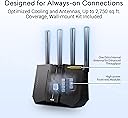
The ASUS RT-BE92U is a tri-band WiFi 7 router delivering up to 9700 Mbps speeds via new 320MHz 6 GHz channels and 4096-QAM. It features multi-link operation for stable connections, AI WAN detection for always-on internet, and subscription-free commercial-grade network security with AiProtection Pro. Designed for smart homes and professionals, it supports up to three SSIDs, VPN, parental controls, and 10G wired capacity, making it a future-ready networking powerhouse.


| ASIN | B0DHWCQ3FP |
| Antenna Location | Business, Gaming, Home |
| Antenna Type | Fixed |
| Best Sellers Rank | #158 in Computers & Accessories ( See Top 100 in Computers & Accessories ) #19 in Computer Routers |
| Brand | ASUS |
| Built-In Media | Power Adapter, Quick Start Guide, RJ-45 cable, RT-BE92U WiFi 7 Tri-band Router, wall mount kit |
| Color | BLACK |
| Compatible Devices | Personal Computer |
| Connectivity Protocol | Bluetooth, Wi-Fi |
| Connectivity Range | 2750 Square Feet |
| Connectivity Technology | Bluetooth, Wi-Fi |
| Control Method | App, Push Button, Voice |
| Controller Type | Wi-Fi, Bluetooth, Voice Control |
| Coverage | 2750 square foot |
| Customer Reviews | 3.8 out of 5 stars 548 Reviews |
| Data Transfer Rate | 5764 Megabits Per Second |
| Frequency | 320 MHz |
| Frequency Band Class | Tri-Band |
| Has Internet Connectivity | Yes |
| Has Security Updates | Yes |
| Is Electric | Yes |
| Is Modem Compatible | No |
| Item Dimensions L x W x H | 11.3"L x 4"W x 9.73"H |
| Item Weight | 1.7 Pounds |
| LAN Port Bandwidth | 9700 Mbps |
| Manufacturer | ASUS |
| Maximum Upstream Data Transfer Rate | 5764 Megabits Per Second |
| Mfr Part Number | RT-BE92U |
| Model Name | RT-BE92U |
| Model Number | RT-BE92U |
| Number of Antennas | 4 |
| Number of Ports | 5 |
| Operating System | ASUSWRT |
| Other Special Features of the Product | 320MHz channels in the 6 GHz, Alexa Compatible, Internet Security, VPN, AiProtection, WiFi 7 (802.11be), Wirelss router, AiMesh Node, Access point, Media Bridge, Repeater Mode |
| RAM Memory Installed | 1 GB |
| Router Firewall Security Level | High |
| Router Network Type | Tri-Band |
| Security Protocol | VPN, AiProtection, WPS, WPA/WPA2/WPA3 Enterprise |
| Smart Home Compatibility | Smart Home Compatible |
| Special Feature | 320MHz channels in the 6 GHz, Alexa Compatible, Internet Security, VPN, AiProtection, WiFi 7 (802.11be), Wirelss router, AiMesh Node, Access point, Media Bridge, Repeater Mode Special Feature 320MHz channels in the 6 GHz, Alexa Compatible, Internet Security, VPN, AiProtection, WiFi 7 (802.11be), Wirelss router, AiMesh Node, Access point, Media Bridge, Repeater Mode See more |
| UPC | 197105580633 |
| Unit Count | 1.0 Count |
| Warranty Description | 3 year |
| Wi-Fi Generation | WiFi 7 |
| Wireless Communication Standard | 802.11.be, 802.11ac, 802.11ax, 802.11n |
| Wireless Compability | 802.11.be, 802.11ac, 802.11ax, 802.11n |
A**R
A beast of a router.
This router works. I've read all the negative reviews and just can't believe it. I bought the router and never had a problem. It had the lastest firmware installed. This unit is fast. The speeds i was getting was wow. Now I have a 1Gb plan and was getting more than that. I've done speed test thur various sites and all came really close to one another. The stability of this router was very good quality thur out my home. Up stairs down stairs didn't matter. My wifi connection was great. Couldn't be happier. The app that you have to DL is very good. It gives you alot of info and options. I was able to update the firmware to the lastest that just came out. Everything went like clockwork. Now I did have to reboot it once done . Otherwise it has worked perfectly. I've had no problems. But I will update if something comes up. If your on the fence about this one ,I say go for it . This router is a good one for anyone who's looking to upgrade there old unit.
J**N
Downgrade from My "Free" ISP Router for Gigabit Internet
I bought the ASUS RT-BE92U expecting a major upgrade for my fiber connection, but it is consistently worse than the BGW320-500 router provided by my ISP (AT&T). In real-world testing, this WiFi 7 beast delivers less than half the speed at the same distance as the ISP router. Where I used to get 600Mbps, I am now struggling to hit 200Mbps. Even more frustrating, I am the only 6GHz network in my area, so there is absolutely no overlap or congestion like you find on 2.4GHz or 5GHz, yet the performance is still abysmal. Even on this "clean" 6GHz lane, the speeds do not come close to the ISP router. Sitting right next to the unit with only one device connected, my ISP box hits 900Mbps while the ASUS caps out at 400Mbps at best. The hardware and software compatibility is equally disappointing. I updated the drivers on my laptop and used an iPhone 16 Pro Max with WiFi 7, yet neither device could reach the "crazy" speeds promised on the box. I even tried manually creating a dedicated network with 6GHz to isolate the signal, but I still ran into the same issues of getting half the speed of my old setup. Finally, the app layout is kind of "jank" and unpolished. It actually did not provide the same level of customizability as the ISP’s web GUI. I believe that if you wait a bit more this router will get better and be able to be good, but right now I would just wait or if you want to be an early adopter look for a more expensive one. You kind of get what you pay for. If you have high-speed fiber, stick with the "free" box for now. This is currently an expensive, buggy mess. TLDR Coverage: Awful Value for money: Okay * Ease of Use: Good Ease of Setup: Okay ** Customization Options: Okay ** Streaming capability: Okay ** * : Value for money is a little subjective here depending on if you get it on sale or not. You do get what you pay for, but at this point with the software issues you really don't. ** : If they can fix their software issues these can move up to good or amazing
M**S
For me. Quality, stable, fast.
It works beautifully. Sadly at the 6 week mark it started acting up. Absolutely nothing was changed or updated just acted up. Hard reset nothing, merlin side, any firmware, nothing. Today! New firmware April 1st 2026 from Asus. Does not correct it. Yes even hard reset after the latest firmware. :/ 5 and 6 ghz works but not at its full potential anymore. 2.4 just doest exist, won't broadcast. But for sure a very respectable strong router. Was very stable with almost 30 home devices. Yes the pic results are tested thru wifi not wired.
K**R
Great router for experienced users on a budget
Easy to setup, other than one issue where the online manual didn't have the updated menu item name. Small footprint, and a lot of features for the price. I saw that a fair number of people were reporting dropped connection issues. A possible cause for this is a known issue with Samsung and Apple mobile devices not working well with MLO (after a while they freak out and start dropping connections and otherwise make internet connections unrealiable). If you don't absolutely need MLO, try disabling it if you have it enabled. Update: A week later. During initial setup and for a few days later I did experience occasional router reboots. But, after a few days the system has stabilized and no further reboots....yet. Not sure what is causing the reboot, nothing definite showing up in the logs. Otherwise, I'm loving this router. It was so easy to setup different virtual networks, especially the one for VPN. Not sure if I could recommend this router for the inexperienced user, but if you have any experience setting up routers etc. I can give this a big thumbs up!
J**N
Easy set-up, very fast, feature rich. I am impressed so far!
So far so good! I got this for my home network wanted something full-featured without the subscriptions. My previous device would stutter and take a while for the decent picture when watching youtube and netflix. I hooked this up behind my ISP firewall (currently doublenatting) and notice the speeds are great I can stream music, while wife on video conference call and I can run a speed test with my phone all at the same time with no interruptions! My last firewall would stutter when I launched a new application from another device on occasion. I like that I can check status from my phone. I just set this up a few minutes ago so still playing with the settings. I did have an issue not able to log into the device after I changed the Wifi Password, should not be related but affected my login. I had to power cycle the device and then it all came back. I am using the USB port by connecting it to a spare 4 tb Hard Drive where I keep my music and back up files. So far everything is working well. Wi-fi speeds are decent. Most of my gear runs wifi 6 and MIMO, backwards compatibility is not an issue.. I have not tested any of the filters. The wall mount a bit flimsy but it works but hard to hide the wires, Wish the USB port was at a different angle, so it does not push the bottom out when mounted on the wall.. I worked for 24 years with Cisco network devices and firewalls, this was easy to set up, has a help on each menu and a setup wizard. It then lets you go pretty granular into the settings. I think they did a nice job on this one. Asus is from Taiwan not mainland China so hopefully it does not leak data.
G**K
BE92U Operation Stabilized after latest update and hard reset of all nodes.
After reading the bad reviews and seeing the high unit return rate, I decided to take the risk. I installed an ASUS BE92U/BE 9700 to replace an old ASUS RT AC86U. My goal was to provide a stronger signal and the newer and faster 6G in the home "Mesh". I have four ASUS routers connected by wire (1G Ethernet) to cover the 4000 SQ ft area of a ranch house including an outdoor pool area. The size/shape and type of construction (brick/cement) required more routers than normally needed. I have had very good experience with these ASUS routers, the older model units has been in service in this attic for 10 years , surviving heat in the summer and cold in the winter. So with that kind of record, I felt the ASUS product deserved a try. After installation in the Attic for 5 days it survived a couple of 90 degree (F) days, and worked well. Suddenly, on a subsequent cooler day with 80 degree temperature high - the unit went offline, and the Gateway (an RT-AXE7800) stopped broadcasting any WIFI signal. A power cycle reboot did not recover operation of the gateway. So all units were factory reset, and I added each node back, one by one. Coincidently, an update for the BE92U came out (July 4?) while was restoring operation, so I installed the new update. The mesh had been operating for 7 days with ASUS BE92U as node in the mesh.
K**R
Decent router. Poor firmware quality control
Good wifi coverage for 2.4, 5 and 6Ghz. Poor quality in Software release. Have been using this router for about 3 months now. Excellent Wifi signal coverage for all bands - 2.4, 5 and 6. Lot of good features (bandwidth throttle per device mac, Mac filtering, Virtual SSIDs for all bands etc). The 2 stars is for the poor quality control for the firmware release. The most recent firmware update (3.0.0.6.102_38980) broke 2.4ghz pretty bad. All my IoT devices connecting to 2.4Ghz would go offline within 5 minutes. I do not see the 2.4Ghz SSID when i scan for APs on my phone. Notified Asus and they have not fixed it yet. I use unique SSIDs for the 2.4, 5 and 6G. It is pretty Looks like Asus does not test the individual bands in their firmware quality control. I went back to the older firmware for now.
S**O
Decent Performance but Intermittent 6GHz Wi-Fi Drops
I’ve been using the ASUS BE92U router for a few weeks now, and while it performs well overall, there’s one recurring issue I can’t ignore. The setup was straightforward, and the router’s coverage is impressive. Speeds on both the 5GHz and 6GHz bands are excellent, making it a good choice for those who need fast and reliable internet for streaming, gaming, and working from home. The build quality feels premium, and the interface is user-friendly. However, the 6GHz Wi-Fi band occasionally drops connections unexpectedly. This happens a few times a day, requiring me to either reconnect manually or restart the router to stabilize the connection. It’s frustrating, especially when I’m in the middle of important tasks. I’ve ensured my devices are compatible, updated the firmware, and adjusted some settings, but the issue persists. The 5GHz and 2.4GHz bands, on the other hand, remain rock solid. If you’re not heavily reliant on the 6GHz band, this might still be a great router for you. But for those who plan to fully utilize Wi-Fi 6E capabilities, keep this potential issue in mind. Pros: Great speed and coverage on 2.4GHz and 5GHz bands Easy setup and intuitive interface Excellent for most home networking needs Cons: 6GHz band experiences intermittent drops Slightly pricey given the issue I hope ASUS addresses this problem in future firmware updates because this router has the potential to be exceptional. For now, I’d rate it 3.5 out of 5 stars.
W**A
Muy recomendado
Excelente producto Cumple su función
M**D
exellent wifi 7 device
very nice the vpn from sharksurf is compatable and good
S**Y
Perfect smart Home router.
Here’s my review. I purchased one open box to replace my Bell modem as I switched to EBOX Internet. The Nokia Becon 3.1 is terrible. You have to be right beside it to get full speed. The moment you move to a different room or floor you lose 50-70 percent speed. It does not penetrate through floors or walls well. Even though it shows full signal. After doing research I came across this router open box deal. I purchased 1 to start. Placed it in the same spot as the Nokia router. Did my speed test again and the speeds only dropped 20 percent going to the 2nd floor. Speed penetrates through walls and floors much stronger than the Nokia router. However. I want to utilize the full speed on 6ghz on all floors which is where the other 2 routers come in open box and added 1 to each floor. I now how full 6ghz speed throughout the entire house. Once you have the entire mesh system setup and begin adding devices. If you have a smart home with 40+ switches, camera, HomePods, it’s important to name them as you connect to the internet in the ASUS app. Because to fully utilize the system it’s important to bind each device to the router you want to lock it to prevent roaming to a weaker signal. Another thing I noticed. Each open box had someone else’s wifi setup to a single network. It combines all 3 bands into 1 network. I don’t recommend this because you won’t utilize full speed at times it will connect to 2.4 ghz instead of 5 or 6 which makes it very slow. For the price. You can’t go wrong with this mesh setup. Another thing to add. If you are with EBOX. Completely disconnect unplug and put back in the box the crappy Nokia beacon. You can’t even disable the wifi it’s annoying. Connect main fibre modem directly into the ASUS router and setup PPPOE information in the ASUS web gui. I currently have 58 devices connected and my ram utilization is 69-71% these are future proof ai nodes. In the future when it’s time to upgrade the main unit to a 4x4 mimo. It will still utilize full wifi 7 speeds as ai nodes. This router is 2x2 mimo on 5ghz and 6ghz 3x3 for 2.4ghz ideal for smart home devices. Best bang for your buck right now With my internet speed capped at 1gbps it doesn’t make sense to purchase a high end router yet.
R**N
Avoid This Router — Firmware Is a Mess for Gamers
This router has extremely buggy firmware, and if you’re a gamer, stay far away from it. Core features like stability, NAT handling, and band performance are inconsistent, and updates haven’t fixed the issues. It’s unbelievable that ASUS continues to sell this model in its current state — it completely ruined my experience with what used to be a trusted brand.I’ve used many ASUS products over the years, and this is the first time I’ve felt genuinely disappointed. The hardware looks great on paper, but the firmware is nowhere near ready for real‑world use. Gamers and power users should avoid this router until ASUS delivers major fixes, if they ever do.
G**O
Una basura
Una basura, muy descepcionado de ASUS con este router, falla a cada rato, se desconfigura, no fucniona como ai-mesh
Trustpilot
4 days ago
3 days ago