Desertcart purchases this item on your behalf and handles shipping, customs, and support to Senegal.
📚 Kindle Paperwhite Signature: Read smarter, faster, and anywhere you go!
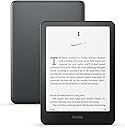
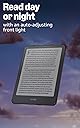
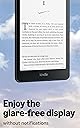
The Kindle Paperwhite Signature Edition (12th Gen) redefines e-reading with a 7” high-contrast display, 32GB storage, and 20% faster page turns. Featuring an auto-adjusting front light, wireless charging, and up to 12 weeks of battery life, it’s designed for uninterrupted, eye-friendly reading on the go. Waterproof and ultra-light, it’s the ultimate device for professionals who demand convenience, style, and performance in their digital library.
| Display | Amazon's 7” Paperwhite display technology with built-in front light, 300 ppi, optimized font technology, 16-level gray scale. |
| Size | 5” x 7” x 0.3” (127.6 x 176.7 x 7.8 mm) |
| Weight | 7.5 oz (214g). Actual size and weight may vary by configuration and manufacturing process. |
| System Requirements | None; fully wireless and doesn't require a computer to download content. |
| On-Device Storage | 32 GB; holds thousands of books. |
| Cloud Storage | Free cloud storage for all Amazon content. |
| Battery Life | A single charge lasts up to twelve (12) weeks, based on a half hour of reading per day with wireless off and the light setting at 13. Battery life may vary depending on use. Audible audiobook streaming over Bluetooth will reduce battery life. |
| Charge Time | Fully charges in less than 2.5 hours with a 9W USB power adapter. |
| Wi-Fi Connectivity | Supports 2.4 GHz and 5.0 GHz networks with support for WEP, WPA, WPA2, WPA3, and OWE security using password authentication or Wi-Fi Protected Setup (WPS). Does not support connecting to ad-hoc (or peer-to-peer) wifi networks. |
| Accessibility Features | VoiceView screen reader, available over Bluetooth audio, provides spoken feedback allowing you to navigate your device and read books with text-to-speech (available in English only). Kindle Paperwhite also includes the ability to dark mode adjust font size, font face, line spacing, and margins. Learn more about Accessibility for Kindle. |
| Content Formats Supported | Kindle Format 8 (AZW3), Kindle (AZW), TXT, PDF, unprotected MOBI, PRC natively; PDF, DOCX, DOC, HTML, EPUB, TXT, RTF, JPEG, GIF, PNG, BMP through conversion; Audible audio format (AAX). Learn more about supported file types for personal documents. |
| Documentation | Learn more about Kindle devices with our Quick Start Guide and Kindle User Guide. |
| Warranty and Service | 1-year limited warranty and service included. Optional 1-year, 2-year or 3-year. Extended Warranty available for U.S customers sold separately. Use of Kindle is subject to the terms found here. |
| Included in the Box | Kindle Paperwhite Signature Edition, USB-C charging cable and Quick Start Guide. |
| Waterproofing | Waterproof (IPX8), tested to withstand immersion in 2 meters of fresh water for 60 minutes. Learn more about the waterproof Kindle Paperwhite. |
| Available Colors | Metallic Black, Metallic Raspberry, and Metallic Jade |
| Generation | Kindle Paperwhite Signature Edition (12th Generation) - 2024 release. |
| Software Security Updates | Learn more about these software security updates. If you already own a Kindle, visit Manage Your Content and Devices for information specific to your device. |
T**L
I love my Kindle! Update!
I have had my Kindle for over a month, and I am still excited about this Kindle. However, I just saw that it is on sale (Black Friday Deal), and I wanted to cry. It is now $45 less than what I paid (excluding the cost of the charger and case; add another $60 to that $45 (Ouch!)). Then, I had to have a talk with myself, and it went like this: Trinigal, stop being upset! You are fortunate to have purchased a Kindle that works well, and doesn’t have issues (like others who have shared the dissatisfaction with their Kindle). You are still enjoying your reads and always looking forward to your next read. I then chuckled to myself, and said that the title of the next book I select should be: When is the right time to buy a Kindle? My original review is below: This is my first Kindle, so I don’t have any other Kindle to compare it to. I usually read a physical book, books on my Computer, IPad or iPhone. This Kindle makes a difference in my ability to relax while reading a book. It is an awesome device that is portable, light weight, and convenient. Although I like reading on my IPad, it will no longer be my go to device for reading (When you know better, you do better). My house is full of unread books that I bought over the years, and that really bothers me because I just couldn’t find the time to read (being a professor with lots of other academic books to read, I gave those academic books priority over a good novel). Now, I am at the point where I want to read books for relaxation purposes. I chose the Kindle Paperwhite Signature edition as part of my incentive to read a good book. I researched this Kindle for an entire month before investing in it. Let’s get to the workings of the Kindle: This 7 inch Kindle is easy to hold in my hands. The IPad truly strained my hand when I tried to use only one hand when reading. At times, I had to lean the IPad on my thighs for support. Now, there will be no more hand to thighs when reading! The Kindle set up was very easy, and user friendly. I did not experience any problems connecting to the internet. After set up, with bated breath, I waited to see how the pages turned on the Kindle, and if I will find any fault with the action of turning the pages of the book I was reading. I am happy to say there was none; no noticeable long lag time, no problems were experienced with the turning of pages on this Kindle. Then I squinted my eyes, opened my eyes wide, I turned the Kindle upside down, and side to side while turning to the next page of my book; I was trying to see if there will be any trace of the previous page as I turn to the next page ( ghosting; some users experience an imprint of the former page while moving to the next page of their book). Happy to report, I tried hard to find a problem with that but I found none. What about the battery? The battery charged very quickly, and there was no problem during that process. I did charge the battery with the case on the Kindle, (as the picture shows). The Kindle came with an 80% charge and in 30 minutes (or less) it was fully charged (100%). I am hardly ever swayed by reviews: Sometimes reviews work as an incentive, or a deterrent….I always say, try an item out and make your personal decision. This Kindle is a keeper, and I am also going to purchase the new Color Kindle Colorsoft. Conclusion: This Kindle paper white Signature Edition , Gen 12/32 GB, is truly made for reading. It is certainly a handy device for traveling, and reading on the go. It is easy on the eyes, and therefore, easy on the brain. The raspberry color is really nice, and I plan on buying an extra clear case so that I could easily see the vibrant color of the kindle. I am honestly excited to be part of the Kindle family!
D**J
Having trouble choosing between a colorsoft, paperwhite, or classic kindle?
I love my kindle paperwhite! It’s easy to use once you learn the gesture controls and where to tap around the edges for certain behaviors. It’s fast and I have selected to refresh with each page because I had some issues with ghosting (this is my first tablet with e-ink display, so still learning the quirks). It’s highly responsive even after I downloaded nearly 150 books onto it! I had a kindle fire over a decade ago and I feel the dedicated e-ink style of the paperwhite is vastly superior for reading. I especially love the warm tone light and find that I can even read in the dark. I use the dyslexia friendly font (built in) and find that it’s very easy to read (and quickly, at that). I can also read in the full dark with no problems! It is a bit expensive for the signature edition, but it feels very high quality for what you get and the wireless charging is easy to use! I do wish these models had speakers so I could listen to audiobooks out loud, but I have the audible app on my phone already, so I’ll likely use that for the majority of audiobook listening. I can also use the speaker with built in wireless charger stand I got for listening while at home! I chose this one over the colorsoft because I don’t read comics often and found the tint of color on the screens wasn’t vibrant enough to justify the price. I’ve included comparison photos of the paperwhite and colorsoft as well as the smaller classic matcha kindle that were on demo at Best Buy. The warm tone light is what won me over from the classic matcha kindle to the paperwhite!
A**Z
Highly highly recommend!!!
Absolutely love! I was so hesitant bc I love the feel of regular books. However this makes traveling so much easier. I was worried about the lights on my eyes but it has a great backlight that brightens and dims as you wish. Lightweight, holds SO many novels, and still worth the money. You can change the print size to match what you please. Very easy to use!
K**X
Bad first impression, but now I love my Kindle Paperwhite. Love it!!
I have left my original review at the end of this edit, out of hubris. I have since learned how to properly manage my new Paperwhite with the help of Grok AI. At first setup of my Paperwhite, it appeared as though it had downloaded all 625 books my wife and I share. It turns out, it had downloaded the titles and icons as placeholders or reminders for me to choose which books I wanted on my Paperwhite. With the help of Grok, I learned the VERY easy trick of creating a Collection in which I could download and put the books currently on my reading list. When I say easy, I mean easy. I now have the 20-some books I regularly read and use as my visible and simple to manage Library. So elegant! So, a real review. First of all, so light and easy to hold. Impossibly thin. How do they do that? Then the screen, a beautiful glare resistant and clear screen, readable in all indoor light, including by a sunny window. I had bought a case for this Kindle, but I find the naked Kindle nicer to hold. I have a discovered the double-tap, which lets me turn the page with a light double tap of my finger on the back of the Kindle, which I can do without moving my hand or changing my grip. So much more convenient than swiping to tapping the screen. This Paperwhite replaces my Oasis, which had buttons on the side of the screen that served as page-turners. I greatly prefer the double tap on the back of my Paperwhite to the buttons on my Oasis. I did my morning reading with my new Kindle, about two hours, and found the experience super comfortable, easy and convenient. I charge my Paperwhite on a stand, which works great, and with the supplied cable (which now has the same plug port as my iPhone, making one cable work for both), and found both easy and convenient. I have decided not to get a screen protector, and I will use a slip or slide cover for travelling, rather than the traditional book case. I could go on and on. I super like this Kindle, now that I know how to use it properly. I will leave my original review at the end here, so the reader can see that my problems arose entirely from innocent ignorance. If setting this Kindle up as a replacement, consider using one of the several AI assistants available on line to walk through the process hand in hand. My original review: My Oasis has begun to die, and so I bought a Paperwhite to replace it. When I registered my new Paperwhite, it downloaded ALL of my books and my wife's books. 645 books. I have talked to Kindle support, and I will need to remove my wife's books, one by one, manually. No other option exists. I can't even find my own books in the clutter to move them to top of the grid. A serious flaw, and Kindle support has made me feel as if I did it to myself. I will now spend I don't know how many hours trying to make this Paperwhite usable. Shame on Amazon.
C**C
Six months later, I still use it every single night.
I bought my Kindle about six months ago as part of the bundle that included the cover and the wireless charging dock, and I’m so glad I did. I use it every single night, and it’s become one of my favorite purchases this year. What I appreciate most is how comfortable it is to read on. I use the warm light setting every evening, and it’s incredibly easy on my eyes. I’m very sensitive to screens before bed because they can affect my sleep, but reading on my Kindle has been a completely different experience. It’s become part of my nightly routine and sits permanently on my bedside table. Another reason I bought it was to simplify my home. I had accumulated hundreds of physical books over the years and simply didn’t have the space anymore. Switching to a Kindle has allowed me to continue reading without adding more bookshelves to my home. The wireless charging dock has also been worth it. I love being able to place the Kindle on the stand at night knowing it’s always charged and ready to go. The cover has protected it well and still looks great after months of daily use. The only thing I would do differently is choose a Kindle model that supports Audible. I enjoy listening to audiobooks as well as reading, so I currently have to use my phone for Audible. If I were buying again today, I’d probably upgrade to a model that lets me do both on the same device. Other than that, I couldn’t be happier with this purchase. It’s made reading more enjoyable, helped me reduce the number of physical books I own, and has become something I genuinely look forward to using every evening.
S**N
Honestly, Great for Reading, but the Signature Extras Are Not Essential
I was hesitant to buy this because some reviews made it sound absolutely life changing, and others acted like it was pointless compared to the regular Paperwhite. After using it for a while, I think the truth is somewhere in the middle. What I genuinely love is how easy it makes reading. The screen is really comfortable on the eyes, especially at night, and I read much longer on this than I ever do on my phone. The battery lasts forever, which is honestly one of the best parts. I also like that it feels lightweight and simple with no distractions popping up while reading. That said, I do not think everyone necessarily needs the Signature Edition version specifically. The wireless charging is nice but not essential, and the auto brightness works okay, though I still adjust it myself sometimes. If you are just reading regular books, the extra storage probably will not matter much either. Compared to older Kindles, this one definitely feels smoother and faster. Compared to an iPad, it is way easier on the eyes and feels more relaxing to use. But it is still a Kindle, so the menu system can occasionally feel a little slow or clunky. Overall, I am really happy with it and use it almost daily now. I just think some reviews oversell the upgrades a bit. It is not revolutionary, just a really solid e reader that makes reading more enjoyable again.
M**N
Have an Old Kindle and wondering if it is time to upgrade?
My old faithful Kindle Touch with it's special cover that includes a pop-up lamp that runs off of the Kindle's battery let me see it's screen in the dark but it bothered my sleeping wife. So, after many useful years, I decided to upgrade on this past Black Friday when the latest 2024 Special Edition 32 gb Kindle hits its lowest price of the year. First, I had thought I'd trade in my old Kindle touch but $30 hardly seemed worth it since it is in Like New condition and works great for days at a time. So, I've decided to keep it as a backup. Second, one surprise was that the Kindle books that my old kindle refused to read (ones that I paid for!) still don't open on my new Kindle Special Edition? Even several of the current Kindle Unlimited books cannot be read on either of my Kindles but I can read them on my Macs and iPads??? No clue why this is. But the key question is was the upgrade worth it and the answer is YES! The new Kindle has a screen setting called, Dark Mode. It does what it sounds like ... makes the screen dark and the text light. In addition, I've turned on and raised the backlight color to a mellow yellow color which is both easy to see AND won't wake you up if you read into the night, as I often do. I leave both of these setting on constantly! I find them to make reading much more enjoyable and very different from when I'm using a bright computer screen. I've also added a cover which I can highly recommend! One warning is that the heavy covers block the wireless charging but a light, shock absorbing one that I found works perfectly with my Kindle wireless charging stand. The one that works with the wireless charger is the Kindle Colorsoft Signature Edition Case Cover, NOUKAJU Case for Kindle Paperwhite 2024 (12th Gen). The wireless charger I'm using is the Made for Amazon, Wireless Charging Dock for Kindle Paperwhite Signature Edition. Not only does it work with the cover but it also holds the Kindle in reading position on my small desktop ... a perfect marriage! But currently, that isn't a problem since the battery lasts for several weeks for me! One other caution is that it will play audiobooks over bluetooth devices but most of my bluetooth devices don't appear in its Bluetooth menu? Besides, audiobooks just take up too much space do download many of them. For example, my Kindle library has about 500 ebooks which only take up a small amount of the storage but when I accidentally added my 800+ audiobooks to the download it filled the new Kindle and hadn't finished loading them so, it was just easiest to erase the Kindle and start again! My advice is that if you do want SOME audio books then just download a few of them. If you are new to Kindle, I will warn you that the included manual is a must read and is short. Unfortunately, the on board Help really stinks and short of making notes and then a phone call to Kindle support, I've found that it is MUCH easier just to ask GROK ... Xai's GROK is free to use by anyone using X and it knows all about, not only this Kindle but all previous models and it uses plain language to answer questions IN FULL! It only takes me seconds to get answers so, given a choice I used GROK instead of Amazon support to get my new Kindle fully working ASAP! My final warning is that this new Kindle is a great, time suck! I find myself reading more and longer than I ever have, before. Obviously, that can be taken either way but it is truly meant as a compliment! I find reading to be useful and relaxing. My only regret is that there isn't a GROK button in the Kindle app? It's free to use so, why not? I hope you've found my heart felt review useful?
B**T
Just do it - better than an app and so worth it
Love love love. Battery lasts forever, can adjust brightness, perfect size to fit in pretty much any bag, can adjust font, love the direct access to kindle unlimited, and it also will let you know what books are missing from your various series libraries, and allows you to purchase in one lump! I LOVE THIS THING. I don’t know why I waited years and tortured myself with a kindle app on a phone that limits anything not associated with their brand instead of the actual Kindle device. Don’t do what I did. Get it. It’s worth it. 100000%
Trustpilot
2 weeks ago
2 months ago