🚀 Dominate the future of gaming and productivity with MSI’s powerhouse motherboard!
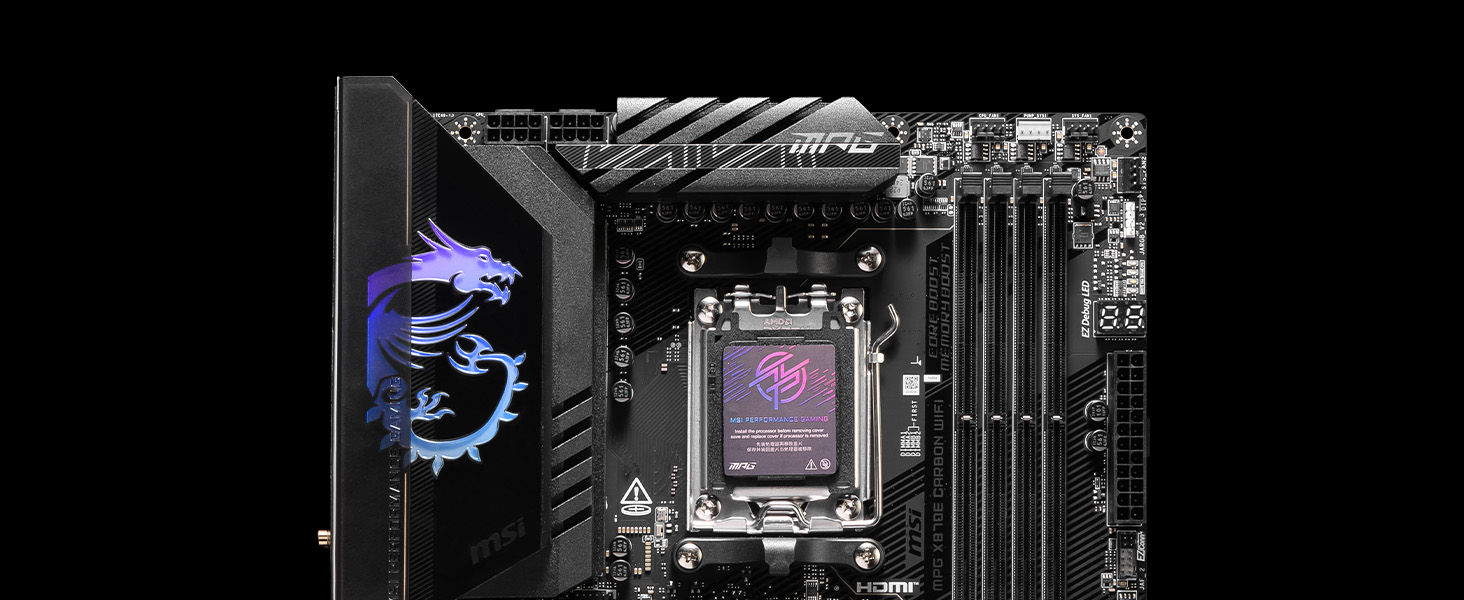
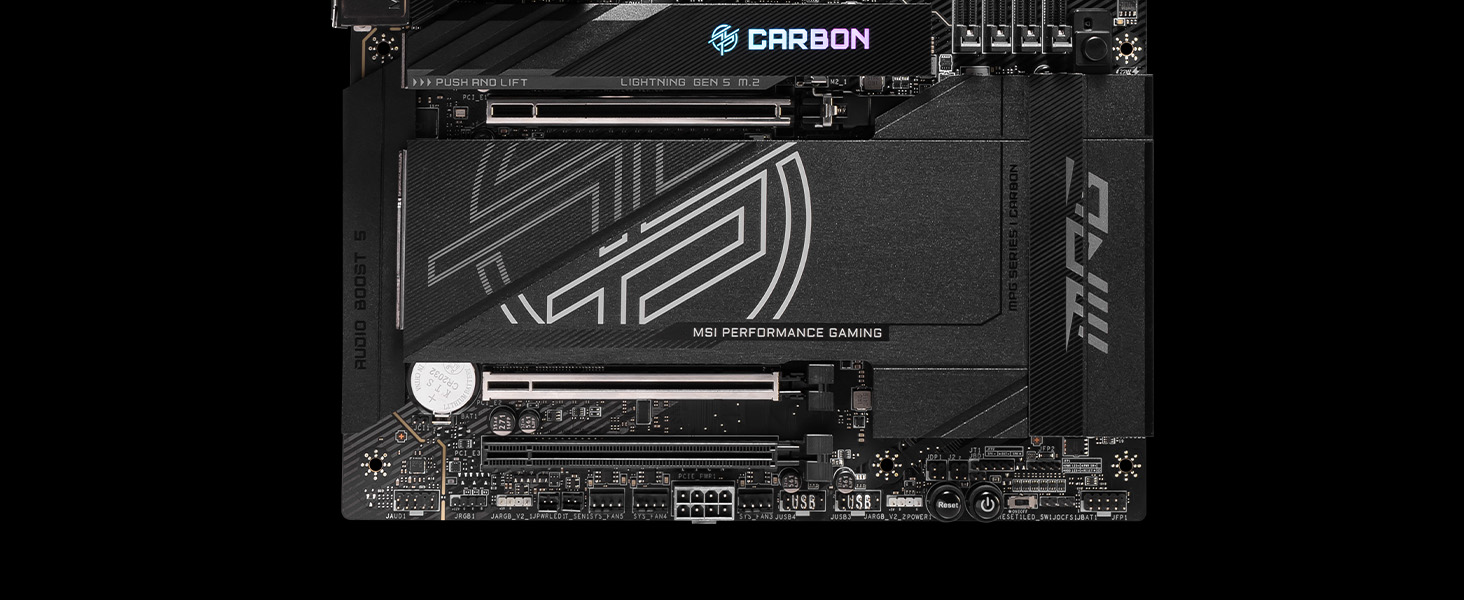
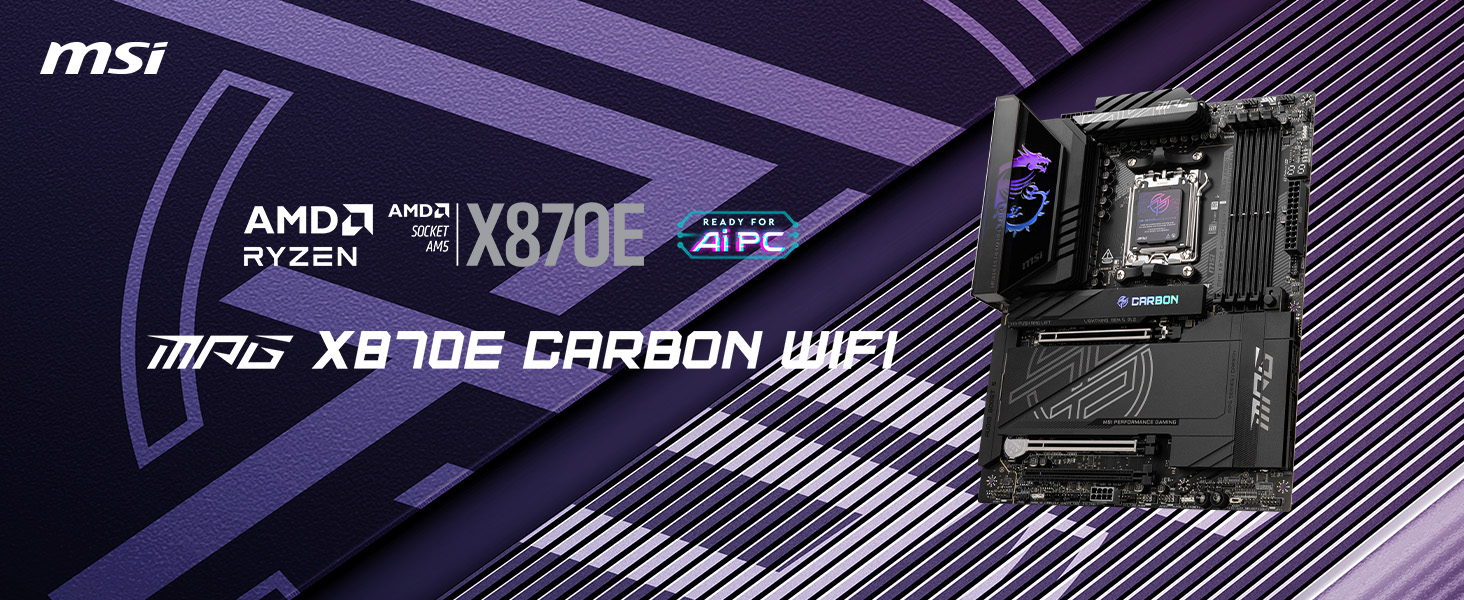
The MSI MPG X870E Carbon WiFi is a premium ATX motherboard engineered for AMD Ryzen 7000/8000/9000 series processors. Featuring DDR5 memory support up to 7800 MHz, PCIe 5.0 Gen5 with 128GB/s bandwidth, advanced thermal solutions, Wi-Fi 7, Bluetooth 5.4, dual 5Gbps LAN, and extensive USB 40Gbps connectivity, it delivers unmatched performance, stability, and style for gamers and professionals aiming to lead the pack.


| ASIN | B0DG3QW9TJ |
| Best Sellers Rank | #9 in Computer Motherboards |
| Brand | msi |
| CPU Model | Ryzen 9 |
| CPU Socket | Socket AM5 |
| Chipset Type | AMD X870 |
| Compatible Devices | Personal Computer |
| Compatible Processors | AMD Ryzen 9000/8000/7000 Series Processors |
| Customer Reviews | 4.2 out of 5 stars 1,411 Reviews |
| Global Trade Identification Number | 00824142382219 |
| Graphics Card Interface | PCI Express |
| Item Dimensions L x W x H | 13.6"L x 3"W x 10.7"H |
| Item Height | 2.76 inches |
| Item Weight | 5.7 Pounds |
| Main Power Connector Type | 24-Pin |
| Manufacturer | MSI |
| Memory Clock Speed | 7800 MHz |
| Memory Slots Available | 4 |
| Model Name | X870ECARBONWIFI7 |
| Model Number | MPG X870E CARBON WIFI |
| Number of Ethernet Ports | 2 |
| Number of Ports | 13 |
| Platform | Windows 11 |
| Processor Socket | Socket AM5 |
| RAM Memory Technology | DDR5 |
| Total PCIe Ports | 1 |
| Total SATA Ports | 4 |
| Total Usb Ports | 22 |
| UPC | 824142382219 |
| Warranty Description | 3 Years |
W**.
Awesome
I have been using MSI for many years. I build a LOT of PC's. Some are still running after 11 years! I had an MSI 870E Tomahawk Wifi, which was a great board. i saw this Msi MPG 870E Edge and had to have it. Got it on a Prime Day deal for a great price. Swapped my AMD 9900x and M.2 and off to the races. The Bios is very similar to the Tomahawk. I flashed bios on the dining room table with a PS and latest bios. I never use Expo. I never use precision boost overdrive. I enable Memory Context Restore to bypass the annoying algorithm on boot to eliminate the 2-3 minute boots. Set the Dram timings and very importantly set the Dram Voltage manually. Fired right up. Love the fan controls. If you insist on having MAX performance set a max thermal limit. I game and most games I cap the FPS so having your PC Turbo itself to death, crash and burn, I prefer the stability. This is the best built Motherboard I have ever used. HEAVY. Heatsinks are massive and effective. Aesthetics are second to none. Stable, breaths quality, and a work of art.
J**E
Great Motherboard! No regrets
This is the first build I've done in quite a while. I wanted to upgrade and build a higher end PC for video production and gaming. I picked this board in my planning to go with a 9950X3D. I was able to get a great black friday deal, so I definitely feel the value for what I got was good. However I was prepared to pay full price and don't think I would have felt any different if I would have. Like I said I it's been a while since I built a PC and my last one was an MSI, and brand recognition was a factor and I wasn't disappointed at all. Others have left reviews about set up and some issues, and as someone who hasn't built a PC in a few years, just due diligence on my part to research and plan for anything I had no major issues in set up or install. I'll admit a lot of my selection process was also aesthetic and this along with other MSI parts, this fit the bill for that too as it all looks great. Pros: Plenty of Connectivity. Inside and out. Easy Install EZ Connectors Solid heatsinks with the quick removal tabs. Cons: I wish this would have came with a paper manual or booklet, but that could just be me being old. This is more of an MSI review and not necessarily this product, but it does apply to it as well. I wish there were clear instructions or someone would have said, register all your MSI products when you take them out of their packaging and not when you are through building. Otherwise, you'll be disassembling things to get the CHK code off the serial number sticker to verify your purchase.
P**K
Best High End Gaming X870E Board out there
This is the third AM5 board I've owned. The other two were the X670E-E and X870E-E. The X670E-E outright did not work. Just crashed a lot with random error messages in the event viewer that didn't make any sense. The X870E-E worked, but would drop all USB connections and then reconnect which made the machine unusable for the purpose in which I purchased it for. It has been a while since I purchased an MSI board, last one was a Z270 Gaming M7. I switched to ROG products because I have a smooth brain and they looked cool. But thinking back, I've had nothing but problems. So now I'm through with ASUS and thought back to that AMAZING MSI board I purchased for my 7700K 8 years ago. Thing still works great & MSI released a BIOS update for it about 18 months ago which for a product that old is fairly amazing. So when I went back to the decision table MSI was my first choice and boy am I glad I made the move. *Improvements over ASUS AM5 Boards* -Realtek LAN instead of Intel -Qualcom Wifi instead of Intel -5gbe LAN port + a 2.5gbe instead of one 2.5gbe which is awesome because I have a 10gbe network with a NAS that can take advantage of it. -Came with a USB flash stick that has drivers and a more recent BIOS versions instead of a packet of ROG stickers and lanyard. -Weekly BIOS updates after launches (most are Beta, but nonetheless) instead of BIOS updates every 45 days. This is crucial for new product launches such as the 9800X3D. LAN was wonky when I switched from 7800X3D to 9800X3D at first. 3 days later a Beta BIOS came out that fixed it. This would not have happened with ASUS. -PCB quality of MSI board is superior and you can tell just looking at it. Traces are noticeably thicker and separated than on the ASUS boards. -Easy release, tool free M.2 heatsink covers for all slots compared to only one quick release on the more recent ASUS board and manual screws on the older ones. -Far easier to manage driver updates without OEM bloatware (MSI Center/ArmorCrate) on MSI than on ASUS. -AM5 cooler mounting bracket is of far higher quality. Even the screw threads are machined superiorly. -Has additional PCIe 8 Pin Power connector at the bottom of the board for additional board power delivery for anyone planning on installing multiple PCIEx16, PCIEx8, PCIEx4 & PCIEx1 cards. -Memory training is MUCH faster and stable -BIOS boot time is 1/4 of what the ASUS boards were even after CMOS clearing. This product and the X870E-E are direct competitors of one another. Same feature set, same IO, same color scheme, same RGB, same price. The MSI board wins on everything. If you are deciding between the two please do yourself the favor and buy this one. You might get a good ASUS board, or you might get a dud. I'm 0 for 2 with AM5. So far I've never purchased a deflective MSI board they are 2/2. Just going right to MSI from now on. Thanks MSI!
I**R
Poorly designed. Look for other alternative
Poorly designed. Awful assembly documentation. Front panel connection cable is a joke. Memory channel B defective About me: I am a Systems Engineer with more than 25 years of experience making my own PCs. A few moths ago I built an 9950X on a Asus Strix X870E no issues at all with that system. Rock solid. This time I decided to make a second workstation with an 9950X3D and this MSI Board Te board came poorly packaged on Amazon box without any cushioning. The Board box itself came without any seal altough after inspecting it everything seemed fine. I assembled the PC as I allways do (I do this job about 3-4 times per year as I keep upgrading my systems for better work performance). The board has no clear identifiers on their internal connections for USB, Audio and front panel. The Dimm slots are not identified either (the Asus Board is as clear as it can be) so I downloaded the manual on my phone to check the connections (the box didn't include any basic reference printed documentation but MSI choose to put some cartoon stickers jajaj). The connections in general are mostly cryptic acronyms so If you are unexperienced don't get this board by any means. I finished the build and tried to boot the system to configure the BIOS. It keept giving C5 error code on the diagnostic panel. After a lot of trial and error I found out that the memory channel B was not working. Removing the memory from that slot booted wihout issues (I have 4 memory kits available so I was able to make many tests). I suspected bent pins on the socket (I was very, very carful installing the CPU as I know how easy is to damage the socket), so. I removed the cooler and the CPU and using a magnifying glass inspected the socket. didn't found any issues with it as I was fearing even if I was extremely careful on the CPU install. Second step I removed the board from the PC case and inspected it. No physical issues where found. The memory slots don't cross the back of the board so no shorts are possible either. So, the board is just a lemon that wasn't properly tested on factoy and I lost a complete day of work. I would also mention the stiffness of power connectors and the memory slots itselfs. It was very hard to disconnect the components. Specially the power connector. Comparing this roughness to the Strix is night and day. So, I am now dealing with returning this POS to Amazon and getting a refund. If you want a secure experience get the Asus. I am done with MSI and would not buy again any boards from this brand.
C**N
Where tech meets aesthetics.
Decided to build my own PC this time around. Went from an all black build, to an all white build, however one thing remained consistent. MSI. As someone who has worked in IT for some time now, I’m glad to say I trust MSI motherboards and graphics cards. Haven’t failed me yet. This motherboard comes with the signature “dragon” RGB logo, amazing white and gray color scheme, as well as some solid black accents. The quality felt like a premium product, no cheap plastic feeling parts. The both the M.2 SSD slot and the heat sinks have an easy access function that makes changing or upgrading your SSD an easy. It also comes with a LED debug display that functions as a temperature monitor when in use. The BIOS menu is easy to get around and appealing to the eyes, allowing for controls such as over locking at the click of a button. The lock and release button for your graphics card is amazing which currently holds up my MSI Vanguard 5070TI. Even the unboxing was great as you’re quickly approached with the words “tech meets aesthetics” & it is true. This is a beautiful motherboard, so far very reliable and packed with tons of features. I still have a few more changes and upgrade + cable management to complete when it comes to my build, but I’m extremely satisfied as is. I was initially in a toss up between this and a competitor’s motherboard, but after owning this product…. I’m glad to say I would recommend it to others. Especially have to recent security incident said competitor’s motherboard’s have been having.
S**Y
The white board of your dreams!!!
Amazing x870e board for a white color scheme! Out of many boards from the new 800 series that make you deal with lane sharing and lack of ports, this board overcomes 95% of all those inconveniences. Abundance of IO ports and connectivity, with 4 m.2 slots, 3 of which wont affect any of the USB 40gb speeds on the IO. Got this during the release so the prices was slightly lower but great bang for your buck. BIOS is nice and easy to use and looking stunning, overall highly recommend if youre looking to build in a white PC with the newer gen hardware. Plenty of power for cpu PBO or undervolting for that matter. Only reason Im not giving it a full 5 stars is because of a lack of Display port on the IO and wifi can not be used on windows 10, only 11.
W**R
Will be my preferred mobo in the future - best balance of X870(E) features
Premium compared to my X670E Asus mobo. The BIOS is better and easier to navigate than ASUS too. Came with a 32GB FAT32 formatted USB for easy BIOS updating, unexpected and appreciated. Enabled EXPO with Crucial pro 32GB 6000 CP2K16G60C36U5B and Ryzen 7950X3D without any problems. The CMOS coin battery looks really difficult to access. It's 80% covered by one of the heatsinks, near the bottom of the board. Otherwise, I really like this board. I think it will be my first to look at for future builds. The X870 has everything I need compared to the X870E. I don't have anything connected to the chipset PCIE lanes, so the extra chipset controller doesn't matter. This board has two PCIE 5x4 SSD slots, connected directly to the CPU. All X870 must have USB 4 ports. This one has two physical USB 4 connectors on the back. However, every X870 (and the few B850 that also include this) have the same number of PCIE 5.0 lanes as X670. So for all X870 and X870E you cannot use the second PCIE 5.0 SSD without some compromise. All X870(E) mobos fall into four groups: 1. Only 1 PCIE 5.0 SSD. Some examples are MSI PRO X870E-P, MSI X670E GAMING PLUS, GIGABYTE X870 Gaming X, 2. A second PCIE 5.0 SSD, but it shares PCIE lanes with the GPU. When a second PCIE 5.0 SSD is connected, the GPU runs at PCIE 5.0x8 instead of x16 (or PCIE 4.0x8 for 4000 Nvidia or other PCIE 4 GPUS). This doesn't cost much GPU performance, but it's non-zero. Examples include ASUS TUF Gaming X870-PLUS, GIGABYTE X870 AORUS Elite 3. A second PCIE 5.0 SSD, but it shares PCIE lanes with the USB 4. Each runs at PCIE 5.0x2, which makes a PCIE 5.0 similar to PCIE 4.0 and hobbles the USB 4 as well. Examples include this board MAG X870 TOMAHAWK, the MAG X870E TOMAHAWK, Gigabyte X870E Aorus Pro Ice 4. Same as #3 above, but you must entirely disable USB 4 port(s) to use the second PCIE 5.0 SSD. I didn't record these when searching, so I don't have a list but they exist. Overall, I thought this board was preferred - choose between USB 4 and a second PCIE 5.0 SSD. Since the PCIE lanes are identical between Ryzen 7000 and 9000, there was no way to add USB 4 without taking something away from X670(E) motherboards. I had no need for USB 4, so X670 would be better but they are hard to find and more expensive. Note, X670 is better than X870 if you do not want USB 4 as it has both chipset controllers like the X870E. I spent too much time reviewing all of B850(E), X780(E) and older X670. Accommodating two PCIE 5.0 SSDs was a priority, and this is as good as it gets. If you want USB 4, this is as good as it gets too. After researching and selecting this mobo, I was not disappointed when using it. Highly recommended.
K**R
Great motherboard with lots of connectivity
BIOS is very readable easy to use. Plenty of USB ports and power delivery to the CPU and M.2 drives. Keeps the M.2 drives at room temperature with the built in heatsinks, evsn when theh're stuck behind a 5090. I did have to manually change PCIE speeds in the BIOS to get the GPU to work at 5th gen x16 and to get the second 5th gen drive recognized in a 4th gen M.2 slot
Trustpilot
2 weeks ago
1 month ago