


Desertcart purchases this item on your behalf and handles shipping, customs, and support to Senegal.
🚀 Elevate your home network to pro-level speed and coverage—because buffering is so last decade.
Google Nest Wifi Pro is a cutting-edge Wi-Fi 6E mesh system delivering up to 2x faster speeds than Wi-Fi 6, covering up to 6600 sq ft with customizable router placement. It intelligently prioritizes bandwidth for video calls and browsing, offers robust WPA3 security, and is managed effortlessly through the Google Home app, making it ideal for modern connected homes seeking reliable, high-performance Wi-Fi.




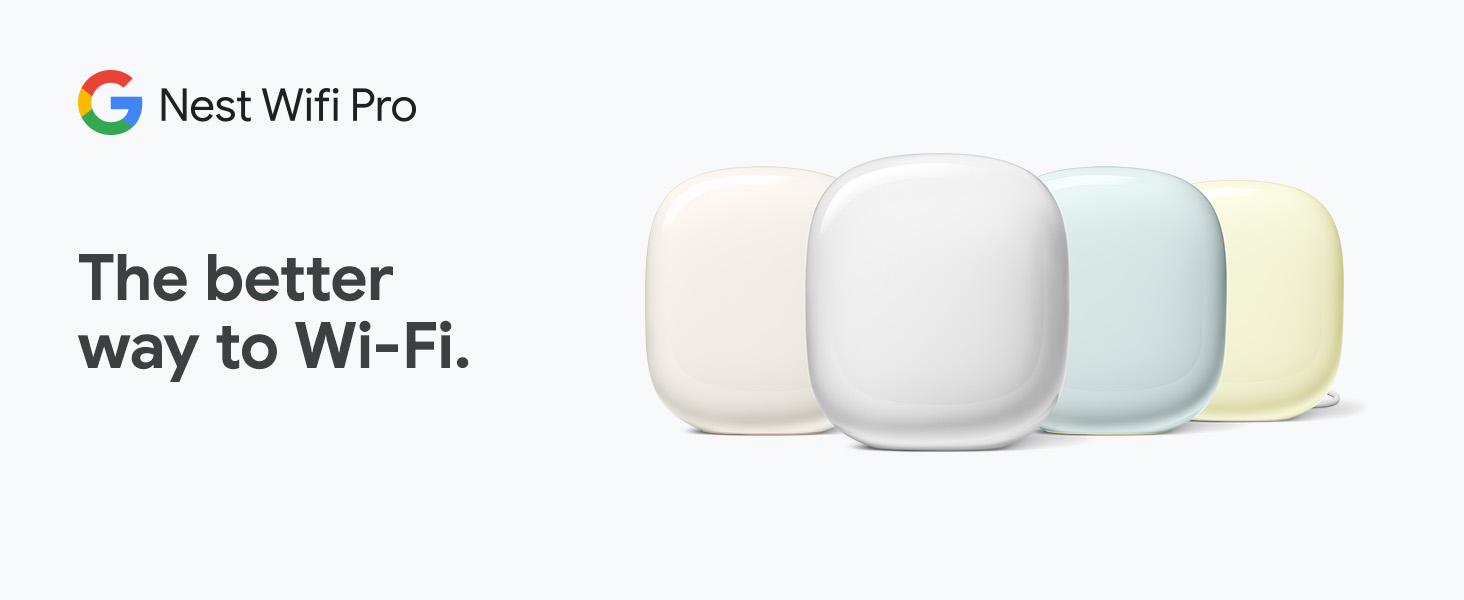







| ASIN | B0BQCRST1K |
| Antenna Location | Gaming, Home |
| Antenna Type | Internal |
| Best Sellers Rank | #392 in Computers & Accessories ( See Top 100 in Computers & Accessories ) #47 in Computer Routers |
| Brand | |
| Built-In Media | Wifi router/extender |
| Color | Snow |
| Compatible Devices | Works with devices you have today (laptops, phones, etc.), it also has the tech to make the most out of the next generation of phones, laptops, and more Compatible Devices Works with devices you have today (laptops, phones, etc.), it also has the tech to make the most out of the next generation of phones, laptops, and more See more |
| Connectivity Protocol | Wi-Fi |
| Connectivity Range | 2200 square_feet |
| Connectivity Technology | Wi-Fi |
| Control Method | App |
| Controller Type | App Control |
| Coverage | up to 2200 square feet |
| Customer Reviews | 4.1 out of 5 stars 277 Reviews |
| Data Transfer Rate | 1 gigabits_per_second |
| Frequency | 6 GHz |
| Frequency Band Class | Tri-Band |
| Item Dimensions L x W x H | 5.16"L x 4.65"W x 3.35"H |
| LAN Port Bandwidth | >= 2.4 Gbps |
| Manufacturer | |
| Maximum Upstream Data Transfer Rate | 500 megabits_per_second |
| Mfr Part Number | G6ZUC |
| Model Name | Nest Wifi Pro |
| Model Number | G6ZUC |
| Number of Antennas | 2 |
| Number of Items | 1 |
| Number of Ports | 1 |
| Operating System | Proprietary Operating System |
| Other Special Features of the Product | Access Point Mode, Guest Mode, LED Indicator, Parental Control, WPS |
| RAM Memory Installed | 1 GB |
| Router Firewall Security Level | Basic |
| Router Network Type | mesh |
| Security Protocol | WPA3 |
| Special Feature | Access Point Mode, Guest Mode , LED Indicator, Parental Control, WPS |
| UPC | 193575031422 |
| Warranty Description | 1 year manufacturer |
| Wi-Fi Generation | Wi-Fi 6E |
| Wireless Communication Standard | 802.11ax |
| Wireless Compability | 802.11ax |
A**Y
Reliable, Simple, and Great for a Connected Home
I’ve been happy with the Nest WiFi Pro overall. Setup through the Google Home app is straightforward, and once everything is configured, it mostly just works in the background without needing much attention. Coverage has been solid throughout the home, and the connection stays reliable across phones, laptops, streaming devices, and smart-home products. Wi-Fi 6E is also a nice addition if you have newer devices that can take advantage of it. The design is clean and unobtrusive, which is helpful if the router has to sit somewhere visible. The app makes it easy to check connected devices, run speed tests, and manage the network. It doesn’t offer as many advanced networking controls as some enthusiast routers, but for someone who wants a simple, dependable mesh system with good performance, it’s a very good option.
J**M
works great and easy to set up
Stable and a stronger connection than the earlier version of the Google Nest Wifi - It was relatively easy to set up, especially once I had realized that I still had the old wifi network still showing despite factory resetting each of the points and router, I was getting an error each time I tried to add the new device. I ended up doing a full factory reset from the google home app on the original network which fully removed them allowing me to proceed with the install. We installed 4 of these, as the house despite being only 1600 sq ft, does not seem wifi friendly and we end up with a lot of dead spots. The router is in the basement as that is where the modem was installed by our provider. The other 3 are upstairs, 1 at each end of the house, and the 3rd on our 3 season porch so that we can use our Nest cameras with a great reception in our backyard.
F**N
Worst WIFI ever! What happened Google!
DO NOT BUY THIS. I can't put into words how bad this product is. Every night we need to restart the entire network for it to be useable outside of wired connections. At this point we have all our major devices (computers, roku's, TV's etc. hardwired into one of the wifi nodes and it still needs to be restarted at least twice a week. We ate the cost and ordered something else after nearly 2 years of dealing with the same headaches hoping that an update would fix it. When it works it's GREAT, but that is rarely the case. I'm in IT and this thing is terrible especially for the price.
M**L
Great WiFi
I love this product. It’s so fast and reliable. It detects and solves problems on its own. It’s also very secure. There is no band splitting so if you need to set up a smart device on this Google mesh router system you need to follow these steps. 1. Unplug your Google WiFi. 2 on a mobile phone create a hotspot with the same name and password as your Google WiFi. 3 with a second phone connect to the hotspot and also connect the smart device to the hotspot that has the same info as your Google WiFi. 4 after you have completed the set up for the smart device just turn off the hotspot on the phone and plug back in your Google WiFi. Your smart device will now connect to Google WiFi. After the easy set up you will now see your 2.5Ghz smart device through the 5Ghz Google WiFi. The four pack covers my entire property. I have great signal strength anywhere I go on my property. Google WiFi is compatible with Google home as well as many other devices and apps.
J**R
Works good. Be sure to delete old system out of Google Home.
I replaced our older Google AC1200 system with these. We had 4 of the old ones and 2 of these new Pro models. The internet in our basement used to be about 5 mbps now it’s over 300 which is faster than our main living room used to be with the old mesh systems. If you get fiber optic internet then it’s a must to upgrade your mesh system to something like this or else you won’t get the full benefit of the fiber optic speed. My only complaint is that I kept on getting errors trying to load the new system onto Google home just following the directions. But then I did a hard factory reset on the wifi effectively deleting the old mesh system out of Google Home and then the new pro loaded just fine. So be sure to remove any trace of any older system you had before you try to connect these.
A**R
Good buy
Works great!
M**S
Works great. Easy DIY installation
Great improvement on my WiFi super easy DIY installation!
B**L
Strong signal finally
I’m very happy with the results compared to cheaper mesh systems that did not work well in the past.
P**B
Works great but name it the same as your main wifi network for seamless device connection
Works great and was easy to setup. I placed the device as far away from the main router as I could based on the ethernet cord length and named it the same along with password as the main network which makes it seamless for devices to switch depending on the best reception.
C**E
Muy bueno
Lo recomiendo
D**G
Easy to install
Perfect and easy to set up . Everything was as advertised
S**L
La tradition continue pour nest wifi
Très bonne achat.. ma 3e génération d’acheter
R**O
Perfecto
Cumple su funcion
Trustpilot
1 week ago
2 weeks ago