Some deliveries may take a little longer than usual due to regional shipping conditions.

DOWNLOAD THE APP


Customer Services
Copyright © 2025 Desertcart Holdings Limited
DOWNLOAD THE APP
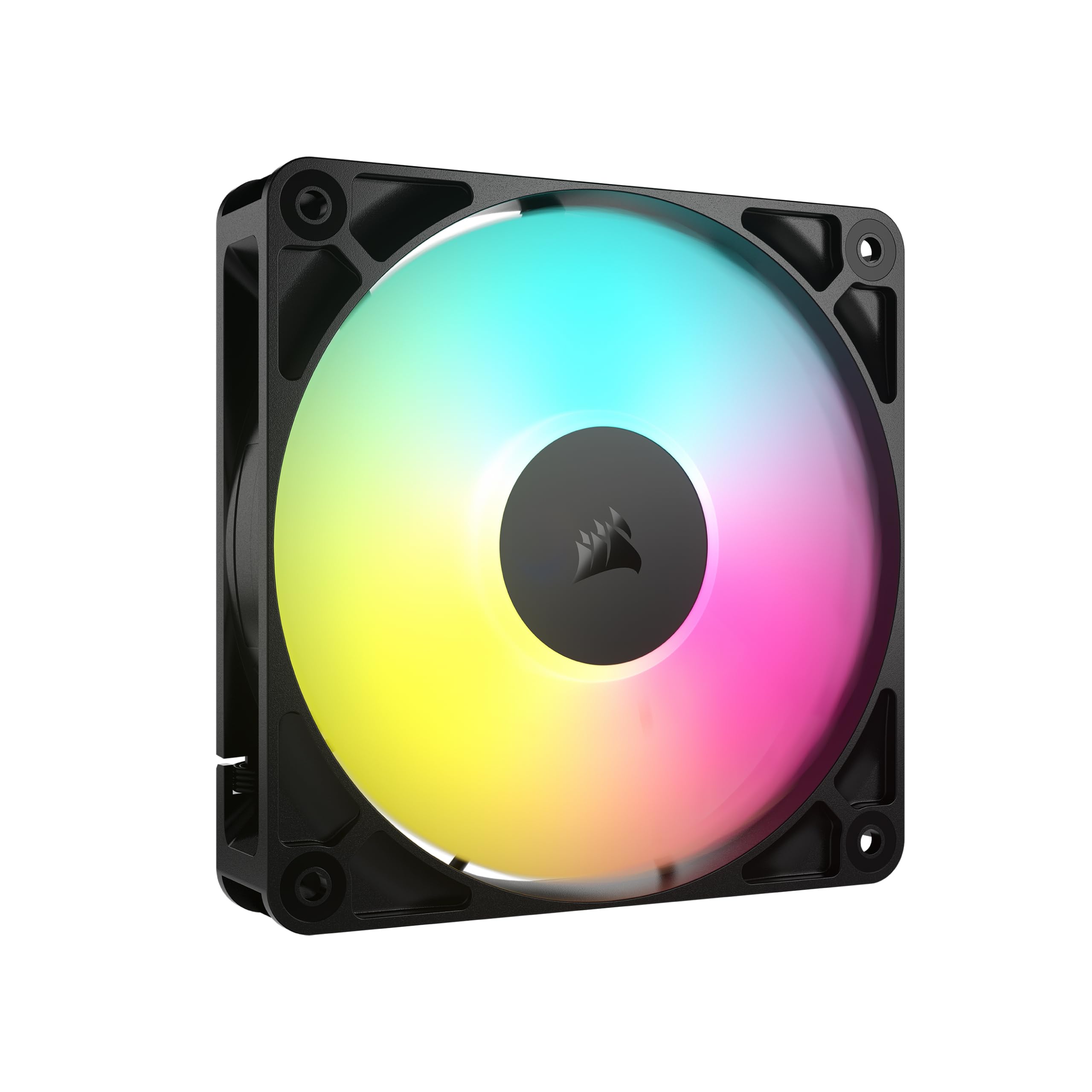
❄️ Cool your rig, light your vibe — the RS120 ARGB fan is the ultimate power move.
The CORSAIR RS120 ARGB 120mm PWM Fan combines high static pressure and up to 2,100 RPM speed with daisy-chain connectivity for streamlined multi-fan setups. Featuring 8 customizable ARGB LEDs per fan and advanced AirGuide anti-vortex vanes, it delivers targeted, efficient cooling with whisper-quiet magnetic dome bearings. Perfect for professionals seeking powerful performance and sleek aesthetics in one compact, easy-to-control package.


| ASIN | B0D49P43QP |
| Air Flow Capacity | 72.8 Cubic Feet Per Minute |
| Best Sellers Rank | #1 in Computer Case Fans |
| Brand | Corsair |
| Color | Black |
| Compatible Devices | Desktop |
| Computer Memory Type | DIMM |
| Cooling Method | Fan |
| Customer Reviews | 4.6 4.6 out of 5 stars (2,371) |
| Date First Available | June 5, 2024 |
| Global Trade Identification Number | 00840006684121 |
| Item Dimensions LxWxH | 4.72 x 4.72 x 0.98 inches |
| Item Weight | 6.4 ounces |
| Item model number | CO-9050180-WW |
| Manufacturer | Corsair |
| Material | Copper |
| Maximum Rotational Speed | 2100 RPM |
| Noise Level | 36 Decibels |
| Number of Items | 1 |
| Power Connector Type | 4-Pin |
| Product Dimensions | 4.72 x 4.72 x 0.98 inches |
| UPC | 840006684121 |
| Voltage | 5 Volts |
| Wattage | 2 watts |
S**.
Great Fans, Just Read the Instructions!
I'm very happy with these fans! They work perfectly and the ARGB lighting looks fantastic in my case. They're quiet and move a good amount of air, so they're a great value for the price. My only piece of advice for other buyers is to pay close attention to the wiring. The product description or manual should show you which cables are for power and which are for the ARGB lighting. It's really important to check that these wires are designed to "daisy chain," which means you can connect one fan's cable to the next, simplifying the wiring and reducing clutter. If you take the time to plan your cable management, the installation process will be very smooth. Overall, a great purchase!
L**S
Good product, needed to tinker in BIOS to lower fan speed
Purchased the three pack of fans. Package included: - 12 mounting screws, enough for all 3 fans - 2 extension cords to allow you to connect fans to the mother board. - 3 fans, each having a male/female connection cords to allow you to daisy chain the fans. The length of cable to the female connection is very short, and will likely not connect to the motherboard on its own without an extension cord, but has enough room to daisy chain to another fan. So with only being given 2 extension cords, at least 2 of the fans will need to be daisy chained together without buying additional cables. Installation was easy, dimensions were as advertised. Airflow is very good. In my set-up the fans defaulted to maximum speed and I had to tinker in my BIOS to lower the fan speed. At maximum speed, there was a noticeably loud humming noise that couldn't be corrected. At lower fan speeds, the humming noise stopped and fan noise was quiet.
S**E
Function fashion and easy setup
absolutely love these Corsair RGB fans. The ability to daisy chain the connections makes cable management so much easier and keeps my build looking clean and organized. Installation was straightforward, and everything synced up perfectly. They look incredible in my white case—the lighting is vibrant, evenly diffused, and really elevates the overall aesthetic of my PC. Performance has been great as well, with solid airflow and quiet operation. Highly recommend these fans if you want great performance, easy setup, and top-tier RGB visuals.
K**B
Very Nice Fans
These are really nice fans. Airflow and rotation directions are clearly marked. They work well with motherboard ARGB control or with a discrete ARGB string controller. The PWM and ARGB connections can be daisy chained to control 2 or 3 fans from a single PWM and ARGB header. The colors look great and definitely get bright enough. They move plenty of air when they need to, and are whisper quiet when operating at low and even moderate speed. I've used them in two different cases recently with no problems, they fit well where a 120mm x 25mm fan is expected to go. The three fans come with standard black mounting screws and with two additional ARGB extension cables and two additional PWM extension cables.
C**X
Short power and RGB leads—beware!
Replaced a couple fractal aspect 120s with these 140s and my CPU temp at full load dropped by 5+ degrees, from mid 80s to high 70s (5800x3d with a Thermaltake Fs 140). They’re just about dead silent at idle and audible but tolerable at higher RPMs, no annoying whine or whistle with these just a rush of air. Wanted RGB for the kids and the colors and diffusion look fine to my eye. These are pricey however they don’t have rubber pads at the mount holes and they have comically short power and RGB cables which caused an additional purchase of 4 pin extension cables. A nice long RGB cable on my 120mm thermalright cpu fan had a daisy chain part to it and is the only reason I could finish the build without RGB extension cables. So these aren’t perfect but they’re fair quality with decent overall performance. Hope they last!
C**B
Solid choice for budget friendly cooling
The CORSAIR RS120 ARGB 120 mm PWM Fan delivers a strong balance of performance, versatility, and quiet operation. Its daisy-chain PWM and ARGB connectors simplify installation and cabling, letting you control multiple fans from a single motherboard header. The magnetic-dome bearing reduces friction and noise while extending fan lifespan. AirGuide-optimized blades generate concentrated airflow and enough static pressure to handle radiators or dense case layouts. Adjustable PWM speeds (up to 2100 RPM) offer high airflow when needed and nearly silent operation under light loads thanks to zero-RPM mode. Overall, this fan is a solid choice for building a clean, effective, and visually pleasing PC cooling setup.
D**Y
Perfect Fans for Perfect Case
Decided to build a new PC. Mine was close to seven years old, though still serviceable. Decided to go all new and to focus on AMD, ASUS TUF, and Corsair parts. Not sure how you can go wrong with these brands and models. Top of the line bring top of the line quality, ease of use, great cooling, awesome looks, modern functionality, and was a breeze to assemble. Highly recommend! System specs include... Motherboard: ASUS TUF X670E-PLUS WiFi CPU: AMD Ryzen 7 9800X3D (16) @ 5.27 GHz GPU: AMD Radeon RX 9070 XT G.Skill Flare X5: 2x16 (32G) Samsung 990 Pro M.2 SSD: 2 TB Corsair 4000D Airflow Case 7 x Corsair 120MM Case Fans
B**R
Great fans, Black and White
These are very good fans which won't break the bank. The can be a bit noisy at times, especially if you are like me, that has to have them on full power all the time. Sounds like a swarm of bees. But chances are you won't need to tweak the speed. Between the CPU, GPU, and 36TB of storage, these fans are working overtime, plus it downloads all night long and sometimes I give it a break. I highly recommend these for their price, airflow, and quality. The pix are of the same fan only white. I installed the black ones then had to get others for reasons I just stated, and I opted for the white ones. They are also as I type in my rig, but the fans are hidden by the sides and my rig is ti heavy for me to get a pic of them installed. The review was an afterthought. Apologies
F**I
ممتازة جدا سرعتها عالية وممتازة للتهوية
A**M
Decent fans. RGB colours are quite nice, not too bright. Air flow is also good, default speeds are a bit loud. Do need to adjust them via mobo or otherwise have decreased temps in my mid tower case by a fair amount. RTX 5070ti idle before at 40 degrees down to 29 degrees C. Cpu idle 31 degrees down to 27 degrees. RTX full power was at 72-76 degrees depending on game, with fans installed now down to 64 degrees C. Internal case temps dropped a considerable amount too, about 10 degree drop overall. The cable length is disappointing, could do with more length and more of a insert to place cables which aren't used. Bought a separate PWM Fan controller to connect all together. Probably get more out of them if stuck on full speed but the sound isn't worth it. Pricing was ok due to black friday deals. Installation was ok, was a bit annoying as I can have 2 120mm fans on the top, then the other had was used at bottom front panel. Luckily cables provided just about reached, they wouldn't without my additional fan controller. Just a FYI for all who do not place all fans together in a true daisy chain. Update: bought another set of 3 RGB white to complete the aesthetics. I was thinking adding the other 3 fans would be more audible but nope, exactly the same & still quiet enough. Pushes more air through and dropped ambient temps another degree and highest temps also by 2 degrees. The daisy chaining was still a pain in the rear. Luckily I've got a bunch of extender cables just incase & to help the addition of future fans to add later down the line. Overall, currently benching the machine. Cpu temps have dropped by about 10 degrees underload, idling at 32 degrees. Motherboard idles at 30 deg rather than 49. GPU dropped from 65-76 down to 57 deg C underload, idle dropped to from 40 down to 24 degrees w/ fans at low RPM on the gpu itself. Ambient case temperature has dropped from 68 down to 52 degrees. The machine is now cool inside at max load. Much happier, but the gripe remains about daisy chaining. Used SignalRGB to override all colours and working well.
O**M
Good item, easy to install, doesn't require a separate hub to work so it's seamless with no bs. RGB could look better though.
L**A
love them, matchy
A**ー
タイトル通りとてもうるさい。 不良品かと思うレベルの煩さ。不良品かも? よくあるケースファンの風切り音の様なゴオオって音ではなく、ファンに何かが当たってるのか?というようなブオォーンみたいな音が出る。 1000rpm越えるとかなり耳障りでMAXで回すと80dB前後で鳴る。 コルセアでこんなのだとは思わなかった。
Trustpilot
1 month ago
3 days ago