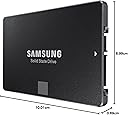
🚀 Upgrade your storage, upgrade your hustle.
The Samsung SSD 850 EVO 250GB combines cutting-edge 3D V-NAND technology with impressive read/write speeds up to 540 MB/s, delivering reliable, energy-efficient performance in a compact 2.5-inch SATA III form factor. Perfect for professionals seeking fast, durable storage that keeps pace with demanding workflows.


| ASIN | B00OAJ412U |
| Brand | Samsung |
| Brand Name | Samsung |
| Cache Memory Installed Size | 512 |
| Color | Black |
| Compatible Devices | Desktop |
| Connectivity Technology | SATA |
| Customer Reviews | 4.6 out of 5 stars 10,384 Reviews |
| Digital Storage Capacity | 250 GB |
| Form Factor | 2.5-inch, SATA, SATA III |
| Global Trade Identification Number | 00887276086071 |
| Hard Disk Form Factor | 2.5 Inches |
| Hard Disk Interface | Solid State |
| Hard Disk Type | Solid State Drive |
| Hard-Drive Size | 250 GB |
| Hardware Connectivity | SATA 6.0 Gb/s |
| Hardware Platform | PC |
| Installation Type | Internal Hard Drive |
| Item Weight | 66 Grams |
| Manufacturer | Samsung |
| Manufacturer Part Number | MZ-75E250B/AM |
| Media Speed | 520 megabits_per_second |
| Model Name | 850 EVO |
| Model Number | MZ-75E250B/AM |
| Network Connectivity Technology | SATA |
| Number of Items | 1 |
| Product Features | Multitasking |
| Read Speed | 540 Megabytes Per Second |
| Special Feature | Multitasking |
| Specific Uses For Product | Personal |
| UPC | 724627169819 804904115248 714547219947 808112996101 714547269447 714547252050 724627169604 780746158547 702874766432 782941515040 804067311860 669393978992 887276163925 887276086033 012305136063 801947294329 724627213079 887276086071 809394596614 734911141131 714547199478 |
| Unit Count | 1 Count |
| Warranty Description | 5 year manufacturer warranty |
S**S
Staggering performance, but with some caveats.
One of the main challenges in choosing SSDs is the immense diversity in brands and the components which they choose in the design of the SSDs. Its no longer just about Seagate and WD as in HDDs. SSDs are very fast, yes- but their performance and reliability is dependent on the controllers and the memory they use. There are just too many reviews of how SSD performances are inconsistent in the real world vis-a-vis the bench tests; and of performance degradation over time. The 850 EVO series has very good reviews, and has now aged gracefully, unlike the 840 series which had speed issues. The package has the SSD, a pictorial installation guide; a warranty statement booklet; CD with Samsung's Magician and Data Migration software. No USB connectors though. PROs- 1. High quality and reliability of Samsung (has its own controller and memory, which are more reliable and faster than the Sandforce/JMicron controllers). 2. Very very fast- your system becomes like a rocket (see, however cons below)- in cases where you are not connected to any slower peripherals (like USB HDD, Pen Drive, etc). 3. While test copy speeds are between 3-5 times as fast as HDDs (300-500 MBps for SSD vs 60-100 MBps for HDD), the SSD can move data within itself at astronomical speeds compared to an HDD. An HDD can move data within itself only around 20-30MBps, while the SSD can move it at 500 MBps. This is where you will really feel the difference. 4. Sufficient space- has around 230GB, of which around 10% will be set aside as an unallocated buffer (if you choose), by Samsung's magician software. This leaves 217GB which is more than enough if you are not loading on multimedia content. 5. Higher tolerances- operating temperature limits are 70 deg C, as compared to 60 deg C for HDDs. No moving parts. 6. Actual temperatures are lower than HDDs. My Seagate thin (7mm thickness) would routinely strike 50 deg C when moving data. The 850 EVO touched 48 deg C under load. 7. Much lower copy speeds when copying into the SSD- as it can easily write at 100 MBps, which is the limit for USB3 HDDs (from which you would be copying the data). See cons however. 8. 5 Year warranty. CONs- 1. Full speed cannot always be achieved due to CPU bottlenecks. It's not always about speeds when copying data; in 90% cases, your CPU also processes the program/ data. Laptop CPUs, which are around 1.9-2.7GHz top out much below the SSD capacities. 2. When moving data between an SSD and other media, the speed is limited by the slower components, which are invariably the pen drives, other HDDs and the USB HDDs. Here, you would get speeds of anywhere between 30-100 MBps. 3. Data migration software can be used only if you have a USB casing free for your laptop. In a desktop, this is not an issue. 4. More expensive than other SSDs. But prices are much lower than they were for the 840 series.
E**R
Great Product, easy to setup and super fast.
PROS: It will download on my old stock mobo at 400 mb's per second. I went from waiting sometimes 2 minutes for stuff to load all the way to waiting at most 12 seconds. After I installed my new Graphics card, the longest I wait now is 7 seconds. It takes 10 seconds to restart my computer, 5 seconds to boot it, 3 seconds to load GTA 5 (About 12 seconds before I installed my Nivida, GeForce GTX 960) and 4 seconds to load Fallout 4 on medium graphics settings, and 7 seconds on max settings. That should give you a general idea of how fast this bad boy is. Keep in mind, load times are affected mainly by SSD however GPU. CPU, and RAM also play a role in this. So times are subject to change depending on system hardware. CONS: Nothing really. I highly recommend this. Money wise, this is the best upgrade you can make on your computer if you do a bit of everything on it. Personally I do everything, from social media sites to watching movies to video games. Mostly video games. If you hate loading times as much as me, get this. If you hate low FPS and like good graphics, get a GPU first, then this. Also, keep in mind SSD's are very sturdy and highly unlikely to break down or be defective. Unlike many Graphics cards which have a much higher chance of having problems later down the road or being defective. A bit off topic here, but I highly recommend the Nividia Geforce GTX 960. It runs cool, it is sturdy, and it is well worth the money. Will play anything you throw at it on ultra if you have the processor to keep it from bottlenecking.
C**E
Great value but high price!
I have a mid 2012 mac book pro and my hard disk drive gave up on me. I replaced it with this one. After much research I zeroed in on this one and ordered it through prime. Needed it fast and thanks to amazon's guaranteed next day delivery before 11am, I got it at lighting fast speed.in general this seems like a good ssd. My boot up time is much faster and general time to open files, copy and move files has become 2x the speed. It also comes with a 5 year warranty which is more than enough cause nobody uses a laptop for that long anymore. Combine this with a ram upgrade and you should have a brand new system that will take any task you throw at it without batting an eyelid. Although something I am still trying to figure is the pricing. When external 1tb hard drives are less than 4k these days, I can't fathom why these cost double for half the storage. I mean I would have gone for a 500gb one had the price been decent. Having said that, I checked thoroughly the market pricing for this one with a lot of local stores in bangalore and I can guarantee that Amazon has the best price by far. Go for it. If you found this useful, please up vote it. Thanks
N**E
Can't go wrong with Samsung 850 EVO series
PRODUCT HIGHLIGHTS: `````````````````````````````````````````````` Optimized performance for everyday computing needs Sequential read speed 550 MB/s; Sequential write speed 520 MB/s; Random reads 100K; Random writes 90K Energy efficient - improves battery life by up to 50 minutes vs. hard disk drives Worry-free data security with AES 256-bit, TCG/Opal v.2 and Microsoft eDrive full-disk encryption Backed by a five-year limited warranty Capacity: 250GB | Form Factor: 2.5 inch Interface: SATA 6Gb/s (Compatible with SATA 3Gb/s and SATA 1.5Gb/s) NAND Flash: 32 Layer 3D V-NAND | Thickness: 7.0 mm (Compatible with old Laptops with Drive Cages/Trays) I bought this to replace the HDD that comes with my 3 year old HP Pavilion Notebook. It had a 9.5 mm 2.5 form factor Hard Disk that was not as fast as I expected and took 67 seconds to boot into Windows 7 desktop. There were no reviews at the time of purchase, but having had a good experience with the older Samsung 840 EVO series, I thought I couldn't go wrong with the new EVO 850 model. Deciding to put my old Hard Disk to use as a portable HDD, I also bought an external case from Amazon, http://www.amazon.in/gp/product/B00GKCA48U/. You can migrate your old PC using Samsung's own Data Migration Utility.Go to www.samsung.com/samsungssd and download the migration software. Follow the instructions given and prepare a bootable pen-drive with the software. It really easy to use. Easily recognizing the existing partitions from original 500 GB HDD and it auto-set the two partitions on the 250GB SSD. It allows us to readjust the size of the partitions and then it starts the copying process. It took a 40min minutes to copy around 260GB of data. Sadly OEM recovery-partitions, generated at the factory by computer manufacturers are not supported for replication by the migration tool. Everyday performance (4K file) of the 850 EVO 250GB drive coming in at a very nice (170MB/s write, 189MB/s read) under Windows. This is upto 20% faster than the previous generation 840EVO models. Games and apps launch much faster and you will be amazed at how quick the OS boots after you power up or log-in. Great purchase for great price, speedy delivery and with the use of simple cables- you will be happy Im sure. Leave me a msg if you have a question.
R**U
Most efficient, valuable and speedy upgrade. Totally worth it if installed CORRECTLY.
This is the most cost effective upgrade to any computer and gives vast improvement in performance if installed correctly. (Fresh installation of OS, SSD in hard drive bay, HDD(if any) in optical drive bay). Laptop boots/shuts down in 5 seconds and applications load lightning fast. Although the benchmarks are somewhat a marketing ploy by Samsung to get more customers to buy (you wouldn't notice the difference in having a 20k or 90k IOPS benchmark in day to day usage), the improvement in speed and performance is incredibly huge over a HDD. Firstly I suggest a fresh install of OS onto the SSD and manually installing all applications on it instead of migrating the existing OS from HDD . Secondly, install the SSD on the hard drive slot and the existing HDD on the optical drive bay using a caddy. The above two factors are important to extract maximum effectiveness from this Samsung SSD as an upgrade to your system. Step 1. Download OS onto a USB/DVD boot disk Step 2. Remove HDD from hard drive slot, and replace with Samsung SSD. Step 3. Fresh installation of OS onto SSD through any method that you prefer (USB boot, DVD ISO boot etc) Step 4. Goto BIOS and choose boot from SSD, select AHCI mode (before installing OS), UEFI Secure boot mode Step 5. Install HDD on optical drive bay though caddy, backup the user files on the OS partition and format the partition to remove unnecessary and redundant files (and viruses if any) Step 6. Run Samsung Magician and optimize your SSD accordingly. Once again I suggest not to migrate your OS onto the SSD since it wont give the optimal performance that you would get on a fresh installation of OS on to the SSD. Also sometimes Windows won't boot from SSD if OS has been migrated onto it. I have tried both methods and I can vouch from experience. Good luck in installation and enjoy a speedy drive. Cheers.
D**A
Product is working good.
I replaced my old 5400rpm 500GB HDD with 250 GB EVO SSD and now my system loads up in few secs ~5-6 secs. I had to wait for like 10-15 mins earlier. Heating issue still remains when I game for long hours. I guess it's the laptop design. But I am happy with the performance of the SSD. No lag due to HDD anymore. If you planning to clone your old HDD then this one doesn't come with a SCSI-USB cable so you either buy one for 2.5" sata connector cable ( around ₹250-500 depending upon the transfer rate) or you can use the connector on your external HDD. I disconnected the USB3.0 - sata connector on my Seagate HDD and used it along with the 3.0 cable to clone my old drive onto the new EVO SSD via USB port, saved wasting money on buying a new cable just for cloning. Cloning was also a problem. Samsung cloning s/w which came in the complementary CD with the SSD didn't seem to do the job initially. So I tried cloning using several pro softwares. When nothing worked I realised that there were some physical errors with my HDD which didn't allow cloning process to complete. So with checkdisk in repair mode, I fixed the errors and got my old HDD cloned with Samsung cloning software itself. So, if you have an old laptop that is slow and in your task manager, the disk utilisation is always >70%, you need to upgrade to an SSD. I think just any SSD for laptop (2.5" sata connector SSD) should work fine. Cost for 250GB SSD should be around ₹7-8k. In case you have any problems fixing it to your laptop, message me here and I will try to help as much as I can. P.S. When I shut down my laptop, I always get an error regarding instructions on some memory address failing to be written or something. But it doesn't do any harm. Guess the cloning didn't go 100% perfect. About purchasing from Amazon: Definitely the best platform to buy these things if you are looking for quality and genuine products. (Fyi, the SSD is Made in China.)
A**R
A must buy for gamers, programmers and artists
This my friends is upgrading your laptop/ PC to the next level. I had a Lenovo Ideapad 500s laptop and its a very good laptop with one problem. It had a Toshiba HDD which had a very slow r/w speed and hence it would take ages to load heavy programs such as photoshop, android studio etc. Me being a programmer found this very annoying and wanted to change the laptop and was thinking to go for a macbook until i found this beauty. This literally changes things. It has very high r/w speeds and i can't praise this enough. It boots up windows like i switch on a TV and loads programs like my PC was bought today. SSD is definetly something one should consider and i highly recommend this SSD from samsung as its light, has 5 years warranty and the best part is it wickedly fast and sometimes this is the only upgrade your laptop/PC needs. It also includes the magician software for optimization and data migration software to easily clone your hard drive to this SSD within a matter of minutes in the package.
S**I
SSDs are not as fast as i though it to be...
After using the product for a couple of weeks here is my honest review: First of all i have no idea how people claim that SSDs to be blazing fast. In reality it's just double or barely triple of 7200rpm desktop HDDs. I have been using a 2 TB seagate desktop HDD and comapred to it my PC boots maybe 2 -3 seconds faster in a fresh clean windows installation. Now coming to normal day to day usage i barely see any improvement at all might be just a bit faster then traditional 7200rpm drive. I ran samsung magician with rapid mode on and all seems fine and well withing what is expected but truth be told i think i made a wrong decision by going for a SSD. Hence my advice to others who are thinking of upgrading, please wait till SSD prices come closer to HDD. In my opinion SSDs should be priced at max rs1000 more than an equivalent HDD and only then can SSD be truly worth buying.
J**H
The Perfect Performance Upgrade for Any Laptop or Desktop
The Samsung 850 EVO series is legendary, and the 250GB model is arguably the single best upgrade you can make to any computer still running an old mechanical hard drive (HDD). Even years after its release, this drive remains a benchmark for reliability and SATA performance. This drive is the quintessential choice for an Operating System (OS) drive and primary gaming library. Why the 850 EVO is a Winner V-NAND Endurance: The biggest innovation here is Samsung’s 3D V-NAND flash memory. Unlike older, flat NAND, the vertical stacking significantly improved reliability and longevity. The 75 TBW (Total Bytes Written) rating gives incredible peace of mind for heavy daily use. Blazing SATA Speed: With sequential read speeds up to 540 MB/s and write speeds up to 520 MB/s, boot times are reduced to mere seconds, and applications launch instantly. The speed difference from an HDD is transformative—it makes your whole system feel brand new. RAPID Mode & Magician Software: Samsung’s software suite adds tremendous value. The Magician software is easy to use for maintenance and firmware updates. Even better, the RAPID mode feature (Windows only) uses your PC's spare RAM as a high-speed cache, providing a noticeable performance boost for frequently accessed files. Easy Installation: The standard 2.5-inch form factor and SATA III interface make it plug-and-play compatible with almost all laptops and desktop PCs. The included Data Migration tool simplifies the process of cloning your old drive onto the SSD. A Note on Modern Context It's important to remember this is a SATA drive, meaning its speeds are capped around 550 MB/s due to the SATA bus limitation. If your motherboard supports the M.2 NVMe interface, you can get speeds 5 to 10 times faster. However, for 90% of everyday tasks and gaming load times, the difference between a SATA SSD and an NVMe SSD is negligible. The Final Say: If you are upgrading an older laptop or desktop, or simply want a supremely reliable, fast, and feature-rich SATA SSD that will last for years, you cannot go wrong with the Samsung 850 EVO. It is, quite simply, one of the best SATA SSDs ever made.
R**O
Dentro do esperado.
Sem problemas.
A**R
酷い品質
本体に異常な凹みがあり、四隅の一角が反るような曲がりもある酷い品質のものが送られて来ました。
L**S
Satisfait
Produit conforme
C**A
Crhistian
El producto es excelente y me parecio que esta a muy buen precio. No duden en comprar un ssd samsung ya que esta comprobado que son mejores que los de otras marcas que venden aqui. Ya lo instalé gracias al cd que trae para clonar lo que ya tienes en tu hdd a tu ssd. Solo piensen que van a requerir un cable SATA a USB o un gabinete para transferir los archivos. Mi computadora ya enciende de inmediato y sin esperas. Inclusive el disco duro evo incluye un programa que te ayuda a optimizar el sistema operativo para que el ssd trabaje a su maxima capacidad. Trae tambien el "rapid mode" que agiliza la lectura y escritura de informacion. Algunas personas aquí en amazon se quejaban del empaque por que solo viene en un sobre y se maltrata la caja etc. En mi opinion esta muy bien por que pienso que es mas facil que lo pasen por aduana sin problemas, de hecho no es un sobre común ya que trae plástico de burbujas por dentro y en mi caso llegó muy bien. El tiempo de entrega me indicaron que eran hasta 10 días hábiles con el envío gratis pero me llegó en solo 4 días!!! De lujo! No sé si fuera suerte pero este producto es de importación y no me lo retuvieron en aduana ni me hicieron algun otro cargo ni nada. Me daba miedo pedir de usa por esta razón pero afortunadamente todo bién.
Trustpilot
3 weeks ago
1 month ago