Desertcart purchases this item on your behalf and handles shipping, customs, and support to Senegal.
โก Elevate your setup with lightning-fast, locked-in performance!
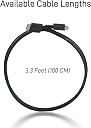
The LetLinkSo Oculink Cable SFF-8611 4i Extension Cable is a 3.3-foot male-to-male PCIe 4.0 cable delivering ultra-fast 64 Gbps data transfer with secure metal latches. Designed for mini PCs, eGPU docks, and NVMe SSDs, it supports desktop-level graphics performance and backward compatibility, making it an essential upgrade for professionals and gamers seeking reliable, high-speed connectivity in compact builds.
| ASIN | B0D9WJ7FV8 |
| Best Sellers Rank | #5,283 in Computer Cables & Interconnects |
| Brand | LetLinkSo |
| Brand Name | LetLinkSo |
| Cable Type | PCIe 4.0 |
| Color | Black |
| Compatible Devices | Mini PC, Nvme SSD, Server, eGPU Dock, onexGPU |
| Compatible Phone Models | No Compatible Phone Models |
| Connectivity Technology | PCIe 4.0, SAS |
| Connector Gender | Male-to-Male |
| Connector Type | 42 Pin Oculink Sff-8611 Straight |
| Customer Package Type | Standard Packaging |
| Customer Reviews | 4.5 out of 5 stars 99 Reviews |
| Data Transfer Rate | 64 gigabits_per_second |
| Ethernet Cable Category | Cat 8 |
| Frequency | 16 GHz |
| Included Components | Oculink SFF-8611 Cable x 1 |
| Indoor Outdoor Usage | Indoor |
| Item Shape | Strip-shaped |
| Manufacturer | DataLink Sphere |
| Model | LLS-CB-1OC1OC-01 |
| Model Name | High-Speed Oculink SFF-8611 Cable |
| Number of Items | 1 |
| Number of Pins | 42 |
| Other Special Features of the Product | Backward Compatible Future-Proofing, Compact High-Performance Graphics, Custom OEM/ODM and Bulk Supply, Minimalist Space-Saving Design, Ultra-Fast Data Transfer Rates |
| Outer Material | Nylon, Polybutylene Terephthalate (PBT), Polyvinyl Chloride (PVC) |
| Part Number | LLS-CB-1OC1OC-01 |
| Recommended Uses For Product | Compact PC Builds, Data-Intensive Applications, Professional Creative Work, Upgrade of Older Systems |
| Special Feature | Backward Compatible Future-Proofing, Compact High-Performance Graphics, Custom OEM/ODM and Bulk Supply, Minimalist Space-Saving Design, Ultra-Fast Data Transfer Rates Special Feature Backward Compatible Future-Proofing, Compact High-Performance Graphics, Custom OEM/ODM and Bulk Supply, Minimalist Space-Saving Design, Ultra-Fast Data Transfer Rates See more |
| Specification Met | RoHS |
| Unit Count | 1 Count |
B**Y
Good cable, good speed.
Working fine from my PCI to Occulink adapter and my GPU Dock.
C**N
Great cable!
Bought this three times to connect from m.2 to external PCIe. Worked perfectly.
C**C
Worked very well with my homemade DAS system
I used this to make a homemade DAS with an old LSI 9361 RAID card and the Cablecc Oculink adapter (with SATA power connector and not the ATX power connector type). I used this long cable so I could wrap it onto an EMI core to help filter the power supply common mode EMI. The core was type Material 61. Worked great! I am able to get over 750MB/sec through the Oculink system and a RAID 6 array of 6 rotating HDDs (~22TB total capacity).
D**O
Good
Works great just short cable, still good for the price
N**O
Works as expected, high quality
Works well not having any connection issues
D**.
Reasonable price, mediocre quality. Works, but feels fragile.
Signal integrity is hard to support on OCCULINK on cables of this length. With that being said, I still would like a longer cable even if it costs a bit more and has to provide either an active repeater or better shielding. With that being said, I really wish the quality of the cable was better overall. This was built to a price point and it shows. Cable does work and carries signal, but appears to be fragile. Please keep that in mind if you plan on putting this through industrial stresses.
J**Y
Good cable
Quality seems good, works well with 5 series nvidia.
A**R
Shorter is better
My eGPU enclosure came with a 50cm Oculink cable and I had a 4 port 4.0 16x PCIe card in one of the 2 16x ports rated for 4.0 4x on the mobo. My 4070 Ti always downgraded to 3.0 no matter what settings I tried in the BIOS. I replaced the 50cm with this 20cm cable, set the 4.0 4x Gen setting to Auto in the BIOS and it immediately set the card to 4.0 4x. If you can make it work with your enclosure use the shortest cable you can.
S**R
Very handy to have for transfering info.
Connected two mini computers together using this and one other cord. I am happy camper because I can transfer information from one mini to the other, add one TG drives and move the information around as I want to. As a writer of short stories this comes in handy.
Trustpilot
5 days ago
1 month ago