Desertcart purchases this item on your behalf and handles shipping, customs, and support to Senegal.
🤖 Drive Your STEM Future — Code, Create, Conquer!
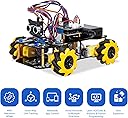
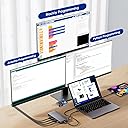
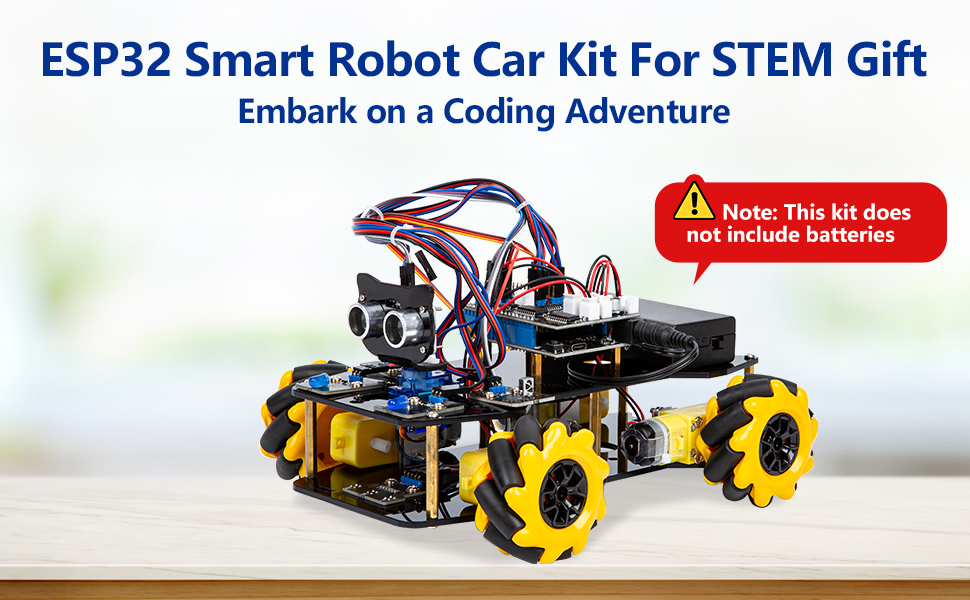
The ACEBOTT Smart Robot Car Kit is a versatile STEM education tool featuring an advanced ESP32 controller and omnidirectional mecanum wheels for full 360° mobility. Designed for ages 8-16, it offers 16 interactive tutorials to build programming and robotics skills. With rich expansion options like camera and robotic arms, plus multi-mode controls via IR remote or app, it’s the perfect hands-on project to ignite creativity and problem-solving in young tech enthusiasts.


| ASIN | B0D8PV9TY9 |
| Best Sellers Rank | #37,940 in Toys & Games ( See Top 100 in Toys & Games ) #293 in Educational Science Kits |
| Brand Name | ACEBOTT |
| Color | Yellow-c |
| Customer Reviews | 4.2 out of 5 stars 121 Reviews |
| Educational Objective | Develop programming, electronic hardware, and robotics skills |
| Included Components | Smart Robot Car |
| Item Dimensions | 8.9 x 6.7 x 2 inches |
| Item Type Name | Toy |
| Manufacturer | ACEBOTT |
| Manufacturer Part Number | QD001 |
| Manufacturer recommended age | 12 years and up |
| Material Type | Acrylic |
| Model Number | QD001 |
| Number of Batteries | 2 Nonstandard Battery batteries required. |
| Number of Packs | 1 |
| Number of Players | 1 |
| Operation Mode | Manual |
| Set Name | Smart Robot Car Kit |
| Size | 6.7 x 8.9 x 2 inches |
| Theme | Robotics |
| UPC | 027685585950 |
| Unit Count | 1 Count |
I**R
A really fun gift for 12 years old boy!
I got this for my 12-year-old nephew’s birthday and he was really excited about it. He’s always interested in building things and technology, so I wanted to get him something a little more interesting this time instead of just another toy, and this ended up being a great choice. It’s also nice that it works with different programming options, so he can start with the easier ones and eventually try more advanced coding. It’s a great educational toy without making it feel like he’s doing boring schoolwork. Hopefully, it can inspire him as he explores the different coding options and has fun building things along the way!
J**N
good education toy
Built this smart robot car with my child and it was a wonderful hands-on learning experience. The step-by-step tutorials and controller make programming very engaging. The only small downside is that it doesn't come with batteries, so be sure to buy them in advance. Overall, highly recommended!
A**R
Fun with grandson
Interesting and fun. Don't loose little parts
M**Z
Cannot wait to put this robot together!
The whole box feels pretty heavy. The components look pretty solid. Cannot wait for the kid to put it together when he has extended time. Will update this review once he finishes the project.
R**D
Great toy definitely need to get in bootloader mode to flash
IMPORTANT! In order to flash any code to the board you need to get the ESP32 in boot loader mode, unfortunately this 3rd party board does not have a boot button only a reset button on the corner. You have to manually short 0 pin and GND (I used the GND that’s in opposite corner of reset button near the pins TX RX GND and Voltage. Connect GPIO pin 0 to GND with no battery connected, disconnected from computer, and with the top motherboard unmounted from the bottom motherboard. In the settings Gear icon of the ACEBOTT software on the computer change the BAUD rate down to the lowest range at the bottom of the drop down, I think it’s like 115200 or something. Hope this helps, spent 2 hours reading and researching the solution. Also mainly just need to use the web app code from the tutorials sample drop down box, I had v1.0 on the board so I used that version not v.2
H**Y
Mixed Results: Good Build Quality, but Functional Issues
This kit includes all necessary components, along with a few spare parts, which is a positive. The overall build quality is reasonable for its price point (around $60), and the physical assembly process was straightforward. All parts fit together as expected, and the unit powered on with visible LED indicators. The included software uses a block-based coding interface, which is intuitive and appropriate for beginners. In “Online Mode,” I was able to successfully run a simple test program that made an onboard LED blink, confirming that basic connectivity and communication were working. However, more advanced functionality did not perform as expected. When attempting to upload and run programs (such as moving the car forward), the device did not execute the code. The only consistently working function was the LED test in Online Mode. To rule out user error, I tested a second, identical unit purchased separately. That unit exhibited different but still problematic behavior—only two wheels operated, and they did so inconsistently. Like the first unit, it failed to reliably run uploaded programs. There appears to be limited troubleshooting guidance available, which makes diagnosing these issues difficult. While the kit shows promise as an educational tool, the inconsistent performance significantly limits its usability. Summary: Pros: Easy assembly, decent build quality, beginner-friendly coding interface Cons: Unreliable program execution, inconsistent hardware behavior, limited troubleshooting support Due to these issues, I was not able to fully use the product as intended.
A**.
Needs special batteries and doesn’t come with them
Wish these came with the batteries they needed. And they’re not even basic batteries. So annoying.
F**N
Good quality
Excellent for youngsters who like robotics !!!!!!
M**K
First bot
A good project for school holidays. My child is 9, he was able to follow the online instructions, and able to start block programing.
W**R
It’s manageable
Best kit to assemble
K**S
No batteries
Extremely difficult to find the batteries as it doesn’t come with them and they are quite expensive. We bought separately.
U**R
Needs a 30$ battery and an interest in progamming
This is correctly disclosed in the listing but I had not read it closely enough: it requires buying two special batteries, which are like huge AA batteries, and their special charger, from Amazon (any brand). It cost me about $27. The kit is of high quality, and my 8-year-old son had no problem assembling it, but building it isn't really the purpose of the kid: it's a computer programming kit, so you have to be interested in that. There is a visual programming language you can use either on Windows, Mac, on a tablet or phone, or through a web browser. I've even used it on Linux. It's impressive, but very nerdy. The app is called Acecode from AceBott (Google it). My son is too young to do this on his own, but is excited to do this with me. After having already assembled the kit, we found there was a YouTube video showing the assembly, which helps check all the connections. Search for "Acebott Lordbot QD106". This is not pointed out on the website, afai. The website only has a huge PDF English-only manual to download, although that's a very good manual. It's a robot with an Arduino computer that supports RF, Bluetooth, wifi, programming in Python, etc. You probably don't want your child to connect things in the wrong plugs. They sell additional things you can plug in. There is an updated version of this card, this is probably the 2024 model.
Y**E
Pas de pile
Pas de piles et impossible d'en trouver nul part. Pour des raisons de logistiques il ne peuvent pas fournir les piles et moi je ne peux pas en trouver. Changez donc vos batteries... Le robot est à l'arrêt sur le bureau faute de trouver une alimentation.
Trustpilot
2 weeks ago
1 month ago