Buy anything from 5,000+ international stores. One checkout price. No surprise fees. Join 2M+ shoppers on Desertcart.
Desertcart purchases this item on your behalf and handles shipping, customs, and support to Senegal.
⚡ Upgrade Your Network Game — Fast, Secure, and Future-Ready!
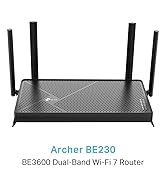
The TP-Link Archer AX18 is a WiFi 6 dual-band router delivering up to 1.5 Gbps speeds with four high-gain antennas for wide, reliable coverage. It supports advanced OFDMA and MU-MIMO technologies to handle multiple devices simultaneously without lag. Featuring WPA3 cybersecurity and a built-in VPN server, it ensures robust protection for your home network. Easy to set up via the TP-Link Tether app, this router is ideal for gamers, streamers, and professionals seeking a stable, high-performance connection.


| ASIN | B0CTD1CTHM |
| Antenna Location | Home, Small Office, Gaming, Streaming |
| Antenna Type | Fixed |
| Best Sellers Rank | 722 in Computers & Accessories ( See Top 100 in Computers & Accessories ) 2 in Routers |
| Box Contents | Archer AX18 |
| Brand | TP-Link |
| Brand Name | TP-Link |
| Colour | black |
| Compatible Devices | Laptop, Personal Computer, Smart Television, Tablet |
| Compatible devices | Laptop, Personal Computer, Smart Television, Tablet |
| Connectivity Protocol | Wi-Fi |
| Connectivity Technology | Wi-Fi |
| Control Method | App |
| Controller Type | App Control |
| Country of Origin | China |
| Coverage | Strong signal strength and wide coverage area |
| Customer Reviews | 4.4 out of 5 stars 8,349 Reviews |
| Data Transfer Rate | 1.5 Gigabits Per Second |
| Frequency | 5 GHz |
| Frequency Band Class | Dual-Band |
| Frequency band class | Dual-Band |
| Has Internet Connectivity | Yes |
| Is Modem Compatible | No |
| LAN Port Bandwidth | 1000 Mbps |
| Manufacturer | TP-Link |
| Manufacturer Part Number | Archer AX18 |
| Maximum Upstream Data Transfer Rate | 1201 Megabits Per Second |
| Model Name | Archer AX18 |
| Model Number | Archer AX18 |
| Model name | Archer AX18 |
| Number of Antennas | 4 |
| Number of Ports | 4 |
| Operating System | RouterOS |
| Other Special Features of the Product | Internet Security |
| Router Firewall Security Level | medium |
| Router Network Type | Wired and Wireless |
| Security Protocol | WPA2-PSK, WPA3-Personal, WPA2-Enterprise, WPA-Enterprise |
| Special feature | Internet Security |
| Unit Count | 1.0 count |
| Wi-Fi Generation | Wi-Fi 6 |
| Wireless Compability | 802.11ax |
| Wireless communication standard | 802.11ax |
J**L
A Solid Midrange Beast That Just Works
I’ve been running the Archer AX55 for a week now, and honestly — it’s been one of the most stress-free upgrades I’ve made in years. Here’s the lowdown: 🛠 Setup Plug it in, open the app, done in under 10 minutes. The TP-Link Tether app is actually decent (rare for router apps, which are usually garbage). You don’t have to be some networking wizard — it’s super intuitive. 📶 Performance The Wi-Fi 6 speeds are excellent. My old router was choking with more than 6–7 devices online; this one easily handles 10+ (laptops, phones, smart TVs, a couple of cameras) without flinching. — 5 GHz band is rock solid — great for streaming, gaming, Zoom calls, whatever. — 2.4 GHz still covers the house for low-bandwidth stuff like smart bulbs. I’ve got about 1,600 sq ft, and it covers the whole space, even spilling into the garden. ⚡ Stability What surprised me most? Stability. I haven’t had to reboot this thing once since installing it. No random disconnects, no weird drops at night. It just sits there and does its job quietly — which is exactly what you want from a router. 🌟 Extras It’s got decent QoS, OFDMA, and WPA3 support if you’re nerdy enough to care. But even if you’re not, it comes preconfigured smart enough for 99% of people. 👎 Any downsides? — No multi-gig WAN/LAN ports. But if you’re not running fiber >1 Gbps, you won’t care. — The UI in the browser could be prettier, but eh — minor gripe.
M**L
Fast, Reliable, and Easy to Set Up – Excellent Value WiFi 6 Router
The TP-Link Archer AX18 has been a brilliant upgrade to my home network. Setup was incredibly straightforward with the TP-Link Tether app—up and running in minutes with no hassle at all. Even if you're not particularly tech-savvy, it's very user-friendly. The speed and stability have been excellent. With multiple devices streaming, gaming, and working from home, it handles everything without breaking a sweat. WiFi 6 really makes a difference in terms of smoother performance and better coverage throughout the house. The gigabit Ethernet ports are great for wired connections, and I really appreciate the added peace of mind from WPA3 security features. It also has built-in VPN support, which is ideal if you're working remotely or just value privacy. For a mid-range router, this punches well above its weight. Reliable, secure, and packed with features—highly recommended if you're looking to modernise your home network without overspending.
P**N
Works well but plastic and light
Works ok. Easy to set up and configure. I have found it works well in an environment where there are lots of other routers fighting for bandwidth. I am using it an a particular application where I need to hide the network so people don’t try and join it and this was easy to do in the configuration menu. Only down side is that it is very light and very plastic - this means the cables when plugged into the back make it tip up at the front.
D**C
Great VPN router
Setup was easy, bought for the VPN client needed a software update to access but it works great, signal strength is good
P**S
Solved our WiFi problem
We have used Now TV modem/router for a couple of years with two repeaters in our quite large house. The WiFi signal was fine, but as we increased the number of items connected to the router we found that the signal would repeatedly drop out. Alexa would stop, but restart when asked again. Phones, tablets etc would report "no Internet" but restart a few seconds later. Occasionally, catch up TV would fail. Having limited knowledge of these things I learned that I could continue using our supplied modem/router, but switch off the router part and plug in a more powerful router unit. This product was fairly easy to set up and our WiFi now works faultlessly, no signal drop outs. I did think our repeaters may not be needed, but they are to keep the whole house covered. Highly recommend.
R**D
Not sure
Not quite sure about this AX18 router. It basically works well on our full-fibre connection and speeds and coverage are quite good - but our tv, which is in the same room, keeps disconnecting while streaming and there is quite a delay when first connecting any of our devices, also slow accessing some websites. It's a shame, and that shouldn't happen, so I may have to revert to our old Plusnet Hub Two which didn't have those problems and although more basic was totally reliable. I thought this would be an improvement, but sadly not. I will keep as a backup.
O**K
Very good router for the money
Review of "TP-Link WiFi 6 OneMesh Router, AX1500 Mbps Gigabit VPN Router, Dual-Core CPU Fibre Router, WPA3 Cybersecurity, Ideal for Gaming Xbox/PS4/Steam (Archer AX18)", bought for £44.99 (31% sale price): I just got this set up today. I am very IT literate and it was easy to configure, and even for a non-geek it would be easy to get it working. I am using it with Plusnet Fiber and I just needed to put my credentials into the PPPOE section and click connect to get it working. I get the full speed of my Fiber connection (300 down, 50 up) and I can get that speed on LAN and on my phone via WIFI, with my previous router I got half that speed on WIFI. Note for geeks - I normally use routers that I flash with DD-WRT, but sadly this isn't an option for this router due to the closed source Broadcom chipset. The web-UI isn't fantastic, but I was able to configure all the more clever stuff I do with DD-WRT on it. I wanted to setup a VLAN and it has something called IPTV/VLAN, but I couldn't get it working, am not sure if it is me or if it doersn't do what I expect it to. I was able to setup a guest mode that has WIFI network that you can isolate from the LAN so that does what I needed the VLAN for. The router is very light and the front of it is hanging a couple of inches u pin the air due to the weight of the cables at the back pulling on it. It has a nice feature that you can turn off the LED status lights on the front, something I normally have to block off with other routers to stop them being annoying. Overall very good router, especially for the money.
K**N
Great router
Really impressed with this router. The app is easy to use and it loaded with lots of settings and options. Not bad for the money either
M**N
TOP
Mit einem Glasfaser 600 Anschluss, dem Archer ax73 für 120 € und einem neu angeschafften re900xd für 99€ habe ich nun genau 590 Mbit, mit stabiler Verbindung und 4ms Ping in meinem Büro anliegend. Router selbst steht an eine unvorteilhaften Stelle im Kelleraufgang. Eine Lan-Kabel Verlegung kam aus optischen Gründen nicht in Frage. Trotzdem ist die Situation mit dem Archer ax73 perfekt und kostengünstig gelöst. Ich wählte den Archer ax73 aufgrund der starken WLAN Sendeleistung und den externen Antennen. Vorher hatte ich die 7590+ 1200ax repeater von Fritz. Der Fritz Router sendete nur minderwertig mit WLAN 5 und schaffte ca. 330 Mbit. Der repeater schaffte ebenfalls etwa 320 Mbit aber mit super schleter Stabilität und Ping-Spitzen. Ich tauschte erst den Router mit dem Archer ax73 aus. Resultat guter Router mit hervorragenden WLAN und dann den repeater mit einem re900xd. Ergebnis ist phantastisch. Die Kombination des Archer ax73 und dem re900xd ist perfekt. WLAN Werte sind seitdem perfekt. Knapp 590 Mbit per WLAN am Endgerät anliegend und eine stabile Verbindung ohne Spikes und einem 4ms Ping zum Gerät. Ganz klare Kaufempfehlung für eine günstige Alternative zu Fritz Geräten. Gpt empfohlen mir vorher eine teure 5560 mit einem ax3000 repeater, welche unverhältnismäßig teuer mit 260€ und 160€ gewesen wären. Ebenso empfahl gpt nach dem Kauf des Archer ax73 mit den 3000ax von Fritz zu holen da mein Flaschenhals dann der 1200ax von Fritz war. Wäre ich darauf eingegangen, hätte ich einen Fehler begangen. Kein Mesh und kein dediziertes WLAN backhaul. Dediziertes WLAN backhaul funktioniert nur zwischen Fritz Geräten. Der re900xd für 99€ hat ebenfalls ein optimales dediziertes backhaul welches frei einstellbar ist. Für 120€ für den Archer ax73 und 99€ für den re900xd habe ich nun Glasfaser 600 perfekt bedient. WLAN ist ebenfalls perfekt geworden. Auf die Frage an gpt, wieso gpt ständig Fritz empfiehlt kamen erhellende Antworten. Mehr Marketing, Produkte suggerieren bessere Verbindung, sind aber gleichstarke Alternativen, aus Angst verbundene Sicherheitskäufe an den Markennamen. Keine Frage, Fritz Produkte sind okay und gut aber der Mehrpreis ist immernoch zu hoch. Zumal andere Produkte halb so viel kosten und gleich gut oder sogar besser sind. Der ax73 sendet besser als eine Fritzbox, hat externe Antennen und kostet unter der Hälfte der Fritzbox. Manche bemängeln die Einstellungeb des Archer ax73. Für mich sind die besser und logischer einzustellen als bei einer Fritzbox. Hier habe volle Kontrolle bei den Einstellungen. .ueren qhcrud uzWLAN alw timDecke kced enieund Wände ednaw eleiv snu INach ausgiebigen Tests: 5 Sterne, klare Kaufempfehlung für einen starken WLAN 6 Router. Preis Leistung ist top.iAls repeater empfehle ich absolut den re900xd für eine perfekte Kombination.Es
F**O
Excelente Roteador.
Excelente roteador, fácil de configurar, ótimo alcance, com boas features de segurança e entrega 700MB pelo wi-fi. Recomendo.
N**S
Bon produit
Modem puissant , placer dans une maison longue et mur épais. Il fait son travail
M**H
الارسال
جهاز ممتاز وقوي الارسال
O**,
Guzel
Işını hakkıyla yapiyor, telefon ile 730mbps leri gordum, kablo ile 1gbps hızım var. Araya duvarlar girince ise 260mbps civarlarında dolaştı, fiyat performans iyi
Trustpilot
3 weeks ago
3 weeks ago