Desertcart purchases this item on your behalf and handles shipping, customs, and support to Senegal.
👑 Ascend Your Setup with GIGABYTE Z790 S WiFi DDR4 – Power, Speed, and Style in One Board!
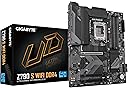
The GIGABYTE Z790 S WiFi DDR4 motherboard is a high-performance ATX board designed for 13th and 14th Gen Intel Core processors. Featuring a robust hybrid 8+1+1 phase digital VRM, support for up to 128GB DDR4 RAM, triple PCIe 4.0 x4 M.2 slots with thermal guards, and 2.5GbE LAN connectivity, it delivers exceptional power, speed, and reliability. Its comprehensive thermal design and durable build make it ideal for gamers and professionals seeking a future-proof, high-speed platform.


| ASIN | B0D2RL4PT6 |
| Best Sellers Rank | #164 in Computer Motherboards |
| Brand | GIGABYTE |
| CPU Model | Core i7 |
| CPU Socket | LGA 1700 |
| Chipset Type | Intel Z790 |
| Compatible Devices | Personal Computer |
| Compatible Processors | Intel LGA 1700 |
| Customer Reviews | 4.3 out of 5 stars 179 Reviews |
| Graphics Card Interface | PCI Express 4.0 |
| Main Power Connector Type | 24-Pin |
| Manufacturer | GIGABYTE |
| Memory Clock Speed | 3200 MHz |
| Memory Slots Available | 4 |
| Memory Storage Capacity | 128 GB |
| Mfr Part Number | Z790 S WIFI DDR4 |
| Model Name | Z790 S WIFI DDR4 |
| Model Number | Z790 S WIFI DDR4 |
| Number of Ethernet Ports | 1 |
| Number of Items | 1 |
| Number of Ports | 12 |
| Platform | Windows |
| Processor Socket | LGA 1700 |
| RAM Memory Technology | DDR4 |
| Ram Memory Maximum Size | 128 GB |
| S/PDIF Connector Type | Optical |
| System Bus Standard Supported | SATA 3 |
| Total Number of HDMI Ports | 1 |
| Total PCIe Ports | 4 |
| Total SATA Ports | 4 |
| Total Usb Ports | 8 |
| UPC | 889523042694 |
| USB 2.0 | 2 |
| Warranty Description | 5 Years |
J**A
Solid Motherboard – Great First Impressions
I installed this motherboard a few days ago, and so far everything has been working perfectly. The installation process was smooth, all components were detected right away, and the system booted up without any issues. The build quality feels solid and reliable. Although it’s only been a short time, I’m very happy with the performance so far. It looks like a great purchase, and I’d definitely recommend it based on my initial experience.
A**N
Works . Not too difficult to set up.
Everything seems to work. End result is a PC that tests and works really well. You need to be prepared to match settngs to various components ... You need to be a least a little bit of a geek. But I guess you kow that. I really like the driver utility. Saves a lot of trouble. This is paired with an i7 12700 and a nvidia 5060 ti. These are second or third generation now. Result is a low cost screamer good for almost anything. I think the total for everything came in around 700. That's new stuff. Not bad.
E**R
excellent for hard work
greatest board for the price, the quality and the functionality is great.
M**O
Good enough I guess. Not really what I paid for though.
Not clearly labeled for some of the components that's probably my fault I have an older case without a full front plate connector, Kinda weird placement on some connectors. You have to scan a QR to get the manual which is a huge deal for me! Just print one paper with the PCB diagram and hopefully a pinout schematic. And the biggest thing there is only 4 leds for diagnostic purposes and all they do is say on or off. What if your power supply goes out? Cause it can't tell you nothing about that. It really only tells you if it's on.. and I'm not 100% certain what the diag codes mean does it mean on or never even connected? I think this motherboard will be great for most consumers but for me and anyone 1 step past normal consumer maybe look a little further. After owning for a bit I changed my review from 3 to 1 . I found that it has a lot more issues than I originally thought. Most notable of which is that I can't seem to boot from an external usb drive, nor use all 4 ram slots, It also has issues when I leave it off for a couple hours intermittently having Sata or PCIE issues (Though the PCIE maybe the poor graphics card since Amazon also sold me a broken one before I got a replacement of the same kind). it seems this was a poorly refurbished item, which seems to be par for the course for amazon. The only reason I don't replace it is that it's a lot of work, I think it'll be easier to just leave it in sleep or hibernate when not on and turn it off sparingly.
A**K
A good MOBO with a couple of small details to take note of.
This board was on the more affordable end for a Z790 chip. But it has everything and more than I need. 1 thing, when attaching the MOBO USB 3 socket to the front tower connector cable, I had to remove the USB 3 cable to re-do some wire routing, and the plastic clip that locks the motherboard pins to the front adapter pulled off of the board. It did just snap right back on and into place over the pins on the board, and the front USB 3 works fine. But that was a little alarming. I have built a couple dozen computers and have never seen that happen. But nothing really came of it so I'm fine with that right now. Really nice heatsinks integrated on VRMs also. Another thing is that if running an M.2 on the CPU pcie lanes, the board will not be able to run a GPU at the same time. So, the M.2s will need to be installed on the chip lane sockets that it has if you run a discrete GPU. And, there are no built in heatsinks for the M.2s installed on the chip lanes, only for the CPU pcie lane M.2. So, get an M.2 with built-on heatsinks if running M.2 on the 2 chip sockets. The WIFI runs almost as fast as my other system that is using an ethernet port on a MSI tomahawk max wifi gaming board. Saw the wifi speed hit over 500mbs, but a lot of that is your internet provider and distance to your wifi router etc. But the potential is there. Actually, very happy with the MOBO. Just a couple of those small details make it miss a 5 star. The BIOS is a very nice set up also. With advanced or simplified UI option, and all of the overclocking TWEAKER options that I like Gigabyte for. Not perfect, but I would buy it again at that price and if you are not rich person, but you need the 790 chip, I would very much recommend it to anyone.
A**D
An Excellent Affordable Motherboard.
I researched many motherboards to upgrade my computer to windows 11. As you may or may not be aware, the CPU and Motherboard must support the trusted Platform (TPM2.0). This motherboard does this. What is great about this motherboard is that it uses the Z690 chip set used for gaming and provides excellent feature set at an excellent price. I used the gen 13 CPU (LGA1700) which is also very affordable and makes the combination a low-cost solution. The performance is of the set is extremely high performing. The Motherboard automatically is set up to enable the TPM2.0 so no setup is required in the BIOS. Windows 11 loads and runs perfectly with little intervention by the USER. This works so well that I actually bought a second one to setup two desktops. The next time I assemble another computer for someone, I would buy and use the same Motherboard with similar CPU. I Highly recommend this Motherboard for a desktop. A desktop builder will not be disappointed.
M**9
Solid mobo
This is a solid motherboard for 12th to 14th gen Intel cpus, especially for retrofitting an older system to run Win 11. I paired mine with an i7 12700KF, RTX 3060, added two Samsung NVME drives (1 TB 980 Pro and 2TB 990 EVO Plus), two existing SATA drives (4TB each), two existing SATA optical drives (DVD-RW and BD-RW), and 32GB of DDR4 3200 RAM. Everything works as it should. My only complaint is that the Gigabyte software could be better. It is just okay and not as smooth as could be. I've been building PCs for over 25 years and this was easy enough. I am cooling the cpu with a Thermalright PA120. As for overclocking, It does it, but the headroom on air cooling just isn't worth it in my opinion. 5.0 GHz is not that impressive when stock turbo is already 4.9 GHz. I also like my cpus to run under 70 C under full load. This is also using an old Antec 900 case with USB 3.0 and a 620W Antec PSU. I am upgrading from an older Gigabyte Z77X-UD3H that had an i5-3570K that was OC'd to 4.5 GHz on air cooling (CM Hyper212). That was nice headroom to OC back then.
B**N
This Gigabyte mono can support integrated graphics!
One user wrote that the motherboard doesn’t support video out unless you pair it with the correct CPU and that Gigabyte is at fault. THIS IS ABSOLUTELY INCORRECT. Gigabyte is NOT AT FAULT!! The motherboard doesn’t support video not control video output. It merely supports it. the CPU CONTROLS VIDEO OUTPUT IF YOUR COU HAS A VIDEO CONTROLLER IN THE CHIP! If it doesn’t then the Mobo cannot support it if it’s not available! Plain and simple! I am willing to bet this user had purchased an Inten i7 processor with the suffix of “F” because those are cheaper the the ones that do have integrated graphics. The intel processors with “F” in the name DOES NOT have ANY integrated graphics so therefore the mobo cannot support it if it doesn’t have it. Make sure you have a graphics card Of ANY kind to make your pc send video out! It’s that simple! GIGABYTE IS NOT AT FAULT!
A**W
Pay more to get better board
So fast it working but WiFi and Bluetooth is signals so weak, I need to add my own Bluetooth dongle and use lan for Internet and headphones. Also board didn't support win 7 install.
B**A
خيار ممتاز
بعد استخدام ٩ شهور اقدر اقول خيار موفق (i712k-3060-32gbddr4,3200) لاكن لاتشتري رامات صينيه فل مشاكل معها بس امس نزل تحديث بايوس يدعم فقط kingbank
R**X
Buenas caracteristicas para el precio.
Completa, resistente, resilente. Muy buena motherboard.
J**N
CPU pins bent upon arrival
Motherboard did not come with a CPU pin protection cover when I opened it. Look how many pins are bent. I do not want to even try it in case it ruins my CPU. I would love a replacement as this is the board I was wanting to use with my setup.
M**D
Bit of underrated motherboard
Motherboard supplies good benefits of Z board with a B board price , even tho it has 8 VRM's ( can only run i7 at the max ) it has 1 cpu lane so 336W is your max , so good motherboard if you want a K processor but don't want to overclock / use intel core i9 with it
Trustpilot
1 week ago
2 days ago