Desertcart purchases this item on your behalf and handles shipping, customs, and support to Senegal.
🚀 Elevate your dual-PC setup with power, speed, and style!
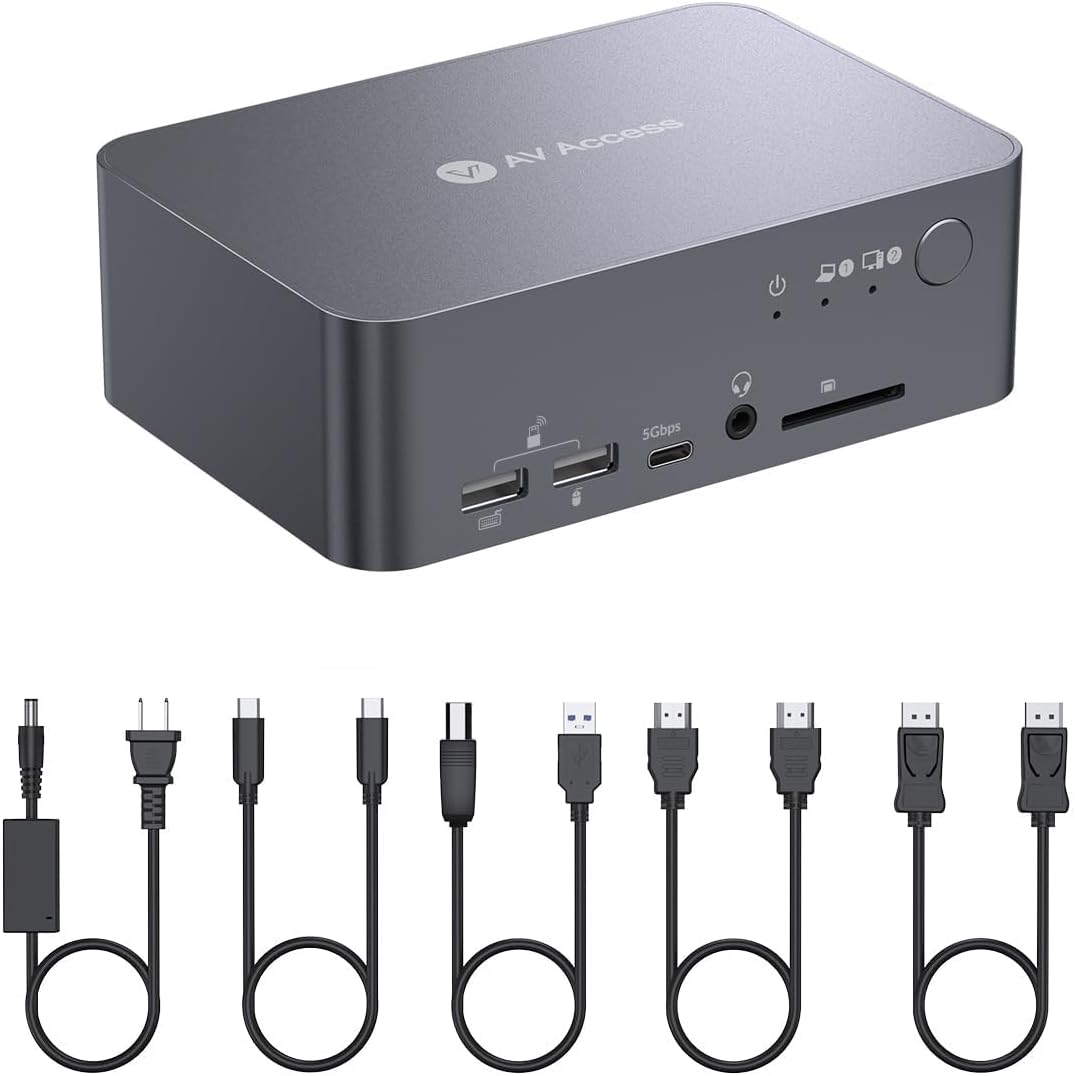
The AV Access Docking Station Dual Monitor is a premium 12-in-1 KVM switch designed for professionals juggling two PCs. It supports dual 4K@60Hz or high refresh rate 2K/1080P displays, offers 60W USB-C charging, and ultra-fast 20Gbps data transfer. With 16 versatile ports including Ethernet and Toslink, plus fast switching technology, it creates a seamless, high-performance workstation for both work and gaming.


| ASIN | B0CW2JGRN4 |
| Best Sellers Rank | #26,524 in Computers ( See Top 100 in Computers ) #63 in KVM Switches |
| Brand | v AV Access |
| Built-In Media | KVM Switch |
| Color | 4K 2 monitors 1 desktop & 1 laptop(iDock C10) |
| Colour | 4K 2 monitors 1 desktop & 1 laptop(iDock C10) |
| Compatible Devices | Laptops, Desktops |
| Compatible devices | Laptops, Desktops |
| Customer Reviews | 4.0 out of 5 stars 209 Reviews |
| Hardware Interface | DisplayPort, Ethernet, HDMI |
| Hardware interface | DisplayPort , Ethernet, HDMI |
| Input Voltage | 20 Volts (DC) |
| Manufacturer | AV ACCESS |
| Mfr Part Number | iDock C10-US |
| Model Number | iDock-C10-US |
| Number of Items | 1 |
| Number of Packs | 1 |
| Number of Ports | 16 |
| Number of ports | 16 |
| Total Number of HDMI Ports | 2 |
| Total USB ports | 5 |
| Total Usb Ports | 5 |
| Unit Count | 1.0 Count |
| Wattage | 120.0 |
I**O
Very good stuff
Quite expensive, but it is very good...no issue at all
ポ**ポ
HDMI接続できず、、、(※訂正:できました)
PC側のhdmiが接続不能だった。一回繋がったのだが、以降ずっと駄目ですね ハズレ個体かな、、、 信頼できるメーカーから買ったつもりだったのでショックです。 問い合わせてレビューアップデートします。 ※追記 自分の使い方が間違っていました PC側のhdmi inはhdmi outの2番に繋ぐ必要がありました。 さらに、AV Accessさんから謝罪の連絡と返品手続きの案内が丁寧にきておりました。 自分の確認不足なのにすみませんでした。 その後は快適に利用できておりますため、星5に訂正します。
I**T
Perfect for my needs, finally a great switch/dock/hub for my mixed OS set-up.
The AV Access iDock-C10 has been a practical solution for managing my dual-system setup. I regularly switch between an M1 MacBook for work and a Windows gaming workstation, and finding a KVM switch that supports both consistently has been challenging. After trying several other options with limited success, I had resorted to using two keyboards and mice alongside switching inputs on my main display. The real challenge always seems to be passing the EDID for the Mac through a peripheral, and this dock just hasn't had that issue, and consistently passes accurate display information to the Mac. The iDock-C10 has made a noticeable difference and freed up a lot of space on my desk. The setup was straightforward, and it works reliably with both machines. The USB-C connectivity is particularly convenient for the MacBook, allowing for video, power, and data transfer through a single cable. Even though the Apple silicon machines reintroduced an dedicated HDMI out, it's nice to just have one cable to dock it. Switching between devices is quick, and I haven’t experienced any connectivity issues or delays beyond the an expected brief moment for the keyboard and mouse to re-engage when being accessed by the alternative machine. I do appreciate the fun trick of being able to mount an external drive to one, eject it, and then have it show up on the other. A little thing that I wasn't even looking for. I will mention that I use a single display externally, and I believe this might not support two separate displays (from my mac at least) from the documentation. So keep this in mind. My set-up actually calls for a duplicated display because I send it to a projector to do video/media work in my home studio. So, the way this outputs from the mac is a feature for me, not a limitation! I really appreciate the compact design, which keeps my workspace organized, and the device handles peripherals like my keyboard and mouse without issue. I really prefer a full mechanical keyboard, and this has allowed me to keep only one out... with a little special key remapping on my Mac, I use the one I got with my tower. While no device is perfect for everyone, the iDock-C10 has been a solid addition to my setup and has streamlined my workflow significantly. It’s definitely worth considering if you’re looking for a reliable KVM switch for a mixed Mac and Windows environment. For me it's been a five-star experience, and a real relief to have found something that does what I need without a lot of consternation. Would get again.
A**S
Happy but I need a different ine
Amazing product - Just not suitable for me as a Mac user, I need multiple displays for work not mirrored. Looking forward to the iDock M10 soon. Massive thanks to Johnny, from AV Acess for the support. Always contact support before you attempt to refund.
M**O
Fast switching between two devices, as described
It works perfectly. Exactly as described, fast switching between my usb-c laptop and my "legacy" connection desktop with two monitors.
D**R
This is the one, you're welcomoe
Edit: Going to elaborate a little more on the product. I'm still keeping my below review even though it's not great, I was just excited I figured it out. If you're computer don't need to exceed 60hz, just plug and play. If you are like me, I have a 240 hz OLED ASUS gaming monitor and generic dell for my two monitors. My desktop is a high end gaming PC. Plug and play just like the above, however, in order to use your 240hz while gaming, you need to also utilize the 3rd DP port on the monitor that will plug directly from the 3rd DP on your desktop to the 1st DP port on the monitor. I only use one monitor when I'm gaming. If you go into setting, you can find the fake 1st and 2nd monitor that your desktop is picking up and disconnect them. This will allow you to start up your PC through the DP port (to use your 240Hz). When you switch to your laptop, it will pick up the KVM docking station ports. This is how I'm about to use this KVM switch to switch between work and gaming while still being able to utilize my 240hz monitor, even though this particular docking station goes up to 60hz. Hope this helps any of you nerds reading this. Enjoy. Original Review below: This might get buried with the other reviews, but listen up! I have a Thinkkpad work laptop and legion gaming computer. I bought and returned three others before settling on this guy. It was what you need. Easy to set up and works as advertised. Plug in the applicable cables. You need to make sure your desktop graphics card has at least one HDMI, as the other slots are for 8K. The box remembers how you like your dual monitor preferences, I turn off my second monitor on my desktop and keep it on for my laptop, no issues switching. It takes a second or so to switch over, but does so with ease. Each port transfers over seamlessly. It charges your laptop and has the ethernet port for it. The only thing is that the ethernet port is for the laptop only! I fixed this by purchasing a $15 ethernet switch. It is a little more expensive than others, but worth it.
Trustpilot
2 weeks ago
1 week ago