

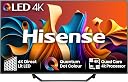
๐ฅ Elevate your entertainment game with Hisense 55" 4K QLED โ where smart meets stunning!
The Hisense 55A7NQTUK is a 2024 55-inch 4K QLED Smart TV featuring Quantum Dot color technology, a powerful 4K AI processor with motion enhancement, and immersive Dolby Vision HDR. It offers rich Dolby Atmos sound, seamless connectivity via dual-band WiFi, Bluetooth 5.0, and AirPlay 2, plus Vidaa OS with built-in Alexa and Google Home support. Designed with a bezel-less screen and dual stand, itโs perfect for gaming, streaming, and smart home integration, backed by a 2-year warranty.


| ASIN | B0D2ZLBC1M |
| Antenna Location | home entertainment, gaming, smart home integration |
| Aspect Ratio | 16:9 |
| Audio Encoding | Dolby Atmos |
| Audio Input | HDMI |
| Audio Output Mode | Digital |
| Battery Types | AAA Alkaline |
| Best Sellers Rank | 23,592 in Electronics & Photo ( See Top 100 in Electronics & Photo ) 252 in TVs |
| Bluetooth Version | 5.0 |
| Box Contents | TV, Stand, Remote, Remote batteries, User manual, Power cable |
| Brand | Hisense |
| Brand Name | Hisense |
| Colour | Black |
| Compatible Devices | Gaming Consoles, Set Top Boxes, Blu-ray Players, Smart Speakers, Smart Watches, Tablets, Cellphones |
| Connector Types | USB |
| Contrast Ratio | 4000:1 |
| Control Method | App |
| Controller Type | Remote Control |
| Customer Reviews | 4.3 out of 5 stars 208 Reviews |
| Display Backlight Configuration | Direct LED |
| Display Backlight Setting | Dimming |
| Display Backlight Technology | LED |
| Display Refresh Rate in Hertz | 60 |
| Display Size Class | 55 Inches |
| Display Technology | QLED |
| Display technology | QLED |
| Energy Efficiency Features | G |
| HDR Format Supported | Dolby Vision, HDR10, HLG |
| Hardware Interface | Bluetooth, Ethernet, HDMI, USB |
| Has Color Screen | Yes |
| Integrated Surround Sound Format | Dolby Atmos |
| Internet Applications | Amazon Instant Video, Free Sat/Free View, Netflix, YouTube |
| Item Dimensions D x W x H | 7.8D x 123.2W x 71.1H centimetres |
| Item Weight | 10 Grams |
| Line Voltage | 110 VAC 60 Hz |
| Manufacturer | Hisense |
| Manufacturer Part Number | 55A7NQTUK |
| Maximum Display Brightness | 275 Nit |
| Model Name | A7 |
| Model Number | 55A7NQTUK |
| Model Series | A7 |
| Model Year | 2024 |
| Motion Enhancement Technology | MEMC |
| Mounting Type | Table Mount |
| Network Connectivity Technology | Bluetooth, USB, Wi-Fi |
| Number of Audio Channels | 2.0 |
| Number of Component Inputs | 3 |
| Number of Items | 1 |
| Operating Systems | VIDAA U |
| Picture Quality Enhancement Technology | Quantum Dot, 4K, Dolby Vision, HDR, MEMC, ALLM, and VRR |
| Product Features | Bezel-Less Design, Built-In Speaker, Flat |
| Product Warranty | 2 |
| Refresh Rate | 60 Hz |
| Refresh rate | 60 Hz |
| Remote Control Technology | Bluetooth |
| Remote Required Battery Quantity | 2 |
| Resolution | 4K |
| Screen Finish Type | Matte |
| Screen Mirroring Technology | AirPlay 2 |
| Screen Size | 55 Inches |
| Screen size | 55 Inches |
| Signal Format | DVB T2 |
| Size | 55 inches |
| Speaker Description | 2.0 |
| Special feature | Bezel-Less Design , Built-In Speaker, Flat |
| Specific Uses For Product | home entertainment, gaming, smart home integration |
| Total Audio Out Ports | 3 |
| Total HDMI Port | 3 |
| Total USB 3.0 Ports | 2 |
| Total USB Ports | 2 |
| Tuner Type | DVB-T2 |
| VESA Mount Standard | 400 x 200 mm |
| Video Encoding | MPEG-4 |
| Voltage | 110.24 Volts |
| Warranty Type | Limited |
| Water Resistance Level | Not Water Resistant |
| Wattage | 120 watts |
| Wireless Technology Type | Bluetooth, Wi-Fi |
J**Y
Its good
Really good does what I want and is pretty inexpensive just all round does what it is supposed to work with everything
J**D
Fantastic picture and great value for money
Set this up in 10 minutes flat and that included linking my phone Picture is clear and the colour is sharp What not to like for the price. I was tossing up between this one and another for more than double the price because of the conflicting reviews but decided to go with this one as I donโt know much about TVs so thought at least if it was not great it wasnโt wasting too much money This is definitely the better option
M**E
Great tv for price.
Overall love this tv. Got the 55 inch in April 2025. Very easy set up. Bright picture great on sports and films. .. freely tv is basically freeview through internet. Local bbc regions work on this. If you like local news etc. has almost all the freeview channels So you donโt need to connect a tv aerial in Uk. Freely handy for news and some live sport in Uk. You can pause live tv on freely which is good. Apps like bbc. ITV , Netflix , YouTube etc. can all be installed and work fine. So I donโt need a freeview recorder any more. So if you want to hang this you donโt really need to connect cables freeview box or a conventional aerial. It has 3 HDMI ports. So I connected a firestick to one of these and use the USB socket at rear to power the firestick so the cables for that donโt show. So that should cover you for everything youโll need. I donโt do gaming anymore so no comment. The screen is bright and refresh rate is good so no problems watching anything. The only negative is it disconnected from the internet a couple of times. Which then disconnects live tv etc. but that was an odd issue in first few days and could be my router not recognising the tv. ? But all reconnected ok. Good packaging and great picture.
M**B
Excellent tv
Excellent tv, all the apps built in and all you need is an Internet connection
A**N
Brilliant tv for the price
55inch qled hisense tv well what's not to love it was easy to set up, has brilliant picture quality and the brightness of the colours are amazing sound is good also, it looks brilliant on my bedroom wall and the remote control is easy to use too
J**E
FROM UNBOXING TO WATCHING - MY FIRST SMART TV - THE HISENSE 55A7NQTUK
This is not so much a review as a story of how I put together the Hisense TV from the package to it becoming a working set with comments on how it looks and feels. I'd never had a Smart TV before so I was a bit wary of how complicated it might be to set up, but providing you take your time there should be no problems and the result made it worthwhile. (It took me less than an hour to set it up.) First off this is a big and heavy item and will need two people to handle the delivery. When it comes to unpacking make sure you allow plenty of space to allow the package to be laid flat as you will need some room to work around it. You should also have a small Philips head screwdriver to hand and make sure you have somewhere to put all the discarded packaging. I found it best to open the top first cutting the holding tape with a small sharp object. Don't go hacking at it with a knife. Once you open the top you will see a small plastic bag which contains the remote, the power supply, two AAA batteries, four small screws and the set up instructions and other documentation which you should remove. The next thing to remove is the TV stand which is a single piece of shaped metal. I found the best way to attach the stand was to lay the cardboard package flat on a reliable surface like a table. Then using something sharp, cut the holding tape on the bottom of the package. Reason for this is it gives you access to the bottom of the set which is where you have to fit the stand. Remove the protective polythene covering and you will be able to see where the stand fits in. Now get the screws and the screwdriver and put it together. as there are only four screws it was quite easy. So now you have the stand fitted, you can actually stand the TV upright, move it to where you want it to sit - and at this point you should carefully remove the rest of the packaging. Before you turn it on, make sure you have your computer or smart phone to hand as you will need to input information during the setup process. Put the batteries in the remote. Take the power cord and affix it to the TV - a word of caution - stand in front of the TV while you are doing this or it may topple. Plug in to a switched on socket. Now at this point you may notice that the lead they give you is not particularly long, so you may need an extension. Once it's plugged in and turned on via the remote, it will go into set up / auto scan. There is an option of setting it up using an aerial, but I am guessing that most people getting a smart set like this want it to join their network. The instruction booklet says you must be within 8 metres of your hub to get a clear picture. I first tested this in my garage which is further away than that and I got a good enough reception but of course it will be dependent on how good your network connection is. The set pretty much sets itself up, occasionally asking for information. One of the down sides is if you input wrong information, it is difficult going on impossible to go back to correct it. I mistyped my postcode and because of the lack of a back switch, it looks like I now live there! This particular model comes with Freely which I was unfamiliar with but apparently is what Freeview used to be, but with more channels (37 TV and loads of radio) and with the advantage of not having to have an aerial. On the remote there are various other apps like VIDAA which gives you another big bundle of channels (88 when I counted including Sony Channels and Pluto) and Rakuten (another 15) etc. Most are ad based but some are subscription channels so you may want to check them out first if you are unfamiliar with them and of course the whole package probably varies from region to region. so don't be disappointed if you don't get as many as I did. There are also buttons for subscription channels like Disney, Apple, Netflix etc. The TV has 3 HDMI ports and they seemed to work OK with my DVD player. There are two USB ports (2.0) and this for me was one of the best features. If you keep music or films on a USB stick or external hard drive, you can plug it in and after selecting the USB drive, you can play and watch your movies / listen to your music. I have only been able to do this before using an in-between device like a Blu Ray player with a USB port. One problem I did encounter was setting it up to Sky. It went OK when I put the Sky HDMI cable into the slot. Because I had previously used my Sky Remote as a volume switch as well I had to make an adjustment to the remote. (You do this by pressing the 1 and 3 keys together on the Sky Remote which will open the remote control setup. Press Continue and scroll down to the letter H and from the subsequent menu select Hisense. Thereafter your Sky Remote will also function as a TV remote for volume.) So that went OK but the problem came when I went to use my Sky Mini Box later. It had stopped working. It eventually came round after several reboots and resets but I never figured out what caused the problem. The sound is pretty good. I only had the volume up to 15 and that was more than adequate so I don't think I will need a soundbar. The colour is OK - no more than OK on standard broadcasts. I ran back a couple of old films off the hard drive and they look like they have upscaled but a couple of the older ones looked just the same. If you want to check the 4K quality check out YouTube and type 4K in the search and you'll find a few uploads that give you a chance to check it out. The 4K quality was pretty good - not quite as good as all those jazzy pictures you see in TV showrooms - but better than standard. Roll on 4K broadcasts! If you have lived your life with an unsmart TV then you will get a few surprises with this new one like it flashes up that you need a software update. This is straightforward enough, just follow the instructions but only do this when you don't want to see TV for a few minutes as the TV will go into a routine that does not let you watch - and whatever you do, don't turn off while the update is happening otherwise it could screw up your configuration. I checked the Hisense website for additional support options but there is no downloadable manual which many manufacturers offer and for the set I purchased, the only replacement items you can buy are the screws for the stand, and as they charge ยฃ9.25 for 4 small screws you may want to consider the High Street for a cheaper option if you ever need them. If you type Hisense 55A7NQTUK TV Manual into Google you can find an online copy of the manual but be wary of downloading it from the site offering it as they try to get you to download a new browser too. One final point - this really is a big TV and it dominates the room - and some people may find it just a tad TOO big. In summary here are some plusses and minuses. + Packaging sturdy + Three HDMI ports + 2 x USB gives the option of plugging in portable devices + Serial number is on the packaging box and also on a QR code at the back which makes it easy to find and scan. With some TVs the serial number is like a treasure hunt. + Comes with a great selection of channels and apps. + Comes with a 2 year guarantee - and unlike some guarantees, it's quite easy to register online. - Power supply is a bit short. - No manual buttons for operation. If you lose the remote control then you have lost the TV. Do yourself a favour and buy a second remote control now while you remember what the TV model is and while they are still available instead of scurrying around E Bay in a few years time. - No way of changing the picture ratio. You can select Picture Mode but the Aspect Ratio option is not enabled which means if you're watching an old 4:3 film all the actors faces look bloated and unnatural. I knocked a star off the rating just for this. So my new Hisense TV is now my co-pilot and we are now partners. I hope our time together will be a long and happy one. I've rated it 3 out of 5 because to be honest I expected it to be better. - the picture quality on standard broadcast isn't a great deal better than the ten year old TV it replaced but maybe I was looking for too much. It's hard to write a review when you've only had the thing for a couple of weeks so maybe a few months down the line my score would have been different. I hope you found this review helpful. Happy viewing.
J**L
It's a TV that works.
Definitely worth the price and would certainly recommend it. A good buy.
T**U
Wont receive terrestrial tv
Nice looking tv got all the apps nice picture etc but would not pick up terrestrial tv we even have a booster on ariel works fine on all other tv in house but this would not work dont want to just stream tv need to watch normal channels which this tv would not do disappointing
Trustpilot
5 days ago
1 month ago