Desertcart purchases this item on your behalf and handles shipping, customs, and support to Senegal.
🚀 Elevate your everyday hustle with power, style, and privacy in one sleek package!
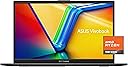
The ASUS Vivobook Go 15.6” is a sleek, ultra-portable laptop featuring a vibrant Full HD NanoEdge display, powered by an AMD Ryzen 3 7320U quad-core processor and 8GB DDR5 RAM for smooth multitasking. It offers fast charging, military-grade durability, and enhanced privacy with a webcam shutter, making it an ideal choice for professionals and students seeking reliable performance and modern connectivity on the move.


| ASIN | B0CWHYV27D |
| Audio Output Type | Speakers |
| Audio features | Crisp, multi-dimensional sound with built-in speakers and an array microphone (Sonicmaster technology) |
| Automatic Backup Software Included | Windows 11 Home |
| Battery Cell Type | Lithium Ion |
| Best Sellers Rank | #2,508 in Computers & Accessories ( See Top 100 in Computers & Accessories ) #238 in Traditional Laptop Computers |
| Bluetooth Version | 5 |
| Brand | ASUS |
| Built-In Media | E1504FA-AS33, Powercord and Adapter, User Guide |
| CPU Codename | Zen3 |
| CPU Model | Ryzen 3 |
| CPU Model Generation | 7th Gen |
| CPU Model Number | R3-7320U |
| CPU Model Speed Maximum | 4.1 GHz |
| Cache Memory Installed Size | 6 |
| Camera Description | Front |
| Chipset Type | AMD chipset for Ryzen 3 7320U |
| Color | Black |
| Compatible Devices | USB storage devices, Bluetooth accessories, external displays |
| Connectivity Technology | Bluetooth, USB, Wi-Fi |
| Control Method | App |
| Customer Reviews | 4.4 out of 5 stars 824 Reviews |
| Display Resolution Maximum | 1920x1080 pixels |
| Display Technology | LED |
| Display Type | LED |
| Form Factor | Ultra-Portable |
| Graphics Coprocessor | AMD Ryzen 3 7320U |
| Graphics Description | Integrated |
| Graphics Ram Type | DDR5 SDRAM |
| Hard Disk Description | SSD |
| Hard Disk Interface | Solid State |
| Hard Disk Size | 128 GB |
| Hard-Drive Size | 128 GB |
| Hardware Interface | Bluetooth, USB |
| Human-Interface Input | Keyboard, Microphone |
| Item Dimensions L x W x Thickness | 14.19"L x 0.7"W x 9.15"Th |
| Item Weight | 4.8 pounds |
| Keyboard Description | Chiclet |
| Keyboard Layout | QWERTY |
| Lithium-Battery Energy Content | 42 watt-hours |
| Manufacturer | ASUS |
| Maximum Display Brightness | 250 nit |
| Memory Slots Available | 1 or more |
| Memory Speed | 5200 MHz |
| Microphone Form Factor | Array microphones |
| Model Name | Vivobook Go |
| Model Number | E1504FA-AS33 |
| Model Year | 2024 |
| Native Resolution | 1920 x 1080 pixels |
| Notebook Pointing Device Description | touchpad |
| Number Of Cells | 11 |
| Number of Drivers | 1 |
| Number of Ports | 7 |
| Operating System | Windows 11 Home S |
| Optical Storage Device | No Drive |
| Other Special Features of the Product | Sound by Sonicmaster |
| Power Device | AC adapter |
| Processor Brand | AMD |
| Processor Count | 4 |
| Processor Series | Ryzen 3 |
| Processor Speed | 4.1 GHz |
| RAM Memory Installed | 8 GB |
| RAM Memory Slot Total Count | 1 |
| RAM Memory Technology | LPDDR5 |
| RAM Type | DDR5 SDRAM |
| Ram Memory Maximum Size | 8 GB |
| Resolution | 1080p |
| Screen Finish | No specific surface description provided |
| Screen Size | 15.6 inches |
| Speaker Description | Built-in speakers with SonicMaster sound technology |
| Specific Uses For Product | Personal |
| Total Number of HDMI Ports | 1 |
| Total Usb Ports | 3 |
| Touch Screen Type | No Touchscreen |
| Touchpad Feature | Precision |
| UPC | 197105170896 |
| Unit Count | 1 Count |
| Video Output | HDMI |
| Video Processor | AMD |
| Voltage | 5 volts |
| Warranty Description | 1 Year Limited |
| Warranty Type | Limited |
| Wi-Fi Generation | Wifi 5 |
| Wireless Compability | 802.11ac, Bluetooth |
| Wireless Technology | Bluetooth, Wi-Fi |
M**A
Recommended to me and I'm happy with it.
I had an average Chromebook that I needed to replace that couldn't be fixed by the IT man and he recommended this exact model. It is a nice change going back to a laptop! It does everything that I need it to do. Has lots of space for pictures and documents. The processing speed is fast and I can have multiple tabs open at a time with no glitches or slow downs. It charges fairly quickly and have never found it to be too hot or overheating, even in the summer. I sometimes use it for work and the battery will last all day with fairly constant use. It was simple to set up. The only thing I could complain about is the power button. You hold it for a few seconds and the screen comes on, but if you hold it for one second too long the screen just flashes on and off. It kept doing this to me at first and I thought it was damaged lol. Once you get the "timing" just right, it is fine though. The price was also very fair and it arrived quickly and in new condition. This is my first Asus laptop, and overall, I'm very satisfied with this brand and model. I even recommended this laptop to someone else with similar needs and they are also satisfied.
S**H
Excellent everyday laptop with great value
The ASUS Vivobook Go 15.6” is a fantastic laptop for everyday use. The full HD screen is bright and clear, and the slim, lightweight design makes it easy to carry around. Performance is smooth thanks to the AMD Ryzen 3 7320U and 8GB of DDR5 RAM—perfect for browsing, streaming, schoolwork, and general productivity. I really appreciate the fast SSD boot times and Windows 11 running smoothly right out of the box. Fast charging is a great bonus, and the webcam shield adds a nice layer of privacy. The build quality feels solid, and the military-grade durability gives extra confidence for daily use or travel. Overall, this laptop offers excellent performance and features for the price. A great choice for students, home use, or anyone needing a reliable everyday computer. Highly recommended!
A**N
It plays my Game, but a memory upgrade is required!
I got this for $179 last week, so as for paying for this laptop it was a deal! I gave this laptop 4 stars out of 5 because, my complaint with this laptop is the memory, after it formats it has about 70GBs left so if you're a gamer like me, take off your 4TB WD Passport from your ps4 and use it for this. Formatting that is possible by searching the internet for help. You don't need a driver update or anything like that. Back to the laptop, On a good note I was pleased to find out that this can play Elite Dangerous on HIGH setting which blew me away and it played good to not bad, I.E. On a scale of 1 to 10 it played on a 7 and a half. The graphics were not too bad and it lags just a little bit but it is definitely playable. I have to play with a controller and I recommend an xbox AA battery controller, the non-rechargable version. I don't recommend the PS5 controller as I don't think I can charge it without the driver update. A thing I forgot to mention is the steam client works on here, too so check the minimum specs of a game before buying this. Right now is a good time to search amazon for a gaming laptop with the black Friday deals happening, so if gaming's your thing do your homework first! I plan to keep this just because I already set it up and amazon has a strict return policy on pc's that are used, but as long as it can play certain games I'll be happy and can also use it for browsing and shopping besides.
C**E
very nice basic laptop; a note about Battery Care mode; drive space is lean so get an external drive
I'm real happy with my Vivobook; my needs are simple (Internet / office software) and the VIvobook handles everything I need it to like a champ. My only point of frustration, such as it is, is that I've got only 35 GB left after installation, updates, and installing software. That's not a lot of space for media such as music or movies, but that is easily rectified with an external drive. One of the things the MyASUS software offers is "Battery Care mode", where the battery charges only to 80% in order to protect your battery life. That's a good idea if, like me, your laptop is plugged in 99.9% of the time. But Battery Care mode didn't seem to be working; my battery was still charging to 100%. Solution: you need to first drain your battery to below 80%, and then Battery Care mode will simply charge it no more than 80%. In other words, it's not smart enough to let the battery level go down to 80% if it's above 80%. Feels like an oversight, but maybe there's a reason, and anyway it's easy enough to cope with.
N**I
A nice laptop if you don't want to do anything fancy with it.
I bought this computer solely to write with it for work: and for that it's been excellent. I had no problem getting it out of S mode so that I could install apps such as Chrome. It's a little annoying that there is that step you have to take but it wasn't hard to do it. I've had no trouble running Slack on it, hooking up to my cloud account, running various word processors and google drive docs at the same time. I've had music running on it and even watched a movie once. It's a nice, basic computer that I've had no speed issues with or crashes. I've also been pleased with how long the battery has lasted, while using it for regular surfing. My one complaint is that it doesn't have a disc reader. It's pretty light as well, which has made it easy to transport and travel with, which was another big thing I was looking for. A disclaimer: I did get it on sale on Prime Day, so I'm quite pleased with it based on what I paid for it, but I did get it for a bit less than its regular price. Still: if you want a nice, regular easy to set up laptop without a lot of extra bells and whistles, I've been quite happy with this one.
J**Y
buena laptop
excelente oferta para el precio y con envio gratis con el que lo adquiri
L**S
Don’t waste your money
Worst laptop ever. Randomly doesn’t turn on. Randomly disengages the touchpad. This isn’t even my primary work computer and it’s less than a year old. Absolute garbage. I have no confidence in this laptop that whenever I lift the screen it’s going to turn on. Should have listened to everyone else who said that ASUS was garbage.
S**A
Excelente producto
Llego a tiempo, en perfecto estado.
E**S
安さゆえに
usキーボード使用のため、エンターキーが押しにくい。設定必要。 wifiの受信が速度制限を受けるため、動画視聴までかな。ちょっとした文章を作る用途。 大学生ならこれでいい。 バッテリーの持ちは期待しない。
M**.
Recomiendo la laptop
Utilizo la laptop como auxiliar en ediciones cuando se me va la luz, o salgo de viaje, y saca el trabajo, utilizo Ps y Lr las licencias originales y las ha sacado sin problemas. Por el precio, está muy bien. Claramente si noto la diferencia porque mi trabajo lo realizo en una pc gamer, pero para auxiliar me ha funcionado.
C**Y
Calidad y precio
Hasta el momento muy buen equipo, excelente calidad y buen precio. No tengo queja
Trustpilot
1 month ago
3 weeks ago