๐ผ Secure your data, speed your hustle.
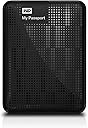
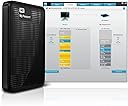
The WD My Passport 2TB Portable External Hard Drive combines massive storage capacity with ultra-fast USB 3.0 connectivity, automatic backup software, and advanced hardware encryption. Its compact design fits perfectly into any professionalโs mobile setup, ensuring your data is both accessible and secure wherever you go.
| Additional Features | Password protection and hardware encryption |
| Asin | B006Y5UV4A |
| Best Sellers Rank | #766 in External Hard Drives |
| Brand | Western Digital |
| Built In Media | USB Cable |
| Cache Memory Installed Size | 1 |
| Color | Black |
| Compatible Devices | USB 3.0 / Formatted NTFS for Windows XP, Windows Vista, or Windows 7 / Requires reformatting for Mac OS X Leopard or Snow Leopard, or Lion |
| Connectivity Technology | USB |
| Customer Reviews | 4.5 4.5 out of 5 stars (8,952) 4.5 out of 5 stars |
| Data Transfer Rate | 5000 megabits_per_second |
| Digital Storage Capacity | 1 TB |
| Enclosure Material | Aluminum/Glass |
| Form Factor | Portable |
| Global Trade Identification Number | 00718037784595 |
| Hard Disk Description | 2.5-inch Portable Hard Disk |
| Hard Disk Form Factor | 2.5 inches |
| Hard Disk Interface | USB 3.2 |
| Hard Drive Size | 1 TB |
| Hardware Connectivity | USB 3.0 |
| Hardware Platform | PC;Mac |
| Installation Type | External Hard Drive |
| Item Weight | 6.88 ounces |
| Manufacturer | Western Digital |
| Media Speed | 625 MB/s |
| Mfr Part Number | WDBBEP0010BBK-NESN |
| Model Name | My Passport |
| Model Number | WDBBEP0010BBK-NESN |
| Number Of Items | 1 |
| Read Speed | 5000 megabits_per_second |
| Specific Uses For Product | Personal |
| Upc | 080050260432 043396332096 718037784595 745449860937 718037804545 151903626757 033584008483 |
| Warranty Description | 6 Month Western Digital |
User
Amazing Drive!
Having recently purchased the WD My Passport (2TB) I was immediately impressed with it's size, weight, speed, and usability.On my self-built Windows 7 PC, set up time was hardly (3) minutes. Shouldn't be much more for an beginner-to-intermediate PC user. I use this drive between three different computers (especially for travel) and it's been a superior device. As an artist who depends on the Adobe Creative Suite, an interesting fact is that in Adobe Bridge I can allocate the My Passport drive (or any of it's folders) to my Bridge's favorites - and the files load and operate at exactly the same speed as my internal drives. I've attempted everything from transfers to copy, paste, and deletion - both through other software and on the drive itself- and it's kept solid speed and functionality.I opted for the 2TB model, which lacks SSD in favor of a traditional drive. No complaints. I do hear it spinning (as I expected) but it's surprisingly quiet. Certainly not audible enough to be distracting. In fact It's quieter than most of the other ambient noise in my office.On the negative side: I don't care for is the included software. The software interface is a little clunky and offers functionality I really don't need. That said, some of you out there may want to use it. I do like using the WD Quick View that asserts itself into the Notification area of your Windows Taskbar. I find it easier to eject the drive using this than the natural "Windows USB" icon, simply because it's easier to see in every aspect. So while I don't use the actual software that aspect of it I use nearly daily.Last, can't help but to wish that the LED light was positioned in a place more easily seen. It's currently to the right of the USB port (which I refer to as the back)... leaving the only sure way to see if the drive is working/thinking is by watching the LED glow on whatever it's laying on. Considering the LED is a bit bright, it's better where it is; but a a more subtle light on the top or the side which faces me would have been a bit more convenient for monitoring.Even so, if I was going to recommend a portable HDD to anyone, I'd definitely recommend this one. It's convenient, light, small, and utterly amazing!
User
The hardware works fine!
This external hard drive does what it is supposed to: write, store, and read back large quantities of data at high speed. It must also do so reliably for a period of years, but at this early stage I cannot vouch for that. Ease of installation is also essential; a mass storage device should be completely plug-and-play; and it is helpful for it to be preformatted--this one is formatted NTFS for Windows XP and above. These are all the qualities that I want in such a device, but this drive also provides a couple of bonuses: portability and backup software. Although I use the drive with a desktop, portability, i.e. small size and ability to be powered from a USB port, are nice to have anywhere; not having to have an extra cable with a transformer plug that takes up a lot of space on a power strip is a convenience to cheer.As to reliability over a period of years, I have only had my new drive for a week, so I cannot speak to that; however, I will try to make it a point to update this review should the drive fail prematurely (I expect about a five-year lifespan--knock on wood). Thus far, I have written 340 GB of data to it; and from it I have played back HD video (full-frame-rate, full-HD mpeg-type, not just Flash) without a hitch or a glitchAmong these reviews I noticed a lot of complaints about the backup software. They may very well true; and this is not to excuse WD; but I have to say that I have never met a backup program that I liked. Most, including some top-rated, have vital functions that simply don't work. I currently use Windows 7's own backup program; it isn't great--not much flexibility and control; but it's free, and it works (so far).My main motivation for writing this review is to try to provide a little help with installation, which should reassure prospective buyers disturbed by the experiences reported by some other customers. I said above that installing mass storage should be a simple matter of plugging it in, and under the right conditions that is all that this drive requires. But "under the right conditions" can be a big "if"; and a variety of issues can plague the installation of this drive as a USB 3.0 device. In my case, I had never attached a USB 3.0 device to my system before; and I found that Windows would not recognize the device when plugged into a USB 3.0 port. As a search on "WD Passport USB 3.0 Installation Problems" reveals, there are several problems that can occur; and dealing with all those is not the purpose of this review; however, I simply want to do two things: (1) reassure you that this device does in fact come with a good USB 3.0 cable, and that it transfers data at a considerably higher speed over USB 3 as compared with USB 2; and (2) to warn the buyer that (s)he may require a driver update for his/her PC. Regarding the first point, I am getting better than 2.5 times the data transfer rate with USB 3.0 versus USB 2. Regarding the second, the updated driver required will most likely be the one associated with the USB hardware on the motherboard of your PC; if you have problems using your WD passport on a USB 3 port, but not on a USB 2 port, visit either your PC vendor's website, or that of the maker of the motherboard, and do a search on USB 3 drivers. WD also provides firmware updates for its drives; but in my case at least, the Passport's firmware was already up to date as received.While I am in the business of giving tips related to the purchase of an external HD, be aware that if you want a hassle-free installation you might want to avoid drives with over 2TB of capacity. I, and others, have had issues, especially with Windows Backup, with 3TB drives. It turns out that the solution is fairly simple: use the WD Quick Formatter tool (available on WD's website) *before* attempting to use the drive (reformatting will wipe out any data you've already put there). As long as you're willing to take that extra step, it's fine to get a 3TB drive; and I have had no further problems with a 3TB drive. To be clear, the drive I am reviewing here is a 2TB drive; but I just thought I'd throw in this extra tip for people who are reading these reviews and are still undecided about what size to get.
User
Superb High-Capacity USB 3.0 Drive
The prices of hard drives now slowly begins to fall again, and this new edition of Western Digital's 1Tb external USB 3.0 drive is being sold for a reasonable amount. THe drive is physically striking, with a pearlescent red finish (it is available in a number of other colors, as well) with a black-banded stripe on the side edges. It is reasonably small, too, and when combined with its lightness, makes for an excellent external drive for a laptop, or even a desktop machine. Because the drive is a USB 3.0 device, its transfer speeds are remarkably faster than traditional USB 2.0 drives (and which is increasingly important as the size of these drives becomes so large that transferring the large amounts of data they can hold takes an extremely long time if using the older USB 2.0 technology).The drive is also quiet in operation. And, can I say it loudly enough, the drive comes pre-formatted so that you do not have to spend your first three hours formatting!It is important to note that, if your computer does not possess as USB 3.0 port, this drive will not operate at USB 3.0 speeds. USB 3.0 is backward compatible with USB 2.0, and so you can plug this drive into any USB port and use it, but you won't get the high transfer rates unless your computer is similarly equipped with the USB 3.0 hardware controller. Also note that the cable supplied for use with this drive has a notch in it (on the drive connection side of the cable) that will not allow you to use other cables with the drive: you must use the supplied cable to connect this drive to your computer. However, as mentioned above, the other side of the cable is the standard USB form factor, so as long as you don't misplace the supplied cable, you can connect this drive to either a USB 3.0 or a USB 2.0 socket. No carrying case is supplied.Five stars for speed, five stars for lightness, five stars for quietness, five stars for appearance (just lovely), and four and a half stars for price (they will continue to come down). An easy recommendation.
User
A High Quality, Small Footprint and Economical Buy
I did a lot of research on the quality of USB hard drives before purchasing this product. I wanted a highly rated product, but I wanted the ratings of those that are in the Electronic repair industry, not just ordinary end users like myself. I checked with several technicians who backup data all the time to find out what they use and why. This product came out on top!I have to backup very important data, some of it is personal and very sentimental, other data is part of what I do from time to time. I also deal in mass file sizes, videos, RAW, TIFF, PSD, PDF, WAV, Mp3 and large DOCX files for manuscripts. I love the fact it is USB 3, but backward compatible. It is fast and so far very reliable.Why the four stars instead of five? Simple. WDโs software program for backing up data is a little rough around the edges and not user friendly in my humble opinion. I would give that alone one star, but I donโt want to discourage someone from buying the unit; however, I do want to send a signal to others bewareโฆ and to WD, โhey! If you are reading this, fix itโ.The software is the big CON! But, you donโt really need it if you are dragging and dropping files. Just use it as you would a secondary Hard Drive, and use Windows Explorer to swap files. You can also use the โSend toโ function in Windows. Windows also comes with a backup utility that is very good, but nothing to write home about.I love the compact size and the fact you do NOT need a power source to operate the driveโjust plug and play! Western Digital makes really great products and for the HD its self I would give FIVE stars, but like I said the backup utility they package with the HD is lacking to say the least. With all this said I would recommend this product again and again. This product is several months old and has worked flawlessly ever since I stopped using their software. One last thing, Please purchase Amazonโs Hard Carrying case for the product. You will love it and it is solid, durable, just the right size and cheap!
User
Very impressed!
When you consider it's size and preformance, it really blows your mind! I've only had this drive about a week. I'll update later to speak on how it stands the test of time. For the price (currently holding around 130 bucks) per GB of storage (1.81TB after formating and included drivers, giving you about .07 dollars/GB) you can't beat this drive! First off, this is my first perchase of a portable external. I knew the market had finally developed low consumption mobile drives that could operate purely off the USB bus and nothing else. I'm tickeled! Next, this drive operates off of just ONE USB port. Others have spoken to the fact that some portable drives connect to two ports to supply supplimental power. Inside the sealed case of this unit is most likely (though I'm not positive) a 4 platter 2.5" SATA drive spinning at 5400rpm. It's possible that it's actually a 4500 but I have no evidence one way or another. Operation is nearly silent. It's about as loud as the iPod classics, with only the faintest noise from the motor. Operation (even after hours upon hours of transfers) is luke-warm to the touch. Included with the drive is an 18" pigtail USB 3.0 cable which gets a thumbs up from me!Let's talk performance. Now I must admit, I made this transfer on USB 2.0 ports on a laptop, so many of you looking for top level rates are going to be disappointed. However as of Q1 2013, USB 3.0 is just now starting to ship on most machines and USB 2.0 is a still a market staple. So for today at least I consider this to be a real world test. I transfered 614GB of mixed files (videos 468GB, photos 102GB, music 15.5GB, and some plugins for programs 28.5GB) totaling just over 221,000 files. The transfer was from an eSATA external seagate running at 7200RPM. It completed in just under 9hrs 30mins. Works out to about a write speed of 18MB/sec. I can live with that through USB 2. The second transfer was just shy of 67GB made from my laptop's interal SATA 7200RPM HDD and totaled just less than 52,000 files. Most of which were pictures with a little video thown in. This transfer completed in 90 mins, and averaged a write speed of about 12.5MB/sec. The third transfer consisted of a folder that was a little over 93GB and just over 53,000 files (66.5GB of music, 17.5GB of video, 3.5GB of photos, and some odds and ends) again from my interal HDD. This transfer was interfered with as I forgot to disable my network connection and the PC was downloading som updates which slowed the process. However that aside, the transfer took 2hrs 5mins. The math works out again to a write speed of just about 12.5MB/sec. All three transfers were writing data to the Passport drive. I don't have any read speeds to offer but undoubtedly they will be significantly faster. Also if this helps, my laptop is a 2nd Gen i7 quad core, 8GB ram, running that 2.5" 7200 SATA disc, and using Win 7.So far I'm very pleased with this performance. The portability far out weights any limitations for my needs. And frankly speeking, this drive out performs my expectations thus far. When I have access to USB 3, I'll update my review then, but as it stands, I think this pocket drive is a winner!!!UPDATE: I've been tranfering files back to my Laptop again connected via USB 2. The transfer rate is a sustained and reasonable 20-22MB/s. However I was able to test it on my friend's new Surface Pro tablet. Connected via USB 3.0 and writing to the tablet's interal 128GB SSD, this little mosnter sustained 80-85MB/s of read speed and peaked at just over 160MB/s while transfering about 10GBs of video files. Yes, you did read that correctly, it was not a typo! Awesome for a USB bus powered 2.5" external drive!!!
User
The PERFECT External Storage Drive For My Macbook Pro
Wow. So many mixed reviews here, and like those of you who are pondering over whether it is worth purchasing this Western Digital MY PASSPORT, there may not be a clear answer.Let me tell you my story.Recently bought the new Retina Macbook Pro with its 500GB SSD drive. For a person like me who puts a lot of software on my laptop and does quite a bit of movie editing, hard drive space is a premium. So, when figuring out how to handle nearly 200GB of music, I decided it would probably be best to run iTunes off an external drive instead of taking up space on the Macbook.Again...Wow. Reading these reviews on Amazon was quite unnerving. So many great experiences with this drive followed up by a handful of negative experiences -- many talking of total hard drive failure. It's almost as if you are rolling the dice as to whether you'll receive a drive that works or doesn't....then there's the reviews from people who claim they are having problems using this drive on their Mac.Well, I picked myself out a RED 1TB drive. Thought it was a cool color and didn't mind paying the premium price for it. In addition, I picked up this fantastic Case Logic QHDC-101 Hard Case on Amazon for $10. It's the perfect compliment to the red hard drive that fits snuggly inside.Using the Western Digital MY PASSPORT on a Mac couldn't be easier than opening the package, plugging the USB cord into the Macbook, and then formatting it using Disk Utilities. From package to format took under 4 minutes.And for anyone claiming to have a problem using this drive with their Mac, this is all you need to do...1. Plug in the drive via USB connection2. Go to APPLICATIONS -> UTILITIES -> DISK UTILITY3. Click on the hard drive icon located at the very top left sidebar4. Select the ERASE tab and FORMAT in Max OSX Extended (Journaled). Assign your drive a name if you wish.That's it. Easy.The drive works incredibly fast thanks to its USB 3.0 compatibility, which is backwards-compatible with USB 2.0. The drive is extremely quiet, and I didn't notice it getting warm.And, yes, you can run your iTunes off the external drive.
User
How I fixed performance problems - TRY DIFFERENT CABLES
PROs:* Performs well when using good cables* Low cost option for this low-power drive.CONs:* bus errors may hang until unplug/replug.* Drive native connector is the USB3 exposed port. If you break the connector, you can't replace the case.HOW I SOLVED MY PERFORMANCE PROBLEM:This is a narrative on trouble-shooting performance issues. If you have performance issues with this drive straight out of the box, then it is most likely not the drive itself. Here's how I verified exactly what the problem was with mine.System One is a Core 2, 2.93GHz, and 8GB of RAM, on Windows 2008 R2 x64.I have a 2-port PCIe USB 3.0 card with an NEC chip.Second system is a Lenovo Thinkpad W530 with 24GB, i7 Quad 2.6/3.6 Turbo on Windows 7 x64.USB 3.0 is an integrated Intel XHC chip.I have a 500GB WD Scorpio Blue I pulled out of an older passport case and loaded into a generic USB 3.0 case.* This works fine, both in the old case, and the new one.* USB 3.0 performance is around 85MB/sec.I have an existing 1TB WD My Passport that has been in service for a year. This replaced the 500GB unit (upgrade, no failures).* This also works fine, and gets around 85-90MB/sec.* I have a recurring task to ping the drive every 15 minutes to keep it from going to sleep.* The old and new tools won't turn off sleep, and it never wakes up from sleep.* Keeping it from going to sleep works fine.The new 2TB WD My Passport was plugged in to the second port today. This is to replace the 1TB unit (upgrade, no failures).* This is USB 3.0, so 900ma is available per port, which should be more than enough for the extra platter in this.* I was able to copy the WDWare tools off, and install them on both systems.* The drive shows up, and is preformatted NTFS.* I can copy small files onto it just fine.* Diagnostics show no problems, and their custom SMART tools say it passes, though it does not show the actual smartctl output.* I tried copying the WD tools off of the drive, and this ran about 50MB/sec.* I tried copying the WD tools back onto the drive (250MB), and this hung the drive 4MB into the copy.* The activity LED stayed blinking, but this hung the SES drivers and crashed explorer.* I had to unplug and replug the drive. It shows up again; however, retrying the copy runs at 1MB/sec.* I disabled antivirus and am getting 750KByte/sec or so.* I killed off everything else running. CPU is at 5-6% and it's still 750KByte/second (large hangs between writes.* I turned off sleep mode, and there's no change.* After about 5 minutes, I get error 0x8007045D - I/O Device error. The device goes completely offline.* I updated the Renesas USB 3.0 drivers and used their tool to disable power management on the card, but no change.At this point, I tested on System Two:* System 2 had performance of 95-125MB/sec. What's different?* Cables used on my laptop were always short (the one in the box, and another I had handy).* I tried on system 1 with a short cable, and it works at 119-140MB/sec.My default USB3 cable is a quality cable, but it's about 6 feet long. It runs into a fireproof safe.6 feet (2 meters actually) is well within the limits for USB 3.0.I emailed the cable manufacturer, and they replace the cable under warranty.This drive is back into the safe, and all tests show it works fine.***The moral of the story? ALWAYS CHECK YOUR CABLES FIRST.***Alternative failure modes might be clicks, squeaks, etc during data access. That might indicate media damage (a drop, bump, manufacturing defect, static discharge, heat damage from leaving it in your car in TX, etc). Usually, manufacturing defects are detected and resolved during initial format at the factory. Shipping damage is usually automatically repaired as you write data to the drive. If SMART tools show "Offline Uncorrectable" is anything other than 0, then your drive's days are numbered. Copy off what you can immediately.
User
UPDATE: RETURNED IT AND BOUGHT THE BEST DRIVE EVER "Seagate FreeAgent GoFlex"!
Alright, first off I purchased this product because Western Digital is supposedly one of the biggest manufacturers when it comes to hard drives so I figured I couldn't go wrong and I steered clear of the Chinese Seagate drives. Shipping took a while to get here but there was no rush.OK, so here we go. Well I'm coming from an old ClickFree C2N External Backup drive and that thing was by far one of my favorites and will always be what I compare all future external hard drives I buy to. It was the simplest backup I have ever used and never had one problem with it so that might be why I'm a bit rough on this review towards Western Digital.Now once I got the My Passport, first thing I did was backup my computer and then update the WD SmartWare software (BAD DECISION) DO NOT UPDATE TO VERSION 1.6 OR YOU WILL HAVE A LOT OF PROBLEMS!!!!!!!!! I'm being serious.So here's the problems I had once I updated:-It took forever to find files and just said "copying files" but it's really not.-Makes my computer fan run NON STOP! Like it got so bad the second fan in my computer would kick on!-The PDF user manual said you could change the backup speed to backup while not idle, but the problem was this feature is only available in the previous version of SmartWare.-The WD SmartWare software didn't update a file it just created a .tmp file.So those are just some of the major problems I noticed. Now once I called technical support (Once you do this it activates 30 day support and after that I think you have to pay to call or something), the guy basically just told me to download an older SmartWare driver and uninstall the old and re-install the new, but once I did that it wasn't installing. Smart me backed up the original files that came with it so I could re-install what came with my drive, but most people wouldn't have done this and I don't know where you could have gone from there.. But so I re-installed that SmartWare and now everything runs smooth. I am currently on 1.5.4.5 and this SmartWare version works GREAT! Fan barely ever goes anymore, no .tmp backup problems yet, and it just works. I did notice though that if you have long file names, this will create problems later o for you if you want to delete files or folders from the My Passport, but I fixed that as of right now.Honestly, all in all, I would probably not buy another Western Digital drive, because they take a lot of time getting used to and learning how to use them and when you create a file it backs that file onto the WD My Passport drive but then if you rename the file on your computer it would backup that newly named file up and then if you would edit the contents it would backup up the new contented file and so you'd end up with like 3 backups of the same exact file. Also seems like it sometimes doesn't back up an updated file or picture file which isn't good and I'm looking into.. OH! And if you use the Category Backup, it does not backup .exe files... So take that into consideration, BUT you can use a file Backup option where you select which folders you want to backup which I prefer anyway. It is pretty cool though the way you can add files and folders straight onto it, as if it's a USB; like you can go right into My Computer and just drag and drop onto it which is pretty neat and helpful--doing that I was able to free up three 8GB memory sticks I had laying around.Like I said though, it takes some getting used to and I'm a Computer Wiz. This thing REALLY does take getting used to even for people who are good with computers!Overall, the backup is quick, it's nice knowing it backs up while you work in the background so it doesn't interfere with you and one reminder if you purchase this: DO NOT UPDATE TO SMARTWARE VERSION 1.6!!! YOU WILL REGRET IT AND KICK YOURSELF IN THE ASS FOR BUYING THIS DRIVE!!! I contemplated over and over that I would return it, but since it is working now, I think I might keep it--we'll see...Didn't know it was gonna be that long of a review, but this is from personal experience and if you read this you WILL be well informed and won't make certain mistakes! :)**********UPDATE: RETURNED IT AND BOUGHT THE BEST DRIVE EVER "Seagate FreeAgent GoFlex"!**********Eventually I got so fed up with this, that I returned it and bought a MUCH better backup drive and I'm SOOOO happy I did!!! If you want to know about it then check out my review on it! :) Sorry Western Digital, but until you get your act together, YOU SUCK.
User
Brilliant
Have a problem connecting to main PC but no problem with laptop. Great for shareing video and pics. No brainer for that price
User
Excellent Piece of Kit
Does exactly what it's supposed to do and has given me more space when I travel. Easy to install, just follow the instructions, although you'll find with the inbuilt software that you'll need to do upgrades straight away. However, this is no problem, again just follow the instructions.
User
Solid performance, reliable record - go for Western Digital!
This is the second external Western Digital hard drive I've bought for myself, and I've also bought a couple for other people as gifts. Their hard drives are no nonsense, easy to use and reliable. I also love these little Passport drives for being so compact and not requiring a separate power cord. Great portability.I bought this one for use with my new MacBook Pro, and am very happy with the speed offered by USB 3.0. If you don't want to spend the money on Thunderbolt, go with USB 3.0 - just check to make sure your PC supports it. Of course, these are backwards compatible with USB 2.0, so if you just want to be a little future proof, you can't go wrong here.It's a product that'd work with PC, too.Highly recommended, whether you need a backup drive, or just something to ferry around larger files.
User
Very compact and high storage capacity
My previous 1.5 To portable hard drive was full (a very good Seagate USB 3) and I was looking for a bigger one. The choice was very limited but I found this WD 2 To in UK (I leave in France). Received it quickly and very easy to use : just plug and play. My comments :Pros- it's 1.8 To and not 2 To but it's the same for all hard drives and it's a pretty high storage capacity- there is a password protection : good when you're traveling a lot- the USB 3 works well and is a plus for transfering big files- the device is very compact, even smaller than my previous 1.5 To driveCons- the drive is not protected by any soft/silicone part. Could be an issue for the hard travelers- the plug on the drive side is thin and looks fragile. No issue after one month of use but will see after extensive use.In summary, very happy with this drive : fast transfer and seems to be the biggest storage capacity at that time. Looking for a 3 To now :-)
User
Good, light and quite
Bought it as a gift so I could only try it for a couple of tests.Speed was ok, around 50 MB write and 150MB read for a large .iso file.Still impressive by how light it is, highly recommended for traveling.Surprised by seeing that two other friends also had similar WD usb hard drive.Only (almost) issue, usb connector on the drive side might get disconnected if moving the HD, also, USB cable seems too short for a desktop (might be ideal length for a laptop though).
Trustpilot
1 month ago
1 month ago