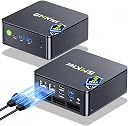
Desertcart purchases this item on your behalf and handles shipping, customs, and support to Senegal.
🚀 Compact Powerhouse: Elevate Your Workspace with 4K Dual Displays & Turbocharged Speed!
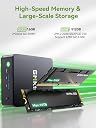
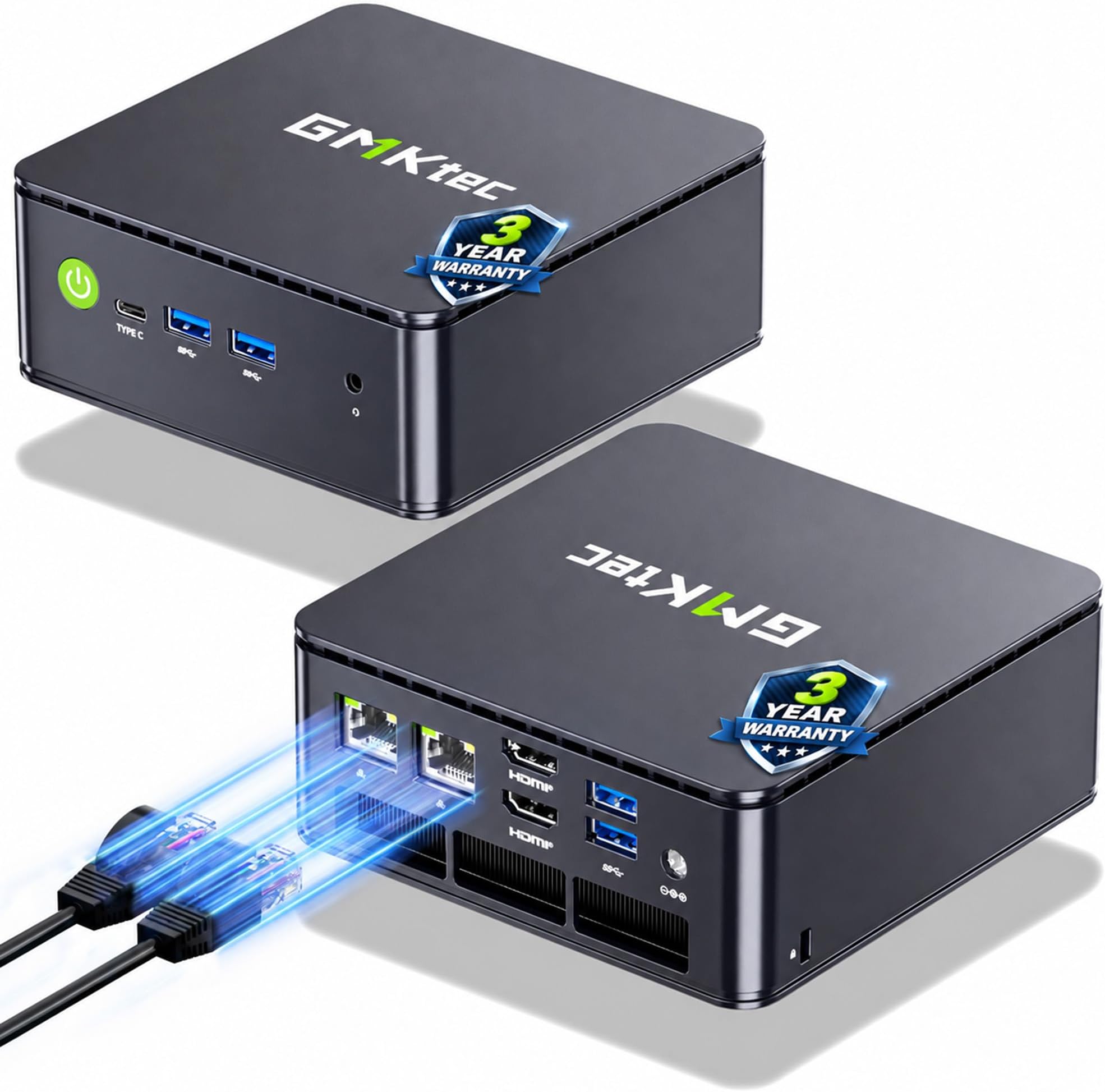
The GMKtec G3 PRO Mini PC combines a high-performance Intel Core i3-10110U processor with 16GB dual-channel DDR4 RAM and a 512GB PCIe NVMe SSD, delivering rapid multitasking and storage capabilities. Equipped with dual 4K HDMI outputs, WiFi 6, Bluetooth 5.2, and 2.5GbE Ethernet, it offers cutting-edge connectivity in a compact form factor ideal for office, business, and multimedia use.


| ASIN | B0CH81C4K3 |
| Additional Features | Multimedia, Server, Personal Computer, Business Computer, Office PC, HTPC, Online Learning, Work For Home, Education, Photo Editing, Web browsing |
| Aspect Ratio | 16:9 |
| Best Sellers Rank | #1,477 in Computers & Accessories ( See Top 100 in Computers & Accessories ) #28 in Mini Computers |
| Brand | GMKtec |
| Built-In Media | GMKtec Nucbox G11 PLUS Mini PC AMD Ryzen 5 3500U 16GB DDR4 512GB Hard Drive, HDMI Cable, Power Adapter, User Manual, VESA Mount with Screws |
| CPU Model | Ryzen 5 |
| CPU Model Number | AMD Ryzen 5 3500U |
| CPU Model Speed Maximum | 3.7 GHz |
| CPU Speed | 3.7 GHz |
| Cache Memory Installed Size | 6 MB |
| Cache Size | 6 MB |
| Color | Deep Black |
| Compatible Devices | Keyboard, Mouse, Television, Speaker, Headphone, Monitor, Printer, Smartphone, Projector |
| Connectivity Technology | Ethernet, HDMI, LAN, USB |
| Cooling Method | Air |
| Customer Reviews | 4.4 out of 5 stars 1,918 Reviews |
| Display Resolution Maximum | 3840x2160 pixels |
| Graphics Card Description | Integrated |
| Graphics Card Interface | Integrated |
| Graphics Card Ram | 16 GB |
| Graphics Coprocessor | AMD Radeon Vega 8 Graphics 1.2GHz |
| Graphics Description | Integrated |
| Graphics Ram Type | VRAM |
| Hard Disk Description | PCIe 3.0 M.2 2280 NVMe DUAL SLOTS |
| Hard Disk Interface | PCIE x 16 |
| Hardware Interface | 3.5mm Audio, 802.11 ac/b/g/n, Bluetooth 5, Ethernet, HDMI, PCIE x 8, USB 3.0 |
| Human-Interface Input | Keyboard |
| Item Dimensions | 4.48 x 4.17 x 1.67 inches |
| Item Weight | 361 g |
| Keyboard Description | Standard Wired QWERTY Keyboard |
| Keyboard Layout | AZERTY |
| Manufacturer | Shenzhenshi Jimokekejiyouxiangongsi |
| Memory Clock Speed | 2400 MHz |
| Memory Slots Available | 1 |
| Memory Speed | 2400 mt_s |
| Memory Storage Capacity | 512 GB |
| Model Name | G11 PLUS |
| Model Number | G3 |
| Model Year | 2026 |
| Native Resolution | 3840 x 2160 |
| Number of Component Outputs | 3 |
| Operating System | 11 Pro |
| Personal Computer Design Type | Mini PC |
| Power Consumption | 7 watts |
| Power Plug Type | Type A - 2 pin (North American) |
| Processor Brand | AMD |
| Processor Count | 4 |
| Processor Series | Ryzen 5 |
| Processor Socket | FCBGA1264 |
| Processor Speed | 3.7 GHz |
| RAM Memory Installed | 16 GB |
| RAM Memory Technology | DDR4 |
| RAM Type | DDR4 SDRAM |
| Ram Memory Maximum Size | 32 GB |
| Resolution | 3840 x 2160 |
| Specific Uses For Product | Multimedia, Server, Personal Computer, Business Computer, Office PC, HTPC, Online Learning, Work For Home, Education, Photo Editing, Web browsing |
| Style Name | 3500U |
| Total Expansion Slots Quantity | 2 |
| Total Number of HDMI Ports | 2 |
| Total Usb Ports | 4 |
| Unit Count | 1 Count |
| Video Output | HDMI |
| Video Output Interface | HDMI, Type-C |
| Video Processor | AMD |
| Warranty Description | 3-Year Limited Warranty (1 Year Replacement + 2 Years Parts Replacement) |
| Wireless Compability | 2.4 GHz Radio Frequency, 5 GHz Radio Frequency, 802.11a/b/g/n/ac, Bluetooth |
| Wireless Network Technology | Wi-Fi |
| Wireless Technology | Bluetooth, Wi-Fi |
C**R
Started out great, really impressive, then it died, but customer support was excellent
For the first 24 hours, I was really impressed. Really snappy performance, 8 GB of RAM was plenty for simple tasks, and the SSD was capacious at 256 GB, considering the price. The inclusion of Windows Pro made the box almost free! However, after updating to Windows 11 Build 22H3, during the process of applying updates, the computer locked up. After 60 minutes with the computer no longer visible on the network and the keyboard and mouse non-responsive, pulled the power cord. Upon restoring power and turning on the computer, the PC was stuck for hours at the spinning circle during boot. Two more power-cycles and Windows repair interface appeared. Selected Windows Reset, Local Source (wouldn't work with cloud source), Windows began resetting. However, after a restart, computer back to the infinitely spinning circle. :-( If this had proved reliable, I'd have bought a dozen or more as remote monitoring PCs for client networks. But given that I've had good luck with the similarly priced AWOW models, I will not be investing any more money or time in the GMKTek offerings. Update 01-07-2024 ----------------------- Fortunately, GMKTek provides a download for a Windows 11 re-installation ISO. With this and leveraging a fair amount of knowledge of Windows installation options, was able to re-image the SSD. Unfortunately, the product key is invalidated and I had to use a spare Windows 10 product key to re-activate Windows. Unfortunate the GMKTek hasn't worked out the same relationship with Microsoft that Dell has, whereby any Windows 11 ISO used to load Windows onto a Dell OptiPlex results in an automatically activated Windows 11 installation. Bottom line is that after recreating and updating all apsects of the re-installed Windows 11 OS, the PC is back to running normally. I know to steer clear now of some driver updates. The PC has been running for about 36 hours and I'll post an update if that changes in the near future. When this PC works, it represents a great value for the money in terms of hardware specs and a Windows 11 license. However, taking into account the time issue remediation takes and the expertise required, the TCO (total cost of ownership) rises significantly. If I never have to do brain surgery on this device again, I'll still feel the cost was justified based on the performance of this sub-$200 device. P.S. I now make a complete image backup before running/installing ANY updates so I can simply restore the image backup rather than running into yet another Windows 11 re-installation process and the requirement to use/purchase another Windows product key. P.P.S. The WIndows 11 re-installation ISO download was 11 GB and was not a standard Windows 11 installation ISO. This had to be burned to a flash drive (I used a 16 GB USB3 model; I used Rufus to create the bootable UEFI flash drive) and then the GMKTek PC booted with it. Upon boot, I was faced with a terminal window and a couple of choices. The one I chose led to an image/sysprep process that fortunately got the PC bootable once again with Windows 11 Pro. P.P.P.S. Highly recommended --> As soon as you boot the device for the first time, find a tool such as ProduKey by NirSoft and extract and save the Windows 11 product key. Ideally (although I didn't have a chance to test), this key would work if a re-install was ever required. The other option, that I was waiting for until the PC was fully updated, is to create an image backup using any number of tools, including the image backup tool in Windows. Thus, if any of your update processes results in a non-bootable PC, you can simply re-image from the backup and avoid having a non-activated instance of Windows 11. Update 01-12-2024 ----------------------- Vendor reached out proactively and offered some assistance, although I'd resolved the corrupt Windows 11 issue independently. However, that level of customer support is remarkable considering the price of this product and the lack of such support from other vendors with much pricier offerings. Due to this, upgrading the rating to four stars. Update 01-13-2024 ----------------------- Customer support proactively reached out and provided a product key so I could activate Windows 11 and free up my personal product key. GMKtec's proactive reaching out to a customer with issues is almost unparalleled in my experience over 40 years, so despite the issues I encountered, I'm raising my review to five stars. For a product this inexpensive but with excellent performance, providing this level of customer support is laudable.
C**.
Simple, quiet impressive little PC
Bought this to use as an x86 alternative to a Raspberry Pi (mostly for Linux). So far been very impressed... Pros: * Decent value and specs - most Intel N-series computers at this price seem to be hampered by low memory (4Gb), DDR4 instead of DDR5, limited storage (32-64Gb of eMMC), or any combination of the above. With 12Gb ram and a 256Gb SSD (upgradable) it allows the N95 to shine without being hobbled. It's never going to be a power-house, but it's been more than capable when compiling packages, playing videos off the web or doing simple image editing in GIMP. * Nice internal build quality - Looking inside the unit, I was impressed buy the layout. It takes 4 screws to remove the base, allowing easy access to the storage and WiFi/Bluetooth modules should you ever need to upgrade them. * Very quiet - I set the Bios to maximize the performance; even so the fan rarely kicks in and when it does it's surprisingly quiet. * OS support - It's very encouraging to see the default OS is Windows 11 Pro and not Home (or heaven help us, S-Mode). I myself didn't keep Windows for long, but didn't encounter any issues with hardware working in Linux (Arch). If you are keeping Windows, this should be a huge benefit. Cons: * Plastics - There is nothing wrong with the design or build quality, but materials used in the case feel a little chintzy. That said, the internals (which are what really matter) seem very well made and considering the price-point, I would consider this a fair compromise. * Windows updates - Not a GMKTec issue but more of a Microsoft issue, the 24h2 update (along with the other pending updates) made the initial performance sluggish. I've seen Windows updates bring more powerful computers to their knees, so you can't blame the G5, but wanted to mention it for those who encounter the issue after first startup. For me, this was moot since I nuked Windows in favor of Linux shortly afterward anyways. ...I happened to show the computer to some of my co-workers and they all seemed impressed; some even expressed interest in buying one for themselves (either for the same use-cases as mine, as a kid's PC, something for the living room or otherwise). If you're in the market for an inexpensive but capable little PC I would definitely recommend this.
Y**R
Excellent Nugget
It's been exactly 1 year since I received and started using this PC. It's currently unavailable to purchase, but in the event it's ever available again or you come across one on the secondhand market, I thought I'd leave a review and talk about my experience with it. This little nugget (which I will refer to hereafter as "the Cube," though no it's not exactly a cube if you want to get pedantic about it) has been in use almost daily, and I've got a lot of positive things to say about it. I'm going to put a little bit of technical stuff in this review, but if just you want the simple version: I wish I'd bought three of these. I want one in every room. Especially considering its size and power consumption, it's a surprisingly capable computer. For the price, it was an absolute steal. My lil Cube is connected to the TV in my bedroom. I wanted a device for streaming video and music, but with a complete desktop operating system and web browser for watching content without ads. The Intel N97 processor, 12G of RAM, and 256G SSD are more than competent enough for basic desktop applications. For bonus points, this N97 supports hardware-accelerated decoding of basically every video codec in use on the modern web, so it has no trouble playing content from YouTube, Twitch, etc. It's fully capable of 4K output at 60 Hz/FPS, but the desktop experience in Windows 11 was ever-so-slightly smoother for me at 1080p. Not much of an issue, since the difference in image quality on a 55" display from across the room is negligible, but maybe worth considering if you plan to use this in a more "traditional" desktop configuration. Out of the box, Windows 11 was installed and fully licensed. For the price I paid, I was a little concerned about the validity of the product key, but I never had any activation issues or trouble receiving updates. At the time of this writing, my Cube is running Fedora Linux 44 KDE Plasma Edition. I won't turn this into a diatribe about Windows, but my experience with desktop Linux on this PC has been about as good as one could hope for. With the manual installation of a few packages from the RPMFusion repos, the integrated graphics (and specifically hardware decoding) are working flawlessly even at 4K60. I ultimately had to replace the internal WLAN adapter after switching to Fedora—the stock CDW-C9821CE-00 card is based on the Realtek RTL8821CE, a chipset with known Linux driver issues. That said, I was able to find a compatible Intel AX210-based M.2 card for a mere $20, and this little computer was surprisingly simple to disassemble. GMKtec are probably not expecting the "average user" to be replacing internal parts or installing a different OS on this thing, so I really appreciate how easy they made it to open the case for repairs or upgrades. As for the thermals? I've never had any reason to investigate them. While in use, the case is only slightly warm to the touch, and I don't think I've ever heard the internal fan once. Even up close it's completely silent, so it won't be a nuisance sitting on your desk or tucked away in your home theater cabinet. I don't have any grand conclusion here. I just wish I had bought several of these while they were available. Over the past year, I've encountered several scenarios and projects where one of these liltte N97 cubes would have been the perfect device to use. It's so small and silent it's hard to believe how smoothly it runs a full x86_64 desktop environment. I'd get another one in a heartbeat!
D**D
Great computer for compute, not much else.
I was provided a unit for evaluation. That does not change my views on the PC. I unboxed the PC and the first thing I noticed was the plastic case. It felt a bit flimsy, but everything was fitted together well. I popped the top and there was an 8gig memory stick and a 512gb M.2 SSD. I didn't see it documented, but there appeared to be another M.2 slot that would fit, at most, a 2242 size card. I put it back together and plugged it in. First thing I did was verify that Windows was registered and legitimate, which it was. Then, I did Windows Updates because I didn't want it to be an attack vector into my network. This took several hours, which is no surprise to anyone who has set up a computer before. Next, I tried to run some benchmarks. The first one was downloadable as a 1.6GB zip file. I uncompressed it on the N100 and it took over an hour. The CPU bench was reasonable, but this action should have taken no more than 5 minutes with a 3.4GHz CPU and an SSD. I docked the review one star for this unexpectedly poor performance. The rest of my testing ran about according to my expectations. It's a fine computer for web browsing, light clerical work, and surprisingly played 4k Atmos movies over the network. Kudos! Also expectedly, this PC was terrible for gaming. There's no GPU, as was pretty clear in the specifications, but even games that should have run in CPU were complaining that the machine did not meet minimum requirements. Again, I had no expectations that this would be a gaming computer, but due to the reasonable performance with the video streaming, cloud gaming should work pretty well. I was about to hang my hat on this review and relegate the PC to my server room to perhaps run some VMs and containers when I decided to give it a shot with my real passion, video streaming. I loaded up OBS with some plugins and this thing took an NDI stream like a champ! I've been looking for a computer to offload the final output of my workflow from my performance Mac which stutters and chokes on the streaming output. I'm very happy with this valuable addition to my workflow.
L**B
Basic mini computer purchase with great customer service
Bought this computer for very basic use at a cabin in the woods. Used for email, internet, etc. -- no gaming or major league video work. Perfect, capable, inexpensive solution to my needs. Used very sparingly, my first unit went bad about 8 months after purchase-- well short of the 1 year warranty. Would not boot and "looped" on and off endlessly. Contacted GMKtec customer service and found OUTSTANDING response!! After working back and forth via email to diagnose the issue, GMKtec decided to have me return the barebones unit (without SSD and RAM) to a US address and replace it with a new unit. Received the new unit from China within about 2 weeks. Installed the SSD and RAM and voila-- works exactly as expected. While unfortunate that I first had a defective unit, I give GMKtec customer service an A+++ for their response. I recommend the company and will definitely purchase my next mini computer from them.
J**I
Windows TV Box
Didn't waste time setting it up since it is Windows 11. Took a while but finally had all the updates installed. The first test was 4k video on YouTube - no issues. Network speed on fiber was almost 400mbs. The green color plastic case is nice, and wife thinks it's cute. Pretty snappy for what it is - paid $137 and it is well worth it. Basically, as much as a Raspberry Pi but $37 dollars more for memory and a hard drive. Loaded some GIS software to test performance and didn't see any issues there either. Loaded a fancontrol program for more refined control. Will test more but am very satisfied👍 FEW DAYS LATER I bought this little PC ($135) for streaming TV and web browsing from a hotel. In the past I purchased a travel router and a streaming TV dongle, and it worked OK. This G3 is substantially better, is a great deal with all the hardware and Windows 11. The TVs picture is substantially better than the Chromecast while running the same YouTube TV app on the same TV. There were a number of settings I had to figure out but it's well worth it. First I like using a Bluetooth mouse with Windows accessibility virtual keyboard. The fan was a little loud but go to GetFanControl and read what their software does. The bios is very functional also with many settings but didn't change any yet. Had to change settings on my Samsung TV for the way the TV monitors USB connections. Turned it all off to work properly. It's a PC so it has all the same issues - updates, power settings, etc. but WOW! Connect to TV, log into Wi-Fi and you're up and running. Purchased an air mouse with keyboard and track pad but a regular mouse works well and less complicated. I didn't know my TV could look this good. You will need to figure out how to use the power button to hibernate and turn on. Once I turn it on I have to move the mouse to get a picture but as I mentioned - ITS A NICE NUC👍 for a TV streaming and web browsing from a hotel. In the past I purchased a travel router and a streaming TV dongle, and it worked OK. This G3 is substantially better, is a great deal with all the hardware and Windows 11. The picture is substantially better than the ChromeCast and running the same YouTube TV app on the same TV. There were a number of settings I had to figure out but it's well worth it. First, I like using a Bluetooth mouse with Windows accessibility virtual keyboard. The fan was a little loud but go to GetFanControl and read what their software does. The bios is very functional also with many settings but didn't change any yet. Had to change settings on my Samsung TV for the way the TV monitors USB connections. Turned it all off to work properly. It's a PC so it has all the same issues - updates, power settings, etc. but WOW! Connect to TV, log into Wi-Fi and you're up and running. Purchased an air mouse with keyboard and track pad but a regular mouse works well and less complicated. I didn't know my TV could look this good. You will need to figure out how to use the power button to hibernate and turn on. Once I turn it on, I have to move the mouse to get a picture but as I mentioned - ITS A NICE NUC👍 It has computer graphics and the latest Wi-Fi chip too...
B**S
Good performing low cost PC
Meets my needs perfectly, and it's fast enough for my needs. It has two HDMI ports and I am running 3 displays using my android tablet wirelessly as third display. I it very quiet, I have on a shelf above my desk and I haven't heard any fan noise.
E**D
Overall Good and Small
I bought this for use in my now far too small Ham Radio "shack" - my old home office that I don't use that much anymore. The corner for radio doesn't have much room so this seemed perfect. It was easy to set up and worked well, until I had a problem with a significant app that is necessary for digital radio communication. I tried several things to fix the problem, and none of them worked. it may have been operator error that I couldn't fix the problem, but that didn't make the computer work any more, so I returned it. My guess is that, unless you are using it for Ham Radio and digital, and you don't also try to do SSB at the same time, this computer will work quite well and in a small space.
M**A
Super
Super,
B**2
Great value.
A fully loaded pc. Add a monitor, keyboard, mouse and cables and you have an 8/256 gb system for under £200. The G3 nucbox is no powerhouse but it doesn’t need to be, it does everything I want it to. Well recommended..
A**R
small size high quality
M**N
Small form factor Windows 11 desktop with great energy efficiency.
I received this package from Amazon last Monday, superfast delivery even without Prime. The packaging was sealed and already small, and the box is even smaller, all the content is shown on the photo. The G3 is very light weight and there's a metal clamp, I believe this is to attach and hide it behind a screen, however the box takes so little space that I simply place it even on a really small desk. The box's plastic material feels like good quality and the colour is a nice, maybe dark-olive green, I prefer that over white which often gets yellowish over time, black collects dust and grey looks boring. It is replacing a bulky old Omen gaming PC in the living room area that was 8 time more in height and about the same difference is true for the surface area, the photo gives you an idea. The old PC was used mainly for internet researches, some homework related uses, some attempts in coding and writing emails etc. A Steam client was running on it with quite a collection, but more casual games. One issue was that the old PC was on 24/7 and a gaming PC is drawing a fair bit of power and I don't need the heat it produces now in summer, the Omen must have used at least 10x more energy than this G3. The tiny charger that came with the box says in small font I believe 36W, but I suppose the G3 is running on a lot less on average, so at 20 Watts it costs just about 3 cents a day to run permanently. The box is slightly warm but definitely not hot. The other issue with the Omen was that it didn't allow an upgrade to Windows 11 although the specs on that gaming PC are not bad. The G3 comes with Windows 11 preinstalled and that was very is easy to set-up. I recommend to take a backup with a 16/32 GB USB stick immediately once you've installed your browsers and any additional software. It takes about a night to run a Windows backup but it is just good practice because you don't want to be forced to buy an expensive Windows licence if ever something happens, even if it feels unlikely with a fresh Windows 11, which in my experience is a stabile OS and has become fairly secure, make sure you don't disable the updates. I've been running the G3 now for a week with three different browsers (Edge is preinstalled), countless tabs open. I had no problems connecting the Samsung screen via HDMI, a USB keyboard (even has French has second layout), a USB mouse and a headphone (cinch). My Wifi printer worked without much hassle, very easy to add it in Windows 11. This purchase fully meets my expectation and use case.
M**.
Fait un travail remarquable
Aucunement déçu de mon achat. pour 209$ canadien avant taxe, c'est un beau petit bijou. Je ne game pas avec lui mais pour le traitement de texte, tableur, facebook, youtube et streaming c'est un 5 étoiles assuré
Trustpilot
2 weeks ago
1 week ago