Desertcart purchases this item on your behalf and handles shipping, customs, and support to Senegal.
🌟 Extend your network horizon—wireless freedom up to 5 km!
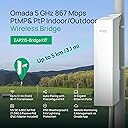
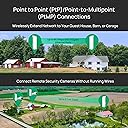
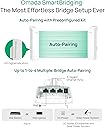
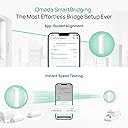
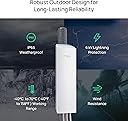
The TP-Link Omada Point to Point Wireless Bridge (EAP215-Bridge KIT) delivers robust 5 GHz Wi-Fi 5 connectivity at speeds up to 867 Mbps, covering distances up to 5 km. Designed for professional-grade outdoor use, it features IP65 weatherproofing, 3 gigabit ports, and flexible PoE or DC power options. Preconfigured for quick plug-and-play setup and managed seamlessly via the Omada cloud platform, it’s the ultimate solution for extending high-speed wireless networks across challenging outdoor environments.


| ASIN | B0CX7X1WT2 |
| Antenna Location | Business |
| Best Sellers Rank | #3 in Computer Networking Wireless Access Points |
| Brand | TP-Link |
| Built-In Media | EAP215-Bridge KIT, Passive PoE Adapter, Power Cord, Installation Guide, Mounting Kit |
| Color | black |
| Compatible Devices | Personal Computer |
| Connectivity Protocol | Wi-Fi |
| Connectivity Technology | Wi-Fi |
| Coverage | Up to 5 km |
| Customer Reviews | 4.5 out of 5 stars 470 Reviews |
| Data Transfer Rate | 867 Megabits Per Second |
| Frequency | 5 GHz |
| Frequency Band Class | Single-Band |
| Global Trade Identification Number | 00840030709159 |
| Is Modem Compatible | No |
| Item Dimensions L x W x H | 4.8"L x 2.5"W x 8.9"H |
| Item Weight | 1.65 Pounds |
| LAN Port Bandwidth | 1000 Mbps |
| Manufacturer | TP-Link |
| Maximum Upstream Data Transfer Rate | 867 Megabits Per Second |
| Mfr Part Number | EAP215-Bridge KIT |
| Model Name | EAP215-Bridge KIT |
| Model Number | Parent EAP115-Bridge KIT |
| Number of Ports | 6 |
| Operating System | Linux |
| Other Special Features of the Product | Beamforming |
| Security Protocol | WPA2 |
| Smart Home Compatibility | Not Smart Home Compatible |
| Special Feature | Beamforming |
| UPC | 840460601542 840030709159 |
| Unit Count | 1.0 Count |
| Warranty Description | 5 Year |
| Wi-Fi Generation | Wi-Fi 5 |
| Wireless Communication Standard | 802.11ac |
| Wireless Compability | 802.11ac |
A**L
Great way to extend WiFi
Setup was easy except for running the Ethernet cable. We were running WiFi from a larger house to a tiny house. Works great and the WiFi is almost as good as in the house. We replaced a Tp link WiFi extender and I’m really happy with this product. Seems like it will hold up well to wind and all that
C**Y
Great value. Simple set up. Good functionality
Works great. Easy to install. Good range. Solid signal strength. Compatible with everything i needed. I set it up with the host side mounted right below another host antenna (from a different manufacturer) and was worried about interference, but haven't had any issues. It comes with POE injectors to supply power and everything is pretty straightforward. Pretty much plug and play.
C**Y
Easy Setup and Reliable Performance
This TP-Link Omada point-to-point bridge is a very solid device. The setup process is quick and straightforward, and it can be configured in just a few minutes using a smartphone or through the IP interface on a computer. The interface is simple, and the overall installation is not difficult. One important step is to reset the unit to factory settings and create your own password, since some units may come with a default login. After proper setup, the connection is stable and reliable. A great option for a point-to-point link at a good price.
D**E
Easy setup for outbuilding internet
Easy setup for internet in my barn. No configuration necessary. I aimed them by eye and plugged them into my wifi router to provide internet to my barn. They are plug and play unless you want to change settings. I used a TP POE switch to provide power for my receiver and access point in the barn so I didn’t have to run 120v power to either piece of equipment. Works great so far.
C**N
Wildly impressed! Bridges shorter distances through walls!
Important to know when buying this, you still need to get the Access Point and a quality of 5 cat 5 or 6 cables (I used cat 5) This has a 3 mile range but I only needed to go about 300/400 ft to the horse barn. The reason I bought one with such a powerful range was because I wanted to see if it would bridge through walls and IT DOES! So happy with this device, though its a little wild that it doesn't come with any of the cat 5 cable required just to plug it in. So, we set one end up in our laundry room where our Verizon 5G Home Internet device is. I didnt want to have to run any cat5 through our house to mount it outside. This would have been a last resort. We mounted the other end outside the horse barn, under an attached lean-to and drilled through the tin to plug it in and mounted the Access Point that it also plugs into, inside the barn. Between the two ends of the bridge are, my closest, which is constructed out of cinder blocks(its our storm shelter), a bathroom/bedroom wall, the exterior wall and steal siding, plus the trees between, which arent much but there's a few. We've had this running two wifi cameras for a month and half now and they're running seamlessly. I love that I can just pick up my phone, day or night, regardless of where I am, and can check on the horses.
B**N
They should be standard PoE
I mean... they really should be operable directly connected to a PoE switch without needing a 24v passive adapter, but it is what it is. I found a dongle thing to convert from my PoE switch to passive for the transmitting side. On the receiving end it didn't really matter, so I used their brick. Easy to set up and offers way more control over the no-name CPE bridge I replaced, which was 48v standard PoE (the only thing I really liked about it.) I have way more control with the TP-Link devices, so I can easily tweak the channel and more importantly, channel width. I don't have any neighbors near by so I like to hog all of the 5ghz (and 2.4ghz) channels with various access points and now I can do that without the no name CPE bridge getting in the way. Zero overlap. One thing to note is that these TP-Link bridges don't appear to support DFS channels... I didn't see any of those channels as an option at least. Maybe you have to modify some other setting... but from a reliability standpoint it's likely better to keep them off DFS. These EAP211's are providing connectivity to several cameras I have around my backyard and woods - two Reolink Duo 4k's, 2 x Reolink 5mp, 1 x Amcrest 5mp. Working perfectly and with my throughput needs, I was able to occupy just a sliver of wireless operating at 20mhz. The distance is maybe 75ft but I didn't want to dig for fiber or add greater lightning strike potential by burying ethernet. I already have enough lightning strike risk with the PoE cameras all over the place up in trees. @ 75ft, Ch36, 20mhz channel width: -43dbm - 0 interference per the app, 125mbps down / 140mbps up. @75ft, Ch36, 40mhz channel width: -43dbm - 0 interference per the app, 244mbps down / 270mbps up. These are eyeball aimed and we haven't yet entered autumn, so sagging branches and leaves are blocking a perfect line of sight. Performance may increase during winter, but this is plenty fast. I've elected to keep it at 20mhz given my camera bandwidth requirements and the speeds I've observed. Btw the link speed using the Omada app is accurate, I tested it against an OpenSpeedTest installation on my security camera NVR computer and it always matched. So happy to be free of the no name CPE bridge.
M**R
Reliable and easy to set up
Fast reliable steady signal. I am transmitting/receiving about 100' connecting a router and two 8k cameras to my house. So far it has been reliable and the range has been more than adequate. These antennae are smaller and seem to be well made. This was the easiest bridge I have ever set up. NOTHING to it. Plug it up and point it. DONE. You can set up other features and use it as an access point as well. Very happy with this bridge.
Y**M
they just work. no problems here at all.
They worked really well - connected to one another without my doing any set up. speed and stability have been solid - not a bad thing to say about them. remember to get a wall or pole mount.
M**E
TP Link 215 Bridge Kit
Product fails to produce more than 80 MBps. Seems to limit speed and there’s no way to increase output.
S**N
Top
Ótimo produto
J**.
Excellent PharOs AP replacement.
Having used the previous generation of these devices, based on the PharOs platform, these work better than I expected. Those Pharos based ones stopped working after about 8 years in the field (literally a field!) and it could have been a cable fault, but as they’re are mounted about 8m above the ground, in a location not easily accessible, we opted to replace them (and the cabling) with these, to bring them into the Omada platform that we’ve been using for the rest of the site for sometime. The build quality is good, although expect the plastic to yellow in the sun, but it won’t go brittle. They use exactly the same mounts and housing as the previous generation, so you could literally just swap the AP out, if the cabling and mount are good. They’re not certified to transmit as far, I forget the exact numbers, but I think it was about 15Km on the old platform, verses about 5Km on the new. That wasn’t a concern for us, but could be for others. The setup of the devices was a piece of cake, we installed the Main AP on the main building where the Controller is situated, and the client one at the other building. Once the client AP was powered up, using the in box PoE adaptor, they automatically paired and began working. The speed is nothing to write home about at only 800Mbps, but this is 10x the internet uplink, and only needs Kbps to function as intended. All in all they provide great value too, as you get two APs in the box, preconfigured, whereas with the previous generation, they were about 3/4 of the price, but you only got 1, and had to install software to configure them. These are also part of the Omada platform, so you get all the benefits you would expect from using that platform. In addition, the bridge APs also functioned as client APs, allowing devices to connect if there wasn’t a better positioned AP to handle the traffic.
M**Z
Requiero garantía dejo de funcionar
Se compró esta antena en diciembre y se instaló en el mes de febrero, de inicio funcionó muy bien después se desconectaba con frecuencia y ayer después de 5 meses de uso una de las antenas ya no prendió, mi pregunta es aún tiene garantía con el fabricante ?
M**A
Excellent performance and price
These devices are awesome. Super affordable, easy to configure, weather resistant and fast. I've installed mine in a heavily-forested rural area about 100 meters apart with excellent throughput and extremely low latency. They've been subjected to heavy rain and snow without skipping a beat.
Trustpilot
2 months ago
2 weeks ago